
Why An Ergonomic Laptop Stand Is A Dorm Essential

The Importance Of Good Posture In Small Spaces
Dorm rooms force students into tight work environments. A laptop on a desk creates a downward viewing angle that rounds the shoulders and flexes the neck forward. This position strains the cervical spine and upper back muscles during hours of studying. An ergonomic laptop stand raises the screen to eye level, aligning the head over the shoulders and keeping the spine neutral. This adjustment prevents the postural collapse that happens naturally when working on a flat surface in confined quarters.
Small dorm spaces leave no room for furniture repositioning or ergonomic adjustments. Students stack books, use makeshift risers, or work directly from their laps to compensate. These workarounds fail to address the core problem: screen height. A dedicated stand occupies minimal desk real estate while solving the primary issue. Proper eye-level viewing maintains neutral posture even when desk space is limited and movement options are restricted by walls and roommate proximity.
Preventing Strain And Discomfort For Students
Students report neck pain, shoulder tightness, and lower back discomfort after extended laptop sessions. These complaints stem from sustained forward head posture, which increases load on cervical discs and triggers muscle tension. Studies on office workers document similar strain patterns from improper screen positioning. A laptop stand eliminates this root cause by positioning the display at or slightly above eye level. This prevents the compensatory movements that create pain and fatigue during marathon study sessions.
Repetitive strain injuries develop gradually and worsen over semesters. By first year, many students experience chronic neck stiffness or headaches from accumulated posture stress. Intervention early prevents long-term musculoskeletal damage. A stand costs between twenty and eighty dollars depending on materials and adjustability. This one-time investment protects students from months of discomfort and maintains focus on actual coursework rather than physical pain management.

Understanding Ergonomic Desk Principles For Dorm Life
Key Ergonomic Features To Look For
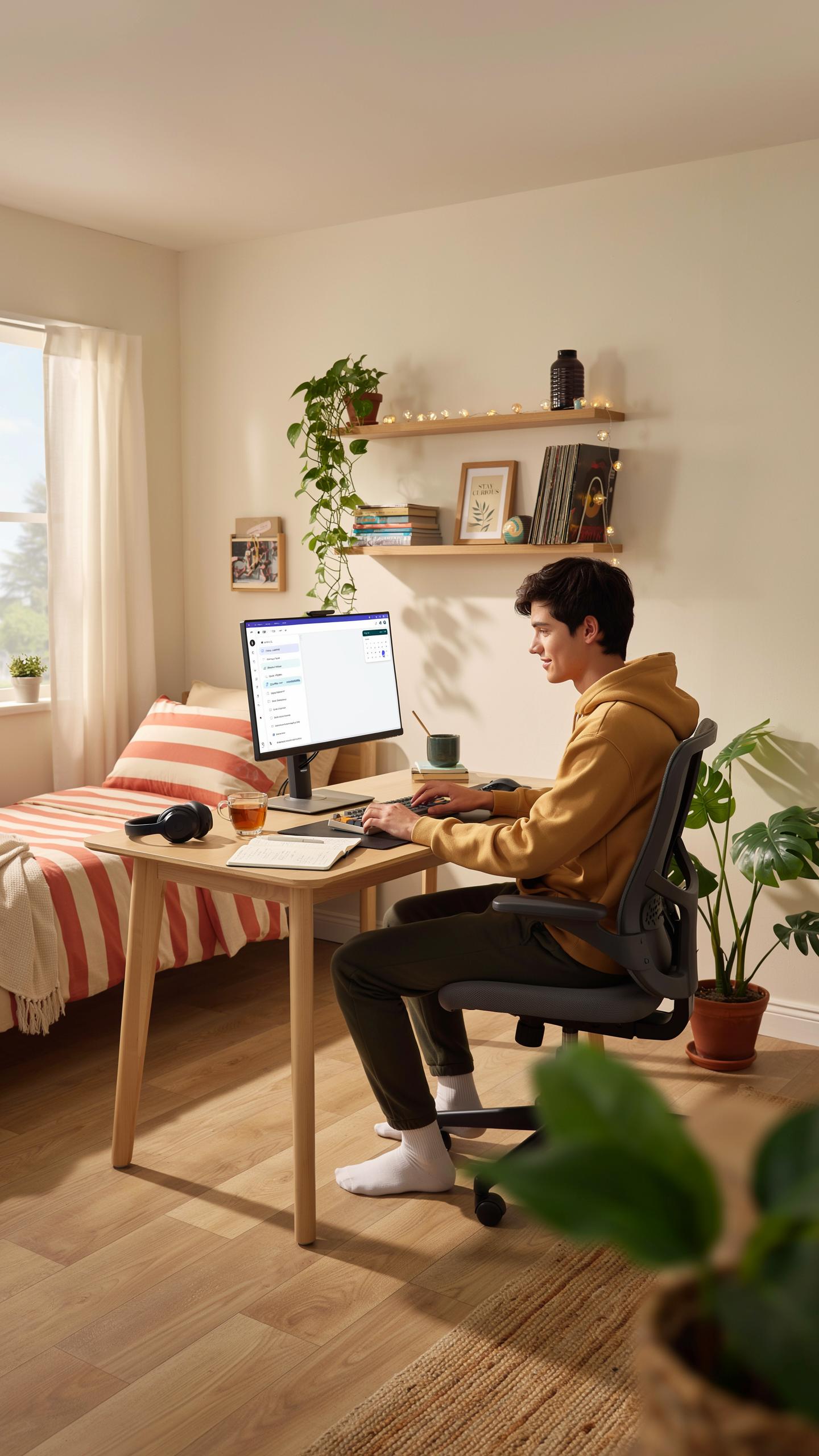
A truly ergonomic laptop stand addresses three core problems dorm students face: screen height misalignment, neck strain, and poor posture. The stand must raise your screen to eye level, which sits approximately 20 to 26 inches from your eyes when seated normally. Adjustable height matters because dorm desks vary, and your seating position changes based on chair type and desk depth.
Stability prevents wobbling during typing or mouse use. The stand’s base must be wide enough to support your laptop without tipping. Look for models with non-slip feet or grips that hold your desk surface firmly. Angle adjustment allows you to tilt the screen toward you, reducing glare and neck extension. Materials like aluminum or steel provide durability for repeated adjustment without loosening over time.
Setting Up Your Dorm Desk For Optimal Comfort
Position your laptop stand so the top of your screen aligns with your eye level when you sit upright. Your elbows should bend at roughly 90 degrees when your hands rest on the keyboard. Place your keyboard and mouse on the same surface level, slightly lower than your elbows to reduce shoulder strain and tension in your upper back.

Your chair height directly impacts stand effectiveness. Adjust your chair so your feet rest flat on the floor or footrest. Your thighs should be parallel to the ground. If your dorm desk is too high, a stand alone cannot fix poor posture. Combine the stand with proper seating to eliminate neck, shoulder, and lower back discomfort during long study sessions.
Choosing The Best Laptop Stand For Your Dorm Desk

Material Matters: Wood, Metal, And Plastic Options
Wood stands offer decent durability and fit most dorm aesthetics. They’re heavier than plastic, which means less tipping risk. Wood absorbs sound better than metal and resists scratching your laptop bottom. The downside is moisture damage in humid dorms and the cost. Budget wood stands run 30 to 60 dollars.
Metal stands deliver superior stability due to weight and rigid construction. Aluminum models weigh less than steel while maintaining strength. Metal conducts heat, so airflow around your laptop improves. They scratch easily and show fingerprints constantly. Metal stands typically cost 40 to 80 dollars depending on construction quality.

Plastic stands are the lightest option and cost the least. They suit small dorm desks because they take minimal space. Plastic flexes under weight, creating wobble over time. They fail faster than wood or metal stands. Most plastic models sell for 15 to 35 dollars and last one to two years.
Portability And Storage For Small Dorm Rooms
Collapsible stands fold flat for storage under your bed or in a closet. They pack into backpacks easily when you move dorms annually. Folding designs use hinges that wear out after repeated collapsing. Check hinge quality before buying because weak hinges cause total stand failure. Most collapsible stands weigh between two and four pounds.
Adjustable stands with removable components let you disassemble them without tools. You stack the pieces together, saving storage space dramatically. Removal mechanisms sometimes loosen over time from handling. Transport them in a bag to prevent piece loss. These stands typically occupy less than half a cubic foot when stored completely.
Elevate Your Study Game Desk Inspiration And Organization

Maximizing Space With A Laptop Stand
A laptop stand lifts your computer off the desk surface, creating usable space underneath. This recovered area holds textbooks, notebooks, or storage containers. Your desk becomes functional instead of cramped. The vertical arrangement reduces clutter and makes your workspace feel larger than it actually is. Better organization follows naturally when you eliminate surface crowding.

With your laptop elevated, you gain flexibility in how you arrange your remaining desk items. Desk organizers fit easily beneath the stand. Writing supplies, charging cables, and reference materials find dedicated spots. You work with intention rather than chaos. This setup works in dorms where square footage is limited and every inch matters.
Creating An Inspiring And Functional Study Environment
Position your laptop stand where it catches natural light from windows or where your desk lamp reaches easily. Proper lighting reduces eye strain during long study sessions. Place frequently used items within arm’s reach of your standing position. Keep distractions like your phone in a drawer or on a shelf behind you. These deliberate choices support focus and minimize wasted motion.
Your dorm desk should support the work you actually do. If you handwrite notes, leave clear space for notebooks and pens. If you research online, position your stand so you can see both your screen and reference materials. Match your desk arrangement to your study habits. A personalized setup beats a generic template every time.
The Aesthetic Appeal Laptop Stand Aesthetic For Dorms
Matching Your Dorm Decor With Stylish Stands
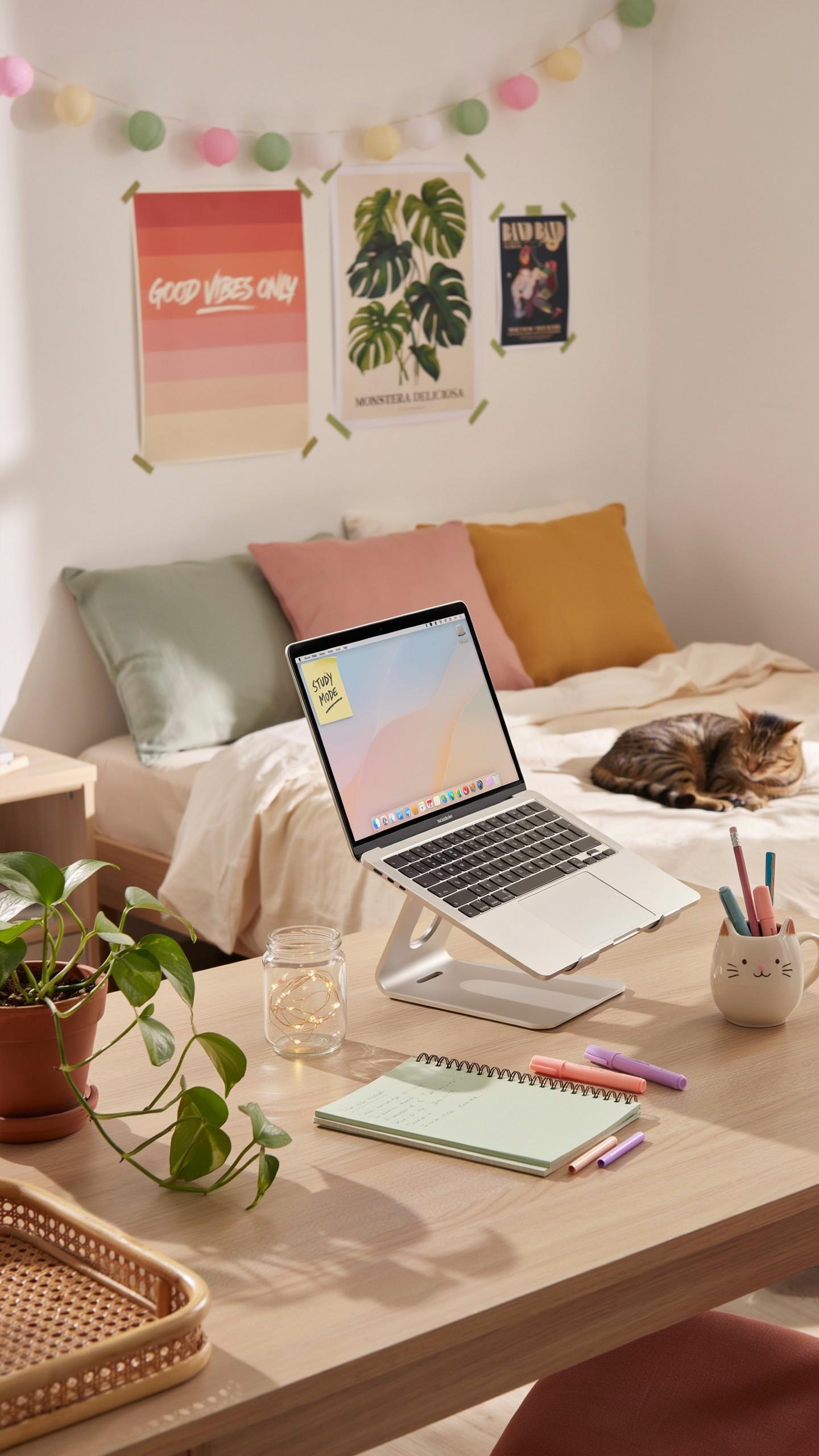
Dorm rooms demand design choices that work within tight spaces. Your laptop stand sits on your desk daily, making it a visual anchor in your room. Choose materials and colors that either complement existing furniture or establish a cohesive theme. Metal stands work with modern setups. Wood stands pair with traditional or warm-toned décor. Plastic stands offer budget flexibility and color variety. The stand you pick influences how your entire workspace feels.

Color coordination matters practically, not philosophically. A black stand disappears against dark desks but stands out on light surfaces. White or natural wood stands brighten small rooms. Colored stands should match at least one other element in your room to avoid looking random. Most dorm furniture comes in neutral tones, so your stand either blends in or pops deliberately. Make this choice based on what your room needs visually.
Minimalist Vs. Feature Rich: Finding Your Style
Minimalist stands strip away everything except core function. They feature clean lines, single materials, and neutral colors. These stands work in tight dorms because they occupy visual space efficiently. Minimalist designs emerged from the Bauhaus movement, which prioritized form following function. Today, minimalist laptop stands appeal to students who want less visual clutter. This approach works best in small rooms where visual noise drains focus and energy.
Feature-rich stands integrate additional components like storage, cable management, or adjustable angles. These stands serve multiple purposes in one footprint. They appeal to students managing multiple devices or needing organized workspaces. Feature-rich designs derive from industrial design principles that maximize utility. The tradeoff is complexity: more features mean more to clean around and maintain. Choose minimalist for simplicity or feature-rich if your workflow demands organization.
Beyond The Desk Lap Desk Solutions For Dorm Life

Comfortable Computing From Bed Or Lounge Areas
Dorm rooms lack space for traditional desk setups. Students often work from beds, couches, or floor seating out of necessity. Lap desks solve this constraint by providing a portable work surface. They keep laptops elevated and angled correctly without requiring furniture. This approach maintains screen height at eye level, reducing neck strain during extended study sessions.

Lap desks distribute laptop weight across your legs and lap rather than concentrating heat and pressure on one spot. The cushioned base prevents direct contact with your body, protecting skin from thermal damage. This matters during marathon study sessions or streaming work. Your laptop also stays stable when you shift positions, eliminating the constant readjustment that happens on bare legs or soft surfaces.
Features Of A Good Lap Desk For Students
Ventilation holes in the base allow airflow underneath your laptop. This prevents thermal buildup that slows performance and damages battery life. Look for designs with raised edges or corner supports that lift the laptop surface slightly. Adequate cushioning beneath the work area absorbs weight distribution and provides comfort during four-hour study blocks.
Stability comes from a wide, weighted base that resists tipping when you move. The surface itself should grip your laptop without sliding during note-taking or typing. Materials matter: rigid foam or wooden cores outperform thin fabric options. A lap desk with these features handles daily dorm use without warping or losing structural integrity after months of student life.
Wooden Laptop Stand A Sustainable And Stylish Choice

The Benefits Of Natural Materials In Dorm Decor
Wood functions as a practical material for dorm furniture because it handles weight without warping easily. Most wooden laptop stands use hardwoods or plywood that withstand the daily pressure of laptops weighing between 3 to 7 pounds. The material doesn’t require electricity, making it a straightforward solution for limited dorm outlets. Wood also absorbs sound better than metal or plastic, reducing keyboard noise that disturbs roommates during late study sessions.

Wooden stands match most dorm aesthetics without creating clutter. Unlike metal stands that look industrial or plastic stands that appear cheap, wood integrates into any color scheme. Students can position wooden stands on desks without worrying about scratching surfaces because the bottom contact points cause minimal damage. The natural grain patterns mean each stand has distinct appearance, eliminating the generic feel of mass-produced dorm furniture.
Care And Maintenance For Your Wooden Stand
Dust your wooden stand weekly using a dry cloth or soft brush. Avoid spraying water directly on the wood since moisture causes warping and splitting over time. If spills happen, wipe them immediately with a barely damp cloth and dry completely within minutes. Store your stand away from direct sunlight to prevent fading and discoloration throughout your academic years.
Check your stand quarterly for loose joints or cracks forming along the grain. Tighten any hardware using basic screwdrivers or hex keys depending on your stand’s construction. Apply wood conditioner once per semester to maintain moisture balance and prevent drying out. Never use harsh chemicals or abrasive sponges on wood surfaces since they strip protective finishes and leave permanent marks.
Integrating Your Ergonomic Desk Setup With Dorm Essentials

Complementary Accessories For A Complete Ergonomic System
A laptop stand alone fixes one problem: screen height. You still need an external keyboard and mouse to complete the setup. When your screen sits elevated on a stand, your hands must reach the laptop keyboard below, forcing your shoulders and wrists into poor positions. An external keyboard places your hands at elbow height where they belong. Your mouse goes beside the keyboard at the same level, keeping your arm neutral throughout the day.

Monitor arms offer another layer of control beyond basic stands. These adjustable mounts let you position your screen exactly where your eyes need it, not where the stand allows. Some dorm setups benefit from a small external monitor paired with a stand, though space constraints often make this impractical. Focus on keyboard and mouse first. These two accessories deliver the most ergonomic return for the money and dorm space you have available.
Creating A Healthy Study Routine In Your Dorm Room
Ergonomic setup means nothing if you sit for eight hours without moving. Set a timer for 25 to 30 minutes of focused work, then stand up and move for five minutes. Walk to get water. Stretch your arms overhead. Roll your shoulders backward. This rhythm trains your body to expect breaks and prevents the stiffness that comes from static posture. Your productivity actually increases because your mind resets during movement.
Posture checks work as a daily habit too. Every time you start a study session, spend 10 seconds adjusting your position. Feet flat on floor. Back against chair. Shoulders relaxed. Screen at eye level. These quick resets prevent the gradual slouch that undoes your ergonomic setup. Your neck, shoulders, and lower back will thank you. Consistency beats perfection when building healthy study habits in your dorm.
Top Picks Ergonomic Laptop Stands For Dorm Room Essentials

Recommended Stands For Different Student Needs
Dorm students need laptop stands that balance portability, durability, and price. The best options adjust to multiple heights and angles. They support laptops between 11 and 17 inches. Most quality stands cost between 25 and 80 dollars. Aluminum construction offers lightweight durability without adding bulk to limited dorm space.
- Roost Stand: Lightweight aluminum design that folds flat. Weighs under one pound. Adjusts to multiple angles. Price range is 40 to 50 dollars. Ships quickly to dorm addresses.
- Twelve South Compass Pro: Rotating base allows portrait and landscape modes. Supports up to 17 inch laptops. Aluminum build resists wear. Costs around 50 dollars. Popular with students who need flexible positioning.
- AmazonBasics Adjustable Laptop Stand: Budget friendly option at 20 to 30 dollars. Metal construction handles daily use. Adjusts to six height positions. Compact when folded for storage or transport.
- Nexstand K2: Portable design folds into compact size. Supports laptops up to 17 inches. Adjustable height and tilt angles. Costs 35 to 45 dollars. Lightweight enough for commuting between classes.
- Rain Design mStand: Minimalist aluminum stand with fixed angle. No adjustments needed. Supports 10 to 17 inch laptops. Price is 45 to 55 dollars. Reliable for stationary dorm desk setups.
Student budgets demand stands that survive multiple semesters without replacement. Portable options work best for students who move between dorm rooms or take laptops to libraries. Fixed angle stands cost less but offer no flexibility. Adjustable models cost more but accommodate different desk heights and working positions. Buy based on your specific dorm setup, not general trends.
Remember those late-night dorm study sessions? An ergonomic laptop stand wasn’t just a desk accessory, it was a silent partner in countless academic victories and cozy movie nights.
Where To Find The Best Deals And Student Discounts
Online retailers offer the lowest prices on laptop stands. Amazon Prime provides fast shipping to dorm addresses with no hassle. Newegg and Best Buy stock multiple brands and ship within two to three business days. B&H Photo has competitive pricing and reliable dorm delivery. Check each site for current inventory before ordering.
Student discount programs save money on specific brands. Lenovo and Dell offer educational pricing when you verify student status through SheerID. Honey browser extension finds coupon codes automatically at checkout. Retailer back to school sales run July through September. Buy during these months to catch 15 to 25 percent discounts on stands and dorm accessories.
Installation And Setup Getting The Most From Your Laptop Stand

Step By Step Guide To Assembling Your New Stand
Most dorm laptop stands arrive partially assembled or fully assembled. Check your product documentation immediately upon arrival. Identify all components before beginning setup. Lay them on a flat surface to verify nothing is missing. Read the manufacturer’s instructions completely before touching any parts.
Assembly typically takes five to fifteen minutes depending on stand type. Adjust any locking mechanisms or hinges to ensure they move smoothly without resistance. Test stability by applying gentle downward pressure at multiple points on the stand. Place your laptop on the stand and verify it sits level and secure. Do not force any components that resist movement, as this indicates misalignment.
Adjusting For Personal Comfort And Ergonomics
Height adjustment directly impacts neck and shoulder strain during extended study sessions. Position the monitor so the top of your screen aligns with eye level when sitting upright. Your eyes should naturally gaze slightly downward at approximately fifteen degrees. This positioning reduces tension in your neck and upper back throughout the day. Measure from your seated eye position to your desk surface to determine correct stand height.
Angle adjustment prevents glare and reduces eye fatigue during long work periods. Tilt the stand so your screen face is perpendicular to overhead lighting and windows. Most effective angles range from zero to thirty degrees from vertical. Test your setup by working for thirty minutes and noting any discomfort or strain. Adjust incrementally and retest until you find your optimal configuration for sustained comfort.
Frequently Asked Questions

Why is an ergonomic laptop stand beneficial for a dorm room setup?
An ergonomic laptop stand for dorm desks elevates your screen to eye level, preventing neck and back strain from hunching over. This improves posture, enhances comfort during long study sessions, and can even boost focus. It’s a simple upgrade that makes a significant difference for your well-being in a compact space.
How do I properly set up and adjust my ergonomic laptop stand on a dorm desk?
Position your ergonomic laptop stand so the top of your screen is at eye level. Your wrists should be flat and elbows at a 90-degree angle when typing on an external keyboard. Ensure your feet are flat on the floor or a footrest. Experiment with height and angle until you find a comfortable, sustainable posture.
Are there affordable ergonomic laptop stand options suitable for a student’s budget?
Absolutely! Many affordable and effective ergonomic laptop stand models are perfect for dorm desks. Look for options made from lightweight, durable materials like aluminum or even reinforced cardboard. While features vary, even basic stands offer significant ergonomic benefits without breaking the bank, making good posture accessible to all students.



