
Why A Laptop Backpack With A Charging Port Is Essential For Students

The Demands Of Student Life And Technology
Modern education requires students to manage multiple devices simultaneously. Laptops power coursework and research. Smartphones handle communication and note-taking apps. Tablets supplement reading and annotation. Battery depletion during a study session or between classes creates real operational problems. Students cannot afford downtime when deadlines approach or lectures depend on device access.
The shift toward digital learning accelerated significantly over the past decade. Universities now integrate online platforms, digital submissions, and cloud-based collaboration into standard coursework. Students spend extended periods away from outlets. A single class day involves moving between buildings, libraries, and campus spaces. Traditional power access points remain insufficient for the volume of devices students carry and the duration they need them charged.
The Convenience Factor Always Charged Always Ready
Integrated charging ports eliminate the need for separate power cables and external battery packs. Students reduce backpack clutter by consolidating gear. One cable connection charges devices during transit or study breaks. This direct access to power inside the backpack prevents the common scenario of dead devices at critical moments during exams, group projects, or time-sensitive submissions.
Built-in charging solutions save time students would otherwise spend locating outlets or managing adapter logistics. A student can charge a phone while working on a laptop assignment without searching for available power sources. The backpack becomes a functional workspace tool rather than just storage. This efficiency compounds over semesters, creating measurable gains in productivity and reducing stress related to device management and power anxiety.

Key Features To Look For In A Student Laptop Backpack

Understanding Integrated Charging Systems
The charging port built into a student backpack connects to an internal power bank compartment or external USB port. This setup lets you charge your phone or tablet without removing the power bank from the backpack. The port itself is typically USB-A or USB-C, mounted on the exterior for easy access while you move between classes.
Power banks do not come included with most student backpacks that feature charging ports. You buy and install your own power bank inside the designated compartment. This design approach lets you choose the capacity and brand that fits your needs, keeping weight and cost decisions in your hands instead of the manufacturer’s.
In every cherished backpack, a student carries not just books, but dreams and the power to ignite them, wherever the journey leads.
Dedicated Laptop Compartment: Protection And Accessibility
A padded laptop compartment sits separately from the main storage area to shield your device from impact and pressure. The padding typically measures between 10mm and 15mm thick, using foam or neoprene materials that absorb shock without adding excessive weight. This compartment keeps your laptop secure during commutes and prevents it from getting crushed by books or other heavy items.

Quick access means you can reach your laptop without emptying the entire backpack. Most student backpacks position the laptop compartment at the back panel or as a side opening, letting you pull your device out in seconds. This matters during back-to-back classes when you need to set up fast and keep moving between locations.
Durability And Comfort Built For The College Campus

Materials Matter: Weather Resistance And Longevity
Backpack materials directly determine how long your gear survives campus life. Nylon and polyester dominate student backpacks because they resist moisture, dry quickly, and handle repeated stress without tearing. Canvas absorbs water and requires treatment to resist rot. Ballistic nylon costs more but outlasts standard nylon by years under heavy use.
The base and bottom panels experience the most wear. Manufacturers reinforce these areas with thicker material or double-stitched construction. Zippers and strap attachment points fail before fabric does, so check these stress zones first. Water-resistant coatings on nylon add protection but degrade over time with washing and UV exposure.
Ergonomics For Everyday Carry: Alleviating Strain
Padded shoulder straps reduce nerve compression and shoulder pain during long walks between classes. Straps should be at least half an inch thick and curve slightly to match shoulder anatomy. Wide straps distribute weight across more surface area than thin ones, lowering pressure points.

Back panel cushioning protects your spine from laptop edges and hard objects pressing against you. Air channels molded into padding improve ventilation and reduce sweat buildup. Weight distribution matters most: position the heaviest items closest to your back and centered vertically. This keeps your body aligned and prevents slouching that strains your lower back.
Storage And Organization Beyond The Laptop

Smart Compartments For Textbooks, Notebooks, And Essentials
Academic work demands more than just laptop space. Student backpacks need dedicated compartments that separate textbooks from electronics, preventing damage and making retrieval faster. Most quality student backpacks feature a main storage area with dividers that prevent items from shifting during transit. These dividers protect your materials while keeping everything organized by category.
Textbook compartments typically measure between 10 to 12 inches wide to accommodate standard notebook sizes. Separate tech pockets isolate cables and chargers from paper products, reducing clutter and tangling. Some backpacks include expandable sections that accommodate varying textbook thickness throughout the semester. This flexibility matters when your course load changes week to week.
Keeping It Tidy: Pen Holders, Key Clips, And Small Pockets
Small items scatter easily in large backpacks without dedicated holders. Pen slots prevent writing instruments from rolling into the bottom or damaging your screen protector. Most student backpacks include between 3 to 6 dedicated pen holders positioned on interior walls or front panels for quick access during classes.

Key clips and carabiner attachment points keep keys accessible without searching through pockets. Front zippered pockets hold earbuds, USB drives, and ID cards within arm’s reach. These organizational features save time during transitions between classes and reduce the frustration of lost items buried in main compartments.
Security Features Protecting Your Valuables Anti Theft

Anti Theft Design: Hidden Zippers And RFID Protection
Hidden zippers sit on the backpack’s back panel rather than the front. This placement prevents thieves from accessing your bag while you walk through crowded spaces. Criminals target visible zippers they can open quickly. Back panel placement forces them to turn the bag around, making theft obvious and impractical.
RFID blocking technology stops contactless card readers from scanning your payment information through the backpack material. Modern credit and debit cards transmit data wirelessly when equipped with RFID chips. RFID blocking compartments use conductive materials that interrupt these signals. This prevents skimming attacks in transit or stationary situations.
Lockable Zippers And Secure Compartments
Lockable zippers accept small padlocks or cable locks that physically prevent zippers from opening. Most student backpacks include keyless combination locks or TSA compatible locks. These locks work on main compartments and dedicated tech pockets. The lock secures the zipper slider, making the compartment inaccessible without removing the lock.

Dedicated secure compartments isolate valuable items from main storage areas. Separate compartments for laptops, tablets, and documents prevent theft of entire bags at once. Students can keep electronics in locked sections while accessing books or supplies from unlocked areas. This tiered security approach limits what thieves can steal in a single grab.
Style And Aesthetics Expressing Yourself On Campus

A Range Of Designs: From Minimalist To Bold
Laptop backpacks for students come in distinct design categories that serve different functional and visual needs. Minimalist designs strip away unnecessary pockets and features, focusing on clean lines and neutral colors. Bold designs incorporate multiple compartments, contrasting panels, and distinctive silhouettes that stand out. The choice between these approaches depends on your daily routine and how visible your backpack needs to be.
Design density directly impacts both usability and maintenance. Minimalist backpacks require less cleaning and offer easier access to main compartments, making them practical for students moving between classes quickly. Bold designs provide more organizational options through additional pockets and attachment points, benefiting students who carry varied materials like cables, chargers, and documents throughout the day.
Color And Material Choices To Match Your Personality
Material selection determines durability, weight, and maintenance requirements for your backpack. Nylon and polyester dominate student backpack construction due to their water resistance and lightweight properties. Canvas offers a heavier alternative with a distinct appearance but requires more maintenance. Leather and hybrid materials provide premium options with longer lifespans, though they cost more and demand regular care.

Color choices range from blacks and grays that hide stains to blues, greens, and earth tones that offer personality without impracticality. Darker colors minimize visible wear from daily use and dirt accumulation. Lighter colors require more frequent cleaning but provide better visibility in low-light environments like crowded hallways and parking areas. Your choice should balance personal preference with the reality of campus conditions.
The Laptop Backpack As A Business Travel Companion

Versatility For Internships And Professional Settings
Student backpacks with charging ports serve dual roles during internships and early career phases. The transition from classroom to office requires gear that handles both environments without replacement. Charging ports eliminate the need for separate power banks or searching for outlets. Built-in organization keeps professional documents separate from personal items. This single backpack handles semester schedules and summer internship demands efficiently.
Business settings expect clean aesthetics and functional design over campus casual appearance. Quality materials like ballistic nylon or reinforced polyester withstand daily professional use. Padded laptop compartments protect company equipment during commutes. Neutral colors like black, gray, and navy blend seamlessly in office environments. Students gain professional credibility when carrying gear that matches workplace standards.
Meeting Business Backpack Standards: Organization And Portability
Business travel demands organizational systems that separate work essentials from personal items. Laptop backpacks designed for students incorporate compartments for documents, cables, and accessories. Dedicated slots for business cards, pens, and notepads keep materials organized. Charging ports eliminate fumbling with tangled wires in professional meetings. Quick access pockets allow students to retrieve items without unpacking the entire bag.

Portability defines business backpack functionality for commuting and airport navigation. Lightweight construction under five pounds reduces fatigue during long travel days. Comfortable shoulder straps distribute weight evenly across the back. TSA-friendly designs allow backpacks through security checkpoints without removal. Durable handles withstand frequent lifting and handling in busy professional environments.
Beyond The Classroom Travel Backpack Considerations

Weekend Trips And Study Abroad: Adaptability Of Your Bag
A student backpack with a charging port must handle more than daily commutes. Weekend trips demand a bag that transitions smoothly from campus to travel without requiring additional luggage. The charging port becomes critical here, allowing you to power devices during layovers or long bus rides without hunting for outlets or portable chargers.
Study abroad programs expose your backpack to constant use across unfamiliar environments. Durable materials like ballistic nylon or polyester withstand frequent packing and unpacking cycles. A well-designed charging port remains functional after months of travel, so choose bags with reinforced port construction and weather sealing to protect internal electronics from moisture and debris.
Airline Carry On Compatibility And Travel Friendly Features
Airlines enforce strict carry-on dimensions, typically 22 x 14 x 9 inches for major carriers. Most quality student backpacks fall within these limits, but you must verify measurements before travel. A charging port adds minimal bulk when integrated into the design rather than bolted onto external surfaces, keeping your bag compliant with size restrictions.

Security screening requires quick device access without full unpacking. Backpacks with dedicated laptop compartments and external charging ports eliminate the need to dig through main sections. Side pockets positioned for easy reach let you remove your laptop for scanning while the charging port remains accessible for a final phone charge before boarding.
Making The Right Choice Factors To Consider When Buying Your College Bag

Budget Vs. Features: Finding The Best Value
Entry-level backpacks with charging ports run between 30 and 60 dollars. Mid-range options cost 60 to 120 dollars and offer better materials and larger battery capacities. Premium models exceed 120 dollars with advanced features like RFID protection and ergonomic designs. Your budget determines what features you actually get, not what marketing claims to offer.
Prioritize what you need versus what sounds nice. A built-in USB port matters more than aesthetic details if you charge devices daily. Durability and water resistance prevent costly replacements later. Calculate total cost of ownership. A cheaper bag that fails in one semester costs more than a durable option lasting four years.
Reading Reviews And Brand Reputation
Search for user reviews on retail sites like Amazon and Best Buy where students post real feedback. Look for patterns in reviews rather than isolated complaints. Check how many reviews mention specific failures like broken zippers or failed charging ports. Brand reputation builds over years of consistent product performance, not marketing spend.
Visit brand websites to verify warranty terms and return policies. Contact customer support with questions before buying. Brands that respond quickly and clearly typically back their products. Student-focused forums and subreddits provide unfiltered opinions. Cross-reference opinions across multiple sources before committing your money.
Maintaining Your Laptop Backpack Tips For Longevity
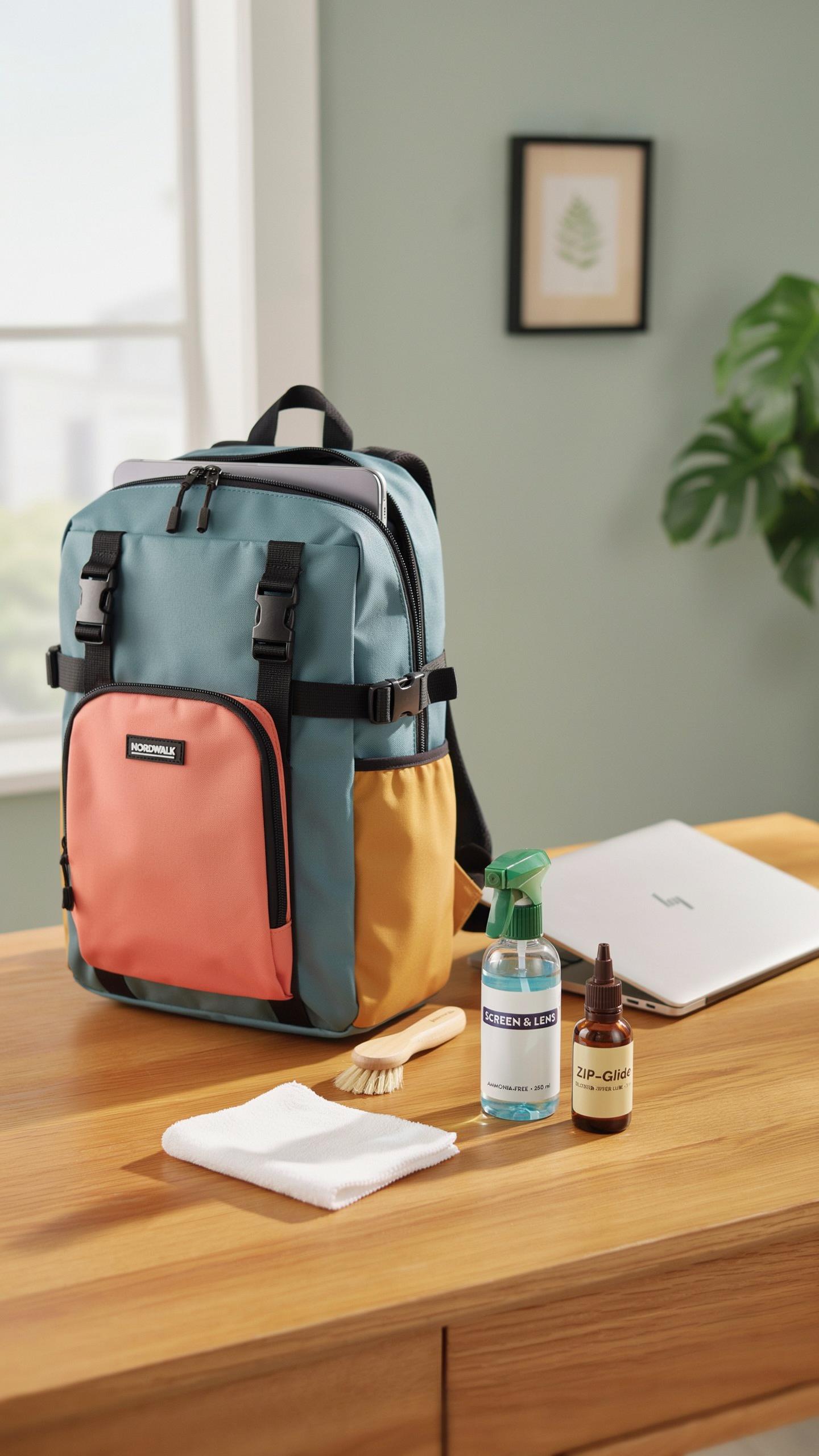
Cleaning And Care For Different Materials
Regular cleaning extends backpack life and keeps your charging port functional. Different materials require different approaches. Canvas handles dirt differently than polyester. Nylon responds poorly to harsh chemicals. Leather needs conditioning to prevent cracking. Your cleaning method depends on what your backpack is made from, not guesswork.
- Canvas Backpacks: Spot clean with mild soap and water using a soft brush. Air dry completely before storing to prevent mildew and material degradation.
- Polyester Backpacks: Wipe with a damp cloth and mild detergent solution. Avoid machine washing as it damages stitching and weakens fabric integrity over time.
- Nylon Backpacks: Use lukewarm water with gentle soap on stains only. Never use bleach or solvents that break down nylon fibers and compromise water resistance.
- Leather Accents: Apply leather conditioner quarterly to prevent cracking and maintain flexibility. Test conditioner on hidden areas first to ensure no discoloration occurs.
- Metal Hardware: Clean with a dry cloth to prevent rust formation. For corrosion, use white vinegar on a cloth, then dry immediately with a soft towel.
Inspect seams and zippers monthly for damage. Address fraying or separation immediately to prevent water from reaching electronics and internal components. Proper maintenance catches problems before they require expensive repairs or replacement.
Troubleshooting Common Charging Port Issues
Charging ports fail from dirt, moisture, and bent contacts. Debris blocks power delivery without damaging the port permanently. Regular inspection catches problems early. Check your port monthly by looking for lint or dust accumulation. Use a flashlight to see inside the port clearly. Do not insert objects into the port as you risk damaging internal connectors.
Moisture causes shorts and corrosion inside the charging system. If your backpack got wet, open compartments and air dry for 24 to 48 hours before using the charging function. Stop using the charging feature immediately if you notice burning smells or heat near the port. This signals internal damage requiring professional repair or port replacement from the manufacturer.
Frequently Asked Questions

What exactly is a laptop backpack with a charging port, and how does it work?
A laptop backpack with a charging port integrates a USB port on its exterior, connected internally to a dedicated pocket where you can store a power bank (not included). This innovative design allows students to conveniently charge their phones, tablets, or other gadgets on the go without rummaging through their bag, making it a highly practical accessory for busy academic life.
How do I properly use the charging feature on my new laptop backpack with a charging port for students?
Using the charging feature is straightforward. First, place your fully charged power bank inside the designated internal pocket of the backpack. Connect the power bank to the internal USB cable. Then, simply plug your device’s charging cable into the external USB port on your laptop backpack. You’re now ready to charge your devices while on the move, perfect for students.
Are there affordable options for a reliable laptop backpack with a charging port for students, or are they typically expensive?
Absolutely! While features and brands can influence price, there are many excellent and budget-friendly laptop backpacks with charging ports available for students. You don’t have to break the bank to find a durable and functional option. Look for sales, student discounts, or reputable brands known for offering good value to secure a great bag without overspending.



