
The Problem With Messy Cables A Messy Desk Explained

Visual Clutter And Its Impact
A tangled mass of cables on your desk kills focus. Your brain processes visual chaos as noise. When cables drape across your workspace, they demand attention you don’t have to spare. Studies in workplace ergonomics show that desk clutter reduces cognitive performance. You spend mental energy managing disorder instead of executing work. An organized desk keeps your attention where it belongs: on the task at hand.
Cable clutter also signals disorganization to others. Clients and colleagues form impressions based on what they see. A desk buried in wires reads as unprofessional and inefficient. Whether remote or in office, your workspace reflects your work quality. Control your environment. It controls your credibility.
Safety Hazards Of Disorganized Wiring
Loose cables create real physical risks. Tripping hazards cause falls and injuries. Cables left on the floor accumulate dust and debris over time. This buildup blocks airflow around power connectors and device chargers. Restricted airflow causes heat to build up inside cables and equipment. Heat degrades insulation, increasing fire risk significantly.
Cable damage accelerates when wires sit unprotected. Crushing, bending, and friction from movement expose internal conductors. Exposed wires short circuit or spark when moisture reaches them. Electrical fires start silently and spread fast. An under desk cable organizer box prevents these hazards by securing cables and keeping them off the ground where they stay dry and undamaged.

Introducing The Under Desk Cable Organizer Box For Clean Desk Solutions

What Is An Under Desk Cable Organizer Box?
An under desk cable organizer box is a containment system that houses power strips, electrical adapters, and excess cabling beneath your work surface. The box keeps these components out of sight while maintaining accessibility for connections and maintenance. Most designs feature openings or slots that allow cables to enter and exit without restricting their flow.
The enclosure protects cables from dust, foot traffic, and accidental damage. It consolidates multiple power sources into one location, reducing clutter around your desk legs and floor area. These boxes range from simple plastic containers to specialized cable management systems with internal routing channels and cable clips.
Benefits Of Cable Management Boxes
Cable management boxes eliminate visual chaos from your workspace immediately. They reduce tripping hazards by containing cords that would otherwise snake across the floor. The containment prevents pets and children from accessing live cables and power strips. Your setup becomes safer and more organized without requiring desk reorganization.

These boxes improve equipment accessibility for troubleshooting and upgrades. You locate cables quickly instead of searching through tangled masses beneath your desk. The contained setup also protects equipment by reducing dust accumulation on power strips and adapters. Better airflow around electronics prevents overheating issues from blocked ventilation.
Types Of Under Desk Cable Management Solutions
Enclosed Boxes For Complete Concealment
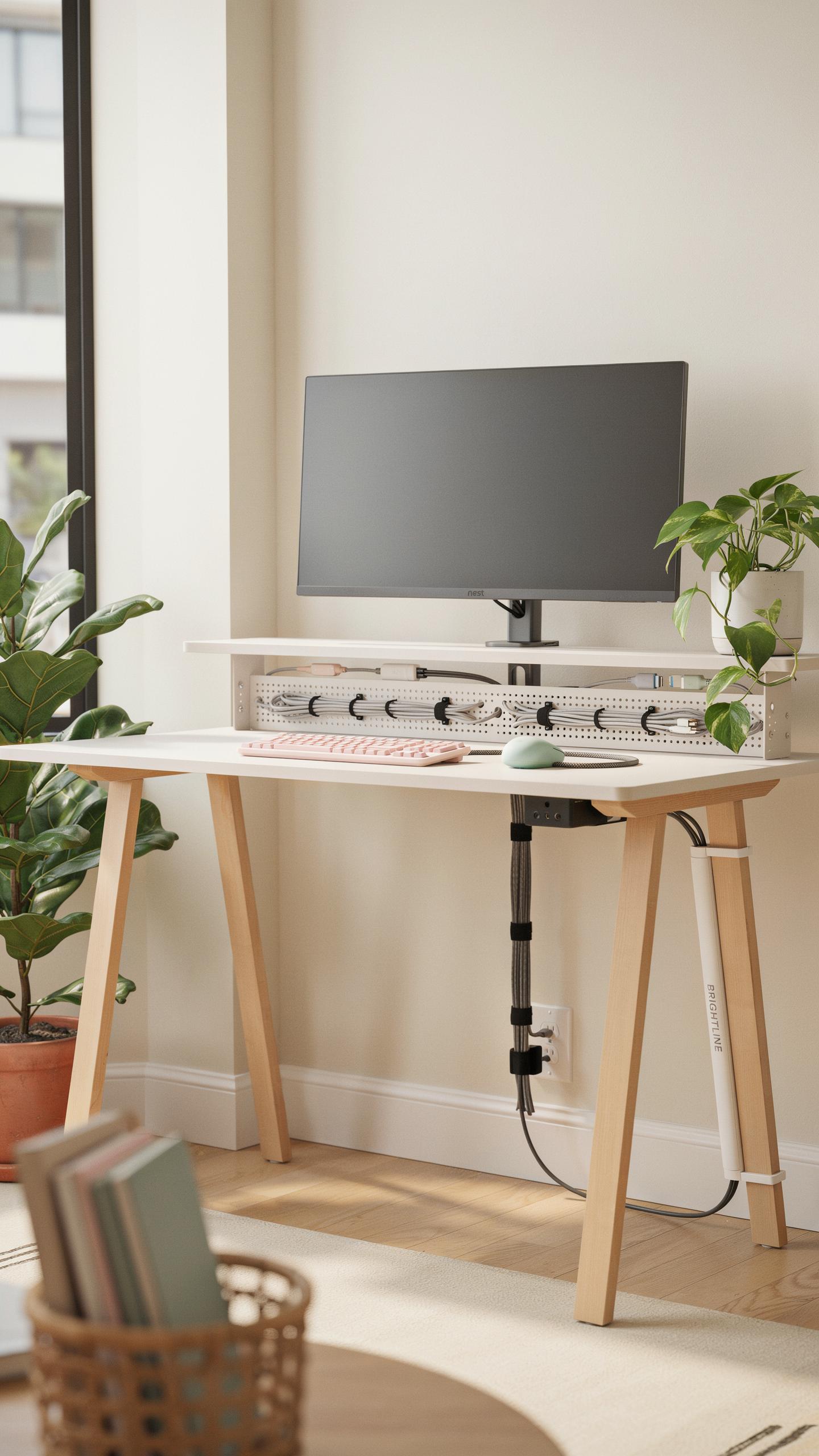
Enclosed cable organizer boxes trap cables and power strips completely out of sight. You mount them under your desk or attach them to the desk leg. This design eliminates visual clutter in your workspace. The box has a lid that closes, hiding everything inside. Access requires opening the lid, which takes a few extra seconds. Most models accommodate multiple cables and power strips without crowding.
Materials vary from plastic to fabric to metal construction. Plastic boxes are lightweight and budget friendly. Fabric options blend into desk aesthetics more easily. Metal boxes offer durability for heavy-use environments. Size ranges from compact single-strip models to large multi-outlet versions. Choose based on your cable volume and available space under your desk.
Open Cable Tray Designs For Easy Access
Open cable trays sit flat under your desk and hold cables in channels or slots. You access cables quickly without lifting a lid or removing anything. Trays keep cables organized in visible rows. This semi-hidden approach works when your desk skirt or panel blocks the view from ground level. Cables remain accessible for frequent adjustments or device swaps. You sacrifice complete concealment for practical functionality.

Tray materials include metal mesh, plastic, or molded rubber. Mesh trays allow airflow around cables and heat dissipation from power strips. Plastic trays cost less but degrade under weight over time. Rubber models grip cables firmly and resist sliding. Tray sizes range from narrow single-row designs to wide multi-channel systems. Installation uses adhesive strips, screws, or velcro depending on your desk material and preference.
Key Features To Look For In A Cable Organizer

Material And Durability Considerations
Plastic organizers weigh less and cost less upfront. They work fine for light cable loads under five pounds. Metal boxes offer better longevity and handle heavier power strips without flexing. Steel or aluminum resists warping from temperature changes and lasts through multiple desk relocations without cracking or breaking.
Choose your material based on the cable weight you need to manage. Plastic suffices for basic setups with two to three cables and one power strip. Metal justifies the extra cost when you run multiple devices, gaming rigs, or professional equipment that demands stability and reliability over years of use.
Ventilation And Heat Dissipation For Cable Health
Power strips and adapters generate heat during operation. Boxes without airflow trap this heat, shortening the lifespan of components inside. Ventilation holes or slatted designs allow air circulation, keeping internal temperatures lower and reducing fire risk from overheated electronics.

Look for organizers with cut-outs or mesh panels on sides and top surfaces. These openings pull cool air in while hot air escapes naturally. Better heat management means your power strips run cooler, your cables degrade slower, and your warranty claims drop because equipment fails less often from thermal stress.
Installation And Setup Of Your Under Desk Storage Solution

Mounting Options Screws Adhesives And Clamps
Mounting method selection depends on your desk material and permanence requirements. Screws provide permanent installation into wood desks. Adhesive strips work on smooth surfaces without drilling. Clamps attach to desk edges without damaging surfaces. Each method trades off between security and reversibility. Choose based on your desk type and whether you plan to relocate the organizer later.
- Screw mounting: Drill pilot holes into wood desks for secure, permanent installation. Use appropriate screw length for your desk thickness. This method handles heavier cable loads without shifting.
- Adhesive strips: 3M Command strips or similar products stick to smooth surfaces. Ideal for renters or non-wood desks. Remove cleanly without surface damage by pulling slowly at a low angle.
- C-clamps: Tighten onto desk edges for tool-free installation. Adjust position easily without permanent marks. Best for temporary setups or frequent repositioning needs.
- Velcro strips: Removable fasteners work on textured surfaces where adhesive strips fail. Less load capacity than screws but simpler removal process. Reusable across multiple mounting locations.
- Magnetic mounts: Attach to metal desk frames or underside panels directly. Zero damage to desk surfaces. Positioning requires proximity to ferrous metal components on your desk.
Installation success depends on matching mounting hardware to surface conditions and load requirements. Test adhesive or clamp strength by applying downward pressure before loading cables. Avoid mounting in high-traffic areas where cables constantly flex. Check mounting security monthly since vibration and weight shifts compromise fasteners over time.
Tips For Efficient Cable Routing Within The Box
Bundle similar cables together using velcro ties or cable sleeves to locate specific cords quickly. Group power cables separately from data cables to reduce electromagnetic interference issues. Label each bundle at both ends for faster identification during troubleshooting. Avoid coiling cables tightly since tension damages insulation and connectors over extended periods. Leave slack in the box to accommodate daily connection adjustments without straining fasteners.
- Vertical stacking: Arrange cables vertically within the box using dividers or compartments. This maximizes space and prevents cables from tangling underneath other cords. Easier visual identification of each cable without moving others.
- Entry point management: Route cables through box openings consistently from the same side. Prevents crossing cable paths that create knots when pulling individual cords. Maintain clear entry and exit pathways for frequent disconnections.
- Length optimization: Coil excess cable length loosely using the box perimeter as a guide. Never force cables into tight spaces that compress insulation. Store only the length needed plus 12 inches of slack for adjustments.
- Color coding: Use colored tape or markers on cable labels matching device locations. Eliminates guessing which cable connects to which device during setup or troubleshooting sessions.
- Strain relief zones: Position power connectors and USB plugs in accessible box areas away from sharp edges. Reduces connector damage from cables rubbing during daily use. Check these zones monthly for wear patterns indicating repositioning needs.

Access specific cables without disturbing others by maintaining consistent routing patterns. Replace worn velcro ties immediately to prevent cables from shifting during desk vibration. Audit cable arrangement quarterly as equipment changes require new cord installations or removals.
Beyond The Box Complementary Cable Management Tools
Cable Sleeves And Wraps For Bundling
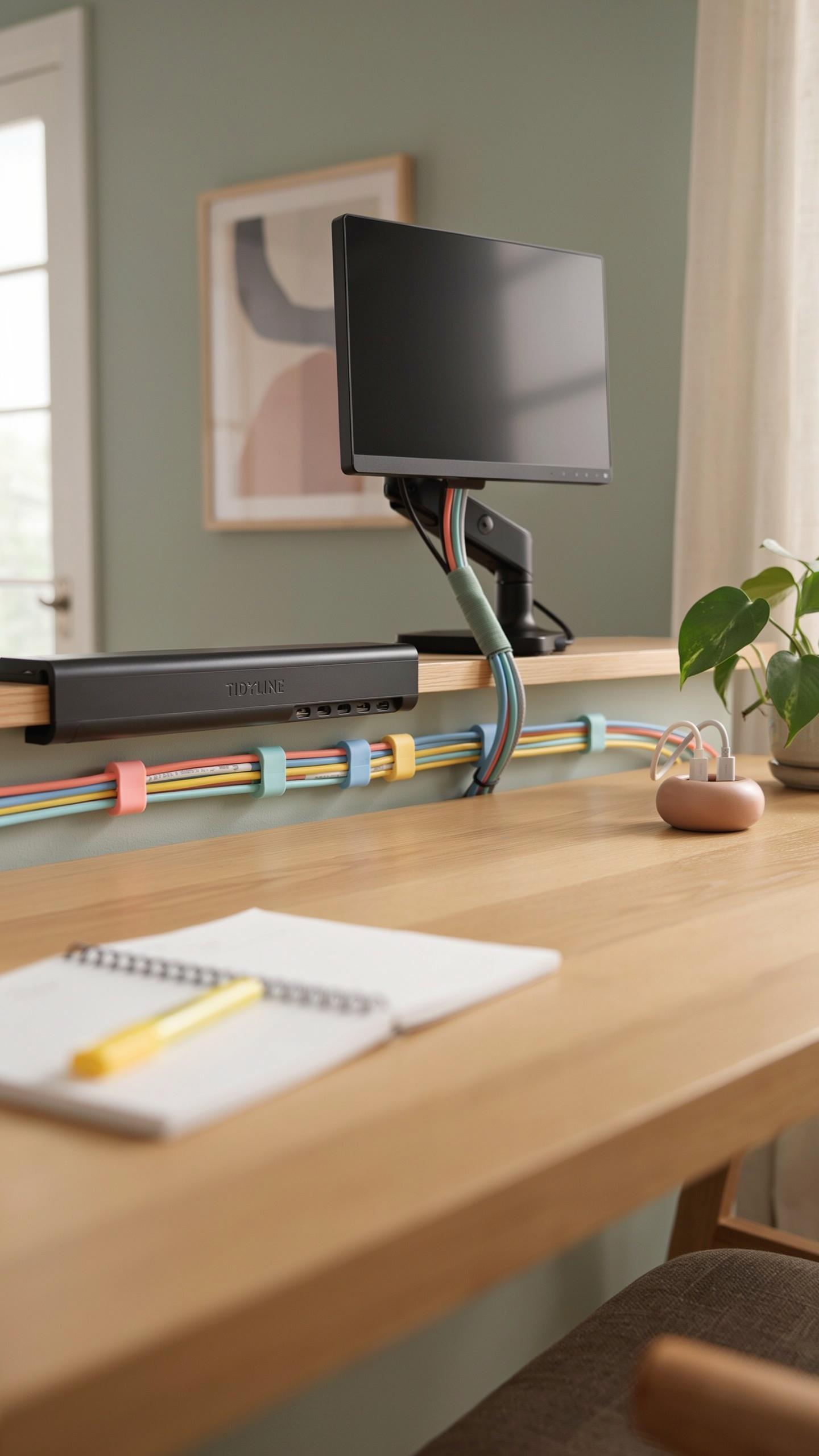
Cable sleeves compress multiple wires into single, manageable units. They slide over grouped cables and prevent individual wires from separating during movement or adjustment. Sleeves reduce tangling significantly and protect cables from dust accumulation. They work inside or outside your organizer box depending on your setup needs.
Wrap materials vary between neoprene, fabric, and spiral designs. Neoprene sleeves offer durability and reusability across different cable configurations. Fabric wraps provide breathability for heat-sensitive applications. Spiral wraps allow you to add or remove cables without dismantling the entire bundle, making them practical for frequently changing setups.
Cable Clips And Ties For Secure Routing
Cable clips attach directly to desk surfaces and hold individual wires in fixed positions. They prevent cables from drooping, sliding, or creating trip hazards under your workspace. Clips come in adhesive, screw-mounted, and clamp varieties. Your choice depends on whether you want permanent installation or temporary solutions.

Velcro ties and reusable straps offer flexibility your organizer box alone cannot provide. They secure cables along desk legs, under surfaces, or within the box itself. Unlike one-time-use zip ties, reusable options let you modify routing without replacing fasteners. This approach extends the lifespan of your cable management system and accommodates equipment upgrades.
Transform Your Home Office Organization With A Desk Tray

Aesthetic Benefits Of A Clutter Free Workspace
A clean desk surface directly impacts how you perceive your work environment. Cables create visual noise that fragments attention. When you hide cables in an under desk cable organizer box, your workspace becomes visually simple. This simplicity reduces cognitive load. Your brain processes fewer competing visual elements. The result is faster mental focus on actual work tasks.
Clients and colleagues notice organized workspaces. Video calls show a professional background. Physical office visitors form immediate impressions based on desk conditions. An organized desk signals competence and control. These perceptions matter for business credibility. Under desk cable organizer boxes keep clutter hidden while maintaining that critical first impression.
A tidy desk, dear friends, is less about perfection and more about the quiet joy of having everything in its place, like finding your favorite old photo album.
Ergonomic Advantages Of Organized Cables
Loose cables create physical hazards in your workspace. Cables stretched across the floor trap your chair wheels. They tangle around your feet during movement. This forces you to adjust positions awkwardly to avoid them. Organized cables eliminate these movement restrictions. You roll your chair freely without obstacles. Your feet have clear floor space for natural positioning.

Proper cable management prevents tension on connection ports. When cables pull at angles, they damage equipment connectors over time. An under desk cable organizer box routes cables in straight paths. This reduces strain on both cables and ports. Equipment lasts longer. You also avoid the frustration of loose connections that create intermittent power issues or data loss.
Choosing The Right Under Desk Cable Organizer For Your Needs
Assessing Your Cable Volume And Device Count
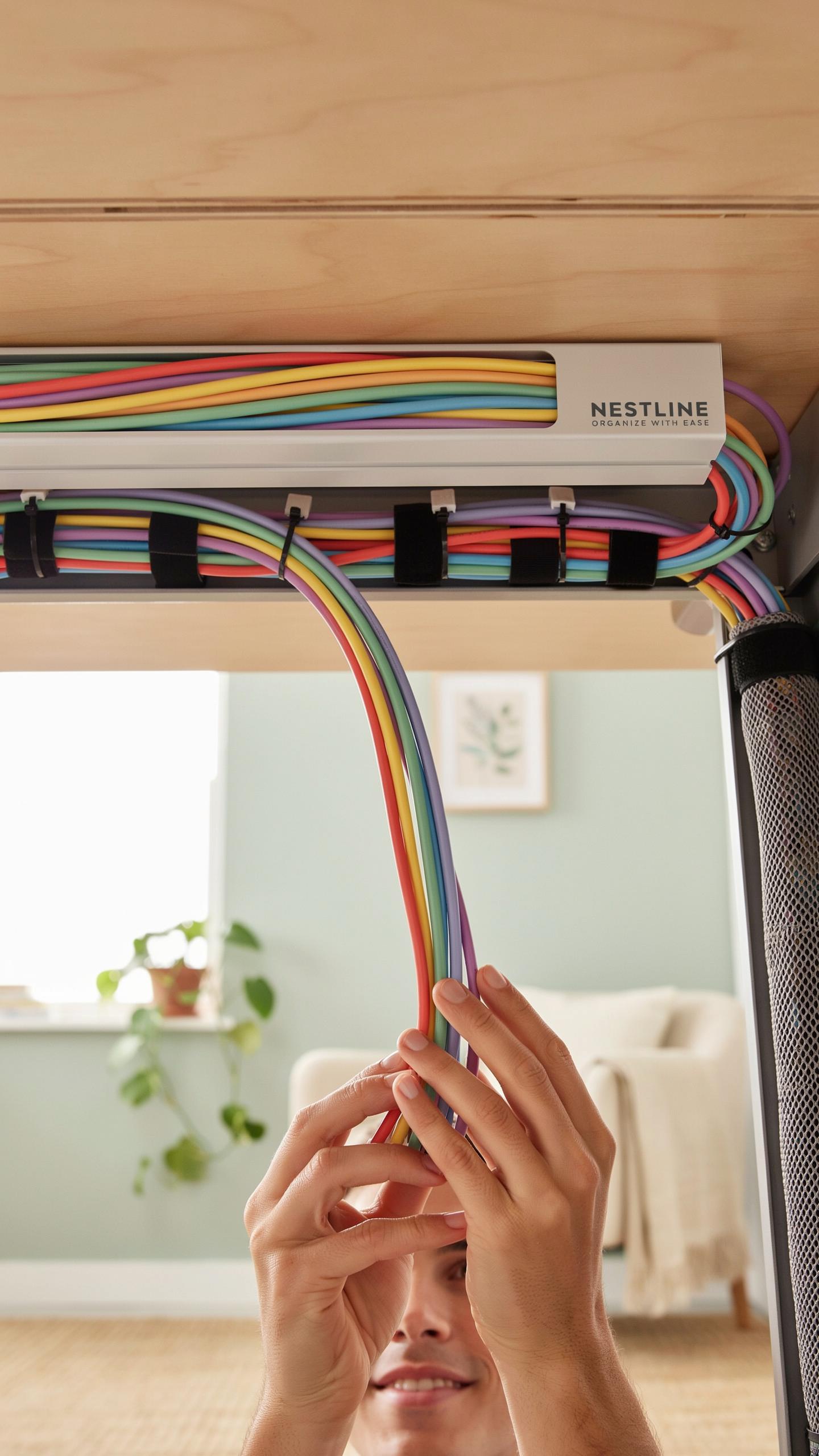
Start by counting every cable and device you actually use at your desk. Most people underestimate this number. Monitor cables, power adapters, USB connections, charging cables, and peripherals add up fast. A single workstation with a monitor, laptop dock, external hard drive, and multiple chargers easily requires six to twelve cable connections. Measure your current setup before shopping.
Organizer capacity must match your actual needs, not your aspirational workspace. A box designed for three devices wastes money if you run eight. Conversely, oversizing creates dead space and defeats the decluttering purpose. Examine the internal dimensions and compartment configurations of any organizer you consider. Calculate the volume of your cables, including the thickness of power adapters and connector heads. This determines whether you need a compact box or a larger under desk model.
Considering Desk Type And Available Space
Desk construction determines mounting options for cable organizers. Solid desks accept adhesive strips, screws, or clamps without issue. Hollow or thin desks require lighter organizers or surface placement to prevent damage. Assess your desk material: wood, metal, laminate, or glass each present different attachment constraints. Check your desk manual or manufacturer specifications before drilling or applying adhesive.

Measure the available space beneath your desk accurately. Account for leg room, foot traffic, and existing equipment. Many organizers mount to the underside of the desktop, leaving floor space clear. Others sit on the floor and attach to desk legs. Consider cable routing pathways from power outlets to your devices. An organizer positioned too far from outlets creates cable management problems rather than solving them. Your desk layout determines the optimal organizer location and mounting style.
Maintaining Your Clean Desk And Cable Management System

Regular Dusting And Cleaning Practices
Dust accumulates inside cable organizer boxes faster than most people realize. Cables generate heat, which creates air circulation that pulls dust particles into confined spaces. Clean your organizer every two to four weeks by unplugging equipment first, then wiping down cables with a dry microfiber cloth. Remove cables from the box if buildup is heavy and wipe the interior surfaces.
Dust buildup degrades cable insulation over time and reduces airflow around connectors. Use compressed air to blow out tight spaces where cables bundle together. Never use liquids on electronic components. Focus cleaning efforts on external cable runs and connector ends where dust settles most. Regular maintenance extends cable lifespan and prevents heat related failures.
Periodic Review And Reorganization Of Cables
Your tech setup changes over time. Old devices get replaced, new equipment arrives, and cable needs shift. Review your cable management system every three to six months to remove dead cables clogging your organizer box. Identify cables connected to devices you no longer use and discard them safely.
Reorganization prevents your system from becoming inefficient. As you add new devices, redistribute cables to maintain balance and airflow inside the organizer box. Relabel cables if your setup has changed significantly. Document which cables power which devices to speed up future troubleshooting. This practice keeps your workspace functional and prevents cables from tangling as your tech ecosystem evolves.
Frequently Asked Questions

What exactly is an under desk cable organizer box, and why do I need one?
An under desk cable organizer box is a discreet solution designed to neatly contain power strips, excess cable lengths, and charging bricks beneath your desk. It instantly transforms cluttered, tangled wires into an organized, aesthetically pleasing workspace, improving safety and making cleaning much easier.
How do I effectively install an under desk cable organizer box for maximum cable management?
First, gather all your cables and devices. Route power cords from your devices into the under desk cable organizer box, plugging them into a power strip secured inside. Use cable ties or sleeves to bundle wires leading to and from the box, ensuring a clean, tidy run from your desk to the box itself.
Are there affordable options for an under desk cable organizer box, or are they typically expensive?
Absolutely! There’s a wide range of under desk cable organizer box options available to suit any budget. You can find excellent basic models made from durable plastic for less than $20, while more premium designs with elaborate features might cost a bit more. Many effective solutions are quite budget-friendly.



