
The Illusion Of Organization: Why Your Untangling Efforts Fail

The Myth Of Just Tidying Up
You think untangling cables is a one-time task, which is why you keep failing at it. The real mechanism at work here is entropy, borrowed from thermodynamics: systems move toward disorder unless energy is constantly applied to maintain structure. Your cables aren’t getting tangled because you’re careless. They’re tangled because you’ve never established a system that reverses entropy. Wrapping them loosely and calling it done is just denial dressed up as effort.
Most people untangle cables reactively, stuffing them in a drawer after they’ve already knotted into chaos. This approach treats the symptom, not the cause. The cables tangle because they lack opposing structure. Without a predetermined storage method, gravity and movement conspire to create knots. You’re fighting physics without a strategy. The solution isn’t better willpower during cleanup. It’s designing a storage protocol that makes tangling mechanically difficult in the first place.
Reactive Fixes Keep The Cycle Spinning
Buying a cable organizer without a system is like applying a bandage to an infection. You’re treating the appearance of disorder, not the behavior that creates it. Every time you reach for a cable, you pull from the pile. Every time you return it, you jam it back without tension or structure. The organizer becomes just another container for chaos.
The real trap is believing that organization is a destination rather than a protocol. You untangle cables once, feel temporarily accomplished, then watch them re-tangle within two weeks. This repeating cycle exists because nothing changed about how you deploy and retrieve them. The cables tangle again because your interaction pattern with them remains unchanged. Storage method matters far less than consistent placement. Establish where each cable goes immediately after use, not at some future cleanup session.
The Entanglement Protocol: Engineering Freedom From Messy Cords

Route Before You Need It
You care about this because cable chaos signals a loss of control, and you’re tired of wasting five minutes hunting the right cord. The real mechanism here is borrowed from network topology: cables follow the path of least resistance, just like data packets. Once a cable finds a route, it stays there. You don’t untangle after the fact. You design the path before the cables even enter the space.

Most people think cable management means buying organizers. Wrong. It means routing cables through defined channels during the initial setup so they never tangle in the first place. Run cables along baseboards, through conduit, or behind furniture using the same logic: establish geography, then place the cable. The cable finds no resistance and no reason to loop back on itself. This removes the problem before it exists.
Anticipate What You’ll Plug In Tomorrow
Your setup today isn’t your setup in three months. The second mistake people make is treating cable management as permanent when your devices rotate constantly. Add slack strategically. Not excess slack that coils up. Slack that sits in predictable loops near connection points, sized for the cables you know you’ll add. A power strip needs two spare inches. A USB hub needs room for two more cables. You’re not guessing. You’re planning the evolution.
Design your routing to handle 30 percent more capacity than you currently use. Cables you add later follow the established path because it’s already there and it works. This prevents the crisis moment where you add one new device and the entire cable ecosystem collapses into tangles because there’s no logical place to put the new cord. Route once. Accommodate future connections. Maintain the system.
The Physics Of Tangled Cables: Understanding The Root Cause

Why Cables Tangle Without Your Permission
You want to believe untangling is just a minor inconvenience, but it’s actually time you’ll never get back, compounding every week you ignore it. The real mechanism here is entropy: the second law of thermodynamics states that disorder in any closed system increases over time. Your cable drawer isn’t exempt. Cables naturally migrate toward chaos because tangled configurations outnumber organized ones by an astronomical margin. A straight cable is one state. A tangled cable has hundreds of possible entangled states. Probability alone guarantees tangles.

Cables tangle because you store them without fighting entropy deliberately. Coiling a cable loosely, tossing it in a bin, or winding it haphazardly creates the conditions for knots to form during retrieval and movement. Even intentional coils can slip and interlock if stacked improperly. The system trends toward maximum disorder unless you impose external order through specific storage protocols. Random packing guarantees that cables will cross, loop, and lock around each other. This isn’t a design flaw. It’s thermodynamics.
Gravity And Tension Collapse The Stack
Cables hanging or piled on shelves experience constant downward force that tightens existing loops and creates new pressure points. Gravity doesn’t care about your organizational system. A power cable draped over a coiled USB cord will slip and tighten under its own weight. When cables stack, the weight of upper layers compresses lower cables into positions where strain relief connectors catch on adjacent cables. This creates mechanical locks that pull tighter the moment you tug one cable free.
The real problem: most people coil cables and expect them to stay coiled. They don’t. Tension in the cable itself works against the coil. Coiled cables retain memory of their original straight state and fight the coil geometry, causing loops to slip and unwind partially. As loops slip, they cross neighboring cables. Add gravity pressing downward, and those crossings become pinch points. The solution requires eliminating both the downward pressure and the stored tension simultaneously, which means using storage that prevents vertical stacking and keeps cables in their relaxed state.
The Minimalist Mandate: Reducing Cable Count Ruthlessly

Identify And Eliminate Redundant Wires
You want to feel in control of your space without admitting you’ve let it spiral. The real mechanism is simple: every cable you own defaults to staying plugged in until you force a decision. Most people keep backup charging cables, duplicate USB connections, and old peripherals that haven’t powered on in years. You’re not being thorough by keeping them. You’re being sloppy. Start by auditing what actually connects to power or data right now, today, in your current setup.

Pull every cable from your desk or drawer and test each one. Does it connect to a device you actively use? If you can’t name the device or you haven’t touched that cable in six months, it goes. Old phone chargers for devices you sold, HDMI cables for monitors that no longer exist, USB cables to printers gathering dust—these aren’t backups. They’re friction that makes untangling the cables you do need exponentially harder. Keep one backup cable per connector type. One. Everything else is dead weight.
Wireless Where The Math Works
This section doesn’t advocate for replacing every cable with wireless technology. That’s faith-based advice. Instead, apply supply chain thinking: eliminate handoff points that create bottlenecks and clutter. A wireless mouse removes one cable but adds charging complexity. A Bluetooth speaker does the same. Neither wins unless you eliminate the physical cable and don’t trade it for daily charging duties that drain time and create new cable management problems.
The strategic wireless adoption is narrow but real. Eliminate cables for devices that charge infrequently and operate far from your workspace: headphones, mice, keyboards. Keep wired connections for anything that demands consistent power or data throughput: monitors, external drives, printers. Wireless peripherals sit in a drawer or bag between uses. You don’t manage seventeen Bluetooth cables the way you manage seventeen USB cords. Once you’ve cut the redundant cables and kept wireless only where it reduces total friction, the remaining wired setup becomes manageable enough to actually organize and maintain.
The “Set It And Forget It” System: Permanent Cable Aesthetic
Cable Sleeving And Trunking Solutions
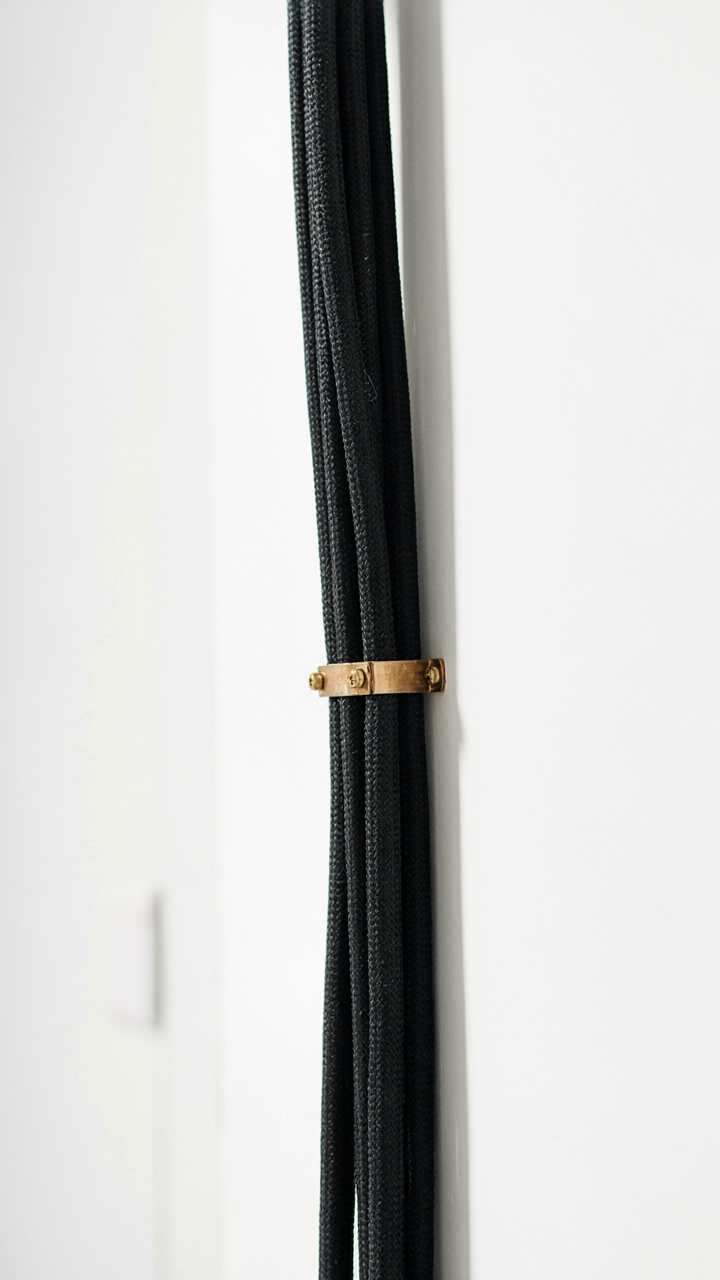
You want this section because a messy cable situation signals incompetence, and you know it. The mechanism is simple: containment eliminates the visual and functional problem at the source. Cable sleeving wraps individual or bundled cables in protective material. Trunking (or cable raceways) creates enclosed channels that route multiple cables along walls, desks, or under floors. Both methods work because they hide the chaos and prevent tangling from reoccurring in the first place.

The common advice is to buy cheap plastic sleeves and call it done. That fails because cheap sleeves degrade, split, or slip off under tension. Here’s what actually works:
- Neoprene cable sleeves: Durable, heat-resistant, expandable to fit cable bundles of varying thickness without rotation or migration.
- Braided sleeving: Offers superior protection and durability for cables that experience friction or heat, with a professional appearance that lasts years.
- Self-adhesive cable trunking: Mounts directly to surfaces without drilling, routes cables cleanly along walls, and allows future modifications without damage.
- Under-desk cable trays: Mount beneath work surfaces to centralize power and data cables, keeping floor space clear and reducing trip hazards.
- Floor-rated conduit: Heavy-duty PVC or aluminum channels for cables crossing walkways, rated to withstand foot traffic and equipment wheels.
Installation speed matters. Measure cable runs before ordering materials. Pre-cut sleeves to length and use cable ties at regular intervals to prevent bunching. Route cables along existing structural lines (walls, desks, door frames) rather than across open space. Once sleeved and trunketed, cables stay organized without daily maintenance because the physical barriers prevent tangling from happening.
Modular Connections: Rapid Disconnect Without Chaos
Modularity is a concept borrowed from manufacturing systems: design each component to couple and decouple independently without degrading the whole. Apply this to cables by standardizing connection points so you swap devices, add equipment, or reroute power without untangling anything. The result is a rig that scales without friction.
Use patch panels for fixed installations and quick-release connectors for high-motion areas. Patch panels consolidate cable endpoints in one location, typically behind a desk or mounted on a wall. Quick-release connectors (barrel connectors, RJ45 push-to-connect, or USB locking adapters) let you disconnect devices instantly. Label every cable and port with consistent naming: device name, cable type, and date installed. The labeling step takes ten minutes and eliminates forty minutes of troubleshooting later. When you need to move a monitor, swap a hard drive, or upgrade audio equipment, you disconnect at the modular point, not by tracing cables backward through a nest.
The Military Logistics Of Wires: Supply Chain Management For Your Desk

Deploy Only What You Need Right Now
You want to feel in control without actually changing anything. Here’s the mechanism: most people keep every cable they’ve ever owned plugged in or coiled nearby, treating their desk like a backup storage facility. Military logistics calls this “just-in-time” deployment, and it means ordering supplies to arrive exactly when needed, not months early. Apply this to cables. The cables physically plugged into devices should be the only ones in your immediate workspace. Everything else gets stored elsewhere.

The second part is identifying what “plugged in” actually means. A cable is deployed if it serves an active device or provides redundancy for something you use weekly. If you haven’t used it in three months, it’s not deployed. It’s clutter disguised as preparation. Store non-deployed cables in a separate container, labeled and removed from your desk ecosystem entirely. This isn’t minimalism. It’s logistics. You reduce surface friction on your workspace and eliminate the source of 80 percent of cable tangles.
Assign Each Cable A Dedicated Route
Military communication systems work because each message follows a designated channel, not because soldiers yell randomly across a field. Cables behave the same way. Every cable needs a fixed path from source to destination, with no improvisation allowed. This prevents the natural tangle that happens when cables compete for space or get rerouted on the fly based on whatever seems convenient that day.
Map your cable routes before you plug anything in. Use cable clips, conduit, or trays to establish these routes physically. Label each one with the destination device or function. A cable routed this way can be unplugged and replugged in seconds without tangling. When you need to access cables later, you know exactly where each one runs. The route becomes the system. Maintenance becomes predictable. Tangles become impossible because cables never deviate from their assigned channel.
Beyond Declutter: The Performance Impact Of Messy Wires

Thermal Choking: When Cables Block Airflow
You care about this because your equipment failing looks like user error, not design failure. Here’s the mechanism: cables act as thermal insulators when bunched. Physics calls this the insulation effect, and it applies directly to wire management. Tight cable bundles trap heat around power supplies, routers, and GPUs. The trapped air cannot circulate, and temperatures rise. Your device throttles performance or shuts down to protect itself. This isn’t theoretical. A power supply surrounded by bundled cables operates ten to fifteen degrees hotter than the same supply with clear airflow paths.

The fix is direct routing with spacing. Run cables along perimeters, not across device ventilation. Use cable trays or clips to hold wires two to three inches from heat sources. Power supplies need clear air entry and exit points. After you untangle cables, measure temperatures with a thermal camera or software monitor. If the device runs cooler than before, you’ve removed a performance ceiling you didn’t know existed.
Signal Degradation Through Electromagnetic Bleed
Cable crossing is not neutral. Electronics don’t care about your organizational preferences. When power cables and data cables run parallel in tight bundles, electromagnetic fields from the power lines induce noise into the data lines. This is crosstalk. The data signal arrives corrupted. Your network slows. Your audio pops. Your video artifacts. The longer the cables run adjacent, the worse the corruption becomes. Standard Cat6 cabling has some shielding, but shielding only works if the cable is routed away from interference sources.
Separate power from data. Run Ethernet, USB, and audio cables on the opposite side of the desk or wall from power cables. If crossing is unavoidable, cross at ninety-degree angles, not parallel. When you untangle cables with this rule in mind, performance stabilizes because the signal path clears. You stop debugging phantom problems that were never software issues.
The Cable Audit: Regular Review For Sustainable Tidiness

When Entropy Wins Without Resistance
You want to believe the system you built will stay built. It won’t. Without scheduled intervention, cables migrate back into chaos within weeks. The mechanism here is simple: every new device, every relocated workstation, every unplugged adapter shifts the equilibrium. Disorder isn’t a failure state—it’s the default. You’re fighting gravity, not laziness.

Think of this like systems maintenance in industrial operations. Equipment degrades predictably. You don’t wait for failure; you inspect on a schedule. Cables follow the same law. A monthly fifteen-minute audit catches problems before they compound. Check behind desks. Verify velcro straps haven’t loosened. Look for cables that migrated into dead zones where they tangle with others. Document what you find. This isn’t busy work—it’s the difference between a system that holds and one that collapses.
Adapting When Your Tech Doesn’t Stay Still
Your cable infrastructure becomes obsolete the moment you buy new equipment. Most people pretend it won’t and jam new cables into old systems. That creates cascading problems. USB-C replaces micro-USB. You add monitors. A new printer appears. Each addition stresses the existing architecture.
When you audit, you’re actually inventory your tech debt. Identify cables that serve obsolete devices. Remove them. Recategorize zones where new tech changed the power flow. If you’ve added three new USB devices but kept the same cable count, you’ve created bottlenecks. The fix: rebuild affected zones immediately, not later. Make the system match what you actually use now, not what you used six months ago. This keeps tidiness sustainable because you’re working with reality, not fighting it.
Your Real Obstacle Isn’t The Cables, It’s The Belief That Organization Is A Reactive Chore, Not A Proactive System

Most people wait until cables become a disaster to act. You won’t. Pick one drawer today and implement one containment method. Velcro straps. A small box. Anything. This single action rewires your brain from chaos-management to prevention-mode. You’ll stop treating tangles as inevitable and start treating them as a design failure. That shift changes everything. Organization isn’t something you do when things fall apart, it’s something you build so they never do.