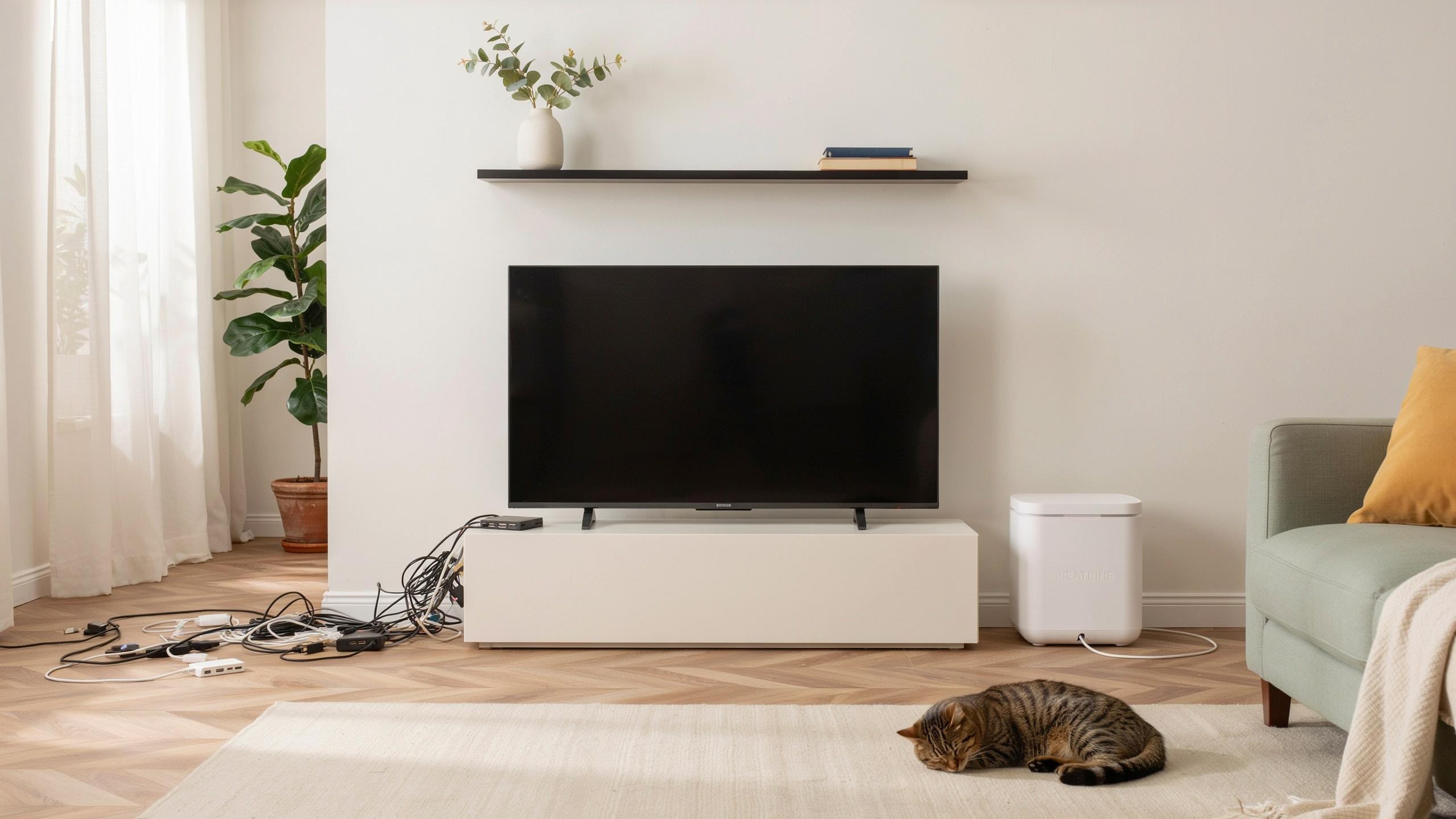
The Problem With Clutter Why Cable Management Is Essential

Visual Distraction
Tangled cables behind your TV create immediate visual noise. Even when partially hidden, viewers notice the mess. It draws attention away from your screen and creates a sense of disorder in your living space. The human eye naturally tracks visible clutter, making your entertainment setup feel unfinished and unprofessional regardless of your TV quality.
A cable management box solves this directly. It consolidates all cords into one contained unit that sits out of sight. Your room looks intentional and complete. This cleanup takes minutes but improves how your entire setup appears to anyone in the space, changing the room’s overall feel instantly.
Safety Hazards And Dust Accumulation
Loose cables create tripping hazards, especially in high-traffic areas near your TV stand. Cables left exposed collect dust rapidly, which reduces airflow and causes heat buildup around electronics. This heat shortens the lifespan of your devices and increases fire risk. Pets and children can also get tangled in exposed wiring, creating additional dangers.
Cable management boxes protect your devices and people. They contain cords safely away from foot traffic and pets. Enclosed designs reduce dust infiltration around power supplies and connections. Better airflow around your equipment means lower operating temperatures and longer device life. A contained system removes multiple hazards in one practical solution.

Introducing The Cable Management Box Your Solution To Messy Cables

What It Is
A cable management box is a container designed to store and conceal cables, power strips, and cords behind or beneath your TV setup. The box typically features an open top or removable lid for cable access and cutouts on the sides for cord routing. Manufacturers build these boxes from plastic, wood, or fabric materials. They come in various sizes to accommodate different numbers of cables and equipment types.
Cable management boxes solve a specific problem: tangled wires that clutter your entertainment space. They eliminate visual chaos without requiring wall installation or permanent modifications. You place the box near your TV stand or mounting location, route cables through it, and close the lid. The result is a clean appearance while keeping all cords accessible for adjustments or maintenance.
How It Works
The cable management box operates on a simple containment principle. You gather your cables, power strips, and adapters, then place them inside the box. Most designs feature slots, holes, or channels along the sides that allow cables to exit toward your TV, wall outlets, or other devices. The enclosed structure keeps everything hidden from view while maintaining easy access when you need to unplug or rearrange equipment.

Organization inside the box matters for functionality. You route cables through specific openings, securing them with adhesive clips or velcro straps to prevent tangling. The box bottom holds your power strip safely away from view. When cables need adjustment, you simply open the lid instead of wrestling with a mess of cords. This design keeps your setup looking intentional rather than accidental.
Benefits For Your TV Setup Achieving A Hidden TV Look

Aesthetics
A cable management box eliminates visual clutter behind and around your TV. Cables create chaos when left exposed. They draw the eye away from your screen and make any entertainment area look disorganized. A management box consolidates all wires into one contained unit. Your wall appears clean. Your room feels intentional. The focus stays on your content, not on tangled cords.
Cable management boxes come in neutral colors like black, white, and gray. They blend into most wall designs and furniture arrangements. Some models sit on shelves or TV stands. Others mount directly to walls. The result is a professional appearance that matches modern interior design standards. Your entertainment setup looks polished and complete.
Protection
Cable management boxes shield wires from physical damage and environmental hazards. Exposed cables face risks from foot traffic, pets, and accidental pulling. Enclosed boxes prevent these dangers. Your cables stay in place and remain protected from wear. They last longer when confined safely.

Heat management is another protection benefit. Boxes with ventilation holes prevent cables from overheating during extended use. Devices generate heat. Poor airflow damages cable insulation and shortens equipment lifespan. A well designed management box maintains proper air circulation around your devices. Your electronics run cooler and more reliably.
Choosing The Right Cable Management Box Factors To Consider

Size Material
Cable management boxes come in specific dimensions that match standard entertainment setups. Measure your actual space before buying. Most boxes range from 12 to 24 inches wide. Depth matters too because cables need room to coil without kinking. Check your TV stand depth and subtract space for the box itself.
Material durability determines how long your box performs. Plastic boxes work for light cable loads but crack under pressure. Steel or aluminum boxes handle heavier setups with multiple devices. ABS plastic resists heat better than standard polycarbonate. Real-world use shows metal boxes outlast plastic versions by years when cables generate friction and heat buildup.
Design Features
Ventilation prevents heat accumulation inside the box. Cables generate warmth when tightly bundled. Boxes with side vents or perforated panels allow air circulation. Poor ventilation shortens the lifespan of power adapters and HDMI cables. Check that vents don’t block cable access or create sharp edges that damage insulation during insertion and removal.

Access design determines how quickly you can add or remove cables. Top-loading boxes let you drop cables in from above without moving the entire unit. Side openings require less desk space but force you to reach behind furniture. Cable entry ports should accept multiple cable sizes without forcing connections. Test the box design before purchase if possible to confirm you can physically work with cable routing.
Beyond The TV Integrating Cable Management In Your Desk Setup
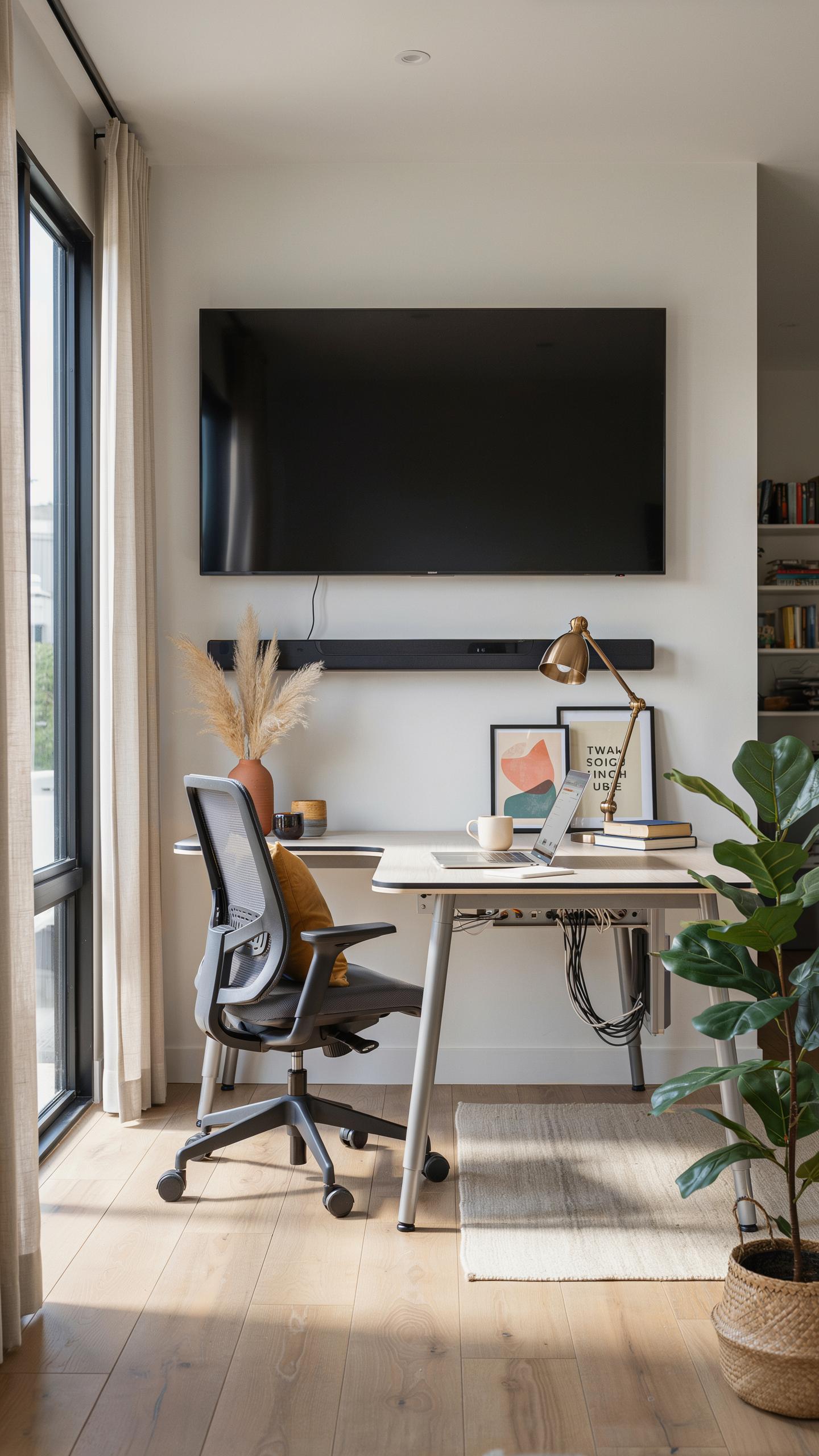
Home Office Benefits
A cable management box transforms your desk workspace by routing cables out of sight. Clutter disrupts focus and creates a unprofessional appearance during video calls. When cables run behind your monitor or across your desk, they trap dust and make equipment adjustments harder. A dedicated box consolidates all connections in one location, freeing up desk real estate and reducing visual noise that competes for your attention.
Home office productivity depends on eliminating distractions. Cable boxes keep your workspace clean for client calls and video meetings. You access equipment faster when cables organize inside a box rather than tangled underneath your desk. The setup also protects cables from damage caused by rolling chairs, foot traffic, or accidental yanking. Your workspace feels intentional and controlled instead of chaotic.
Ergonomics
Cable management boxes improve ergonomics by eliminating trip hazards and cable strain around your workspace. Loose cables across the floor create ankle hazards and force you to sit at awkward angles to avoid them. When cables route through a management box, you maintain proper posture without compensating for obstacles. This reduces neck and back tension during long work sessions.
Organized cables also reduce repetitive strain injuries from constantly reaching or twisting to access ports. A strategically placed box keeps all connections at arm’s length without forcing you to contort your body. You can adjust monitor height and keyboard position freely when cables don’t anchor you to one spot. Proper cable management removes physical constraints that force bad ergonomic habits.
Installation And Setup Tips For An Efficient Cable Organizer

Preparation
Before you install a cable management box, take inventory of every cable connected to your TV setup. Count them. Measure their lengths. Identify what each one does. This prevents buying a box that’s too small or too large for your actual needs.
Next, power down your entire system. Unplug everything. Document cable positions with photos or video before you disconnect anything. This reference saves time when reconnecting and reduces mistakes that damage equipment or create signal issues.
Remember those Sunday afternoons, where every wire felt like a tangled memory of simpler times? Now, your entertainment space can be a tidy, peaceful haven, just as you always imagined.
Placement
Position your cable management box within twelve inches of your TV stand or wall mount. This distance keeps cables short and prevents excess slack that creates tangled messes. Proximity to power outlets matters too, so measure before you commit to a location.
- Behind the TV stand: Places the box out of sight while keeping cables accessible for adjustments or replacements without moving furniture.
- Under the entertainment console: Tucks cables underneath existing furniture, maintaining clean sightlines from the viewing area and protecting cables from foot traffic.
- Wall mounted above baseboards: Secures the box vertically along walls for setups where floor space is limited or where cable runs span longer distances.
- Inside furniture compartments: Uses existing built-in spaces in TV stands or shelving units, creating a fully hidden solution that requires proper ventilation planning.
- Corner positions near outlets: Leverages room corners to minimize visible cable runs while positioning boxes near power sources that feed your equipment.

After positioning, secure the box so it won’t shift during cable insertion or removal. Use the mounting hardware it came with or install brackets if needed. A stable box prevents cables from coming loose and keeps your setup organized long term.
Complementary Tools For Complete Cable Management

Ties Sleeves And Wraps
Cable ties, sleeves, and wraps work alongside cable management boxes to organize cables before they enter the box. Velcro ties allow repeated fastening without damage to cables. Neoprene sleeves bundle multiple cables together, reducing bulk. Spiral wraps compress cable runs into compact segments. These tools prevent tangling and make future adjustments faster.
Using these accessories reduces strain on individual cables. They protect against kinks that degrade signal quality. Ties and sleeves also make your setup easier to troubleshoot when problems occur. You identify specific cables faster when they’re organized in distinct bundles rather than loose in the box.
Wall Mounted Cable Concealers
Wall-mounted cable concealers run cables from your TV to your cable management box or power outlet. Plastic channels mount directly to walls and hide cables from view. Metal raceways offer durability for high-traffic areas. These concealers come in various widths to accommodate different cable counts.

Mount concealers before running cables to avoid pulling them through tight spaces later. Paint or stain them to match your wall color for minimal visibility. Concealers protect cables from foot traffic and accidental damage while keeping your setup clean. They also simplify adding or removing cables without disturbing existing runs.
Achieving A Minimalist Home Aesthetic With Organized Cables

Decluttering
A cable management box removes visible wires from your TV setup. Exposed cables create visual noise that conflicts with minimalist design principles. When cables stay hidden inside a box, your viewing area looks intentional rather than chaotic. The box sits behind or beside your TV, containing power strips, HDMI cables, and connection wires. This single action eliminates the primary visual distraction in most entertainment spaces. Decluttering through cable management improves how your room actually functions and feels.
Organization directly supports minimalist philosophy. Minimalism demands that every visible element serves a purpose. Cables that pile on floors or dangle behind furniture violate this principle. A cable management box enforces discipline by creating a designated space for all connections. You know exactly where each wire goes and can access them quickly when needed. This approach reduces decision fatigue and prevents cables from becoming permanent clutter you ignore.
Modern Design
Modern design movements from the mid 20th century onward emphasize clean lines and hidden infrastructure. Cable management boxes align with this aesthetic by treating wires as functional systems that belong out of sight. Contemporary interiors feature exposed materials like wood and metal but conceal the mechanical elements that power them. A cable box maintains this balance by keeping technology functional while preserving visual simplicity. Your TV becomes the focal point instead of the tangled mess behind it. This separation defines modern entertainment spaces.
Streamlined design requires thoughtful placement of all visible components. Cable management boxes come in neutral colors and simple shapes that complement modern furniture. They sit on shelves or floors without drawing attention. The result is an entertainment area that feels intentional and controlled. Viewers focus on the screen and the room’s design rather than infrastructure. This refinement separates professionally designed spaces from cluttered ones.
Maintaining Your Organized Space Long Term Home Organization

Routine Maintenance
Your cable management box requires periodic attention to function effectively. Check connections every three to six months. Dust accumulates inside boxes and around cable entry points, restricting airflow and trapping heat. Remove the box from behind your TV and wipe exterior surfaces with a dry cloth. Verify all cables remain seated in their ports. Loose connections cause signal loss and create fire hazards in enclosed spaces.
Cable degradation happens over time from heat exposure and repeated flexing. Inspect cables for cracking, fraying, or discoloration during maintenance checks. Replace damaged cables immediately rather than waiting for failures. Document your cable configuration by photographing the interior before making changes. This reference prevents confusion during future troubleshooting and speeds up replacements when needed.
Future Proofing
Your setup will change as new devices enter your home. Purchase a cable management box with excess capacity rather than filling it completely. A box operating at 70 percent capacity leaves room for streaming devices, additional HDMI cables, or power adapters. Oversizing now prevents purchasing a larger box in two to three years. Standard sizing exists across manufacturers, so replacements maintain compatibility with existing mounting hardware and shelf space.
Design your initial cable routing with slack in mind. Run cables slightly longer than necessary and coil excess inside the box rather than stretching them taut. This approach accommodates monitor height adjustments, TV relocations, or equipment swaps without forcing cable replacement. Label everything with marker or adhesive tags. Clear labeling cuts setup time from hours to minutes when you add or remove devices later.
Frequently Asked Questions

What exactly is a cable management box for TV setups and why do I need one?
A cable management box for TV setups is a discrete container designed to conceal and organize the unsightly power strips, cables, and cords behind your television. It transforms a tangled mess into a neat, aesthetically pleasing area, improving safety by reducing tripping hazards and preventing dust buildup that can damage electronics.
How do I effectively organize and place all my TV cables inside a cable management box?
Start by unplugging everything. Coil excess cable length and secure with hook-and-loop ties before placing them inside the cable management box. Feed only the necessary cable ends out through the designated openings. Position the box discreetly behind or beside your TV stand for a clean look.
Are there affordable cable management box options for TV setups, or are they generally expensive?
Absolutely! You can find a cable management box for TV setups across a wide price range. Many effective and stylish options are available at very affordable prices, often under $20-$30. Look for basic plastic models for budget-friendly solutions, or invest slightly more for decorative wood or metal versions.



