
The Myth Of The Dedicated Charging Station
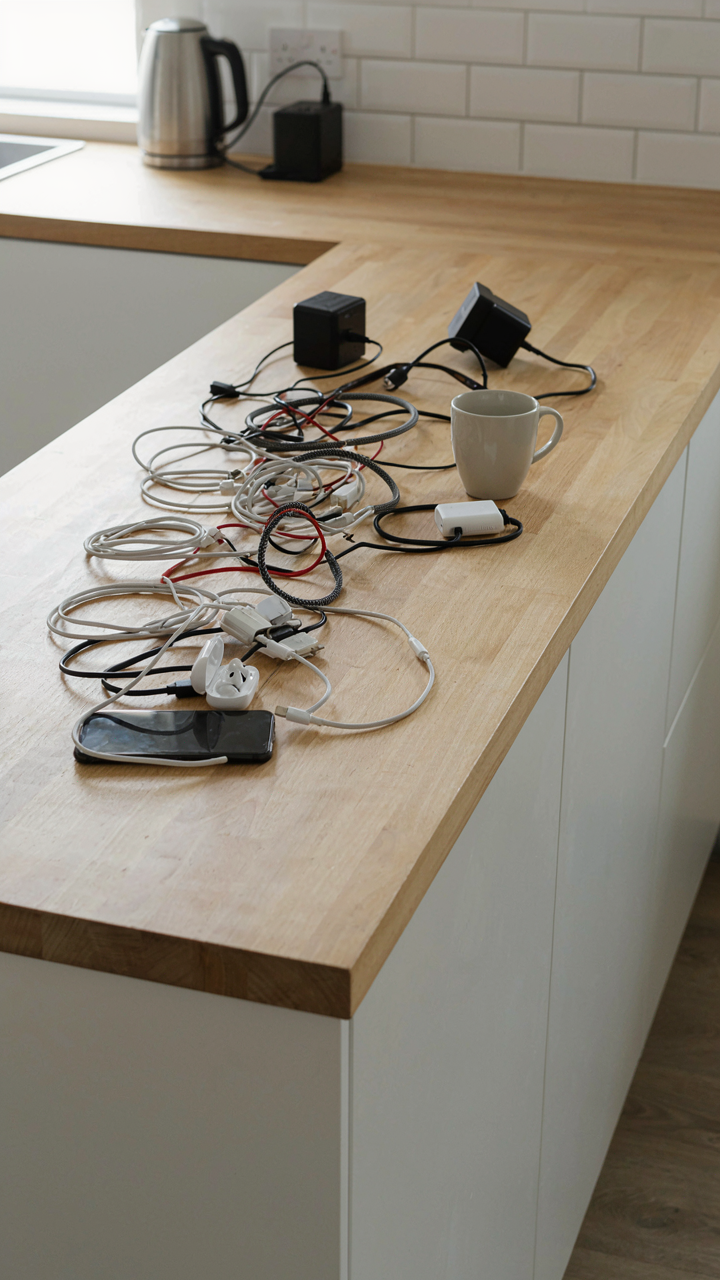
Why Dedicated Zones Fail Actual Efficiency
You want a charging station because you think it solves the problem of cables everywhere, but what you really want is permission to stop thinking about where things go. The truth is simpler and harder: dedicated zones create friction instead of removing it.
Appliance designers didn’t build kitchen tools around the idea of a single charging location. Your phone needs juice at the counter while you cook. Your tablet sits on the dining table during meal planning. Your wireless earbuds live in the bedroom. A single zone works only if you move devices to it first, which means extra steps every time you use them. That’s the real cost of centralization.
The Hidden Cost Of Visual And Mental Clutter
Neuroscience calls this cognitive load, but apply it to your kitchen: every cable, dock, and charging brick visible in one place creates decision fatigue, not relief. Your brain registers it as unfinished business even when devices aren’t plugged in.
What actually happens is worse than scattered cables. You build a charging station, use it three times, then abandon it because the friction exceeds the benefit. Cables migrate to where you actually use devices. The station becomes a drawer for junk. You’ve traded one visual problem for two: cables in real locations plus an unused monument to organization. Install charging outlets and power strips at the three places you actually charge things instead.
The Digital Diet: What Actually Needs Charging (and Where)

Audit Your Actual Usage
You want to feel organized, so you’re loading your counter with ports for devices you use twice a month. The real mechanism here is inventory bias: you count what you own, not what you use. Start by tracking what actually charges in your kitchen for seven days. Phone, yes. That Bluetooth speaker you got as a gift? Time it. The tablet collecting dust? Remove it from the equation entirely. Most people discover they need outlets for three to five devices, not ten.

The gap between owned devices and used devices grows every year because replacing something feels wasteful even when you never touch it. Your kitchen charging station should reflect reality, not potential. Document which devices you charge before 9 AM, during meals, or while cooking. That pattern tells you placement and power requirements. Then strip everything else from the mental list.
Essential Devices, Not Nice To Have
Stop believing the myth that a kitchen charging station needs to accommodate every device that exists in your house. You’re designing for actual behavior, not hypothetical scenarios. Your phone and one secondary device cover 95 percent of kitchen use cases. A smartwatch or wireless earbuds, maybe. Everything else is friction that teaches you to keep devices in other rooms where they belong.
The common advice says build flexibility into your station so you can adapt. That’s wrong. Flexibility becomes an excuse for clutter and decision paralysis every morning. Pick your core devices now based on seven days of logging, commit to those ports, and design the station around them. Your counter space stays clear, your setup works reliably, and your daily routine doesn’t slow down because you’re hunting for the right cable.
Integrated Power: The Hidden Charging Station Ideas Kitchen
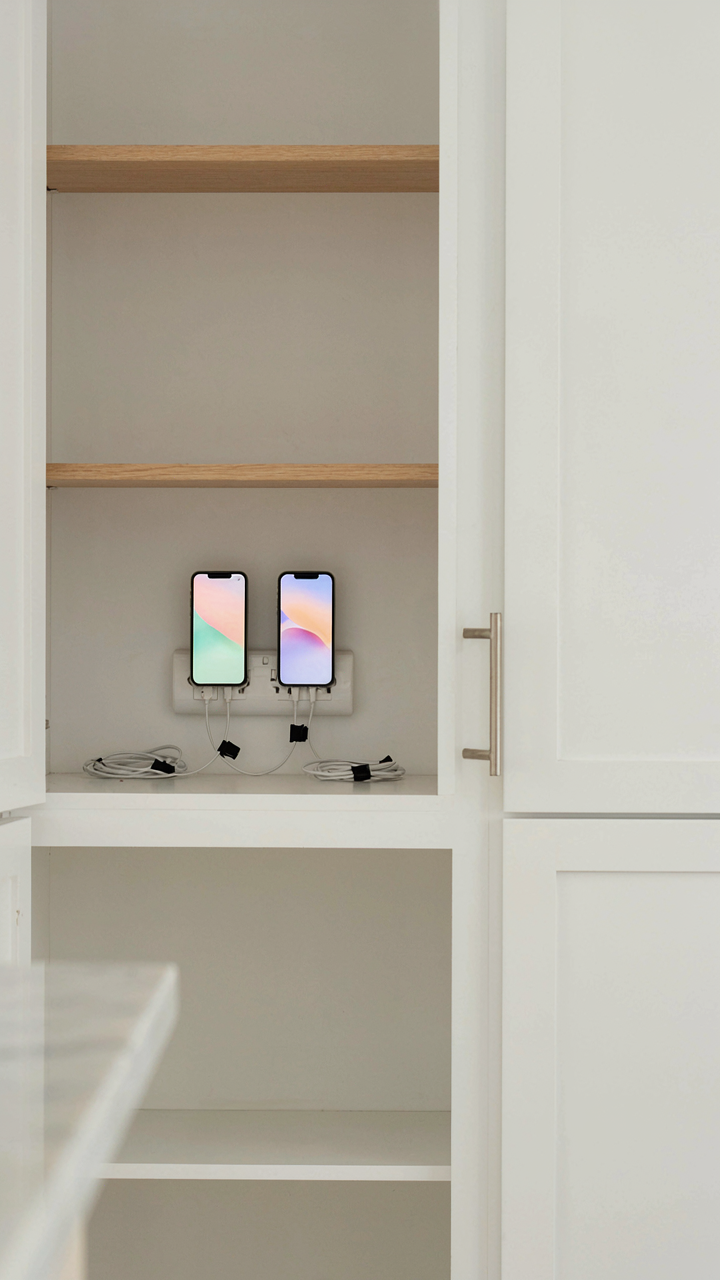
Concealing Outlets Within Existing Cabinetry
You want this invisible because you think visible wires kill the aesthetic you spent money creating. That’s the real motive. Here’s the mechanism: cabinetry acts as a Faraday cage for visual noise. Outlets recessed into cabinet frames, kickboards, or interior shelving eliminate the line of sight between power and the person standing in your kitchen. The electrical code permits outlets inside cabinets if they’re accessible and not buried behind permanent storage. Drill a hole through the cabinet wall, route conduit, and terminate the outlet on the interior face at counter height or lower, depending on what charges there.

The install requires planning before cabinetry arrives. Coordinate with your cabinet maker or cut holes after installation if you’re retrofitting. Mark outlet locations on the cabinet interior wall, measure clearance to studs and plumbing, then run your circuit. Use a box extender if depth is tight between the cabinet back and the wall. Mount the outlet box securely to the cabinet frame itself, not the drywall behind it, so it stays fixed if the cabinet shifts. Wire it into an existing circuit or run dedicated 20-amp if you’re charging multiple devices simultaneously and need the capacity.
Charging Drawer: Converting Dead Space Into Utility
Most kitchen drawers below counter level sit half-empty by design. Converting one into a charging hub turns wasted volume into the only power location that actually hides cables from view completely. Interior drawers can hold power strips, cable coils, and devices in one contained pull-out. Cut a hole in the back or side panel of the drawer, route power in from behind, and terminate a compact power strip inside mounted to the drawer bottom or wall.
Run your circuit to the back of the cabinet where the drawer slides, not through the drawer frame itself, so the cord doesn’t get pinched during operation. Use a power strip with surge protection rated for at least 15 amps if you’re charging phones, tablets, and small electronics simultaneously. Mount the strip flat to prevent cables from tangling, and use velcro ties or clips to manage cord length. Keep the drawer pull-out smooth by ensuring no cables bunch at the rear opening. Test the setup fully loaded and fully extended to confirm nothing crimps or creates a fire hazard.
Countertop Charging Station As Aesthetic Disruption

Minimalist Design Principles For Device Integration
You want this to look intentional, not like you ran out of drawer space. The real mechanism here borrows from industrial design’s concept of “form follows function”—except most people get it backward. They hide the charging station and call it minimalist. That’s denial.

True minimalist integration means the station occupies one defined zone with visual weight that matches its actual footprint. A five-device charger scattered across twelve inches of counter reads as clutter. The same charger consolidated into a four-inch-deep dock with unified cable management reads as a design choice. Material consistency matters: if your counters are stone or wood, a charging station in matching material or a single complementary metal finish (brushed aluminum or matte black) anchors it as part of the kitchen architecture rather than an appliance someone forgot to put away.
The cable situation determines whether minimalism succeeds or fails. Exposed cables running in separate directions kill the effect instantly. Route all cables through the back of the station using integrated channels or a rear-exit design. Cables should exit as one bundle, not eight individual snakes. This single choice—consolidating cable paths—transforms a charging station from visual noise into something that occupies your counter but doesn’t dominate it.
Avoiding The Tech Graveyard Look On Counters
The common advice is to “keep it organized.” That’s useless. The real problem is visual stagnation: a charging station that collects devices, dust, and dead weight because nothing ever moves.
A tech graveyard forms when the station becomes a parking lot for devices nobody actively uses. Your old iPad sits there. That charging cable for the camera you sold stays coiled next to it. A half-dead Bluetooth speaker takes up real estate. The station transforms from functional to decorative junk. Stop this by establishing one rule: only devices that charge weekly occupy the station. Everything else gets stored elsewhere. If a device hasn’t needed a charge in thirty days, remove it entirely. This isn’t organization—it’s curation through use.
The second mechanism is rotation and visibility. Devices should face forward or sit at eye level on a tiered station, not hidden behind taller items. This forces you to notice what’s actually there. Dead weight becomes obvious. You see the unused device and remove it before visual decay sets in. The charging station stays functional because the devices on it remain active. Dust accumulation signals disuse. Clean it weekly and reassess what stays. This cadence prevents the slow creep into clutter that makes countertops look abandoned.

The “Energy Flow” Protocol: Optimizing Home Electronics Charging Station

Shorter Cable Runs Cut Real Resistance
You want this to work without thinking about it, so you assume a charging station just needs outlets. It doesn’t. Physics says resistance increases with cable length, and longer runs waste power as heat. A 10-foot charging cable loses more energy than a 2-foot one pulling the same amperage. The math is simple: resistance equals resistivity times length divided by cross-sectional area. On your counter, this means distance matters.
Place your station within arm’s reach of your power source, not across the kitchen. Every foot of cable you eliminate reduces voltage drop and charging time. Run cables in a direct path without coiling them behind furniture. A coiled cable traps heat and increases resistance further. Your devices charge faster, and you consume less standby power. Measure the actual distance from outlet to station before you buy anything.
Feedback Loops Control Your Real Power Cost
Cybernetics teaches that systems stabilize through feedback mechanisms, and your kitchen charging station operates under the same principle. Each device draws power based on its state: charging mode pulls maximum current, trickle mode pulls almost none. You can’t see these shifts happening, which means you’ve lost awareness of what’s actually consuming electricity at any given moment. Most people set up a station and never check it again.
Install a power strip with an individual on-off switch for each device or device group. This forces a feedback loop between you and the actual power draw. You notice which devices sit charging long after they’re full. You see patterns in what drains standby power. Over time you develop a protocol: unplug when full, plug in only when needed, rotate devices instead of charging everything simultaneously. The feedback loop transforms you from passive operator to active manager of your energy cost.

Home Charging Station Ideas: Beyond The Kitchen Island
Where Your Devices Actually Spend The Night
You want the charging station hidden because you’re tired of looking at cables and adapters, but you won’t admit that’s the real reason. The mechanism is simple: overnight charging zones work because devices sit stationary for 8+ hours, making proximity to outlets irrelevant and cable management invisible. This reverses the typical kitchen island logic, which prioritizes visibility and access for daytime use.
The best overnight zones are perimeter locations—pantry shelves, under-counter nooks, dedicated hall closets—anywhere that isolates the charging infrastructure from living spaces. Distance from the kitchen itself eliminates the visual clutter from your main sightline while keeping the outlet infrastructure accessible for maintenance. This is where you put the cable management system that actually stays organized because nobody walks past it daily.
Stack Vertically When Horizontal Space Runs Out
Kitchen island real estate is finite. Vertical charging surfaces aren’t trendy advice—they’re physics applied to counter space. Think of it like load-bearing architecture: stacking devices upward distributes the charging footprint across height instead of width, turning a 12-inch counter problem into a 36-inch wall solution.
- Magnetic strips on cabinet sides: Mounts small metal devices or metal-backed cases directly to vertical surfaces, eliminating the need for shelf space entirely.
- Pegboard charging hubs: Holds multiple cables and small devices on wall-mounted pegboard, customizable for device rotation without rewiring.
- Tension rods in narrow spaces: Suspends charging cables horizontally between two points (under-cabinet, between shelves), keeping devices elevated and cords organized.
- Wall-mounted charging organizers: Pre-drilled rack systems anchor directly to backsplash or cabinet sides, holding cables and devices at eye level or above counter height.
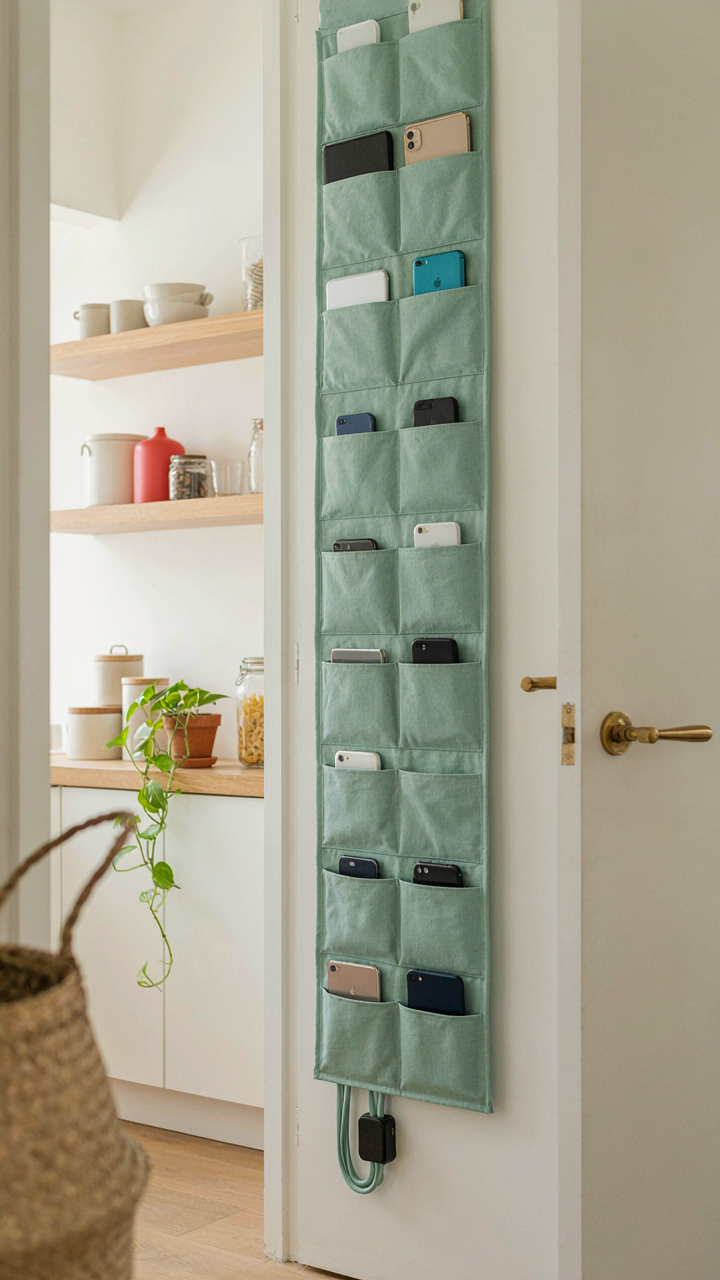
- Over-the-door pocket systems: Uses cabinet or pantry door interior space with fabric pockets for individual device charging slots, keeping everything contained and accessible.
The real leverage is in cable management protocol: run power and USB lines vertically first, then route horizontally only at the device connection point. This prevents cable sag, reduces tangling, and lets you audit which chargers you actually use. Update your vertical system quarterly by removing dead adapters and consolidating redundant cables.

The Real “Smart Home” Charging Station For Kitchen
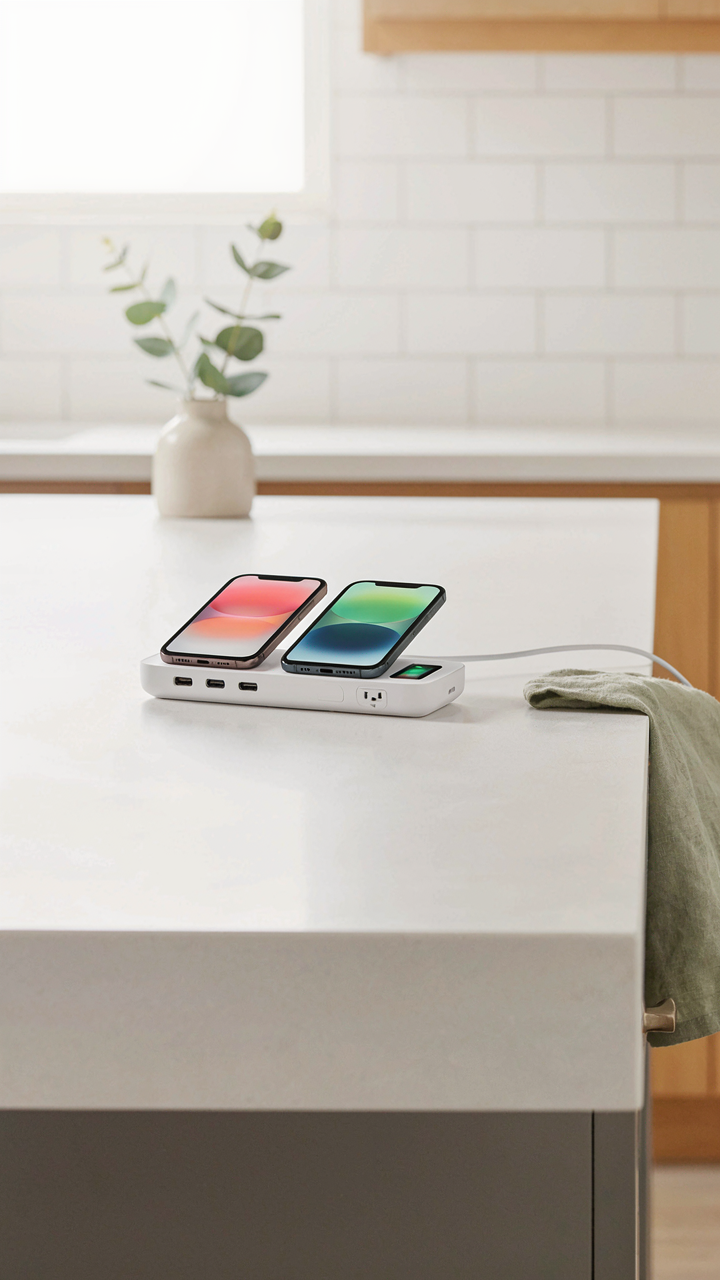
Stop Bleeding Power While You Sleep
You want to feel like you’re ahead of the curve. Here’s what actually matters: most kitchen charging stations waste 5 to 10 watts continuously through phantom drain, even when nothing’s plugged in. This isn’t a design flaw you need to accept. Borrow a term from electrical engineering—load shedding—which means cutting power to inactive circuits. A real kitchen charging station applies this principle by using smart power strips that detect device status and kill the outlet entirely when the device finishes charging.
The mechanism is straightforward. Smart power strips use current sensing to monitor draw. When a phone hits 100 percent and stops pulling power, the strip recognizes the zero-draw state and cuts the circuit. No trickle current. No standby waste. This works because chargers don’t consume power when the device is fully charged—they just sit there draining baseline electricity. Set the detection sensitivity correctly, and your station removes phantom load without any manual intervention or timer nonsense that requires resetting every season.
Single Interface, Complete Authority
Most people treat a charging station like a passive dock. That’s backward. A centralized control interface means one physical point where you manage every outlet’s power state, schedule, and monitoring. This eliminates the friction of checking individual device charge levels or wondering which outlets are actually on. You’re not looking for convenience—you’re building visibility into energy behavior that directly affects your electricity bill.
Install a smart hub or controller that communicates with each outlet in the station. Some systems use WiFi; others use Zigbee or Z-Wave to reduce network congestion. The interface shows real-time wattage per outlet, cumulative consumption, and alerts when a device finishes charging. Set schedules so the station powers down entirely during off-peak hours or overnight. This single point of control eliminates decision fatigue and creates a system where power delivery happens on your terms, not the charger’s default settings.

Charging Station Ideas: The “Less Is More” Doctrine

Buy One Charger That Actually Works
You want to feel like you’ve solved the problem without actually solving it. The real mechanism here comes from systems thinking: a charging station isn’t a collection of devices, it’s a closed loop where every adapter either reduces friction or adds it. Most people buy multiple cheap chargers because each one fails partially at different tasks. One doesn’t have enough ports. Another charges too slowly. A third takes up too much space. You end up with four mediocre solutions instead of one that works.
Investing in a single high-output multi-device charger with USB-C, USB-A, and proprietary connections eliminates the decision fatigue that kills counter space efficiency. A 100W or higher GaN charger handles phones, tablets, and laptops simultaneously without thermal throttling. The upfront cost is higher, but you stop replacing failed chargers every eighteen months. This is economics, not emotion. One quality charger occupies less space than three weak ones and delivers actual power when you need it.
Strip The Adapter Graveyard
The advice that you should “organize your cables” is incomplete and wrong. You don’t need organization. You need elimination. Every redundant power brick and adapter sitting in a drawer is a tax on your attention and a symptom of purchase drift. You bought chargers incrementally as devices changed, and now you’re carrying dead weight.
Audit what you actually charge daily. Keep one cable per device type, one spare of the most common connector standard, and delete the rest. If your phone, tablet, and headphones all use USB-C, that’s your denominator. USB-A adapters stay only if you own legacy devices you actively use. A cluttered charging station signals you’ve never made a real choice about what matters. Remove visual noise, remove the problem.

Hidden Charging Station Ideas Kitchen: Reclaiming Your Sanity

Cables Hidden In Plain Sight
You want this section because visible cords make your space feel out of control, even if everything else is organized. That’s the real problem to solve. The mechanism is simple: disguise charging ports by embedding them inside objects already on your counter.
Wooden boxes with routed cable channels, ceramic containers with drilled backs, and decorative trays with hidden compartments all work the same way. The key is routing cables behind or beneath the disguising object so only the device sits visible. This isn’t new—interior designers have hidden electrical infrastructure for decades using the same principle of strategic placement plus visual obstruction.
The Counter Never Lies About Your Mind
Cognitive load theory from psychology shows that visual clutter depletes mental resources whether you consciously notice it or not. A charging station filled with tangled cables creates the same neural friction as an unsolved problem sitting on your desk. You can’t ignore it, even when you try.
Most advice stops at “just organize it.” That’s incomplete. The real move is removing the visual stimulus entirely so your brain stops allocating processing power to it. Embed your chargers inside cabinets, under counter edges, or within drawer systems. When the station becomes invisible, your mental capacity returns to you. That’s not productivity theater—that’s basic neurology.
The Charging Station Dilemma Reveals A Deeper Hunger: Control Over Attention, Not Just Power Outlets

You don’t actually want a prettier charging station. You want to stop reaching for your phone every three minutes because it sits visible on your counter. Move your charging station into a closed drawer or a room you don’t live in. Charge your devices out of sight. Watch what happens when friction replaces convenience. Your attention returns before your battery does.