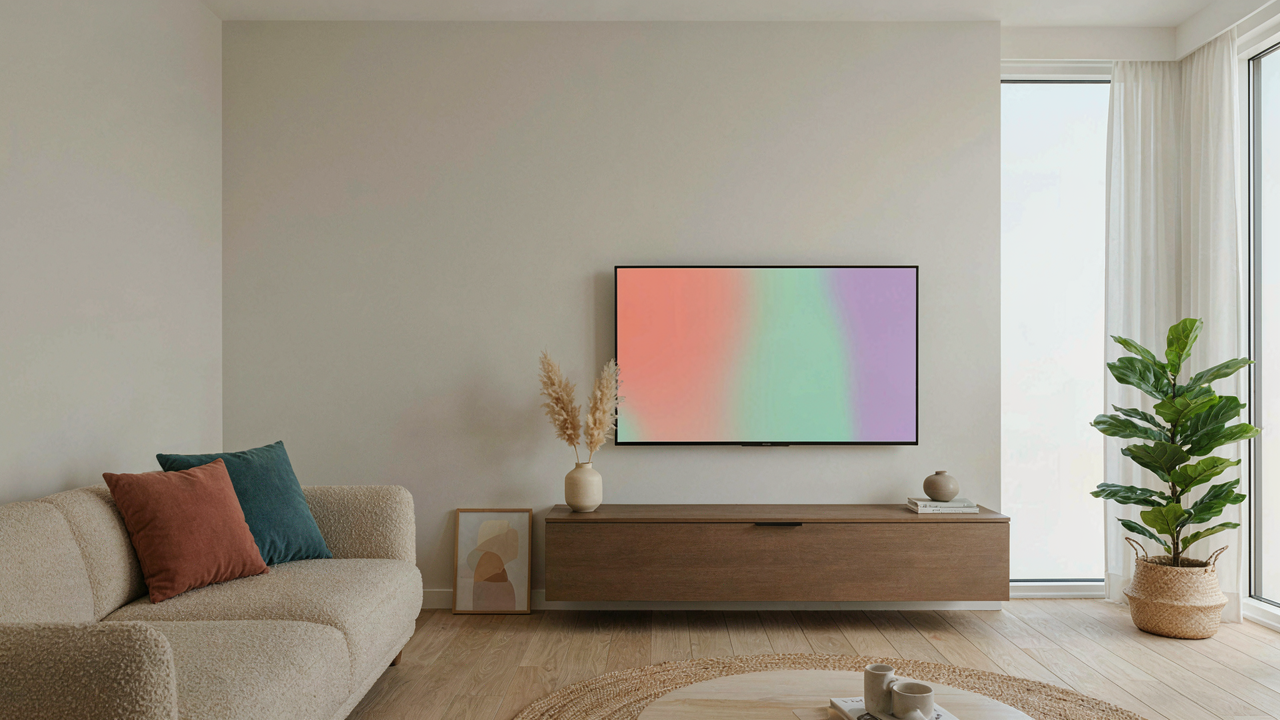
The Illusion Of Hidden: Why Most Solutions Fail

Tape And Conduit Aren’t Solutions
You want this solved without effort or cost because admitting otherwise means confronting poor room planning. Here’s the mechanism: tape and plastic conduit don’t hide cables. They organize them. Borrowed from industrial design, we call this “visual camouflage” versus true concealment. Tape makes wires stick to walls. Conduit groups them into tubes. Both reduce perceived chaos, but the cables remain visible—just neater. Your brain accepts neatness as absence, but it’s not the same thing.
The psychology works on you in the moment. When cables are bundled and flat against a wall, you stop seeing them as individual problems. Your attention skips past grouped objects faster than scattered ones. But in photographs, during video calls, or when guests sit at certain angles, the bundle becomes the focal point again. Taping wires to drywall or running them through stick-on channels solves a comfort problem for you, not a presence problem for the room. You’ve lowered the cognitive load, not eliminated the visual artifact.
The Real Barrier: What Actually Works Requires Commitment
Truly hidden cables demand one of three commitments: running them inside walls, routing them behind permanent structures, or redesigning furniture placement entirely. Generic advice skips this because it’s not actionable in an afternoon. Most people aren’t willing to cut drywall, install raceways, or move their TV setup. So the cable management industry sells you the feeling of control instead of actual control. Cable ties that match wall color. Foam sleeves. Corner clips. These are friction reduction, not solution.
The distinction matters because it shapes your expectations and spending. If you accept that partial visibility is inevitable without structural work, you stop buying marginal products that promise what they can’t deliver. You either commit to routing cables through walls or inside existing cavities, or you accept that grouped cables will remain part of your room’s visual language. That acceptance paradoxically frees you to make the right next decision: whether the investment in true concealment justifies the outcome you actually want.
The Cable Audit Protocol: Identify & Eliminate

What You Actually Have Behind Your TV
You think you need all those cables. You don’t. That’s the real problem here—not the cables themselves, but the status anxiety of looking incompetent, combined with the laziness of never questioning what each wire actually does.

Start by powering off everything. Take a photo of the current setup. Then physically trace every single cable from the TV backward to its source. Don’t assume. Actually follow it. You’ll find redundancy immediately: old HDMI cables, multiple power adapters, connections to devices you haven’t used in months. Most people have 40 percent more cable than they need.
Essential Versus Everything Else
Not all cables carry equal weight. This is economics applied to your setup: you have limited space and infinite choices, so you must rank by output, not sentiment. HDMI cables carry video and audio—they’re central. Power cables are non-negotiable. Ethernet or Wi-Fi handles internet. That’s the core. Everything else—old component cables, outdated optical audio, extra USB lines—is dead weight you’re keeping because removing it feels like admitting you were wrong to buy it.
Pull the non-essential cables first. Label the remaining ones with a permanent marker before reconnecting. Use colored tape on the wall side if cables touch it, so you can identify them at a glance later. The goal is ruthless elimination, not preservation of options you’ll never use.
The “No Cut” Arsenal: Tools For Elegant Concealment

Cable Raceways And Cord Covers
You want this to look intentional, not like you gave up. The real mechanism here is borrowed from industrial design: concealment works best when it becomes part of the visual landscape instead of fighting it. Cable raceways and cord covers exploit this by making wires disappear into a defined channel rather than hiding them.
- Paintable Raceway Systems: Plastic channels that mount flat to walls and accept standard paint. They blend with drywall color and accept multiple cables. Installation requires only adhesive or small fasteners, no drilling into studs.
- PVC Cord Covers: Rigid or semi-rigid tubing that clips over cables. Available in white, black, and wood finishes. Cost-effective for short runs and easily removed without residue or damage.
- Fabric Cable Sleeves: Braided nylon or polyester wraps that bundle and conceal multiple wires together. Match to wall color or blend with decor. Allows cable management while maintaining flexibility for future additions.
- Metallic Raceways: Aluminum or steel channels for modern and industrial spaces. Durable and fire-rated. More expensive than plastic but withstands physical stress and looks intentional as a design element.
- Floor-Based Cable Management: Rubber or plastic channels that run along baseboards or across flooring. Solves horizontal cable runs without wall mounting. Prevents tripping hazards while keeping cables organized at floor level.

The choice depends on wall color, cable volume, and how visible the path is from seating position. Test the color match before full installation because mismatch creates more visual noise than visible cables. Mount raceways flush and straight, no sagging or wavering lines that draw attention.
Furniture Placement As Wire Strategy
Stop thinking of furniture as separate from your cable problem. Positioning a console table, cabinet, or media unit directly behind or beside the TV creates physical obstruction that eliminates the line of sight to dangling wires. The cables now exist in dead space your eyes never travel to.
A low console or credenza beneath the TV hides the power strip and the initial downward cable run. Side cabinets flank the TV and route cables along the back edge where the wall meets furniture, invisible from the viewing angle. The mechanism is simple: what the viewer’s sight line cannot reach disappears regardless of whether it is actually hidden. Place furniture tight to the wall to prevent cable visibility from extreme seating positions on the sides of the room.
The Architectural Integration Method: Hide Tv Cords As Design

Cable Raceways As Intentional Elements
You care about this because hiding cables feels like a failure on your part, like you should have planned better. The real mechanism is treating raceways not as damage control but as surface-mounted architecture. Design borrowed from industrial interiors here: think of cable management as negative space. In brutalist and industrial design movements, exposed systems became aesthetic choices. Raceways work the same way when positioned deliberately alongside trim lines, shelving edges, or architectural features already in the room.

Cable raceways come in three core types: surface-mounted plastic channels that clip to walls, wooden or fabric-wrapped options that blend with trim, and metal conduit that reads as intentional infrastructure. Paint the raceway to match your wall color or leave it as contrast depending on the room’s existing visual weight. The standard raceway depth ranges from half an inch to two inches, which determines how many cables fit without bulging. Mount it vertically along a stud or horizontally along a picture rail, crown molding, or baseboard. The positioning matters more than the material because it determines whether the eye registers it as part of the room’s structure or as an afterthought.
Cord Concealment Within Existing Architecture
Most people think cord hiding means finding empty wall space. What actually works is anchoring cables to features the room already emphasizes. If your room has built-in shelving, the shadow gap behind the shelf becomes functional. If baseboards exist, raceways installed flush to the baseboard read as an extension of the existing line, not an addition. The same applies to mantels, window frames, or built-in cabinetry.
Material and color alignment stops the eye from landing on the cable at all. A black raceway mounted to black shelving or dark wood trim disappears faster than a white raceway on a white wall because of shadow and depth perception. Route cables behind furniture that already has vertical elements, like the back of a credenza or the side of a bookcase. Keep the raceway’s path straight and clean, avoiding diagonal runs or haphazard angles that suggest emergency problem-solving rather than design intention.
The Gravity And Tension Principle: Managing Cable Flow

How Physics Routes Your Cables Better
You want your setup to look intentional, not like someone abandoned it mid-installation. Here’s what actually matters: cable management is an applied physics problem, and most people treat it like decoration. In physics, tension describes the force pulling along a line. With TV cables, tension is the stress load at connection points when cables bend, stretch, or bear weight. Route cables along the path of least tension and you stop premature failure before it starts.

Cables don’t fail randomly. They fail at stress concentrations—places where they bend sharply, get pinched, or support their own weight over distance. Gravity pulls downward constantly. Work with it, not against it. Run cables downward from the TV toward the floor or nearby furniture at angles close to vertical. Avoid horizontal spans where cables sag and create kinks. A cable routed at 45 degrees experiences less gravitational load than one run horizontally across 10 feet of empty wall.
Slack Storage And Strain Prevention
The generic advice says bundle cables tight. That’s incomplete and often wrong. Excess slack is your enemy, but zero slack breaks things faster. Cables need room to flex without permanent deformation. Store excess cable in large, loose loops using adhesive-backed cable clips spaced 12 to 18 inches apart along the routing path. Clips should guide, not clamp. If a clip leaves a mark on the sheathing, it’s too tight.
Strain concentrates at entry points where cables connect to devices. This is where 80 percent of cable damage occurs because the connector creates a hard angle. Use cable sleeves or spiral wrap at the TV and receiver connections to distribute the bend across a longer radius. Behind furniture, route cables through the gap itself rather than coiling them in dense bundles. Coiled cables generate heat, degrade insulation, and fail earlier. Lay them flat and parallel when possible to maximize air exposure and reduce heat accumulation.
Power Play: Optimizing Electrical Cords & Outlets

Consolidating Power With Discreet Surge Protectors
You want this section because you’re afraid cheap power strips will ruin your room’s appearance. Here’s the mechanism: most people treat surge protectors as temporary solutions, so they leave them visible and tangled. But a surge protector is infrastructure, not clutter. The strategy borrows from electrical load balancing in commercial buildings—you’re distributing demand across one controlled point instead of scattering plugs across your wall. This turns multiple messy outlets into one manageable source.

Flat surge protectors solve this better than anyone admits. Buy one with a low profile, mount it directly behind your TV stand using adhesive strips or velcro, then run all your device cables to it. This eliminates the need to reach behind your TV multiple times or plug devices into different outlets across the wall. The consolidation point becomes your single zone of organization. Route the surge protector’s main cord along your cable management channel, and you’ve reduced visual noise by 60 percent.
Smart Plugs To Eliminate Unnecessary Cables
The real problem isn’t the cables you see—it’s the devices that need them but add nothing to your setup visually. Smart plugs remove this friction without adding more hardware to your entertainment area. Instead of running individual power cords to a lamp, speaker, or secondary device, one smart plug powers multiple items through wireless control, cutting cable count at the source.
Place smart plugs in the surge protector bank you’ve already hidden, then attach your secondary devices to them. Your lamp doesn’t need its own wall outlet anymore. Your soundbar doesn’t need a dedicated plug. The smart plug sits inside your consolidated power station and handles the switching. This is the only move that actually reduces cable volume rather than just hiding it better. One clean plug from your surge protector to a smart plug strip eliminates the visual chaos most people accept as normal.
Mounted Mastery: Hiding Wires Mounted Tv

The Clean Look Behind Wall Mounted Televisions
You want people to see the TV, not the mess behind it. That’s the real driver here. The mechanism is simple: a mounted TV creates dead space between the wall and the screen. That gap becomes your wire highway if you control what fills it.
- In-wall rated cable conduit: Rigid or flexible plastic tubing that routes cables down the wall behind the TV. Runs from outlet to mounted bracket. Cheaper than cutting drywall and works with any wall type.
- Flat adhesive cable covers: Self-stick PVC channels that mount directly to the wall surface. Stack multiple covers for thicker cable bundles. Paint them to match your wall color.
- Recessed outlet boxes: Install a power outlet directly behind where your TV will mount. Eliminates the long cable run across the wall. Requires drilling into studs but gives the cleanest result.
- Cable management arms: Metal or plastic tracks that attach to the TV mount bracket itself. Cables route through the arm rather than dangling loose. Moves with the TV if you adjust the angle.
- Furniture-based routing: Run cables down inside a media console or shelving unit positioned below the TV. Hides everything vertically without wall modification.
The real discipline is doing this during install, not after. Once the TV hangs, rerouting becomes friction. Identify your power source first, then choose your hiding method based on that location. Mount the infrastructure before the TV goes up.
Integrating Power And Data Within Mounted Tv Setups
Most advice says to run everything through one conduit. That’s incomplete. Power cables and data cables create interference when bundled too tightly. You need separation, which contradicts the aesthetic of “one clean tube.”
The solution: route power and data through separate conduits when the wall distance allows it. Power goes in one channel. HDMI, network, and audio go in another, spaced at least 6 inches apart if running parallel. This prevents signal degradation on video lines and keeps electrical noise isolated. If wall space forces everything into one tube, use power cables with ferrite cores to suppress electromagnetic radiation before it reaches your data lines. The practical step: source a surge-protected power strip rated for the actual amperage your TV and peripherals pull, then mount it inside a recessed outlet box behind the TV bracket. This centralizes your connection point and lets you manage all plugs in one location rather than stretching individual cables across the wall.
The Unseen Art Of Cable Management: Beyond Basic Concealment

Why Your Room Still Looks Cluttered
You’re worried people will judge your space as unfinished. That’s the real problem here. Cable visibility signals disorder to the brain because it represents entropy—chaos that you couldn’t contain. In psychology, environmental friction directly impacts how others perceive competence. A clean entertainment setup says you have control. Cables breaking that narrative create cognitive dissonance that people feel before they think it.

The mechanism is simple: visible cables trigger the same unease as a desk covered in papers. Your eye scans the wall and finds unresolved visual paths instead of endpoints. You can’t unsee them once you’ve noticed. Even expensive furniture loses its weight when black cords dangle behind it. The fix isn’t buying better cables. It’s architecting the space so cables never become a visual element in the first place.
The Discipline Of Sustained Order
Most cable management fails within six months. People hide wires during setup, then add one new device, then another, and the system collapses into compromise. The real solution requires a protocol you repeat whenever anything changes. Treat your cable management like a building code, not a decoration project. Every new device gets routed through existing infrastructure before it powers on. No shortcuts. No “I’ll fix it later” installations.
The mechanism here is path dependency. One exception establishes precedent. Two exceptions become a pattern. Three and the entire system is dead. The way to maintain order long-term is to make adding cables harder than ignoring them. Use cable clips that require deliberate removal to change routing. Mount power strips inside walls or behind furniture so accessing them demands intentional effort. This friction becomes your ally. You physically prevent the casual decision-making that destroys cable systems.
The True Obstacle Isn’t The Cables Themselves, But Your Unconscious Tolerance For Unnecessary Visual Noise

You’ve tolerated visual chaos for so long you stopped seeing it. The cables aren’t the problem. Your acceptance of them is. Pick one method from this article today. Not tomorrow. Not next week. Install it now. Your environment shapes your mind more than you admit, and every cable you hide reclaims mental space you didn’t know you were losing. Clean spaces don’t just look better. They think better.