
The Myth Of The Magic Charging Station

Charging Station As Root Cause Reversal
You want a charging station because you think it will make your home feel intentional and controlled. That’s not the real problem. You have a charging station problem because devices proliferate faster than you have places to put them, and you’re trying to organize your way out of a consumption issue. This is systems thinking applied backwards. The station doesn’t fix the root condition, it masks it.
Most homes have between eight and fifteen devices that need regular charging. Phones, tablets, smartwatches, headphones, portable speakers, e-readers, gaming controllers. Each one is a decision deferred. Adding a charging station doesn’t reduce device count, it just concentrates the visual clutter into one zone and calls it “organized.” You moved the problem, not solved it. The real mechanism: a charging station only works if the number of devices stays flat or shrinks. If it grows, you’ve just delayed chaos.
Organization Creates Permission To Accumulate
The conventional wisdom says better organization prevents mess. This is backwards. Every organizational system you build gives you psychological permission to own more stuff inside it. This is the Peltzman Effect applied to home design: once you add safety features, people take more risks. A charging station with five slots creates the conditions to justify buying a sixth device.
Watch what happens in practice. You install a sleek charging station with cubbies for each device. It looks neat. Then you think, “I could add one more thing here, there’s still room.” The organization didn’t prevent accumulation, it enabled it. The mechanism is permission, not prevention. To stop this cycle, you need a hard constraint that doesn’t feel like constraint. You need a rule, not a system.
The Device Triage Protocol

What Actually Lives In Your Charging Station
You want a charging station that looks intentional, not like you’re running a pawn shop out of your hallway. The real mechanism here borrows from military supply logistics: inventory rotation. Keep only devices in active rotation. Everything else creates visual noise and decision fatigue every time you walk past the station.

Most homes violate this rule immediately. They treat charging stations like storage. Old tablets, outdated fitness trackers, cables for devices that broke two years ago—they all migrate there because the station exists. A family charging station only works if it enforces a rule: if a device doesn’t charge this week, it leaves the station. Period.
The Culling Schedule That Actually Sticks
The common advice here is garbage: “review your devices quarterly.” That fails because quarterly reviews don’t happen. Instead, establish a monthly audit tied to a real event. First Sunday of each month, you spend five minutes checking what’s actually charging. If a device hasn’t charged in two weeks, it gets removed and stored elsewhere or discarded.
This isn’t about minimalism or feeling virtuous. It’s about preventing the station from becoming a graveyard of intentions. Move broken chargers to a donation bin immediately. Cables for obsolete devices go in recycling. Devices in storage go in labeled boxes, away from the station entirely. This single rule prevents the charging station from reverting to chaos within six weeks.
The “Single Point Of Failure” Fallacy
Centralized Charging: Risks Versus Real Convenience
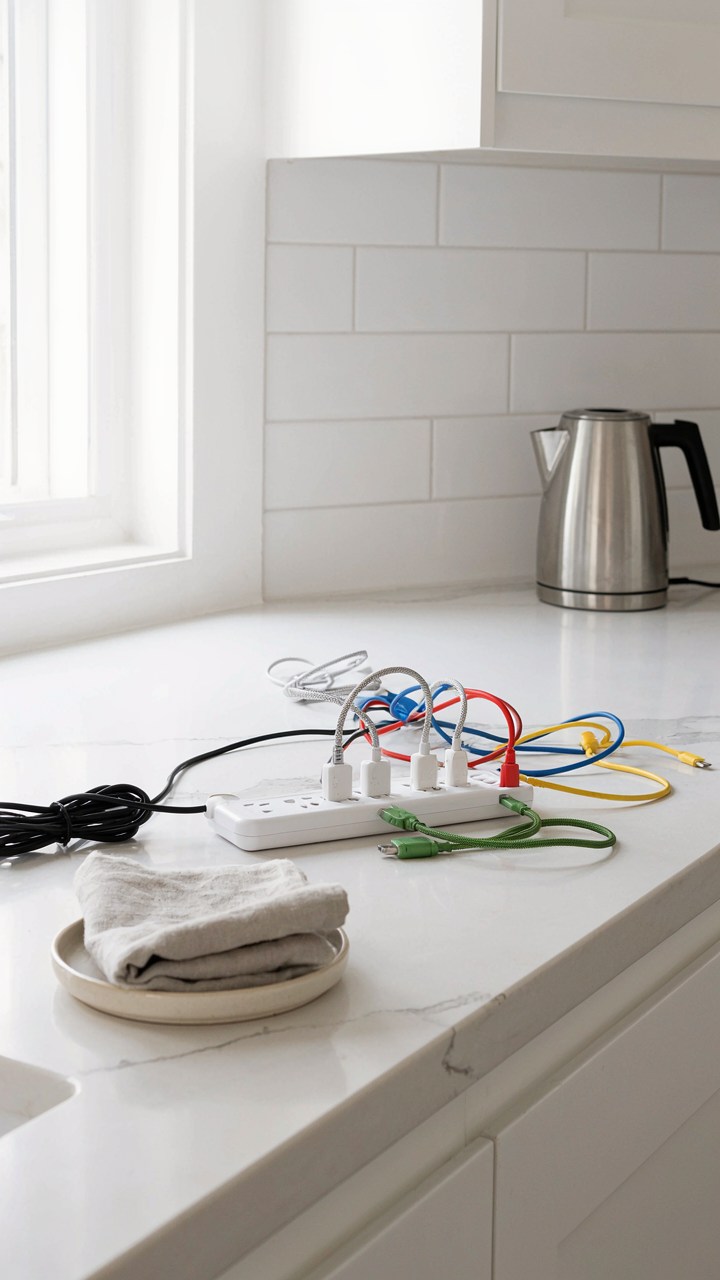
You want one charging station because it feels controlled, like you’ve solved the problem. But concentrating all devices in one location creates the exact opposite dynamic: bottlenecks, cable tangles, and the moment someone needs a phone at 2% battery, the charger is occupied across the house. Systems engineering calls this a single point of failure, and your family’s connectivity depends on it. One power outlet, one surge protector, one moment of chaos every morning proves the model doesn’t scale.

The convenience narrative is half true. Yes, one station looks tidy. No, it doesn’t function when three people need devices charged simultaneously before school or work. Cables breed conflict. Power limitations force choices. You end up managing scarcity instead of enabling access. The real cost isn’t clutter, it’s the friction you’ve engineered into your family’s daily routine. Most people accept this friction as inevitable rather than recognizing it as a design failure they can fix.
Strategic Placement Across Zones
Distribute charging where devices actually live, not where you wish they’d go. Bedside, kitchen counter, home office, living room entry, car prep zone: these are the friction points where people grab devices at specific moments. Each location solves a different timing problem. A bedroom charger stops the midnight hunt. Kitchen placement means devices charge while you eat. Staging areas near doors catch the grab-and-go window. This isn’t multiple charging stations, it’s infrastructure that matches your family’s actual movement patterns.
The mechanism is simple: reduce the distance between where someone is and where their device can charge. Every step adds friction, every extra step adds a reason to skip charging altogether. When a charger exists at the point of need, the behavior becomes automatic instead of deliberate. Install outlets or use multi-outlet power strips at each zone. Run cables along baseboards or through cable management clips. The physical routing determines whether your family uses the system or abandons it for the first outlet they find.
The Minimalist Family Charging Station

What Actually Gets Used Daily
You want a charging station because clutter makes you feel out of control, but what you really need is clarity on which devices your family actually charges repeatedly. The mechanism here is constraint. Most households own 15-20 devices that could charge but only 4-6 need daily access. A minimalist station serves those 4-6 and refuses the rest entry. Your phone, tablet, smartwatch, and one shared device per person. Everything else charges elsewhere or doesn’t belong in the home.

The Bauhaus movement understood this in the 1920s: remove everything except what performs its function. Apply that principle ruthlessly. Count actual daily charges for one week. Document which cables get pulled out more than twice. The station should accommodate only verified need, not theoretical possibility. This ruthlessness is what prevents the station from becoming a junk drawer with outlets.
The Real Cost Of Adding Features
Generic advice tells you to add USB hubs, wireless charging pads, and organizational compartments. That’s wrong. Feature creep destroys minimalist design because each addition creates maintenance burden and visual noise. A wireless charging pad collects dust. Multiple USB hub ports encourage cable multiplication. Organization compartments become catch-alls for dead batteries and orphaned adapters. You’re not designing for capability, you’re designing for daily friction reduction.
The functional minimum is a power strip, cable management clips, and a small tray for keys or glasses. Anything beyond that requires active maintenance or becomes invisible clutter. Before adding a feature, ask whether family members will still use it in six months or if it’ll sit ignored. Build the station around what works now, not what sounds useful in theory.
Cables: The Unseen Clutter Vector
Visual Hierarchy Starts With Cable Discipline
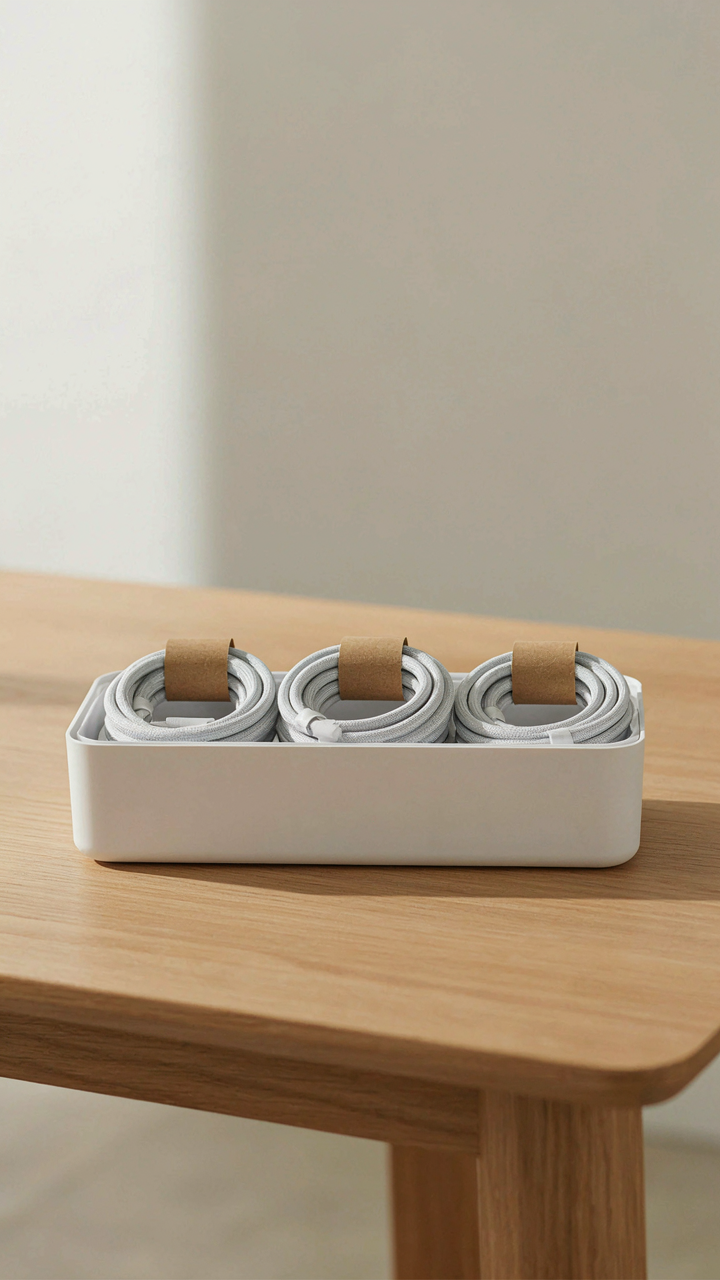
You care about this because visible cables make a space feel out of control, and you know guests notice. The real mechanism is simple: cables occupy visual weight disproportionate to their physical mass. One loose micro-USB cord reads as disorder across an entire charging station. Your brain processes cables as entropy because they break the line of sight and interrupt the grid your eye expects. Cable management isn’t decoration. It’s the foundation that makes everything else look intentional.

The standard advice is to “hide cables behind furniture” or “use cable boxes.” That’s incomplete. Hidden cables still exist and still tangle. What actually works is treating cables like inventory. You own exactly three charging cables per device type in your household. Not five. Not ten. Three covers active use, one in transit, one as backup. Every cable beyond that is clutter masquerading as preparedness. Count what you have. Eliminate duplicates. The cables that remain get routed through a single conduit or clip system at the station’s base, not scattered across the surface.
One Cable, One Device Rule
Dedicated cables reduce decision fatigue and eliminate the “which cable works” problem at the moment you need to charge. This is cable assignment as a system, not a suggestion. Each device in your household gets one primary cable that lives in the charging station. A phone gets one USB-C. A tablet gets one Lightning connector. A smartwatch gets its specific dock. No mixing, no sharing between devices, no “we’ll figure it out later.”
The mechanical benefit is faster charging and zero wear on ports. When cables serve one purpose, they don’t bend at hostile angles trying to accommodate multiple devices. But the real win is behavioral: your family stops hunting for cables. A child needing to charge their device doesn’t grab three cables to test. They reach for the one assigned cable at the station. This removes friction from the charging habit and keeps cables exactly where they belong instead of migrating to bedroom floors and car cup holders. Assign cables today. Label them if you have children old enough to read.
Device Rotation: A Systems Thinking Approach

Treating Devices Like Inventory
You want the charging station to handle everything without looking messy. The real problem: you’re treating devices as permanent residents instead of temporary assets with lifecycles. Borrow from inventory management. In supply chain logic, every item has an entry point, active use phase, and exit phase. Your devices do too. Most families ignore this and stack phones, tablets, and headphones as if they’ll all charge simultaneously forever. They won’t. Devices break, get replaced, become backups, or move to another room entirely.

The charging station should reflect device velocity, not just current demand. Set up zones based on ownership and usage frequency: daily drivers in the primary slot, backup devices in a secondary tier, devices awaiting repair or replacement in a holding zone. This isn’t about being organized for the sake of it. It’s about not buying a charging station twice the size you need because you’re storing dead devices alongside active ones. Rotate out anything unused for three months.
The Staging Area Protocol
Devices waiting to charge or awaiting permanent storage create invisible drag on any charging system. A staging area solves this by creating explicit holding space separate from the active charging zone. Without it, your family stacks devices on top of the station, defeats the clutter-free purpose, and confuses which devices are charged versus which ones are waiting. The staging area is a single shelf, drawer, or small basket positioned directly adjacent to the charging station, not inside it.
The staging area forces a decision point every seven to ten days. You pull an item from staging and either charge it, store it elsewhere, donate it, or repair it. No ambiguity. No devices living in limbo on the station itself. This is the mechanism that prevents charging stations from becoming device graveyards. Document what’s in staging and why so you don’t forget about items that genuinely need action.
The “Hidden” Home Electronics Charging Station

Furniture That Actually Works For Charging
You want your home to look intentional, not like a tech support closet. The real mechanism here comes from industrial design: constraint breeds function. A charging station integrated into existing furniture solves the visibility problem by eliminating the choice to hide cables in the first place. Built-in charging surfaces in nightstands, console tables, or shelving units force intentional placement and remove the temptation to scatter chargers across countertops.

The common advice is to “find a corner for your chargers.” That’s backwards. Instead, select furniture pieces you already own or plan to buy, then retrofit them with internal cable management. Drill holes in the back panel of a credenza or nightstand. Route cables through the frame. Install a power strip on the interior back wall. This approach treats the charging station as a structural problem, not a decoration problem, which means it stays organized without requiring willpower.
Decor That Powers Your Devices
The tension between aesthetics and function dissolves when you stop treating power hubs as afterthoughts. A ceramic or wooden box designed to sit on a shelf or desk becomes a legitimate accent piece once you add ventilation holes and internal cable routing. The device works as a visual anchor while managing six to eight cables internally. You’re not disguising the charging station. You’re making it honest about its purpose by designing it as one object instead of scattered cords.
Baskets with integrated power management represent the cleanest execution. Line the interior with fabric sleeves that hold individual cables. Route the main power cord through the basket’s base. Position the basket on a bookshelf, credenza, or floor near seating areas. The basket functions as storage, decor, and charging infrastructure simultaneously. When guests see it, they perceive organization and intentionality. When you use it, you grab the right cable without searching through a tangle of rubber and plastic.
Digital Detox As Clutter Prevention

The Math Of Device Ownership
You want to feel in control without actually cutting back. Here’s the mechanism: every device you own creates a charging obligation. Economics calls this “variable cost multiplication”—each unit multiplies your base expense. A family charging station doesn’t solve the root problem. It enables it.

Most households own more devices than people. Phones, tablets, smartwatches, wireless earbuds, e-readers, portable speakers. Each one feels essential in isolation. The charging station becomes a monument to overconsumption. Fewer devices eliminate the need to manage the station at all. The real leverage isn’t organizing what you have. It’s owning less.
Stop The Accumulation Cycle
Conventional advice says “set screen time limits” and “create charging zones.” Wrong. That’s treating the symptom. The real strategy attacks device acquisition itself. Most families add devices passively—a kid’s birthday gift, a spousal impulse buy, a “deal” that felt too good to refuse. No decision. No friction. Just presence.
Establish a device audit first. Identify which devices your family actually uses weekly versus which sit untouched for months. The untouched ones fund the clutter problem and the charging station problem simultaneously. Introduce a replacement rule: one device in, one device out. Every addition requires a subtraction. This forces intention into purchase decisions and keeps your charging footprint static instead of expanding.
The Investment Fallacy Of “Smart” Charging

When Complexity Becomes The Product
You want the charging station to solve a problem you don’t actually have. That’s the real reason smart charging appeals to you. Economics calls this “solution creep”—when the tool becomes more elaborate than the job demands. Your family’s phones need juice. That’s the entire mechanism. Everything else is margin capture disguised as innovation.

Most “smart” family charging stations add WiFi connectivity, app monitoring, LED displays, or individual outlet control. These features cost 3-5x more than a basic multi-port solution. The charging speed stays identical. The phones still get to 100 percent. You just now own software that requires updates and connectivity that fails when your router restarts.
The Actual Math Against Complexity
Complexity trades cost for problems it doesn’t prevent. A $15 power strip with five USB ports handles four phones and a tablet indefinitely. A “smart” charging hub at $80-120 does the same job with added failure points. When the app breaks, when the firmware needs updating, when one port dies, you replace the entire unit. The basic one lets you swap individual outlets.
The hidden cost lives in decision fatigue and maintenance. Your family must remember to check app notifications, interpret port status lights, or troubleshoot connectivity issues. A simple charging station requires zero cognitive load. Cords go in. Devices charge. Done. Place a basic multi-port charger on a shelf in the hall, and watch how little anyone thinks about it compared to the “smart” version still troubleshooting in your drawer.
Implementing Your Personalized Charging System

Build Your Station From Constraint
You want this section because you’re tired of making decisions and you need permission to stop overthinking. Here’s the mechanism: constraints force clarity. A family charging station works because it operates like a closed system in thermodynamics—you define the boundaries (devices, location, power capacity), and everything else organizes itself around those limits. Without constraints, you get chaos disguised as flexibility.
Start by auditing what actually charges in your home. Count phones, tablets, smartwatches, headphones, controllers—the full list. Multiply that by how many family members use each device simultaneously. This number becomes your non-negotiable constraint. You now know your minimum outlet requirement and cable types needed. Everything else flows from this single fact, not from Pinterest boards.
- Identify Your Device Inventory: List every device per family member that requires charging. Include usage frequency and simultaneous charging likelihood to determine peak demand.
- Choose Your Location: Pick a spot with existing outlet access, visibility for accountability, and distance from water sources. Kitchen counters and bedside tables are common; mudrooms work better for families.
- Select Your Container or Mounting System: Decide between drawer organizers, wall-mounted racks, pegboard systems, or cable management boxes based on your device count and space dimensions.
- Match Cables To Devices: Group cables by type and length. USB-C, Lightning, Micro-USB, proprietary chargers each get their own section to eliminate search time.
- Determine Power Supply Method: Calculate total wattage needed. Use a power strip with surge protection rated for your load, or run a dedicated circuit if handling multiple high-draw devices simultaneously.
Installation comes next. Mount or place your chosen system where you identified it. Run cables through organizers or clips so they don’t tangle. Label each cable endpoint with device owner and device type using tape or tags. Test every outlet under full load before declaring the station live. This prevents discovering a dead outlet after devices are charging.
Materials That Actually Last
The consensus advice here is garbage: people treat charging stations like temporary solutions and replace them yearly. The real cost isn’t the initial setup—it’s replacement labor and buying another organizer that falls apart. Use industrial-grade materials engineered for repeated thermal and mechanical stress, not consumer-grade plastic that degrades under heat cycling.
Copper and aluminum components outlast plastic fixtures because they conduct heat away from electronics instead of trapping it. Use anodized aluminum or stainless steel racks if mounting to walls. For cable management, choose neoprene-lined clips that grip without cutting insulation. Surge protector strips should be rated for 20+ amps and include thermal cutoff protection. Replace low-end power strips annually; invest once in commercial-grade hardware that handles actual family load patterns without failure.
Check outlet safety immediately by testing with a multimeter to confirm grounding and polarity are correct. Inspect cables quarterly for damage or fraying, especially where they bend repeatedly. Replace any cable with compromised insulation before failure creates a fire risk or device damage. This maintenance schedule prevents the station from becoming a liability disguised as organization.
The Charging Station Isn’t The Problem; Your Device Dependency Is

You’ll build the perfect charging station and still feel anxious. The hardware fixes nothing. What matters is deciding which devices actually deserve real estate in your home. Pick three devices you use daily. Everything else leaves or charges in a drawer. You’re not organizing clutter. You’re choosing what you let control your attention. A charging station is just furniture if you don’t first decide what deserves to be charged.