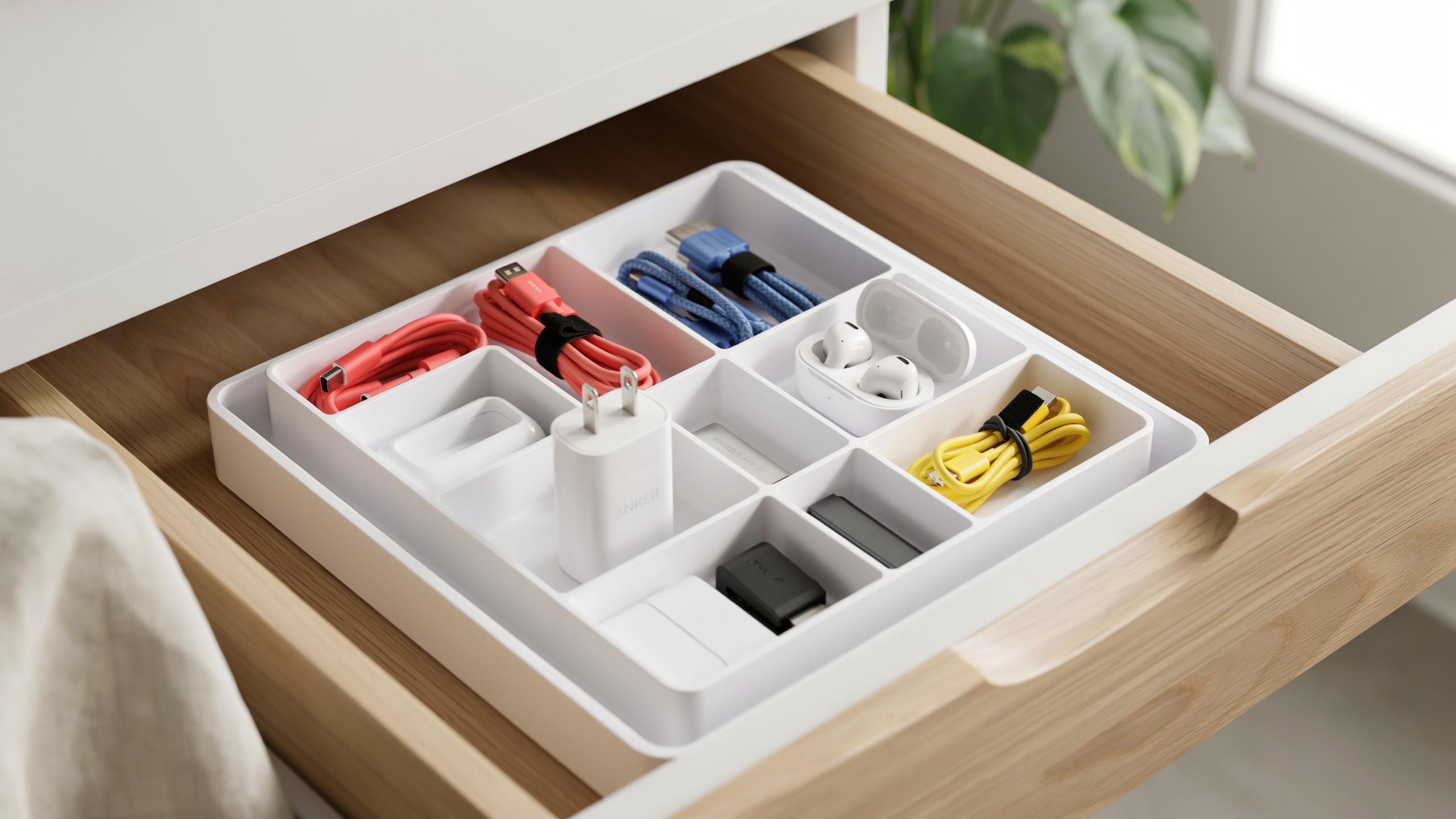
The Ever Growing Tech Tangle Why You Need A Drawer Organizer
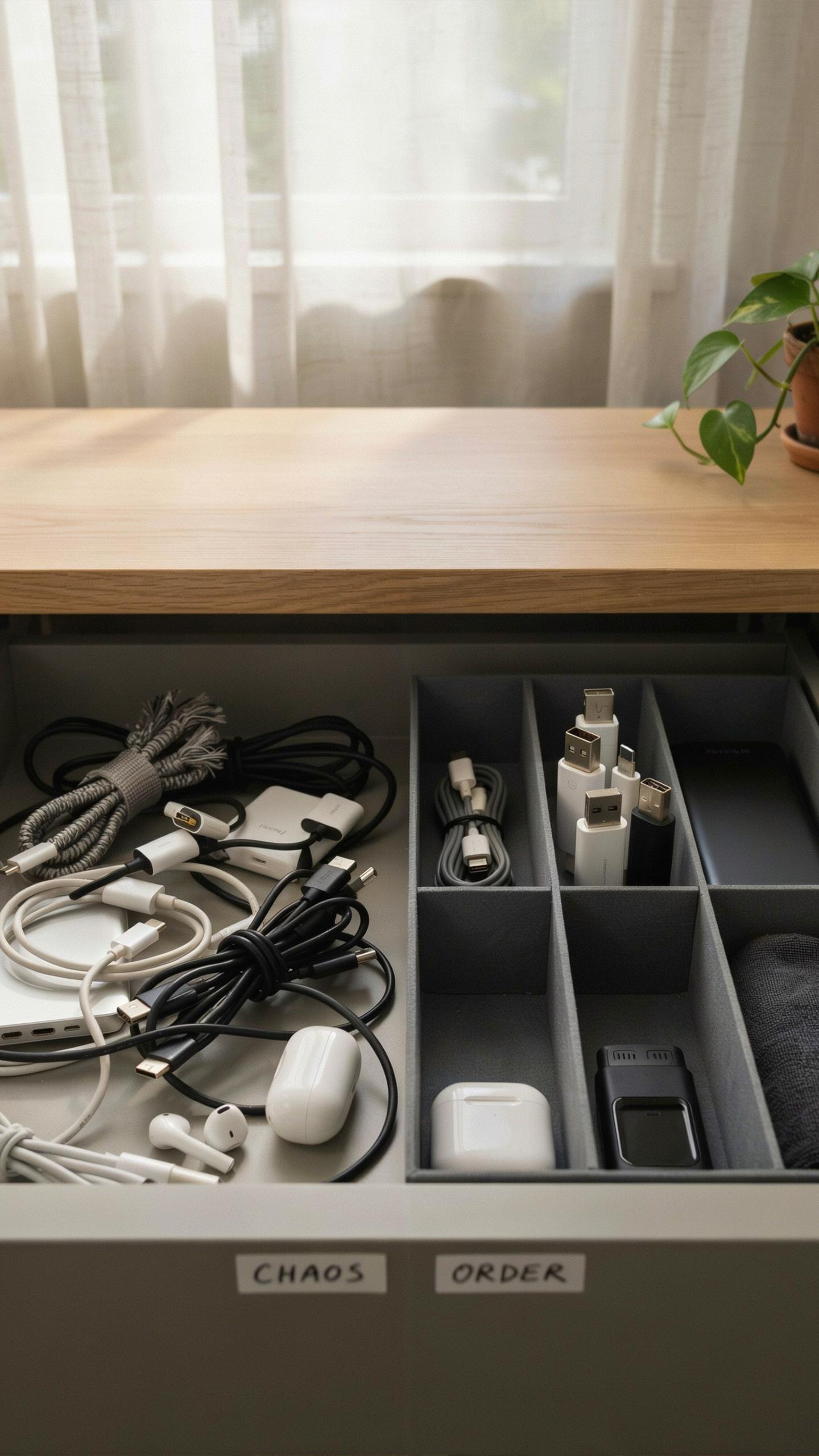
The Frustration Of Disorganized Tech
Cables and accessories scattered across drawers create real problems. You waste time hunting for the right charger or connector. Cords tangle together, making them difficult to separate without damage. Duplicate purchases happen because you forget what you already own. Items get lost under other objects. Damaged wires stop working when they get bent or crushed repeatedly.
The cost adds up fast. Replacing broken cables and lost accessories drains your budget unnecessarily. Work productivity drops when you can’t locate equipment quickly. Devices sit unused because you cannot find their chargers. Frustration builds as you dig through drawers searching for basic items. This chaos bleeds into other areas of your life and workspace.
Benefits Of A Dedicated Tech Drawer Organizer
A drawer organizer for tech accessories and cables gives you instant access to what you need. Compartments keep items separated and easy to identify. You spend seconds finding equipment instead of minutes searching. Cords stay protected from bending and tangling. You see your entire inventory at a glance, preventing duplicate purchases.
Organization saves money over time. Cables last longer when stored properly without crushing or kinking. You reduce replacement costs significantly. Work happens faster when tools are ready and accessible. Mental load decreases when you know exactly where everything lives. Your workspace feels more controlled and professional.

Understanding Your Tech Organization Needs

Inventory Your Gadgets And Cables
Start by pulling everything out of your drawer and sorting it into categories. Separate cables by type: USB, charging, HDMI, ethernet, and audio. Count identical items. Note which accessories you actually use versus what sits unused. This process takes thirty minutes but reveals exactly what storage capacity you need.
Document dimensions of your largest items. Measure cable lengths and coil them to their natural size. Identify which gadgets need quick access versus occasional use. This information drives your organizer selection. You cannot choose the right storage solution without knowing what you are storing.
Assessing Drawer Space And Layout
Measure your drawer’s interior width, depth, and height with a tape measure. Account for any obstructions like drawer runners or dividers already in place. Note whether your drawer opens fully or has limited clearance. Check if the drawer bottom is flat or has ridges. These specifics determine what organizer styles will fit.

Consider your drawer’s location and frequency of access. Drawers near your workspace require different organization than storage in closets. Evaluate lighting in the drawer area. Poor visibility changes how you should arrange items. Match your organizer dimensions to your drawer measurements with at least one inch clearance on all sides for smooth operation.
Types Of Tech Drawer Organizers And Cable Organizer Solutions
Modular And Adjustable Organizers
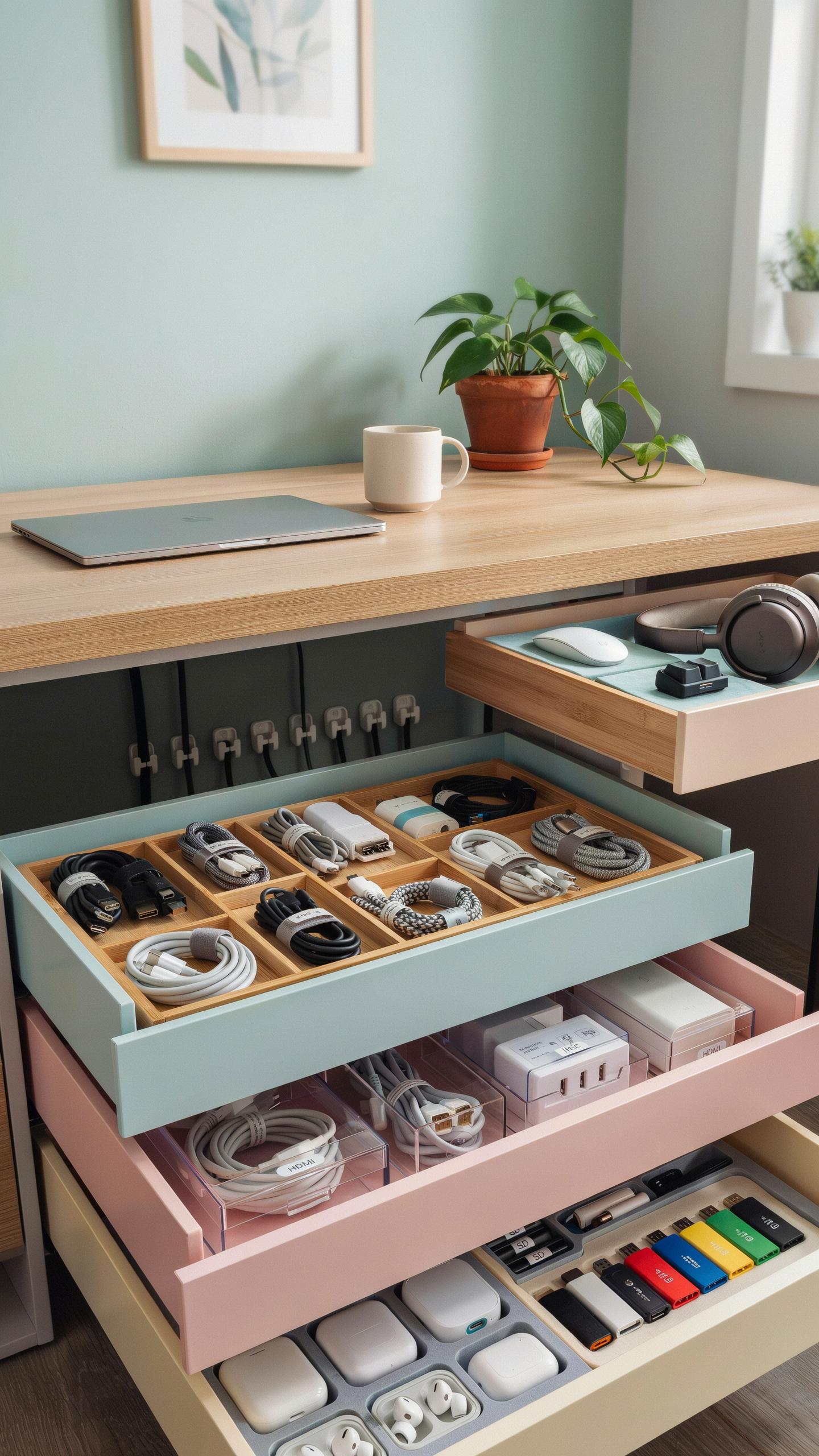
Modular organizers let you reconfigure compartments based on what you store. Dividers slide or snap into place, accommodating cables of different lengths, charging blocks, and adapters. You adjust the layout when your tech inventory changes. This flexibility prevents wasted space and keeps items accessible without forcing everything into fixed slots.
These systems work because they respond to real-world changes in your tech drawer. Your needs shift as you acquire new devices or retire old cables. Adjustable organizers eliminate the problem of buying a fixed tray that stops fitting after six months. The ability to modify compartment sizes makes these solutions practical for long-term use.
Compartmentalized Trays And Bins
Compartmentalized trays divide space into sections designed for specific items like USB cables, charging blocks, earbuds, and batteries. Each section prevents cables from tangling and makes items easy to grab without digging through everything else. Hard-sided bins protect delicate connectors from damage and stack efficiently in drawers of different depths.

Different tray designs serve different purposes based on your drawer dimensions and cable types. Some trays feature angled sections for better visibility of items stored deeper in the drawer. Others include removable dividers so you can customize how many compartments you need. The compartment approach works because it forces discipline and creates designated spots for specific tech categories.
DIY Vs Ready Made Creating An Organized Tech Drawer With Gadgets
Creative DIY Solutions For Cable And Accessory Storage
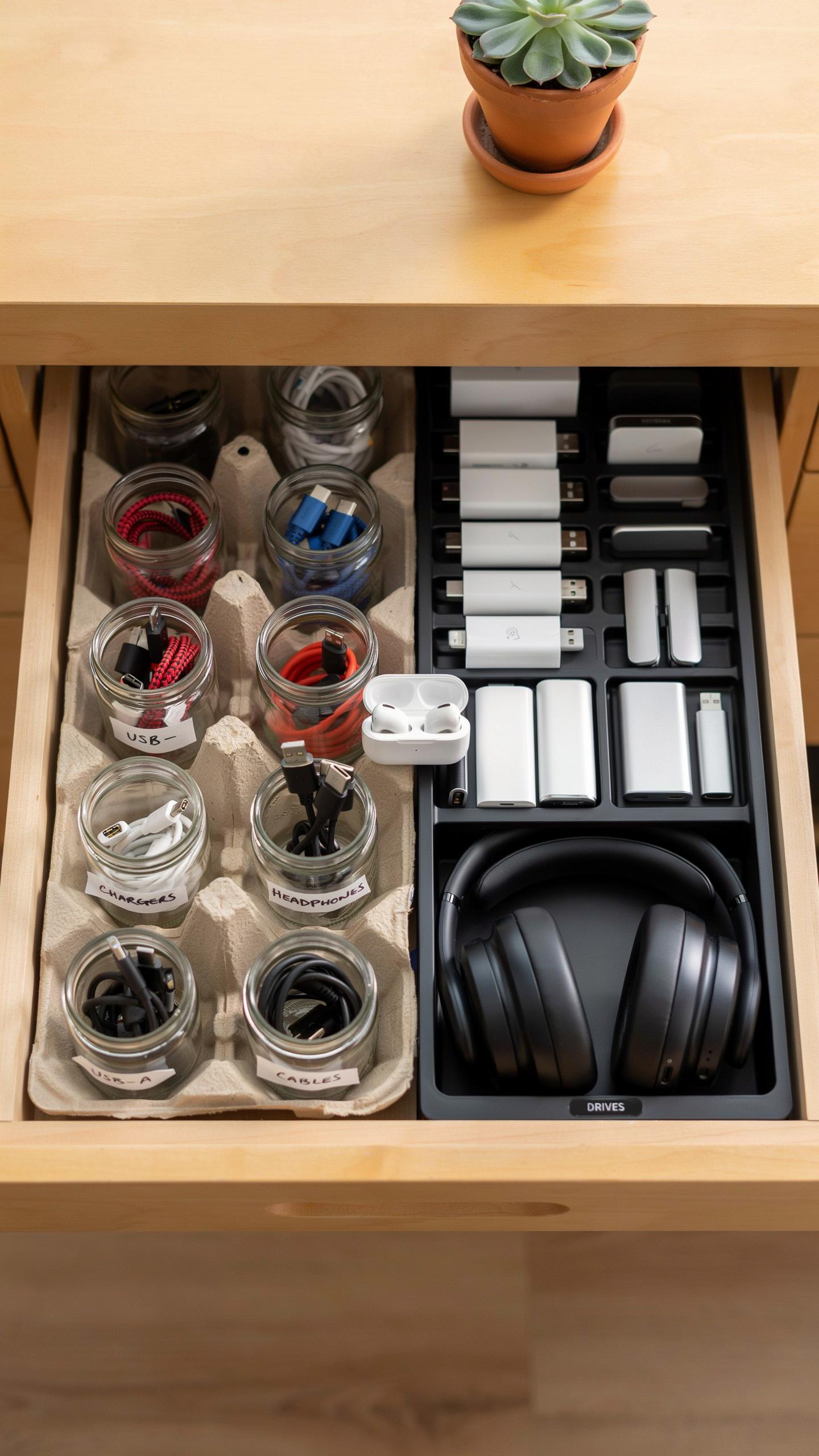
Repurposing existing materials works because you control the dimensions and compartment sizes. Cardboard boxes cut to fit your drawer depth create dividers at no cost. Fabric scraps or old t-shirts become cable wraps that prevent tangling. Mason jars hold small items like USB adapters and charging ports. PVC pipe segments organize cables by diameter and keep them visible and accessible.
DIY solutions demand time investment upfront but adapt to your specific cable collection. You modify compartments as your tech inventory changes without buying new organizers. The tradeoff is durability. Cardboard degrades over months with daily use. Fabric wraps loosen and slip off cables during drawer opening and closing. Assess whether you want a permanent solution or a temporary holding pattern.
Selecting The Best Pre Made Organizers
Commercial drawer organizers offer consistency in materials and construction that DIY cannot match. Look for organizers made from polypropylene or ABS plastic because they withstand repeated opening and closing without cracking. Metal dividers add durability but weigh more and cost extra. Measure your drawer depth, width, and height before purchasing anything to avoid wasted money on oversized units.

Examine compartment configurations that match your cable types. A good organizer separates charging cables, USB cords, adapters, and small electronics into distinct sections. Removable dividers allow reconfiguration as your needs shift. Check the weight capacity if you store heavy items like power banks or external drives. Read reviews from users who own similar tech collections to verify the organizer functions as advertised over time.
Optimizing Your Electronics Drawer Organization
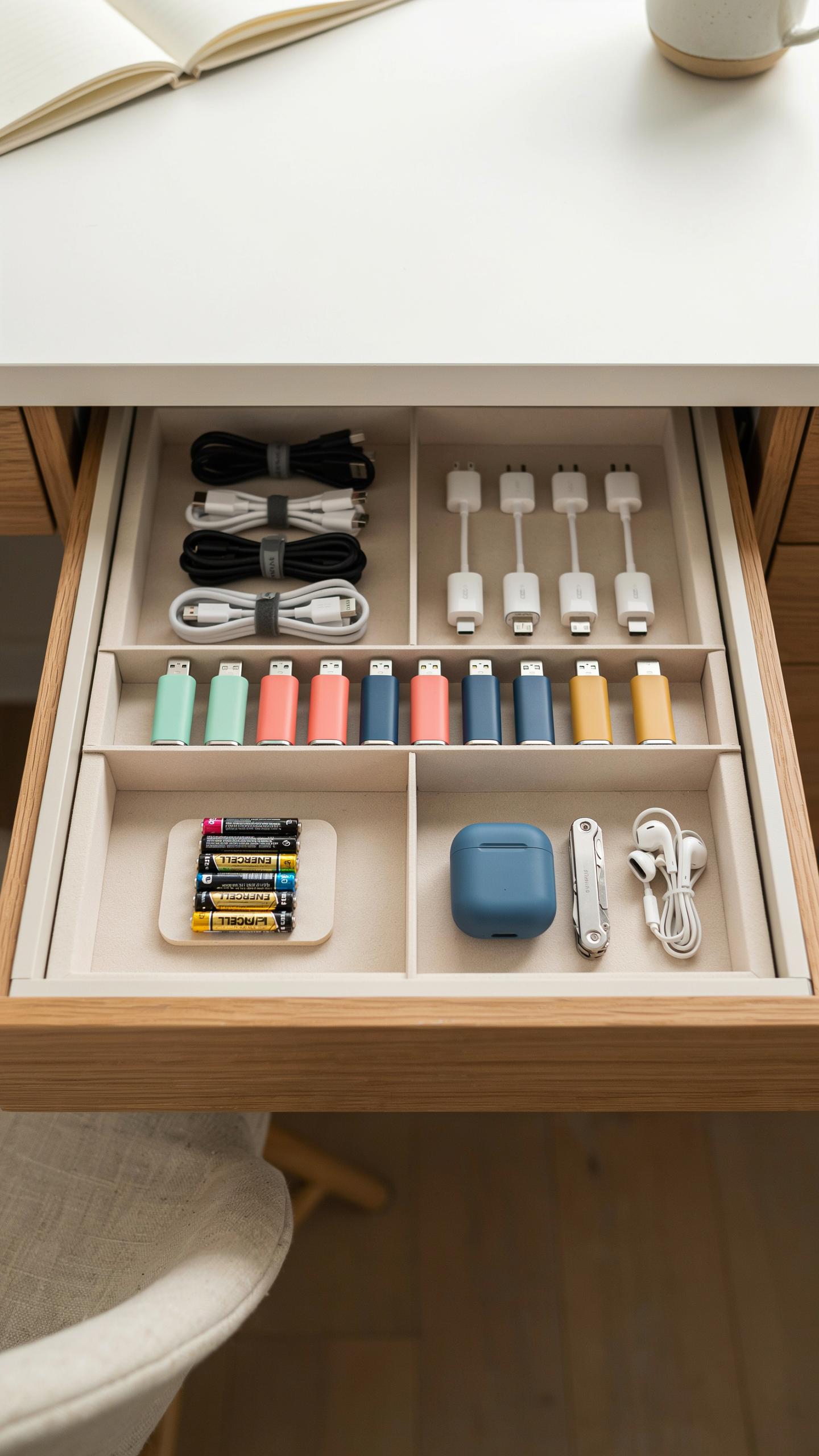
Categorizing And Labeling Your Tech
Group items by function and connector type. Cables separate from adapters. USB chargers apart from power cords. Headphones with their cases. This prevents tangles and cuts search time from minutes to seconds. Use clear dividers or compartments to enforce these boundaries physically. Your brain processes grouped information faster than scattered items.
Labeling matters because memory fails under pressure. Use a label maker or write directly on tape. Mark cable ends with their voltage and amperage if they’re power adapters. Mark USB cables by their version and device compatibility. Mark headphone cases by brand or use case. You’ll grab the right item on the first try instead of testing three wrong options.
Ergonomic Placement Of Frequently Used Items
Front drawer placement reserves space for daily essentials. Your phone charger goes here. Your most used headphones. The cables you plug in multiple times weekly. Position these at eye level and within arm’s reach. Items you access less than once weekly belong toward the back or in lower compartments. This reduces reaching time and minimizes drawer clutter at your working level.

Depth matters for accessibility. Place shallow items in front. Reserve deeper compartments for bulk storage of backup cables and adapters you rarely need. Keep connector cables horizontal or loosely coiled rather than tightly wound. Tight coiling creates kinks that damage wires and wastes space. Use cable ties or velcro straps to hold loose coils in place without creating stress points on the wire itself.
Integrating Charging Station Ideas Into Your Drawer
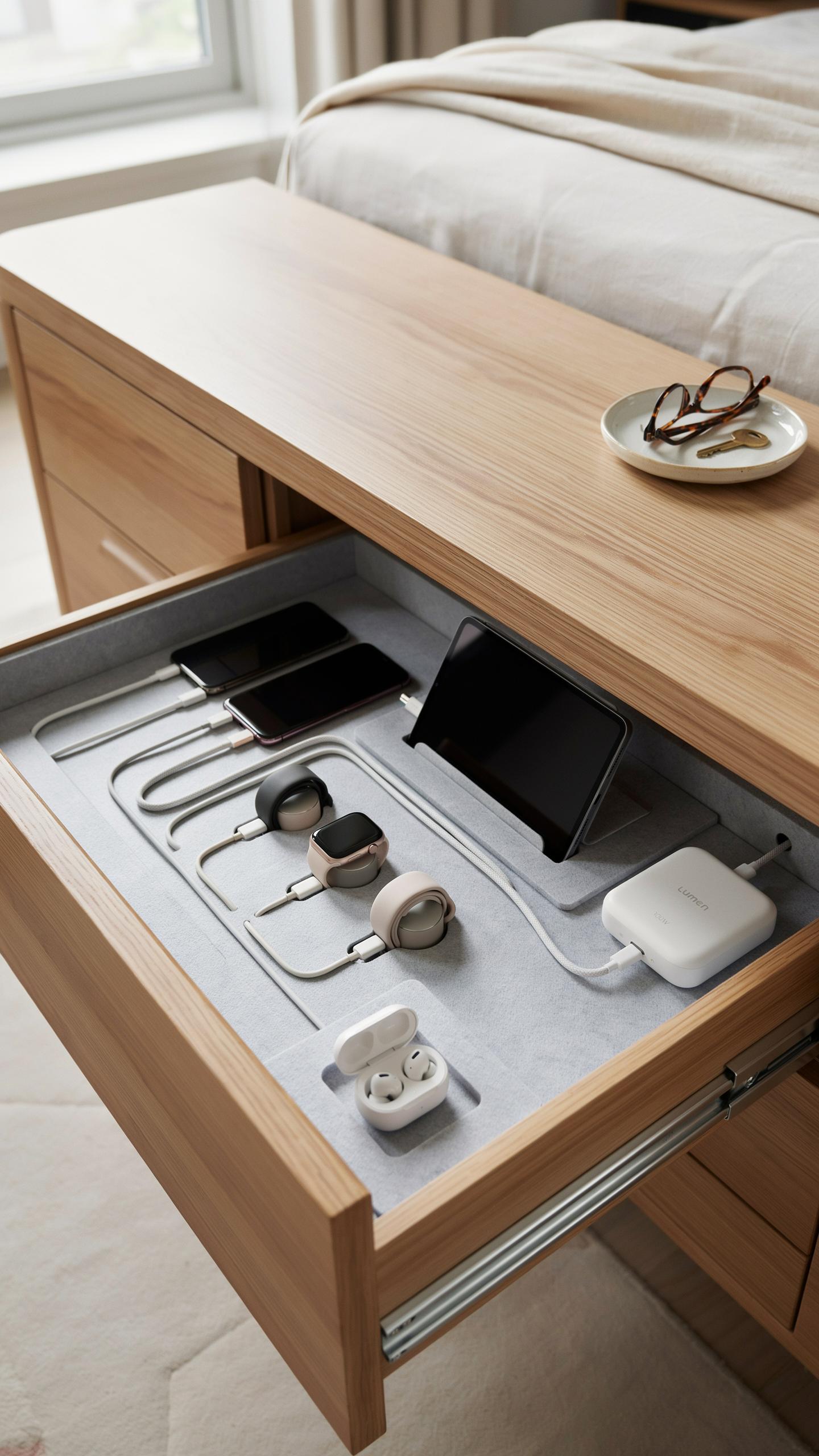
Designing An In Drawer Charging Hub
Creating an in-drawer charging station requires three core decisions: cable routing, device positioning, and power access. You need a drawer deep enough for cables to coil without kinking, typically at least four inches. Route your power cord through a desk grommet or along the drawer’s back edge to keep it hidden and prevent accidents.
- Cable management boxes: Contain multiple cables in designated compartments, preventing tangling and simplifying identification during daily use.
- Adhesive cable clips: Mount clips inside the drawer to anchor cables in place, reducing movement and protecting cord connectors from strain.
- Tiered drawer dividers: Create vertical levels that hold devices at angles while charging, maximizing space and improving airflow around batteries.
- Silicone cable organizers: Bundle similar cables together with sleeves, making it easy to grab the right connector without unplugging everything.
- Power strip placement: Position a surge protected strip at the drawer’s rear edge, keeping outlets accessible while cords stay concealed inside.
Position your devices so they sit stable during charging without blocking the drawer from closing fully. Use cable organizers that accommodate different connector types and lengths. This setup keeps your workspace clean while maintaining quick access to charged devices throughout the day.
In the digital tapestry of our lives, an organized drawer for tech’s threads and cables is a quiet ode to the memories we create and the connections we cherish. It’s where the past’s innovations neatly rest beside tomorrow’s dreams, ready to spark new adventures.
Safety Considerations For In Drawer Charging
In-drawer charging creates heat and moisture risks that require active management. Never seal a drawer completely while devices charge. Heat dissipation becomes difficult in enclosed spaces, potentially damaging batteries or causing overheating. Leave the drawer partially open or use a ventilated drawer design to maintain airflow and prevent temperature buildup.

Moisture accumulation damages electronics and creates short circuit hazards. Use surge protectors with built-in overcurrent protection rated for your total device wattage. Keep liquids away from the charging area entirely. Inspect cables monthly for fraying, cracking, or exposed wires. Replace damaged cables immediately. Never overload circuits by charging too many high-demand devices simultaneously from a single outlet.
Advanced Chargers Organization Ideas And Tech Storage
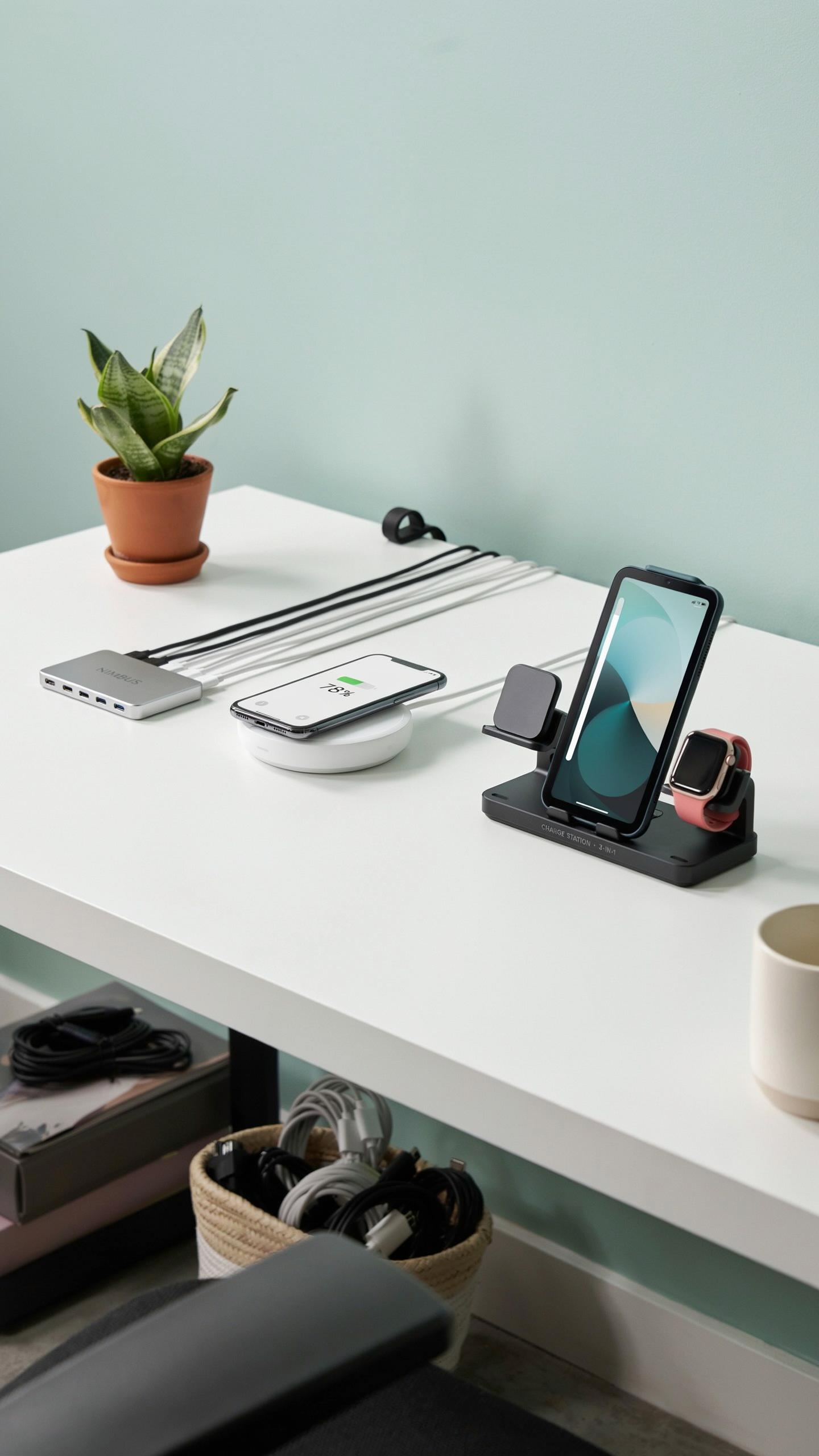
Vertical Storage Solutions For Cables And Adapters
Vertical cable storage cuts clutter and saves drawer space. Mount adhesive cable clips or velcro straps on the inside of drawer dividers. This method lets you stack cables upright like files. You see every cable at a glance without digging. Spiral cable organizers also work well. They hold multiple cords in compact bundles. Label each bundle by device type or connector.
Rolling cable organizers sit flat in drawers and rotate for access. Tension rods work too. Thread cables through them horizontally to prevent tangling. Some organizers use slots or channels to separate each cable. This approach stops cords from knotting together during storage. Regular rotation of cables prevents permanent kinks from forming in the cord.
Protecting Sensitive Electronics In Storage
Store delicate tech accessories in padded compartments away from metal objects. Use foam dividers or soft fabric separators to absorb impact. Avoid stacking heavy items on top of small electronics. Moisture harms many components, so keep the drawer in a dry location. Silica gel packets absorb excess humidity and cost little. Place them in sealed compartments or alongside accessories that need protection.

Static electricity damages sensitive electronics during handling and storage. Use anti static bags for components like circuit boards or RAM. Store chargers and adapters in their original boxes when possible. They provide designed protection and take up defined space. Keep cables away from extreme heat sources and direct sunlight. These conditions degrade rubber insulation and plastic connectors over time.
Maintaining Your Technology Drawer Organization System
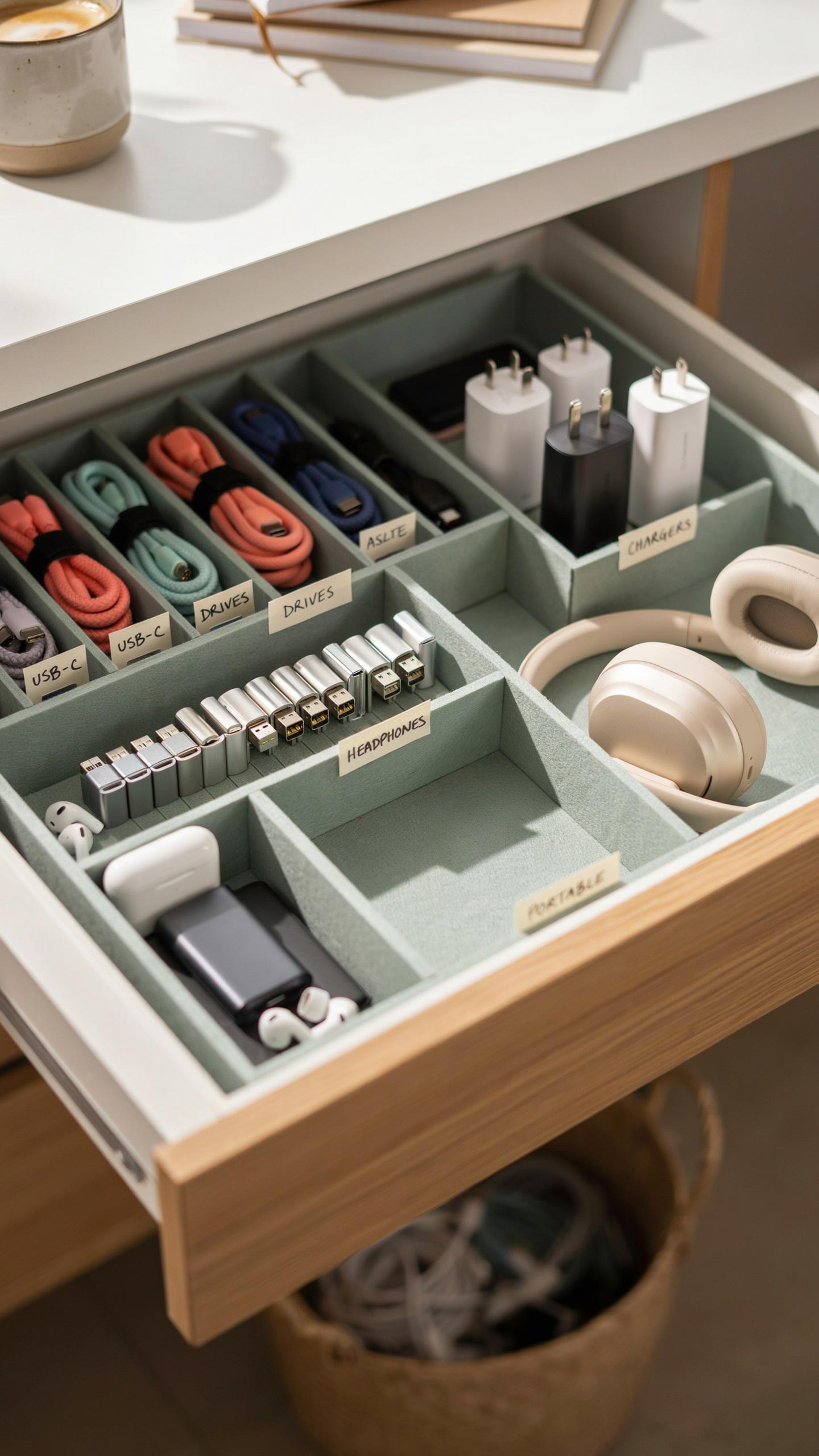
Routine Decluttering And Inventory Checks
Schedule monthly reviews of your drawer contents. Remove items you no longer use. Cables for discontinued devices waste space and create clutter. Check compartment dividers for damage or misalignment. Dust accumulates in cable coils and between organizer sections. Wipe down surfaces with a dry cloth. Replace worn dividers before they fail completely and compromise your system.
Track what you actually store versus what you think you store. Expired chargers and obsolete adapters multiply without notice. Verify cable functionality every few months since unused cables degrade. Label worn cables clearly to identify them quickly during reviews. Discard tangled cords that you cannot safely untangle without damage. This prevents confusion when you need a specific connector in an emergency.
Adapting To New Tech And Evolving Needs
Your organization system must flex as new devices arrive. Smartphone upgrades introduce different charging standards and connector types. Wireless earbuds need compact storage separate from larger cables. New laptops may require USB-C or proprietary power adapters. Reassess your compartment allocation quarterly based on actual usage patterns. Move underutilized sections to accommodate emerging tech categories.

Acquire additional organizer units or drawer inserts before your system reaches capacity. One overstuffed compartment collapses the entire drawer’s functionality. Evaluate whether your current drawer depth still fits your expanded collection. Some tech accessories grow in size over product generations. Plan storage changes proactively instead of reacting to overflow problems. This maintains accessibility and prevents damage from compression or cramping.
Frequently Asked Questions

What exactly is a drawer organizer for tech accessories and cables, and why do I need one?
A drawer organizer for tech accessories and cables is a compartmentalized tray or insert designed to neatly store items like chargers, USB drives, headphones, and power banks. It prevents tangled messes, protects delicate electronics from damage, and makes finding what you need incredibly easy, saving you time and frustration.
How do I choose the right size and type of drawer organizer for tech accessories and cables for my needs?
First, measure your drawer’s interior dimensions (length, width, and depth). Then, consider the types and quantity of tech items you own. Look for adjustable compartments or modular pieces in a drawer organizer for tech accessories and cables to customize the layout. Consider materials like bamboo or plastic, depending on your aesthetic and durability preferences.
Are there affordable options for a drawer organizer for tech accessories and cables, or are they usually expensive?
Absolutely! You can find a wide range of affordable drawer organizers for tech accessories and cables. Many practical and effective options are available from budget-friendly retailers. Look for plastic or mesh organizers, or even repurpose small containers you already own to create a customized and cost-effective solution.



