The “Essentials” Fallacy: Ditching The Digital Crutch

What Actually Earns Its Space
You want the tech checklist because it feels safer than admitting you’re bored by driving. The real mechanism at work is cognitive load. Every device in your car competes for attention, and attention is the only resource you cannot replace on a road trip. Most people pack gadgets they never touch, mistaking ownership for utility.
A minimalist kit means one power source, one navigation tool, and one communication device. A car charger that handles multiple voltages eliminates the wire chaos. A phone with offline maps preloaded removes the dependency on cellular coverage that doesn’t exist in rural corridors. A portable battery backup stays in the glove box untouched until it actually matters. The rule is simple: if you cannot articulate why you need it within five seconds, it stays home.
Presence Changes What You Actually Notice
Unplugging sounds like wisdom advice until you realize the tactical advantage: presence reveals information your devices obscure. You see gas station placement, road condition changes, weather patterns forming, and service availability before you need it. This is environmental reading, borrowed from military situational awareness doctrine. The mechanism is immediate pattern recognition instead of reactive screen checking.
When you drive without constant notification pulls, your mind actually processes the landscape. You spot a decent rest stop before exhaustion forces the decision. You catch the smell of rain before the radar app alerts you. You notice fuel consumption patterns that inform your next fill-up. The practice isn’t about virtue, it’s about data collection your own senses provide better than any app. Drive the first hour tech-silent and track what you notice versus what you normally miss.
The Power Grid Paradox: Why Your Car Is A Battery Graveyard

Portable Power Stations Are Not Camping Gear
You want to believe your phone will last the drive. It won’t. That’s the real fear underneath this section—control slipping away because you ran out of juice at mile 800. Portable power stations solve this by operating on the same principle as a car battery but with a critical difference: they store energy independently of your engine’s charge cycle. Your car’s alternator can only output so much current before it starves your starter battery. A portable station decouples that constraint.
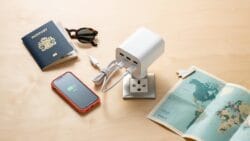
Most people treat these devices as luxury backup plans. Wrong framing. On a 12-hour drive, your phone, tablet, dash cam, and navigation system can collectively draw 30-50 watts continuously. Your car’s electrical system wasn’t designed for that load sustained over hours. A 500-watt-hour portable station gives you actual redundancy, not anxiety management. It charges independently overnight in your hotel or from wall power between legs of the trip, so you’re never gambling with your car’s reserve capacity.
Solar Charging Efficiency Beyond The Gimmick
The common advice treats portable solar panels as a solution. They’re not—they’re a symptom of poor planning. A 100-watt solar panel in real-world conditions generates maybe 60-80 watts under perfect conditions. Cloudy skies or windshield reflections cut that by half. You cannot reliably charge a portable station faster than you deplete it during an active drive using only solar input. Solar charging works when you’re stationary for hours at a time, not during the drive itself.
The actual mechanism is simple: solar extends your portable station’s lifespan between charges, not during motion. It functions as a reset mechanism for multi-day trips where you camp or stay in sunny locations. Pair a portable station with a small solar panel (50-100 watts) only if your road trip includes stationary camp time. Otherwise, invest in pre-charging capacity and a 12V car charger for your portable station. That guarantees replenishment when stopped, regardless of weather.
Navigation Beyond Google Maps: The Redundant GPS Trap

Offline Maps Mastery: Redundancy For Actual Reliability
You want offline maps so you can brag about being prepared. The real mechanism is this: cellular coverage drops predictably at mile 40 of any road trip, and you’ll be driving blind for hours if you haven’t downloaded beforehand. Google Maps lets you cache areas, but the feature is deliberately limited. Download entire regions through apps like Maps.me or Gaia GPS instead. These store full map data locally, including terrain, road names, and turn-by-turn routing without a signal.

The redundancy principle here borrows from systems engineering: a single point of failure kills the entire network. Your phone is that single point. Download maps to two separate apps before you leave, then test both offline in your driveway. When one fails, the other runs. Gaia GPS costs money but syncs across devices. Maps.me is free and works offline perfectly. Load both. Test both. Use the one that matches your route first, switch to the second if the first glitches. This isn’t paranoia. This is friction reduction.
Physical Maps: When Pixels Fail, Paper Prevails
Physical maps sound archaic because we’ve decided screens are better at everything. They’re not. Paper maps work when your battery dies, when your phone overheats, when the device crashes three states from a charger. Buy one paper map for every 500 miles of your route. State maps work best. Fold them before you leave so the section you need sits on top. Mark your route with a highlighter. Write gas station locations and rest stops directly on it with a pen.
The mechanism is pure mechanical redundancy: paper doesn’t need electricity, processing power, or cellular infrastructure. It doesn’t overheat. It doesn’t get stuck on a loading screen. When you’re navigating an empty highway at dusk and your GPS signal stutters, you unfold the paper map and keep moving. Duct tape a paper map to your dashboard or store it in the door pocket where you can grab it without taking your eyes off the road for more than two seconds.
Connectivity Conundrum: The Mobile Hotspot Mirage

Cellular Booster Insights: Amplifying Weak Signals
You want the hotspot to work everywhere because dead zones feel like personal failure. The mechanism is simple physics: signal boosters use antenna gain and amplification to pull weak carrier signals from distance, then rebroadcast them inside your vehicle. A weak signal travels farther than a strong one but carries less data throughput. Boosters don’t create signal. They gather what exists and concentrate it.

Most boosters work through external antenna placement and internal amplification circuits. Install the external antenna on your vehicle roof pointing skyward, away from metal obstacles. The internal antenna connects to a small amplifier that sits between your phone and the booster. Results depend entirely on whether actual carrier coverage exists in your area. No signal means no boost. Check coverage maps before buying hardware that solves the wrong problem.
Prepaid Data SIMs: Local Options For Seamless Access
Prepaid SIMs solve a real routing problem: your home carrier roams at rates that punish long drives through rural America. Buy a prepaid SIM in any region you’re driving through for thirty to forty-eight hours. Most carriers sell them at gas stations, convenience stores, or online before departure. Activation takes five minutes and costs between fifteen and fifty dollars depending on data volume and duration.
The tactical advantage is clear control over which network carries your traffic. Regional carriers often have better tower density in their home territory than your national provider. Swap SIMs before entering a new region, don’t wait until you’re lost. Use your phone’s settings to confirm the new carrier is active, then immediately test speeds. This prevents discovery of dead zones after you’ve already committed to a route or lost your navigation signal midway through a drive.
The “Entertainment” Overload: Curating Digital Downtime

Audiobook And Podcast Strategy: Engage The Mind
You want to feel productive during dead time instead of admitting you’re bored. The mechanism is simple: audio content hijacks the parts of your brain that would otherwise spiral into fatigue or restlessness, but only if you choose strategically. Most people load their phones with fifty podcasts and then waste mental energy deciding what to play. That decision tax kills momentum.

Pre-select three to five sources before you leave. One long-form narrative (audiobook or serial podcast) keeps continuity across multiple driving sessions. One short-form educational feed fills gaps between stops. One comedy or conversational show prevents monotony fatigue. Rotate these deliberately instead of scrolling through your library at mile 200 when your attention is already fragmented. Your audio strategy should require zero decisions once the road starts.
Offline Media Libraries: Pre Downloaded Content Is King
The common advice says “just use streaming.” That’s incomplete. Cellular coverage on highways is unpredictable, and relying on it forces buffering delays that break immersion and spike frustration. Offline libraries eliminate that dependency entirely. Download aggressively before departure. This means audiobooks, podcasts, downloaded playlists, and video content stored directly on your device, not cached in a cloud that might evict files when storage fills.
Use platform-specific tools: Audible downloads to your phone, Spotify allows offline playlist mode, YouTube Premium caches videos, Apple Books stores books locally. Test these downloads on a short drive before a long trip to confirm they actually work on your device. The moment you hit a dead zone and your content evaporates is the moment you realize your backup plan was fantasy. Storage space is cheap. Dead air is expensive.
The Universal Adapter Myth: When One Size Fits None

Regional Power Considerations: Know Before You Go
You want one adapter that handles everything because buying multiple feels like failure. The mechanism is simple: electrical standards vary by region, and no single adapter rewires the infrastructure you’re driving through. North America runs 120V at 60Hz. Europe uses 230V at 50Hz. The UK, Australia, and parts of Africa use different plug shapes entirely. Your phone charger handles voltage conversion through its internal power supply, but the physical plug shape doesn’t. You need the right connector for the outlet, or nothing charges.

Most road trips stay within one electrical region, so one regional adapter works fine. Cross-border driving demands the honest choice: carry multiple adapters or accept dead devices in certain areas. Map your route first. If you’re staying in the US or Canada for the entire trip, one US adapter set handles everything. If you’re driving into Mexico, carry a second adapter. If you’re island-hopping or crossing continents, you already know this problem exists. Don’t pretend a compromise product solves it.
Multi Port USB Chargers: The True Universal Solution
USB is where actual universality lives, and that’s where your energy should focus instead of hunting for mythical all-in-one adapters. Every modern device charges over USB or USB-C. The real move is buying a multi-port USB charger that outputs enough amperage to charge multiple devices simultaneously without throttling. A quality charger delivers 65W or higher across two to four USB-C ports, or a mix of USB-C and USB-A. This replaces five individual chargers and solves the actual problem: keeping multiple devices alive during a long drive.
The protocol is tactical. Buy one high-amperage multi-port charger rated for your car’s 12V outlet through a quality inverter, or use a USB car charger with multiple ports if you’re not running other devices. Plug phones, tablets, and power banks into that single unit. You eliminate cable management chaos and voltage inconsistency. This adapter works everywhere because you’re not relying on regional wall outlets during the drive itself. Keep it charged at your overnight stops using the regional adapter you actually need. That’s the system that survives long drives.
The Data Security Protocol: Shielding Your Digital Life

Why VPN Matters On The Road
You want to feel safe without thinking about it. That’s the hidden motive here. But safety doesn’t come from feeling. It comes from blocking the mechanism thieves actually use: packet sniffing on shared networks. When you connect to a coffee shop Wi-Fi, every device sees every unencrypted transmission. A VPN wraps that transmission in encryption, making the data unreadable to anyone else on the network.
- Mullvad: No account creation required, kills connection if VPN drops, open source code audited publicly, strong privacy stance backed by corporate structure.
- ProtonVPN: Based in Switzerland, serves users across multiple countries, integrates with ProtonMail ecosystem, maintains no logs policy with third party verification.
- IVPN: Minimal logging, transparent pricing, ports forwarding available, audited by independent security firm to verify zero-log claims.
- Wireguard Protocol: Modern encryption standard faster than older OpenVPN, lower battery drain on phones, supported by most quality VPN providers now.
- Kill Switch Configuration: Auto-disconnects internet if VPN fails, prevents accidental data leak through unencrypted connection, must be tested before relying on it.

Most people activate a VPN and assume they’re protected. They’re not. A VPN encrypts traffic between your device and the VPN server, but it doesn’t hide what you’re accessing from your ISP or the destination website. On a road trip, this distinction matters when you’re banking or checking email. The VPN stops the coffee shop owner from stealing your login. It doesn’t stop the website from logging your IP. Use it anyway. It’s one layer of a protocol, not the whole thing.
Encryption Starts Before The Network
Encryption isn’t mysterious technology. It’s a practical process: data gets scrambled using a mathematical key only you control. If someone steals your phone or laptop, encryption makes the contents unreadable without that key. Most modern devices ship with encryption disabled or partially enabled. You have to activate it manually and create a strong passphrase. Most people don’t.
On Windows, BitLocker encrypts the entire drive. On Mac, FileVault does the same. On iPhones and Android devices, full-disk encryption is standard, but you need a strong passcode to activate it. A six-digit PIN is not strong. Use twenty characters mixing uppercase, lowercase, numbers, and symbols. Yes, you’ll type it once per device restart. That’s the cost. If your laptop disappears at a gas station, encryption means the thief gets a brick, not your bank account. Set it up before you leave. Test a recovery key and store it separately from the device. If you lose the passphrase, you lose the data permanently, and no recovery exists.
The Roadside Assistance Fallacy: Tech That Actually Helps
Jump Starter Packs: Self Reliance Over Waiting
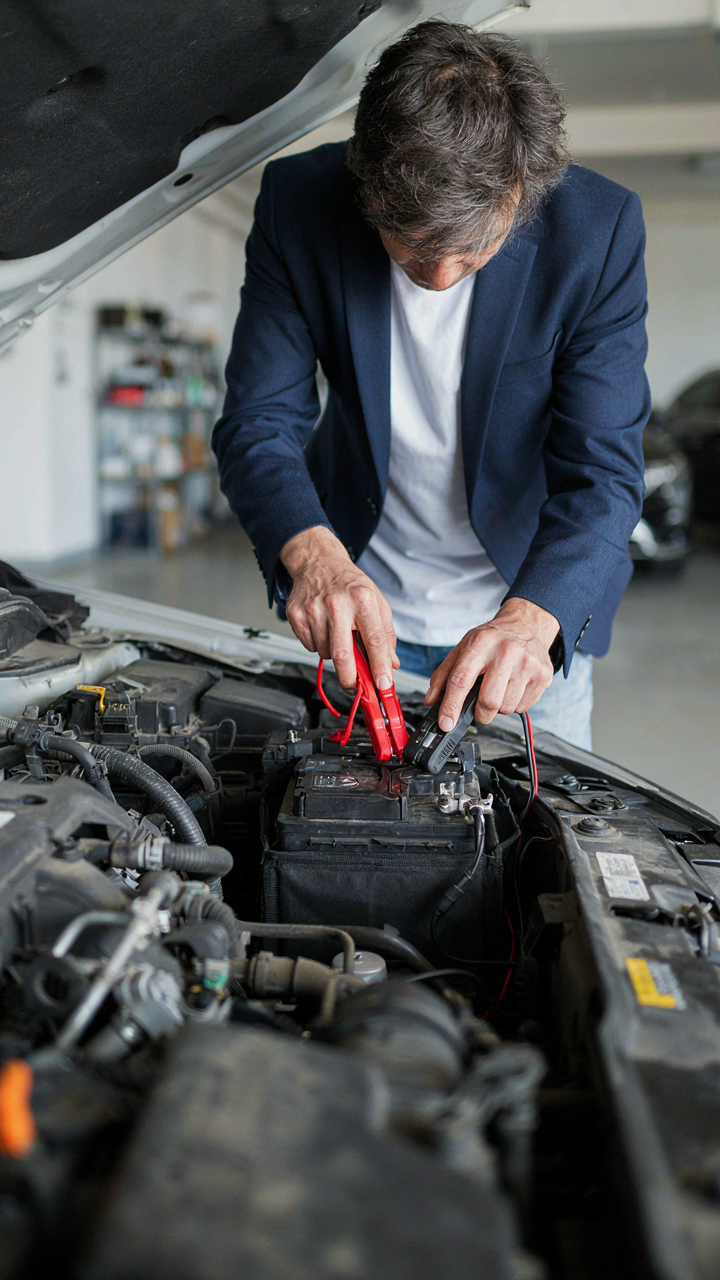
You want a jump starter because you’re afraid of being stranded and looking helpless on the side of the road. But the real mechanism is this: a dead battery is preventable through knowledge, and portable power is insurance against the gap between prevention failing and help arriving. Modern lithium jump starters (1000+ amps) eliminate the dependency on roadside assistance, which means you control your timeline instead of waiting two hours for a tow truck.

The old advice says bring jumper cables and find another car. That’s incomplete. Cables require another vehicle with a working battery within reach. A standalone jump starter requires nothing but itself. Most units weigh under two pounds, hold a charge for months, and cost between sixty and one hundred fifty dollars. Charge it before you leave. Check it every three months. When your battery dies, you spend eight minutes jumping it yourself instead of calling for help.
Tire Pressure Monitoring: Preventative Maintenance Tech
Prevention is the economics term. You reduce future cost by investing in early detection. A tire pressure monitoring system catches underinflation before it becomes a blowout, which saves you from replacing a tire, spending hours on repairs, and eating the cost of roadside service. Most cars have factory TPMS, but aftermarket systems give you real time numbers on your phone, not just a dashboard warning light that triggers too late.
A digital tire pressure gauge costs thirty to eighty dollars. Use it every gas stop to verify pressures against your door jamb specs. Low pressure increases heat, reduces fuel efficiency, and accelerates tire wear. High pressure reduces traction. Both kill your tire before its time. The protocol is simple: check pressure when tires are cold, before you drive or three hours after stopping. Record the numbers. Respond within five PSI of spec. This single practice extends tire life by thousands of miles and prevents the breakdown that ruins your trip schedule.
The Analog Advantage: When Simple Tech Outperforms Smart

Physical Notebook And Pen
You want the gear that makes you look intentional, not the gear that actually works. Here’s the mechanism: your brain dumps faster onto paper than into a phone because there’s no interface layer, no app decision, no notification interruption. Writing forces linear thought. Your phone enables scattered capture. On a eight-hour drive, the notebook becomes your external processor for navigation notes, mileage markers, gas prices, rest stop locations, and observations you’ll actually reference later. The pen doesn’t need charging. It doesn’t autocorrect your shorthand. It doesn’t sync to the cloud where you’ll never find it again.

A physical system also keeps your phone screen free for actual navigation and communication. You write down the exit number, the hotel name, the weird landmark—not as a note in your notes app you’ll search for in frustration at 11 PM. The notebook sits in your cupholder or door pocket. Grab it. Write. Done. No battery drain, no sync lag, no algorithm deciding what you meant to type. After the trip, you have a record. Most people abandon digital notes within weeks. A written log stays because it’s friction-free to reference.
Binoculars See What Your Phone Camera Misses
Evolutionary biology calls it “signal detection”—the ability to perceive detail at distance faster than interpretation allows. Your phone camera captures a static image you process later. Binoculars let you observe movement, behavior, and texture in real time. Wildlife on a road trip isn’t stationary. You spot a hawk circling from the highway. Your phone takes a blurry photo. Binoculars show you the hunt happening. You see the actual event, not a compressed file of it.
The optical advantage matters for landscape assessment too. From your windshield, a distant canyon or mountain ridge looks flat on a phone screen. Through binoculars, depth and scale return. You make better decisions about pull-off spots, hike destinations, and photo locations because you evaluate the actual view, not a preview. Compact binoculars weigh nothing. They fit the door pocket. They demand no power. When you need to see what’s actually out there before you commit time to stop, binoculars answer faster than any digital tool.
The Smart Home Integration: Your Digital Anchor While Away
Security Camera Monitoring: Real Protection, Not Theater
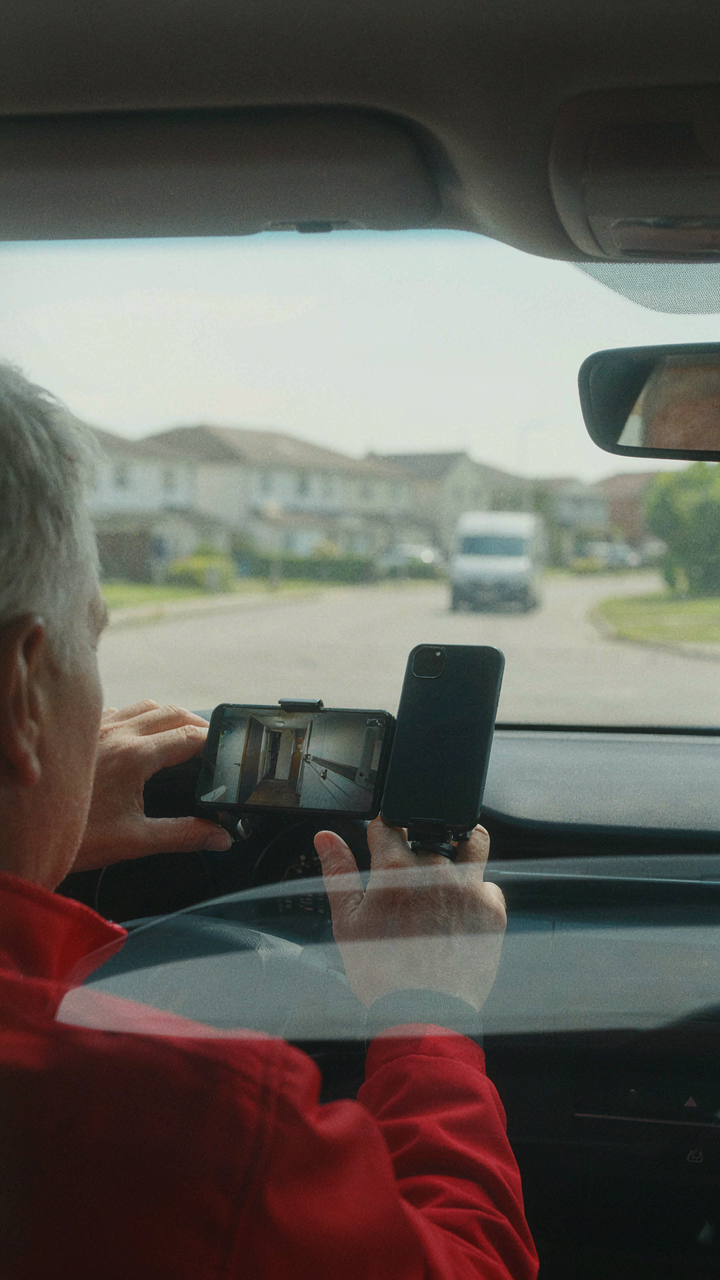
You want to know your house is safe while you’re gone. That’s not paranoia, it’s basic risk management. The mechanism is simple: a connected camera system feeds live footage to your phone, letting you verify threats before they escalate. You’re not paying for peace of mind. You’re paying for decision data. Most people buy cameras and never check them. The value isn’t in owning the camera. It’s in the action you take when you see something.
Set up your system before you leave, not during the trip. Test the app on your phone’s cellular connection, not just WiFi. Verify you can view footage and receive alerts in real time from a distance. Most camera failures happen because people never tested the remote access component. Your camera sits in your driveway streaming perfectly to a local network that means nothing when you’re 500 miles away. The only metric that matters: can you see and respond to activity from the road.
Climate Control: Engineering Comfort Into Arrival
Think of your home’s climate like a supply chain. You’re managing inventory before you consume it. A smart thermostat lets you adjust temperature remotely, so the house reaches your desired state before you walk through the door. Not for luxury. For efficiency. You waste energy heating or cooling a home nobody’s in. You waste comfort arriving to an uninhabitable space. The remote adjustment closes that gap.
Most smart thermostats integrate with your phone’s location data. When you’re two hours from home, you trigger the system to reach 72 degrees by the time you arrive. No decision fatigue at mile marker 847. No walking into a sauna or a freezer. Set your arrival window in the app before departure and confirm the thermostat received the command. This is one protocol step that prevents wasted time and energy every single trip.
The Real Obstacle Isn’t The Gadget; It’s Your Inability To Trust Your Own Resourcefulness

You already own everything you need for a road trip. A phone. A charger. Maybe a power bank. The rest is theater. The real problem is you’ve been sold the myth that more gear equals more control. It doesn’t. Control comes from deciding what actually matters before you leave, then executing without second-guessing yourself. Today, pick one tech item you’re considering bringing and ask why. If the answer is “just in case,” leave it behind. Trust yourself to handle what actually happens.