
The Untamed Jungle Why Cable Management Matters For Your Office Setup

Beyond Aesthetics: The Hidden Dangers Of Disorganized Cables
Tangled cables create real operational problems. Loose wires trap dust and debris, reducing airflow around equipment and causing heat buildup. This accelerates component degradation and shortens device lifespan. When cables tangle around moving desk mechanisms, they jam and fail prematurely. Damaged wires expose conductors, creating fire hazards and electrical risks that no workspace should tolerate.
Tripping hazards on the floor cause injuries. Loose cables under desks and chairs become foot snares that pull equipment off surfaces or send people to the ground. Cluttered cable zones make troubleshooting impossible. When problems emerge, you waste time untangling instead of identifying actual faults. A cable management sleeve for standing desks prevents these failures by organizing wires and keeping them clear of moving parts.
Ergonomics And Efficiency: How A Clean Desk Boosts Productivity
A clean desk eliminates cognitive load. Your brain processes visual clutter as stress, forcing you to work harder on basic tasks. Organized cables mean fewer distractions and faster focus on actual work. When your workspace demands no mental energy for navigation, you direct all attention to priorities. This shift improves decision making and reduces decision fatigue throughout your workday.
Equipment reliability directly impacts output. When cables stay protected and organized, devices remain stable and connected. No dropped signals, no loose connections, no frustration with failing peripherals mid task. Standing desks with proper cable management maintain consistent power delivery and data transfer. Workers spend time producing instead of debugging connection issues, which compounds productivity gains over weeks and months.

Understanding The Unique Challenges Of Standing Desk Cable Management

The Dynamic Duo: Movement And Maintaining A Tidy Workspace
Standing desks move vertically multiple times daily. Each adjustment cycles cables through different lengths and angles. Traditional fixed cable routing fails because it cannot accommodate this motion. Cables bunch, twist, and tangle as the desk height changes. This constant movement stresses connectors and degrades cable lifespan. A cable management sleeve for standing desks solves this by bundling cables and allowing them to compress and extend smoothly with desk movement.
The workspace stays functional only when cables follow the desk. Loose cables create trip hazards and obstruct the floor area beneath your desk. They catch on desk mechanisms during height changes. Tangled cables make it hard to identify which line connects to what device. A cable management sleeve for standing desks contains all cables in one organized bundle. This containment prevents cables from fouling the desk mechanism and keeps your work area clear.
Powering Up: Routing Cables Safely And Effectively With Desk Cable Management Vertical
Cables carry power, data, and signals that your equipment needs to operate. These cables must route from your power source to monitors, keyboards, and other peripherals. Poor routing creates strain on connectors where cables bend repeatedly. Damaged connectors cause equipment failures and productivity loss. A cable management sleeve protects cables by cushioning them and preventing sharp bends that crack internal wires.

Vertical cable routing keeps cables organized and accessible. When cables run vertically along the desk column, they remain untangled and easy to trace. You can identify specific cables without unplugging multiple connectors. Maintenance becomes faster because you see exactly which cable needs adjustment. A cable management sleeve for standing desks guides cables vertically, eliminating the confusion of horizontal sprawl and reducing setup and troubleshooting time significantly.
Introducing The Cable Management Sleeve For Standing Desks

What Is A Cable Management Sleeve And How Does It Work
A cable management sleeve is a fabric or plastic tube that bundles multiple cables into a single organized unit. You thread individual cables through the hollow center, and the sleeve compresses them together. This prevents cables from tangling, scattering across your desk surface, or creating visual clutter. The sleeve slides along cable runs, keeping everything contained from your equipment to power outlets or wall connections.
Most sleeves use a split design that opens lengthwise, allowing you to insert or remove cables without disconnecting them. You simply wrap the open sleeve around your cable bundle and close it with velcro, adhesive strips, or built-in fasteners. The material stretches to accommodate different cable thicknesses and quantities. This design makes sleeves practical for standing desks where cables move vertically up and down the desk legs during height adjustments.
Advantages Over Traditional Cable Organization Methods
Cable management sleeves outperform loose cable ties and clips because they contain entire cable runs instead of securing individual cables. Traditional ties require multiple fasteners and create pressure points that can damage cable jackets over time. Sleeves distribute stress evenly across the entire bundle and eliminate the need for repositioning fasteners when desk height changes. This makes them superior for standing desks that move frequently.

Sleeves also reduce desk clutter more effectively than cable boxes or management trays because they take up minimal horizontal space. They guide cables along desk legs and mount surfaces without requiring additional floor or surface real estate. Unlike rigid conduit systems, sleeves flex and bend with cable movement, so they adapt to standing desk mechanics without restricting natural cable tension. This flexibility prevents cable strain injuries and extends equipment lifespan.
Choosing The Right Cable Management Sleeve Features To Consider

Material And Durability: Finding The Perfect Fit For Your Office Setup
Neoprene and polyester dominate cable sleeve construction. Neoprene offers flexibility and insulation but degrades under direct sunlight over years. Polyester blends cost less and resist UV exposure better. Your choice depends on desk location and expected lifespan. Office environments with stable temperatures favor both materials equally. High-traffic areas with temperature swings demand polyester’s durability advantage.
Mesh sleeves provide breathability but offer minimal protection from dust. Solid sleeves trap heat around cables, potentially shortening electronic lifespan in poorly ventilated spaces. Reinforced stitching at stress points matters more than brand reputation. Test the seams before purchase by hand. Quality sleeves withstand repeated cable insertions and removals without fraying or splitting at edges.
Size And Capacity: Accommodating All Your Tech Needs
Measure your cable bundle diameter before ordering. Standard sleeves accommodate 0.75 to 1.5 inch bundles. Oversized sleeves designed for 2 to 3 inch bundles exist but add bulk to your desk setup. Underestimating your cable count forces you to split cables across multiple sleeves, defeating the purpose. Count every cable including power cords, USB lines, and display connectors. Add 20 percent extra capacity for future equipment additions.

Expandable sleeves with velcro closures adapt to changing cable needs. Fixed diameter sleeves work better if your tech setup remains stable. Desk drawers with height constraints require slim sleeves under 0.5 inches thick. Open desk designs tolerate thicker sleeves. Your workflow determines whether flexibility or streamlined aesthetics should drive your decision.
Beyond The Sleeve Integrating Cable Trays For A Seamless Clean Desk

The Role Of A Cable Tray In Comprehensive Cable Management
A cable tray works where a sleeve stops. The sleeve contains cables within the desk structure, but a tray routes them underneath or along the desk frame. Trays handle higher cable volumes and accommodate thicker bundles that sleeves cannot manage. They mount to the underside of standing desks and support weight without sagging. Trays also allow easy access for adding or removing cables during desk height adjustments.
Cable trays solve a fundamental problem sleeves create: inflexibility. As you raise and lower your standing desk, cables move with the vertical mechanism. A tray moves with them. A sleeve constrains movement and creates pressure points where cables bend sharply. Trays distribute stress evenly across cable runs. This approach extends cable lifespan and prevents connector damage from repeated strain during transitions between sitting and standing positions.
Remember how thrilling it was to craft something with your own hands? A tidy desk, free from tangled wires, is a masterpiece waiting to elevate your workday.
Installation Tips For An Integrated And Aesthetically Pleasing Setup
Mount the cable tray parallel to the desk’s vertical supports before assembling the work surface. Use the manufacturer’s brackets and hardware to secure it firmly to prevent swaying during desk movement. Position the tray slightly below eye level when seated to keep it hidden from view. Ensure adequate clearance between the tray and floor to avoid snagging during full desk descent. Test the full range of motion before running cables through.

Route cables through the tray in organized bundles using Velcro straps or cable ties spaced six inches apart. Separate power cables from data cables to reduce electromagnetic interference. Leave slack at connection points to prevent tension during height transitions. Label each cable at both ends for future troubleshooting. This systematic approach maintains a clean appearance while protecting your equipment from damage caused by cable strain or tangling.
Essential Accessories Cable Clips And More For Home Office Organization

The Versatility Of Cable Clips In Securing And Routing Wires
Cable clips hold wires in fixed positions along desk surfaces and vertical cable management sleeves. They work by clamping around individual cables or bundles, then anchoring to desks with adhesive backing or screw fasteners. Clips prevent cables from tangling, reduce strain on connectors, and keep wires hidden from view. They’re essential for standing desks because they stabilize cables during height adjustments when the desk moves up and down.
- Adhesive backed clips: Mount directly to desk surfaces without tools. Work best on clean, flat surfaces. Not permanent and removable without damage.
- Screw mounted clips: Provide permanent installation using fasteners. Stronger hold than adhesive. Require drilling or pre existing mounting holes on desks.
- Velcro cable wraps: Secure bundles of multiple cables together. Reusable and adjustable for different cable sizes. Easy to reorganize when equipment changes.
- Under desk cable trays: Hold multiple cables parallel to desk underside. Keep wires completely hidden from view. Support heavier cable loads than clips alone.
- Magnetic cable clips: Use magnet strength to grip cables. Work on metal desk frames or with metal mounting plates. Quick to install and reposition.
Cable clips work best when paired with cable management sleeves on standing desks. Clips positioned at regular intervals along the sleeve prevent internal cables from shifting during height transitions. This combination stops cables from bunching up or creating pressure points that damage wire insulation over time.
Other Tools For A Truly Tidy Home Office Organization
Standing desk cable management requires more than sleeves and clips. Cable raceways route wires along walls or desk edges in rigid channels. Power strips with surge protection consolidate multiple plugs into one accessible point. Desk grommets create clean cable entry points through desk surfaces instead of loose holes.
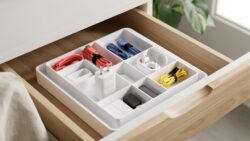
Labeling systems identify cables by device and destination quickly. Heat shrink tubing bundles similar wires together for visual organization. Zip ties secure cable groups but require cutting to adjust, making them permanent solutions. Combination approaches using multiple tools create the most functional home office setups that support frequent equipment changes or additions.
Step By Step Guide Implementing Your Standing Desk Cable Management

Planning Your Layout: Mapping Out Your Cables And Power Sources
Start by identifying every cable connected to your standing desk. Monitor cables, power cords, USB connections, and peripheral wires all need mapping. Document where each cable originates and where it terminates. This inventory prevents purchasing wrong-sized cable management sleeves. Measure distances between connection points. Know your desk height range if using an electric standing desk, as cables must accommodate vertical movement without tension or tangling.
Next, trace the actual path each cable travels from source to destination. Mark problem areas where cables bunch, cross, or create clutter. Identify which cables move frequently versus which stay static. Static cables can use fixed routing. Moving cables require flexible solutions like a cable management sleeve for standing desks that allows freedom of movement. Plan your sleeve placement around these pathways for maximum efficiency and minimal disruption to workflow.
Installation Best Practices For A Professional Desk Setup
Clean the desk surface and cable routes before installing sleeves. Remove dust and debris that prevents adhesive backing from gripping properly. If using adhesive-mounted cable clips or sleeve anchors, wipe surfaces with a dry cloth. Allow any cleaner to fully dry. Position sleeves before tightening or securing anything permanently. Test the desk height adjustment multiple times to ensure cables move freely inside sleeves without catching or pinching against desk edges or frame components.

Route cables through sleeves in logical groupings by function or destination. Keep power cables separate from data cables when possible to reduce electrical interference. Secure sleeve ends with cable ties or velcro straps rather than over-tightening. Leave slight slack inside the sleeve to accommodate the up-and-down movement of electric standing desks. Check connections monthly. A cable management sleeve for standing desks requires occasional adjustment as equipment shifts or new devices get added to your setup.
Maintaining Your Clean Desk Long Term Strategies For A Clutter Free Workspace

Regular Check Ups: Keeping Your Cable Management System Intact
Cable management sleeves deteriorate from heat exposure, dust accumulation, and repeated flexing. Inspect your sleeve monthly for tears, fraying edges, and loose velcro strips. Check connection points where cables enter and exit the sleeve for signs of strain. Replace damaged sections immediately to prevent cables from tangling and creating fire hazards in your desk setup.
Establish a quarterly deep cleaning routine for your cable management system. Remove cables from the sleeve, wipe down interior surfaces with a dry cloth, and clear accumulated dust. Reposition cables to distribute weight evenly and reduce stress on individual connections. This maintenance extends sleeve lifespan and keeps your standing desk functioning without interruption.
Adapting To Change: Future Proofing Your Cable Organization
Your cable needs shift when you add monitors, upgrade peripherals, or change work setups. Choose sleeves with modular sections rather than fixed designs to accommodate growth. Oversizing your initial sleeve selection by twenty to thirty percent creates room for new equipment without requiring replacement. This approach saves money and reduces downtime when technology changes.

Label each cable at both ends before installing them in your sleeve. Use a simple numbering system or color coded tags tied to your equipment inventory. Document your setup with a photo for reference when adding or removing devices. This system accelerates troubleshooting and equipment changes, eliminating guesswork during desk modifications.
Frequently Asked Questions

What exactly is cable management and why is it important for a standing desk?
Cable management involves organizing and concealing the various wires from your electronics. For a standing desk, it’s crucial for safety, preventing tangles that can snag or damage cables as the desk moves. It also creates a clean, aesthetically pleasing workspace, boosting productivity and minimizing clutter.
How can I effectively hide the cables that run from my standing desk to the wall outlet?
A great solution is to use a cable management sleeve for standing desks. These flexible sleeves bundle multiple wires together, keeping them neat and protected. You can then route this single sleeve down a desk leg or along the wall using adhesive clips for a virtually invisible setup.
Are there affordable cable management solutions that are easy to install for a standing desk?
Absolutely! Many cost-effective options exist. Besides a basic cable management sleeve for standing desks, consider adhesive cable clips, velcro ties, or even simple zip ties. These are all inexpensive, readily available, and can be installed quickly without special tools, making organization accessible to everyone.



