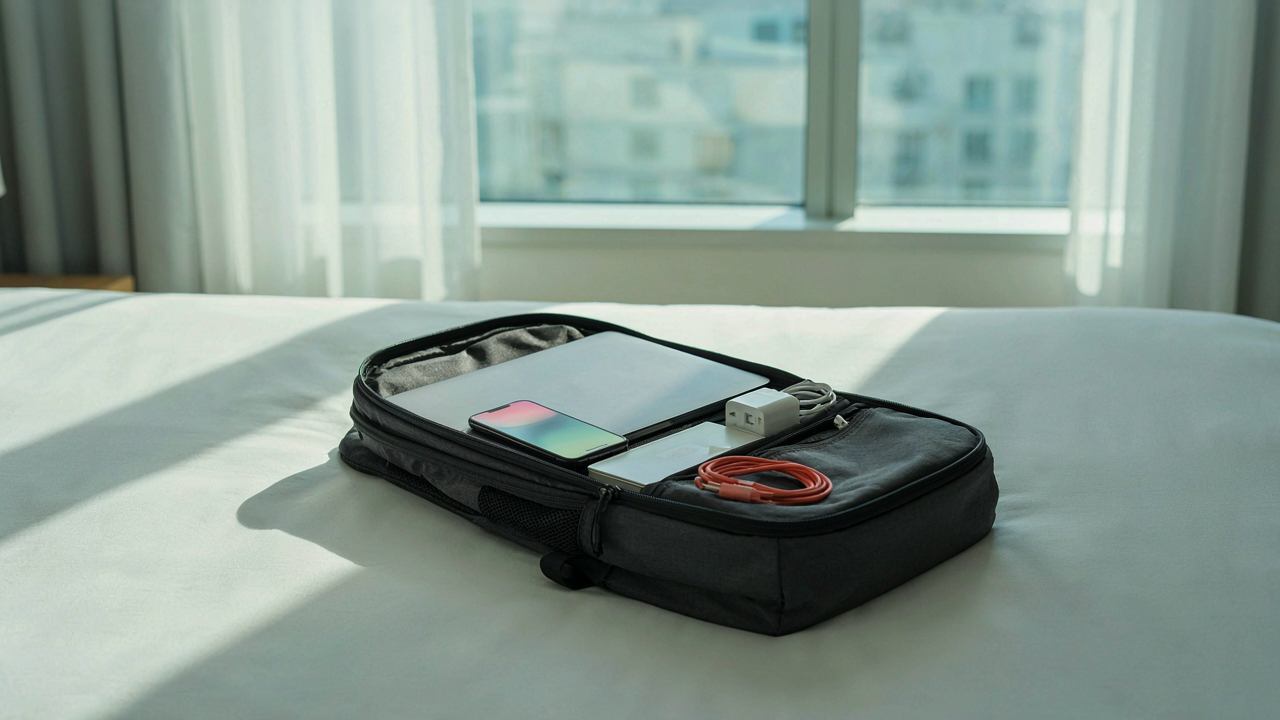
The “Redundancy Paradox” Of Business Trip Packing

Why Backups Create More Problems Than They Solve
You pack a backup charger because you’re afraid of being powerless. That fear is real. But the mechanism you’re missing is this: every backup item you add increases decision friction and reduces your actual reliability. You now have two chargers to manage, two cables to track, two things to forget. The redundancy you thought bought security actually bought complexity.
The advice to “always pack backups” is incomplete. It assumes your constraint is device failure. Your actual constraint is attention. A second charger doesn’t fail less often than the first one does. It just sits unused until the moment you need it, at which point you’ve already decided to work around its absence. Pack one charger you trust. That’s the real hedge against failure.
Eliminating Single Points Of Failure, Intelligently
Think in terms of supply chain resilience, not accumulation. A single point of failure in logistics means one disrupted node collapses the entire system. Your tech kit has the same vulnerability. But the fix isn’t duplication. It’s substitution. Your phone charges via USB-C. Your laptop charges via USB-C. Your wireless earbuds charge via USB-C. One cable, three devices. That’s resilience through convergence, not through hoarding.
The mechanism: use devices with overlapping power infrastructure instead of adding parallel equipment. Identify what truly cannot fail (communication, work access, charging capability) and consolidate those functions onto unified inputs. Then verify the single cable you’re carrying actually works with each device before you leave. Test it. Traveling with an untested backup cable is worse than traveling with no backup at all.
Decluttering Your Digital Arsenal: Beyond The Obvious

The Redundancy Trap
You keep backup devices because you fear looking unprepared, but the mechanism is simpler: you never force yourself to test whether one tool actually covers multiple jobs. Your phone charges via USB-C. Your laptop does too. Your wireless earbuds do as well. One cable solves three problems, yet you pack two of each because you’ve never sat down and verified the overlap. The culling starts there, not with throwing things away randomly.

Start by listing every device and its primary function. Then list what it can actually do beyond that. A phone can backup files. A tablet cannot do anything a phone cannot. That tablet stays home. Your noise-canceling headphones and earbuds serve the same purpose on a trip under five days. Pick one. The second charger you packed “just in case” assumes your primary charger will fail, which is a reliability problem with that charger, not a packing problem. Replace it or leave it.
The Weight Of Insurance
Economics calls this “paying for optionality,” and business travel is where people hemorrhage pounds carrying devices they never touch. You pack a power bank because flights run late and hotel outlets might fail. You pack a second external drive because what if the first one corrupts mid-trip. You pack USB adapters for standards that don’t exist anymore. Each item feels like insurance. None of it is.
The real cost isn’t the ounces in your bag. It’s the decision fatigue of managing dead weight and the mental clutter of devices you don’t trust enough to leave behind. If you don’t trust your phone battery to last a workday, the power bank isn’t the solution, a new phone is. If you’re terrified of drive failure mid-trip, you’re syncing to cloud storage wrong or your drive is already failing. Remove the device. Remove the source of the fear. Your packing list becomes what you actually use in the first 48 hours of every trip, no exceptions.
The Travel Tech Toolkit: Essentialism Not Excess

Convergence Over Redundancy
You want to feel prepared, which makes you pack backup versions of things you already have. The real mechanism here is convergence, borrowed from systems design: one tool that handles multiple functions eliminates the weight penalty of specialization. A USB-C hub with power delivery, HDMI, and data ports replaces three separate cables. A phone with strong battery life and a capable camera removes the need for a dedicated device. The constraint forces better decisions.

Most advice tells you to “pack what you might need.” That’s backward. You’re looking for the smallest set of tools that handle the largest percentage of actual scenarios. A multiport charger beats two single-port chargers. Wireless earbuds that double as a microphone beat a dedicated headset plus earbuds. The math is simple: fewer items, same coverage, lighter bag. This is how you pack without anxiety.
What Actually Travels With You
Battery capacity matters more than device count. A 10,000mAh power bank with multiple output ports keeps your phone, earbuds, and laptop topped off without requiring separate chargers scattered across your bag. One charging cable that handles multiple devices eliminates the cable sprawl. A headlamp uses a rechargeable battery you already carry for your phone. Every item either powers something else or serves multiple contexts.
Cable management determines whether your bag stays organized or becomes a dead zone where wires breed. One quality USB-C cable with a right-angle connector takes up half the space of a standard one and survives being crammed into pockets. A small fabric pouch holds all cables together so you grab one piece instead of fishing. This single protocol saves fifteen minutes every trip and prevents you from leaving something behind.
Power Grid Optimization: Charging Strategy For Business Trip Packing

One Cable Solves The Entire Problem
You want to feel prepared without actually thinking through your power needs. The mechanism is simple: most business trips fail on charging not because you lack power, but because you carry redundant cables that solve nothing. USB-C has become the default output standard across laptops, phones, and tablets. A single USB-C cable with a quality 65-100W power adapter covers every device you’ll pack. This consolidation isn’t convenience. It’s load reduction.

The old advice says “bring backups.” Wrong. Backups create weight and confusion in your bag. One high-amperage USB-C cable and one multiport charger eliminate decision fatigue at 6 AM in a hotel room. Buy a cable rated for your fastest-charging device. Test it before you leave. Your second device charges slower from the same adapter, but it charges. You arrive at your destination with fewer pounds of plastic and one clear protocol.
Outlet Scarcity Beats Adapter Versatility
People obsess over universal adapters for international travel. This misses the actual constraint. Airport security, hotel rooms, and conference centers don’t lack outlets. They lack accessible ones near where you sit. Economics teaches you to optimize for the binding constraint, not the theoretical one. Your constraint isn’t outlets in Singapore. It’s reaching an outlet while you work at the conference table.
A quality power bank that holds a full charge solves this constraint faster than any adapter. One portable charger keeps your devices running for eight to twelve hours without hunting for outlets. Skip the multi-adapter kit unless you travel to five different regions monthly. For standard business routes, a single region-specific adapter plus a power bank gives you coverage without the dead weight. Carry what eliminates friction. Leave what feels thorough but doesn’t change outcomes.
The “Tech Organization” System: Your Portable Command Center

Precision Placement Over Random Stacking
You want this section to make you feel competent. The real reason you care is you’re scared of arriving at a client meeting with a dead phone and no way to charge it, or worse, wasting mental energy mid-trip hunting for a cable you packed but can’t find. Military logistics uses the principle of “staging”—positioning assets exactly where they’re needed at the moment they’re needed. Apply this to your tech: every cable, adapter, and device has one designated location. Not “somewhere in my bag.” A specific pocket. A specific pouch. This eliminates the friction that makes you grab the wrong item or forget something altogether.

The mechanism works because your brain stops treating packing as a storage problem and starts treating it as a retrieval problem. When you know the USB-C cable lives in the front mesh pocket and the power adapter lives in the small tech pouch, you don’t waste cognitive load during travel. You don’t panic-check your bag three times before boarding. This is not about being organized for organization’s sake. It’s about reducing decision-making under stress. Assign one location per category of tech and commit to it across every trip.
The Immediate Access Pouch
Most people throw tech into a backpack’s main compartment and dig through layers to find anything. This wastes time and damages cables. Instead, use a single, dedicated pouch for items you’ll touch during the trip itself: charging cable for your primary device, earbuds, and a portable battery. Not everything. Just the tools you’ll actually reach for between meetings or on the plane. This pouch stays accessible, either in a front pocket or on top of your main compartment. Size matters here—choose a pouch small enough that it forces prioritization but large enough to fit without jamming.
The second pouch holds backup infrastructure: extra cables, adapters, wall plugs, and cables you might need but probably won’t use immediately. This lives deeper in your bag. Separating these two systems means you move fast when you need to and you’re not digging past backup equipment to grab what you use every day. A 4-by-6-inch organizer handles the immediate access layer. A larger tech organizer holds the backup layer. When you land, you reach for one pouch. When you’re troubleshooting a connectivity issue at the hotel, you know exactly where your backup cables are.
What To Pack For A Business Trip: Data Security, Not Just Devices

Your Digital Perimeter On Unfamiliar Networks
You’re worried about looking paranoid, but that’s the wrong fear. The real mechanism is exposure surface. Every device on a hotel network broadcasts its presence to other devices on that same network. Hotel WiFi, airport lounges, coffee shops—these are attack vectors, not just convenience. The moment you connect, you become visible to anyone running basic network scanning tools.

Most advice here is garbage. People tell you to use a VPN and call it done. That’s incomplete. A VPN masks your traffic, but it doesn’t prevent your device from joining the network in the first place or leaking data through unencrypted protocols your apps still use. You need compartmentalization. Treat business travel like a military operation treats supply lines: assume the network is hostile. Use a separate browser profile for banking and sensitive accounts. Disable auto-connect on all networks. Turn off Bluetooth and AirDrop unless actively using them. These aren’t paranoia tactics. They’re friction you add to prevent muscle memory from making decisions for you.
Physical Possession Against Casual Access
Hotel rooms aren’t secure. Your laptop on the desk while you shower is an invitation. The threat isn’t Hollywood theft. It’s a housekeeping staff member, maintenance worker, or someone with a master key copying your drive or installing monitoring software in three minutes. You need a barrier that forces time investment they won’t make.
A cable lock costs twelve dollars and stops ninety percent of casual theft. Thread it through the desk or bed frame. More important: encrypt your hard drive before the trip starts. If your device is lost, encryption makes it a brick to anyone without your password. Windows BitLocker, Mac FileVault—enable both now. Full-disk encryption adds zero friction to your normal workflow but eliminates the entire category of “device stolen, data exposed” as a business outcome. This is the mechanism that actually stops the problem.
The Business Trip Packing List Woman/Men: Gender Neutral Efficiency

Stop Designing For The Stereotype
You’re reading this section because you’re tired of packing lists that assume your gender determines what tech you need. The mechanism is simple: marketers sell anxiety by fragmenting audiences, and you get two identical packing lists with different headers. Tech has no gender. A USB-C cable works the same in anyone’s hands. The real variable isn’t your gender—it’s your role, your meeting schedule, and your power requirements. Strip the gendered framing and you see what matters: charging speed, connector compatibility, and weight. Everything else is noise designed to make you feel like you’re missing something.

The counterintuitive move here is treating your tech stack like a uniform, not a wardrobe. You don’t customize a laptop based on gender. You choose it based on processing power and portability. The same logic applies to every peripheral. A portable monitor serves the same function whether you’re presenting to a board or debugging code. A power bank stores electrons, not gender. When you remove the assumption that women need smaller devices or men need more rugged ones, you unlock actual efficiency. You stop buying redundant gear and start buying what works.
Universal Connectors Trump Device Assumptions
The USB-C consolidation is not a trend—it’s infrastructure standardization. Every major device manufacturer has moved toward this standard, which means you carry fewer cable types and fewer adapters. The hidden problem with gendered packing lists is they often duplicate chargers or suggest device-specific cables, forcing you to carry more weight. Universal compatibility means one cable charges your phone, tablet, and laptop. One power bank works with all three. This isn’t convenience—it’s compounding efficiency. Each duplicate you eliminate reduces cognitive load at airport security, in your hotel room, and when you’re switching between meetings.
The protocol is straightforward: before purchasing any tech accessory, verify it uses USB-C or a truly universal connector. Check the specifications on the manufacturer’s site, not the marketing copy. Test it with your actual devices before the trip. This eliminates the gap between what you think will work and what actually does. When you land, you unpack one charger, one cable, one power bank. You don’t stand in your hotel room comparing three partial solutions. This is not optimization—it’s elimination.
Travel Tech Organizer Hacks: Beyond The Pouch

The Gear You Already Own Does Double Duty
You want to look like you travel smart without buying another thing. Here’s the mechanism: most travelers treat storage as a separate problem when it’s actually a visibility problem. Your existing items already solve cable chaos—you just haven’t assigned them that role yet. A glasses case holds earbuds and a charging cable without crushing them. A toiletry bag’s compartments contain USB-C adapters, SD cards, and dongles in ways a generic pouch never will.

The constraint forces clarity. When you stop buying dedicated organizers, you immediately see what you actually carry versus what you think you carry. Repurposing teaches inventory discipline. Your phone’s original box becomes rigid protection for a portable hard drive. A passport holder’s card slots grip slim power banks vertically. Soft eyeglass pouches nest inside jacket pockets for quick-access headphones. The pattern: find storage that fits your trip’s weight limit, not the other way around.
Custom Storage For Non Standard Cables
Most cable organization advice assumes you’re organizing at home in a drawer. Wrong context. On the road, your cables need to be separated by function and retrieval speed, not bundled by type—that’s a logistics principle from warehouse management applied to your backpack. Build tension into your system so cables don’t tangle during motion.
- Elastic hair ties around cable coils: Wrap each cable individually before packing. Takes ten seconds per cable. Prevents the tangle that wastes five minutes in an airport terminal.
- Velcro cable ties in a sunglasses case: Small velcro strips let you adjust bundle size for different trips without buying new organizers. Reusable across trips.
- Index cards as cable labels: Write device name and cable type on a card, slip it under the velcro. Solves the “which USB-C is which” problem instantly.
- Mesh produce bags for charging blocks: The small mesh bags used for groceries hold wall adapters and allow visibility. They compress flat and cost nothing if you already own one.
- Foam pipe insulation sleeves cut to length: Hardware store material wraps around power banks or stacked dongles. Prevents surface scratches and keeps odd shapes from shifting during transport.
The mechanic here is modular constraint. Each cable lives in its own defined space with a single clear label. When you need the Lightning cable in a gate area with eight minutes before boarding, you don’t hunt. You retrieve. Pack your organized cables in a flat carryable pouch or a shirt pocket—not buried in your main bag where retrieval takes longer than the flight delay you’re trying to outrun.
The “Packing List For Travel” Audit: Pre Trip Elimination Rounds

The Twenty Four Hour Rule
You’re afraid of looking unprepared, so you pack insurance items you’ll never touch. The real mechanism here is recency bias masquerading as caution. If you haven’t reached for a cable, adapter, or gadget in the last 24 hours of normal work, you won’t need it on a trip. Your baseline behavior predicts trip behavior more accurately than hypothetical scenarios do. Strip your desk of everything you didn’t actively use yesterday. That’s your starting inventory.

Now audit ruthlessly. Pull each item and ask: did I use this in the last full day? Not “might I need it.” Not “what if.” Used or unused. The items that stay become your core pack. Everything else is weight disguised as preparation. This filters out roughly 60 percent of the tech people actually bring. Execute this before you even look at your carry on.
Trip Simulation Under Real Constraints
Scenario planning works, but only if you run it against actual constraints, not fantasy versions of your trip. This borrows from military contingency planning where operators stress test decisions against resource scarcity. The constraint here is your carry on space, battery life, and how many hours you’ll spend away from outlets. Sit down for 15 minutes and walk through your exact schedule. Meeting at 9 AM. Client site visit. Airport. Hotel. Dinner. How many times do you actually pull out your laptop?
Most people imagine they’ll work eight productive hours in their hotel room. They’ll work two, check email from the lobby, and spend the rest scrolling. Build your pack around what actually happens, not what you tell yourself will happen. Simulate a dead battery scenario. Simulate a broken cable. Simulate forgetting one item. If you panic during simulation, that item stays. If you shrug and route around it, it goes. This removes guesswork and replaces it with friction testing.
Business Trip Packing: The Anti Fragile Tech Ecosystem

Redundancy Without Bloat
You want permission to pack less and feel secure doing it. The real mechanism is antifragility from systems theory: building in optional redundancy so failure of one component doesn’t cascade. You don’t need five backup chargers. You need one backup for your most critical device and nothing else. Most people pack insurance they’ll never use, which is just anxiety in physical form.
The math is simple. Identify the single tech failure that would end your trip early. For most people, it’s phone death. For others, it’s losing internet access or laptop power. Pack one redundant solution for that failure alone. Everything else gets cut. Your second USB cable doesn’t need a backup. Your USB cable needs a backup because you’re leaving home with one failure point and no recovery.
Constraints Force Better Decisions
Less tech means you stop multitasking by default. Fewer devices removes the option to half-attention yourself through a meeting or call. This isn’t productivity theater. It’s mechanical. You bring one screen, you use one screen fully. You bring three screens, you fragment.
The business trip is designed to compress outcomes into short windows. More tech fragments that window. Fewer devices force sequential focus. Pack a phone, a laptop, and one audio tool. Everything your trip requires lives in software or clouds or borrowed resources. You’ve now removed the decision fatigue that comes with carrying seven partially charged devices and figuring out which one to use first. Constraint is clarity.
The Real Obstacle Isn’t The Weight Of Your Bag; It’s The Weight Of Your Unmanaged Dependencies

You pack light because you’ve decided what matters. Most people pack heavy because they haven’t. They haul chargers for devices they don’t use, cables for scenarios that never happen, backup plans for backup plans. This isn’t a packing problem. It’s a decision problem. Audit your actual tech usage for one week before your next trip. Delete the apps you don’t touch. Ditch the devices collecting dust. You don’t need a smaller bag. You need fewer things worth carrying.