
The Small Apartment Charging Challenge More Devices Less Space
The Digital Dilemma In Compact Living
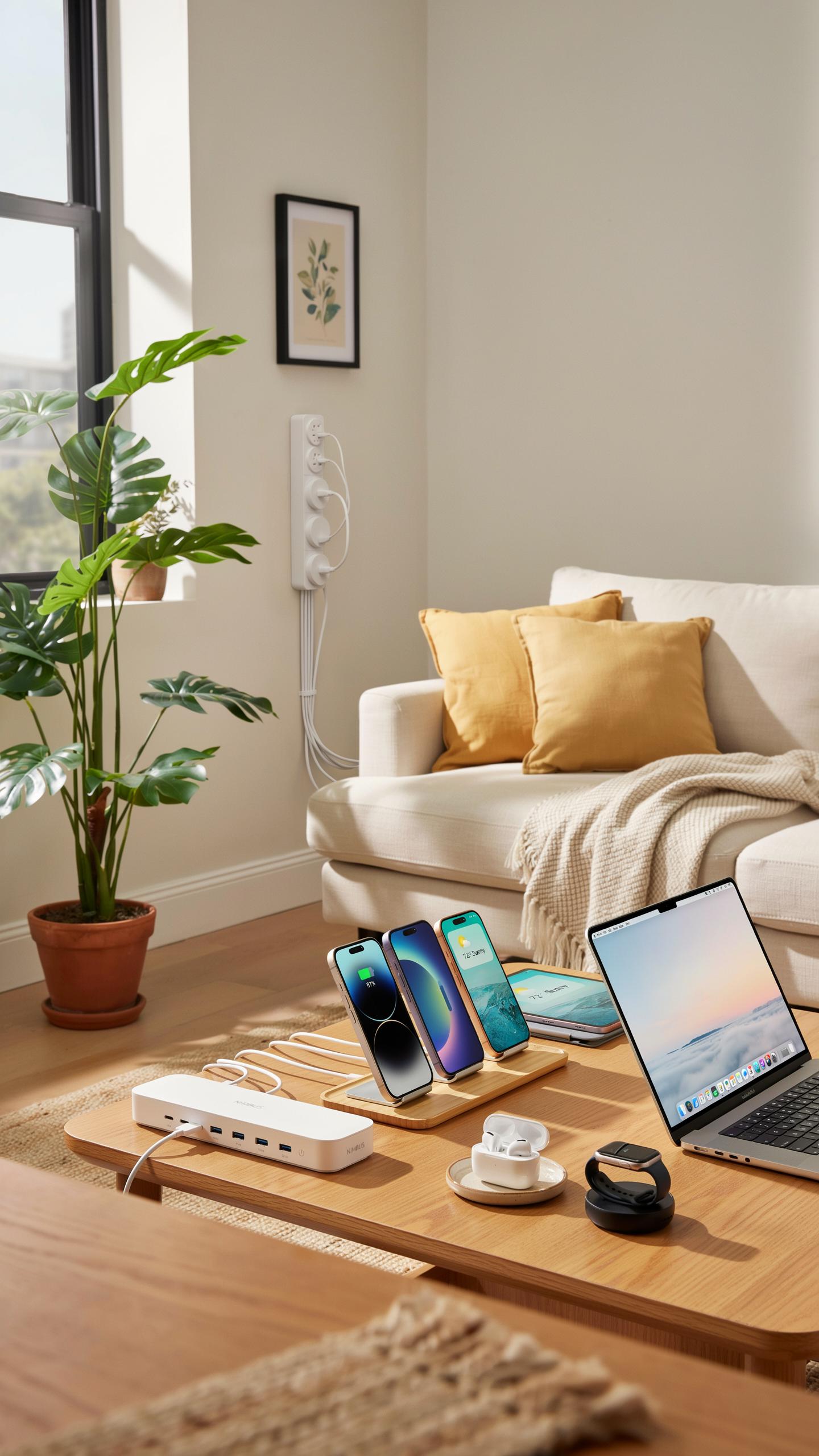
Small apartments force residents to maintain multiple devices within confined areas. Smartphones, tablets, laptops, smartwatches, and wireless earbuds all demand regular charging. Each device typically requires its own charger and cable. Countertops and nightstands fill quickly with charging equipment. Drawer space vanishes under tangled wires and forgotten adapters. The problem compounds as residents accumulate more devices over time without expanding their living area.
Storage and accessibility become tactical problems in tight quarters. Residents must choose between visible clutter or inaccessible charging stations tucked away in closets. Poor cable organization creates safety hazards and makes devices harder to locate when needed. Limited outlet availability forces residents to purchase power strips and extension cords. These additions consume more space and introduce additional visual noise. The lack of a system leads to dead batteries and frustration during peak usage times.
Why Traditional Charging Solutions Fall Short
Standard single-device chargers scattered throughout apartments create organizational chaos. Wall outlets concentrate in specific locations, forcing residents to charge devices in inconvenient spots. Multiple chargers with different connector types require residents to remember which cable belongs to which device. Desktop charging stations typically accommodate only one or two devices effectively. Cables tangle together without proper management systems, causing damage and making devices harder to identify. This fragmented approach wastes valuable square footage and creates visual clutter that shrinks perceived living space.
Traditional solutions fail to address the core limitation of small apartments: the need to maximize function within minimal footprint. Individual chargers demand individual outlet space, a luxury most compact apartments cannot afford. Cable mess accumulates behind furniture and under desks, creating difficult-to-clean areas. Residents resort to ad hoc solutions like stacking chargers or wrapping cables around power strips. These workarounds lack durability and organization. A unified charging approach becomes necessary when device density exceeds available infrastructure in confined spaces.

Unlocking A Clutter Free Home With A Centralized Charging Station

Defining The All In One Advantage
An all-in-one charging station combines multiple USB ports, outlets, and wireless charging pads into a single unit. This consolidation eliminates the need for scattered chargers across your apartment. One device replaces what would otherwise be five to ten individual adapters and cables. Small apartments benefit most because space is limited and every square inch matters.
These stations typically feature standard USB-A ports, USB-C ports, and AC outlets on a single platform. Some models include wireless charging surfaces for compatible phones and earbuds. The wiring infrastructure remains contained within or behind the unit rather than sprawling across surfaces. This design approach directly addresses the primary pain point small apartment dwellers face: managing device clutter without sacrificing charging access.
The Aesthetic And Functional Benefits
Removing individual chargers from nightstands, desks, and floors instantly improves visual space. Cable management becomes straightforward when all cords feed from one central location. Your apartment immediately appears larger because surfaces stay clear of charging equipment. This psychological benefit translates into tangible quality of life improvement in compact living situations.

Functional improvements extend beyond appearance. A centralized station reduces the time spent hunting for specific chargers. Device charging happens in one designated zone rather than scattered throughout your space. This approach also simplifies electrical safety by concentrating power draw in properly rated outlets rather than overloading multiple wall sockets across your apartment.
Essential Features Of An All In One Phone Charging Station
Multi Device Compatibility And Fast Charging
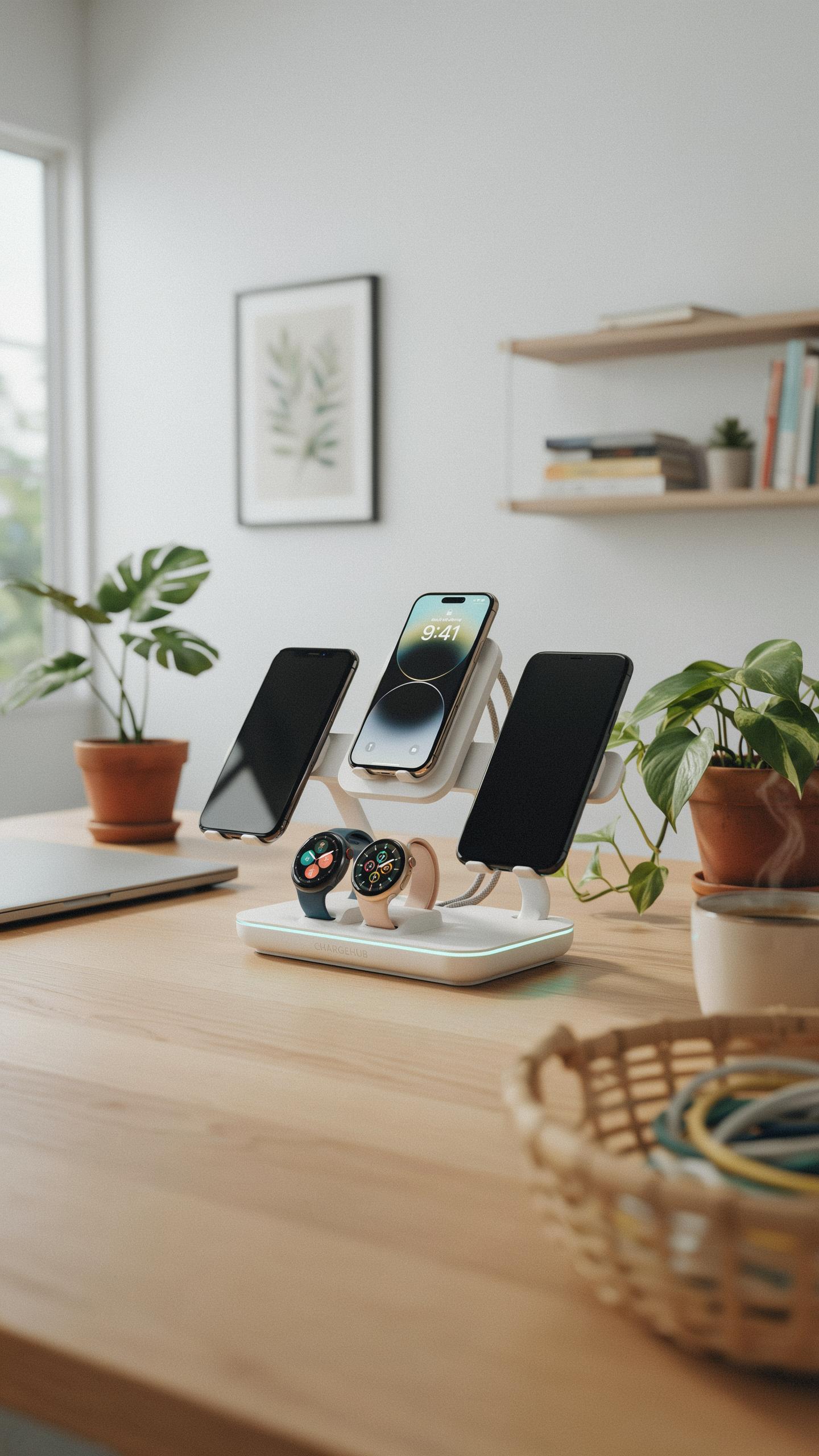
A functional charging station handles multiple device types simultaneously. Smartphones, tablets, and smartwatches require different connector types and power demands. USB-A ports, USB-C ports, and proprietary connectors must coexist on one unit. Fast charging requires adequate wattage output, typically 65 watts or higher for simultaneous multi-device charging without performance degradation.
Fast charging speed depends on power delivery specifications and cable quality. Most modern devices support 18-30 watts for phones and up to 65 watts for tablets. A station without sufficient wattage forces devices into slower charging modes. Real-world performance matters more than marketing claims: test actual charging times before purchasing for your specific devices.
Integrated Cable Management For A Clean Desk
Cable routing channels prevent wires from tangling and cluttering your desk surface. Compartments, clips, and adhesive slots organize cables by device type and length. Hidden routing keeps cords out of sight while maintaining accessibility for daily use. This design approach eliminates the visual chaos that plagues small apartment spaces where every square inch matters.
Strategic cable organization directly impacts your workspace usability and comfort. Tangled cables create friction when unplugging devices and waste time daily. Compartments that separate cables reduce the cognitive load of identifying which cord belongs to which device. For apartment dwellers, a clean desk surface feels larger and more functional than one buried under wire clutter.
Smart Charging Area Ideas For Maximizing Small Spaces
Vertical Charging Solutions
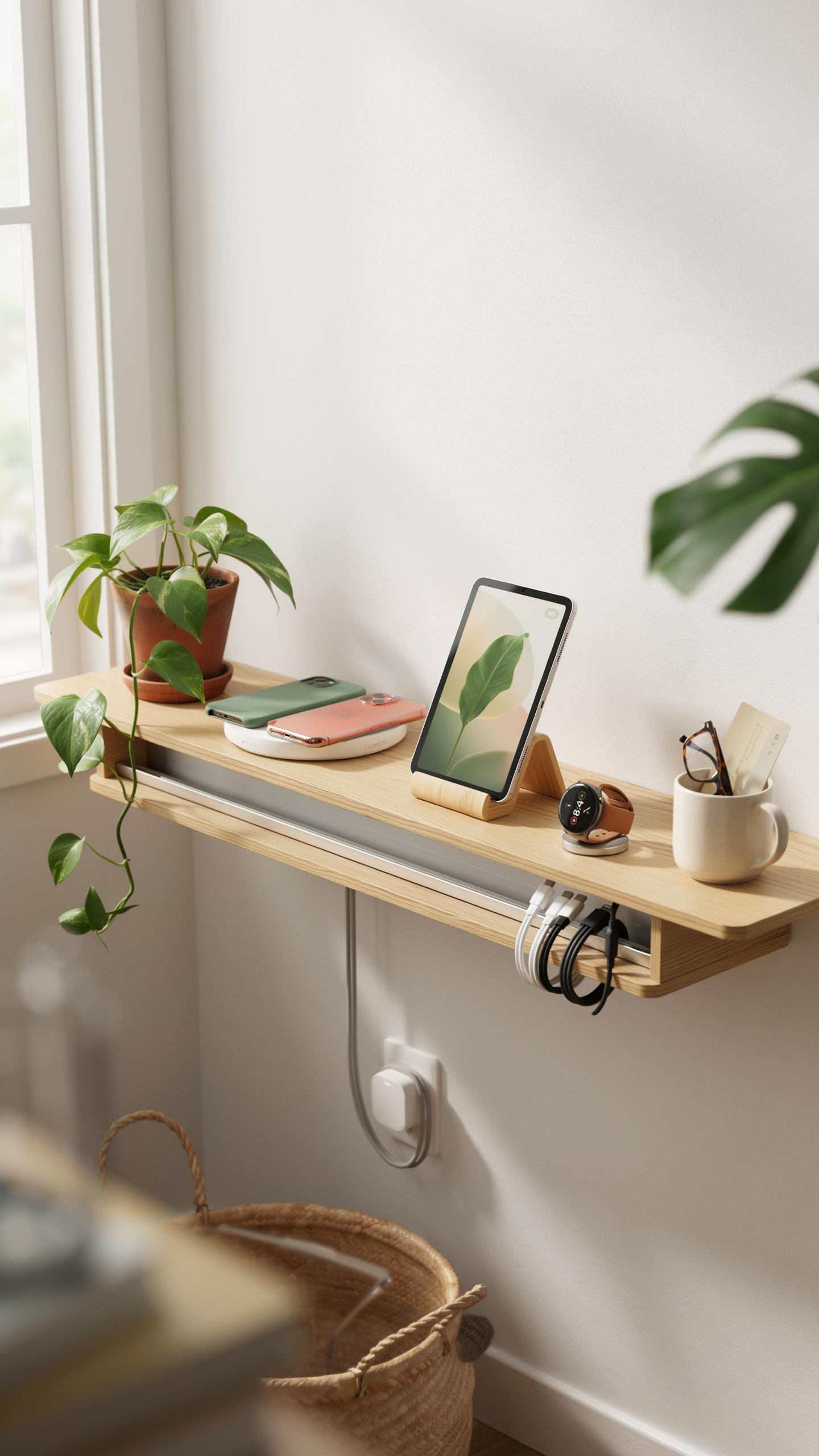
Wall-mounted charging stations eliminate floor clutter in small apartments. Install tiered or stacked organizers on empty wall space above desks, nightstands, or entryways. This approach keeps devices accessible while freeing up real estate where floor space is scarce. Vertical solutions work for apartments under 600 square feet.
Mount charging stations at eye level or slightly above for easy access. Use adhesive strips or small brackets rated for your device weight. Multi-tier wall organizers can hold phones, tablets, earbuds, and cables simultaneously. This configuration turns dead wall space into functional charging infrastructure without requiring floor installation.
In our cozy corners, an all-in-one charging station isn’t just convenience; it’s a little hub of organized peace, a tiny testament to making the most of every cherished space.
Integrating With Existing Furniture
Charging stations work best when built into furniture you already own. Side tables with drawers or shelves can house charging blocks and cable management. Nightstands with back panels hide cords from view while keeping devices powered. This integration keeps apartments looking intentional rather than cluttered with tech gear.

Select furniture with dedicated compartments or hollow spaces for routing cables. Floating shelves above existing desks work as charging platforms. Consider pieces with rear cable management channels designed for electronics. This approach treats charging as part of your overall furniture layout, not an afterthought addition to the room.
The Drop Zone Advantage A Designated Charging Hub
Creating An Intentional Entryway Charging Spot
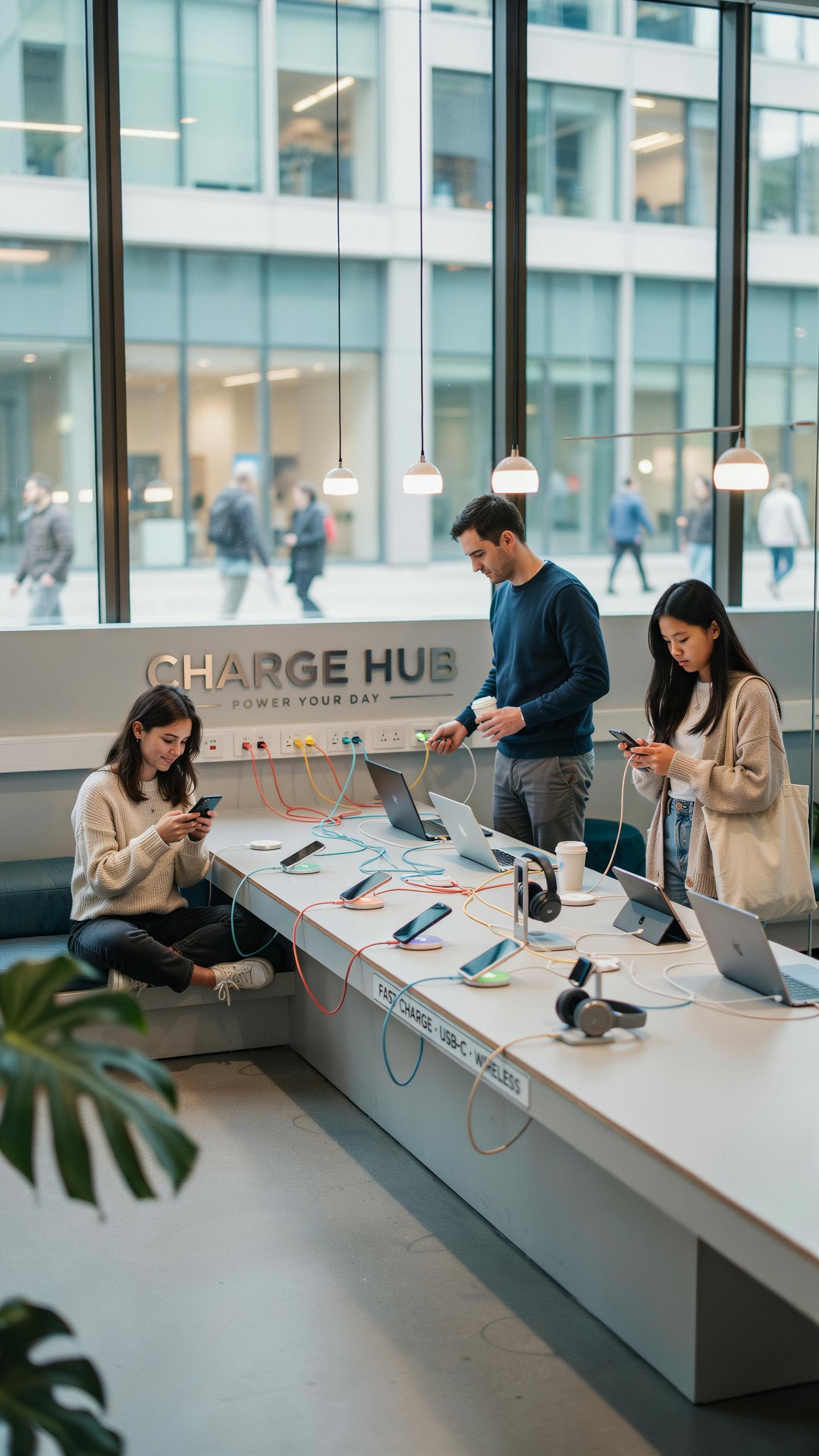
A drop zone charging station stops device sprawl before it starts. Place it immediately inside your apartment entrance. When you arrive home, you deposit your phone, tablet, or smartwatch directly into the station. This habit eliminates the default behavior of leaving devices scattered across counters, nightstands, and furniture throughout your space.
Entryway placement works because it aligns with your existing routine. You already remove keys and set down bags at the door. Adding a charging station to this ritual requires no additional behavior change. Small apartments benefit most from this approach since every square foot matters. A concentrated charging zone prevents the visual and physical chaos of multiple charging cables snaking across different rooms.
Beyond Phones: Keys, Wallets, And More
Drop zone charging stations combine power delivery with storage compartments for daily essentials. Most models include dedicated slots or trays for keys, wallets, and mail. This consolidation serves a tactical purpose: you eliminate multiple storage points scattered throughout your apartment. Everything you need when leaving or arriving stays in one location.

The compartment approach reduces the time you spend searching for items before leaving home. You know exactly where your phone is charging and where your keys sit. Mail stays organized instead of piling on kitchen counters or tables. For small apartments, this multi-function design maximizes the value of every object you bring inside. One station handles charging, organization, and clutter prevention simultaneously.
Innovative Charger Organizer Solutions For Every Nook
Under Cabinet And Wall Mounted Options
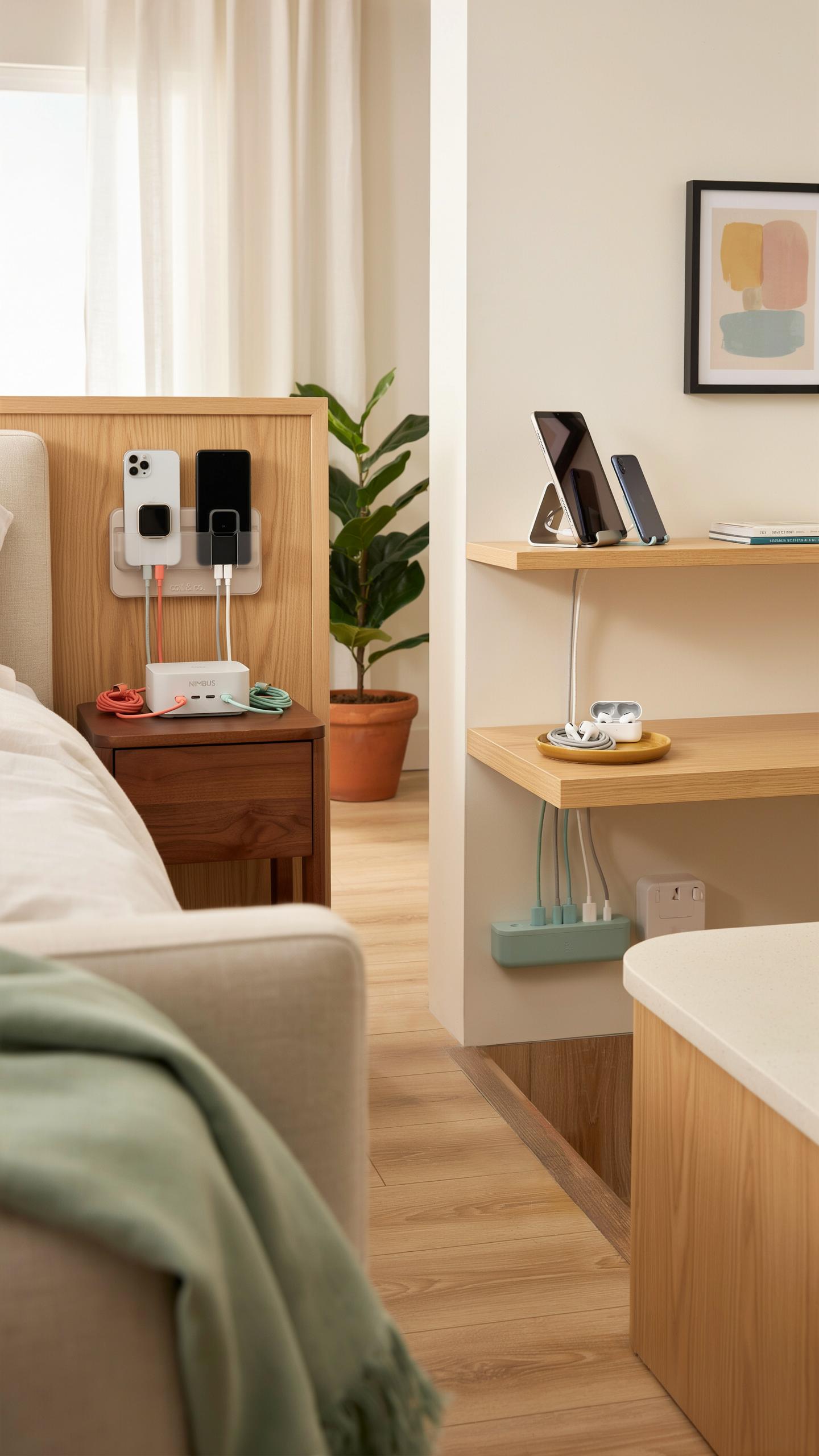
Under-cabinet and wall-mounted charging organizers solve the square-footage problem in small apartments. These systems mount directly to walls or underneath cabinets, eliminating the need for counter or floor space. They keep charging cables and devices out of sight while remaining accessible. This approach works in kitchens, bathrooms, and bedroom areas where counter clutter creates visual chaos and functional problems.
The installation process requires basic tools and wall anchors. Most units accommodate multiple device types through adjustable slots or modular compartments. Vertical mounting maximizes the use of underutilized wall space that typically serves no functional purpose. For renters, adhesive-backed options provide temporary solutions without permanent damage to walls or cabinetry.
Disguised Charging Boxes And Trays
Decorative charging boxes and trays hide cables and power adapters while functioning as storage or accent pieces. These containers use wood, fabric, or composite materials to match existing furniture and decor styles. The cable management holes and internal compartments organize multiple chargers without creating a visible tangle of wires. This strategy treats charging infrastructure as an interior design problem rather than a technical afterthought.

Quality boxes feature cable routing channels that prevent tangling and protect cord integrity. They sit on nightstands, desks, or shelving units without drawing attention to the technology inside. Some designs include ventilation slots to manage heat from multiple charging adapters running simultaneously. This approach transforms a functional necessity into a piece that enhances rather than detracts from apartment aesthetics.
Phone Charging Drawer The Ultimate Hidden Solution
Converting Existing Drawers For Charging
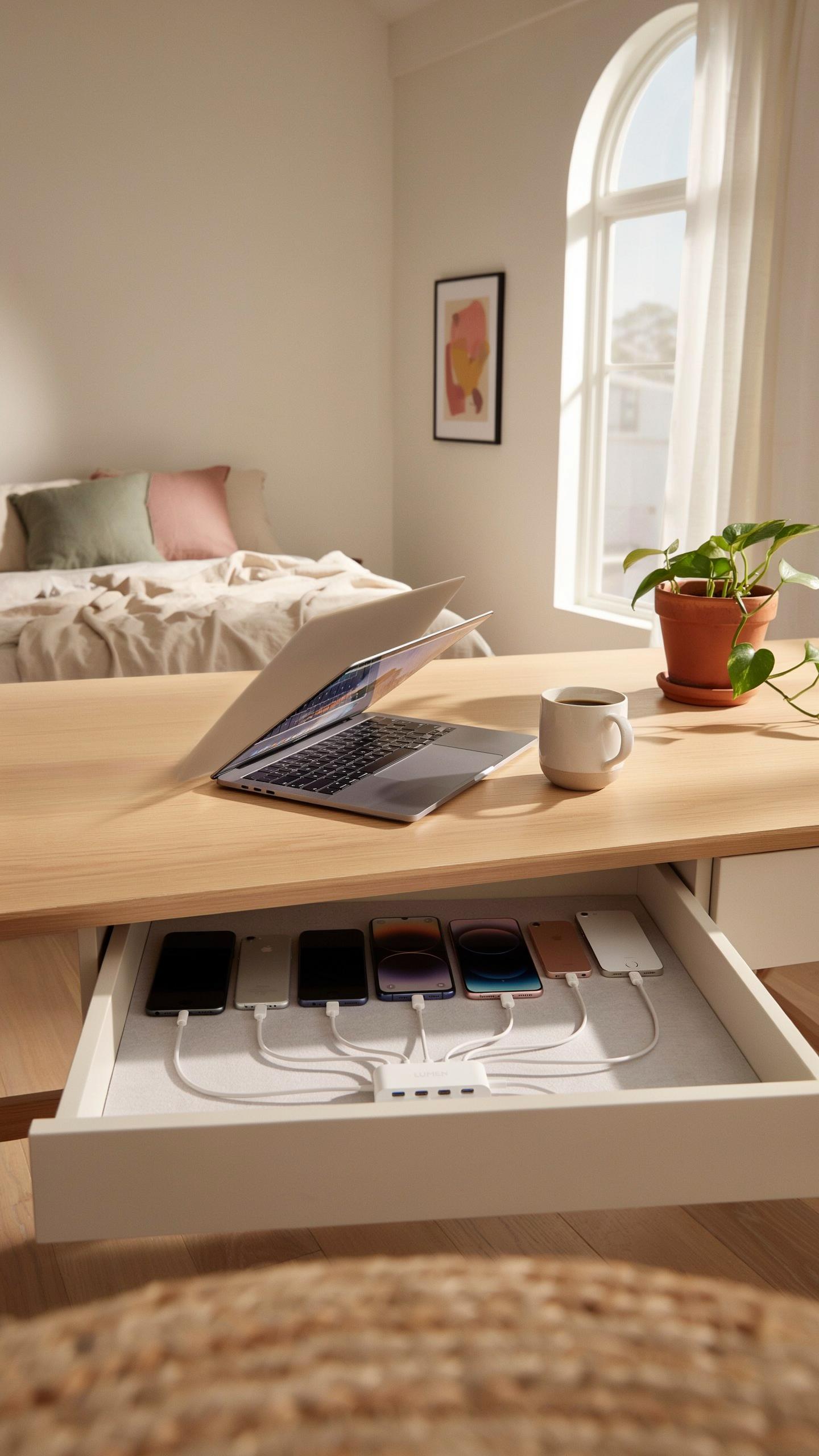
Start by selecting a drawer near where you sit or work most often. Remove the drawer and install a power strip inside, securing it to the bottom or side with adhesive strips or screws. Drill holes through the back panel to route cables out. This setup keeps all wires contained and accessible without visible clutter in your apartment.
Measure your drawer depth before purchasing cables and chargers. Standard power strips fit most desk and nightstand drawers without modification. Use cable management clips inside the drawer to organize multiple charging cables by device type. This method works for phones, tablets, smartwatches, and portable batteries all charging simultaneously from one hidden location.
Benefits Of Concealed Charging
Hidden charging eliminates visual noise in small spaces where every square inch matters. Devices stay out of sight when not in use, creating a cleaner aesthetic in bedrooms and living areas. Guests see an organized drawer instead of a tangled mess of cables and devices cluttering your surfaces.

Drawers protect charging devices from spills, dust, and accidental damage. Electronics inside a closed drawer stay safer from pets, children, and household accidents. You access your charged devices quickly without rearranging anything on tabletops or shelves.
Choosing The Best All In One Centralized Charging Station For Home

Assessing Power Needs And Device Compatibility
Count your devices first. Know the total wattage you need. A smartphone draws 5-18 watts. A tablet uses 10-30 watts. A laptop demands 45-100 watts. Multiple devices running simultaneously require stations with higher total output capacity. Match port types to your devices: USB-A, USB-C, Lightning, or proprietary connectors.
- Port Count: Stations range from 2 to 10 ports. Calculate how many devices charge regularly at once. Choose a station with at least one extra port for flexibility.
- Total Power Output: Look for wattage ratings between 65-150 watts for apartment use. Higher output allows simultaneous charging without slowdowns or throttling.
- USB-C Power Delivery: Prioritize USB-C ports with Power Delivery ratings of 60-100 watts. These ports charge laptops, tablets, and phones efficiently in a single connection.
- Device Type Support: Verify compatibility with your specific devices. Some stations support fast charging protocols like Quick Charge or Apple Fast Charge.
- Future Proofing: Select stations with multiple USB-C ports. Technology shifts toward USB-C, so redundancy prevents obsolescence within 3-5 years.
Check voltage and amperage specifications against your device manuals. Mismatched power delivery damages batteries or devices. Stations with smart charging chips detect connected devices and regulate power automatically, preventing overcharging and extending battery life.
Design Footprint And Material Considerations
Small apartments demand vertical or compact stations. Measure available surface space on nightstands, desks, or shelves before purchasing. Desktop towers occupy minimal floor area compared to horizontal multi-outlet strips. Wall mounted options eliminate surface clutter entirely. Corner placements maximize unused space without reducing movement flow through tight rooms.

Material choice affects durability and aesthetics. Aluminum bodies resist wear and heat dissipation better than plastic. Rubber feet prevent sliding on smooth surfaces and protect furniture finishes. High grade plastics work for budget options but degrade faster with daily handling. Matte finishes hide fingerprints better than glossy surfaces in apartment settings.
Installation And Maintenance For Lasting Organization

Simple Setup Tips For Your New Charging Hub
Most all-in-one charging stations need nothing more than a wall outlet connection. Unbox the unit, position it where you need access, and plug it in. The station powers on immediately. No special wiring or professional installation is required for standard models.
Cable routing matters for functionality and safety. Route cables away from high-traffic areas to prevent tripping hazards. Secure the station to a flat surface or mount it on a wall if your model supports it. Keep the unit away from moisture and heat sources. Position it near outlets but not in direct sunlight to preserve cable integrity.
Keeping Your Charging Station Clean And Functional
Dust accumulates on charging ports and reduces connection quality. Wipe down the exterior monthly with a dry microfiber cloth. Use compressed air to clear dust from port openings and cable connectors. Never use water or liquid cleaners on the station itself. Check cables for damage weekly.
Inspect all cable connections every two weeks for corrosion or loose connectors. Tighten any loose cables by hand. Replace damaged cables immediately to prevent device charging failures. Test each port monthly to confirm devices charge at normal speeds. A slow charge indicates a problem with that specific port or cable.
Frequently Asked Questions

What exactly is an all-in-one charging station, and why would I need one for my small apartment?
An all-in-one charging station is a compact hub designed to power multiple electronic devices simultaneously. For small apartments, it helps declutter messy cables and consolidates charging into one organized spot, maximizing your limited surface area and keeping your space tidy.
How can I choose the best all-in-one charging station for my specific small apartment needs?
Consider the number and types of devices you frequently charge (phones, tablets, smartwatches). Look for features like fast charging, wireless charging pads, and sufficient USB ports. Measure your available space to ensure the all-in-one charging station fits seamlessly into your small apartment.
Are there affordable options for an all-in-one charging station that won’t break the bank?
Absolutely! Many brands offer budget-friendly all-in-one charging station models without sacrificing functionality. Look for sales, consider reputable brands with basic models, and read reviews to find a durable yet affordable solution that suits your small apartment and your wallet.



