Understanding Poor Posture And Its Impact

The Health Risks Of Prolonged Sitting And Slouching
Prolonged sitting compresses the spine and tightens hip flexors. Over time, this creates muscular imbalances that alter spinal alignment. The body adapts to poor positioning, making corrected posture feel uncomfortable. Research shows desk workers spend 7 to 10 hours daily in seated positions, accelerating degenerative changes in intervertebral discs.
Poor posture increases pressure on the cervical and lumbar spine regions. This pressure restricts blood flow to muscles and nerves. Desk workers report chronic neck pain, lower back pain, and shoulder tension at elevated rates compared to workers in other occupations. Sustained slouching also reduces lung capacity and compromises digestive function by compressing abdominal organs.
Common Posture Problems Faced By Desk Workers
Anterior head posture occurs when the head shifts forward relative to the shoulders. This happens because workers crane their necks toward monitors positioned too low or too far away. Each inch the head moves forward adds approximately ten pounds of additional stress to the cervical spine. Desk workers develop this pattern within weeks of starting sedentary roles.
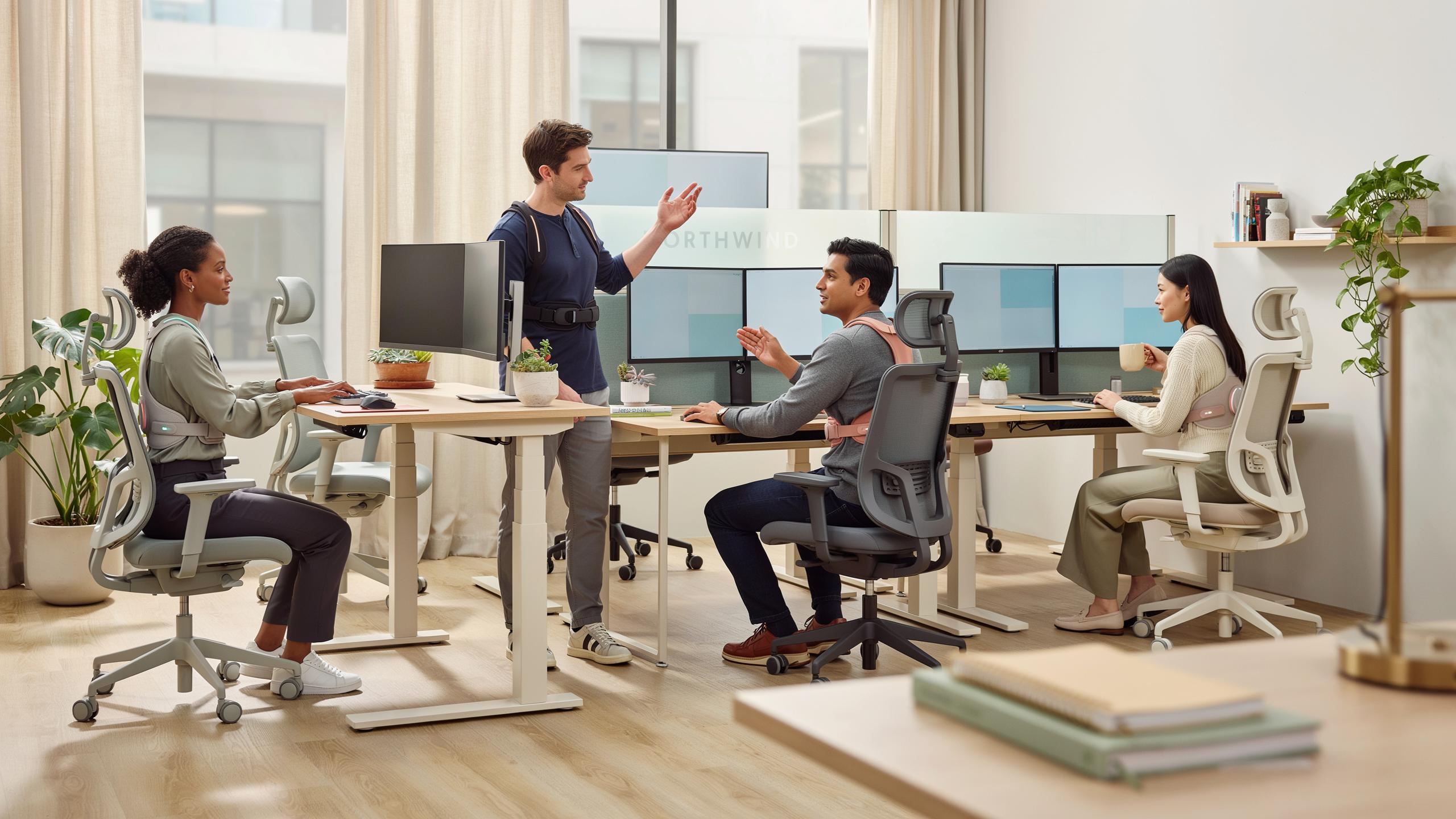
Rounded shoulders result from tight chest muscles and weak upper back muscles. Keyboard and mouse positioning forces workers to internally rotate their shoulders repeatedly. The trapezius and rhomboid muscles weaken from lack of engagement. Combined with anterior head posture, rounded shoulders create a cascade of postural dysfunction that wearable posture corrector devices aim to interrupt through real-time feedback and gentle repositioning cues.
What Is A Wearable Posture Corrector Device

Key 2 1 Definition And Functionality
A wearable posture corrector device is a wearable tool designed to monitor and improve spinal alignment during daily activities. These devices use sensors, straps, or structural support to detect slouching and provide real-time feedback to the wearer. Most models track head position, shoulder alignment, and upper back curvature. They function through mechanical support, vibration alerts, or smartphone app notifications that trigger corrective action.
The core mechanism works by establishing a baseline for proper posture, then alerting users when they deviate from that position. Devices attach to the torso, back, or shoulders depending on design. Some models use accelerometers and gyroscopes to measure angle and movement. Others rely on simple tension systems that physically resist forward rounding. The feedback loop trains users to maintain correct alignment without constant conscious effort.
Key 2 2 Benefits Of Using A Smart Posture Corrector
Regular use of posture corrector devices reduces strain on neck and shoulder muscles by maintaining proper spinal alignment throughout the workday. Correct posture distributes weight evenly across vertebrae, decreasing compression on discs. Users report reduced muscle fatigue and tension headaches within weeks of consistent use. This directly lowers healthcare costs associated with chronic pain and physical therapy visits.

Improved posture enhances breathing capacity and oxygen flow to the brain, increasing alertness and work output. Better spinal alignment optimizes lung expansion, allowing deeper breathing patterns. Desk workers who maintain proper posture experience fewer energy crashes during afternoon hours. These devices also prevent long-term structural damage to the spine that accumulates from years of slouching at workstations.
How To Use A Posture Corrector Effectively

Initial Setup And Calibration
Start by reading the manufacturer’s instructions specific to your device model. Different designs require different approaches. Some devices use shoulder straps that need adjustment before first wear. Others rely on adhesive sensors that require skin contact. Position the device according to the provided measurements. Most correctors align the main support between your shoulder blades. Measure yourself in a mirror to confirm proper placement before securing anything permanently.
Test the device while standing upright with your shoulders relaxed. Do not force your back into an exaggerated arch. The corrector should gently remind you of neutral spine position without causing pain. If the device includes an app or app connectivity, calibrate it while maintaining correct posture. This baseline data helps the device track your progress and send accurate alerts. Wear the corrector for fifteen minutes on your first day to assess comfort and fit.
Gradual Integration Into Daily Routine
Begin wearing your corrector for short sessions of thirty minutes to one hour. Increase duration by fifteen to thirty minutes every two to three days. Your back muscles need time to adapt to the new stimulus and support level. Wearing a corrector too long initially can cause fatigue or discomfort rather than improvement. Build tolerance gradually rather than jumping to eight hour sessions immediately. This approach prevents muscle soreness and allows your body to adjust naturally.

Integrate the corrector into your normal desk work schedule strategically. Wear it during your most sedentary hours when posture typically deteriorates. Remove it during breaks to let your muscles work independently. This pattern trains your body to maintain correct posture even without the device. After four to six weeks of consistent use, most people notice habits changing without active correction. The goal is developing postural awareness that persists when you remove the device entirely.
Types Of Wearable Posture Correctors

Back Posture Corrector Devices
Back posture correctors work by applying tension across the shoulders and upper back. They pull the scapula backward, forcing the spine into alignment. Most designs use elastic straps that wrap around the torso. The tension counteracts the forward slouch that develops from desk work. Users wear these devices over or under clothing for extended periods.
Back correctors come in two categories: passive and active. Passive devices provide constant resistance through elastic tension alone. Active devices use sensors to detect poor posture and trigger vibration alerts. Some models combine both approaches for reinforcement. The choice depends on whether you need constant correction or real-time feedback.
Neck Posture Corrector Solutions
Neck posture correctors target the cervical spine and reduce forward head posture. This posture develops when workers lean toward monitors or hunch over keyboards. Neck devices typically use soft collars or shoulder harnesses that lift the head. They redistribute weight away from compressed discs. These correctors address one of the most common desk worker complaints.

Neck solutions vary in design from soft foam collars to rigid braces. Soft collars provide gentle support and work well for mild cases. Rigid options offer maximum support for severe forward head posture. Some incorporate straps that connect to the back corrector for full-body alignment. Selection depends on severity and comfort tolerance during work hours.
Exploring The Upright Go Posture Corrector

Key 5 1 Features And Technology Of Upright Go
The Upright Go uses a small wearable sensor that attaches to your upper back with adhesive. The device detects when you slouch by measuring spine angle relative to vertical position. When slouching occurs, the device sends a subtle vibration to your skin. This tactile feedback trains your nervous system to recognize poor posture in real time without requiring conscious effort.
The technology relies on an accelerometer and gyroscope to track spinal alignment continuously. The battery lasts approximately seven to ten days per charge. The device pairs with a smartphone app that logs posture data and provides progress metrics. The system stores your posture history to show improvement trends over weeks and months of use.
Key 5 2 User Experience And Reviews
Users report that the vibration feedback works as a practical reminder within the first few days of wear. Most people need one to two weeks to develop habit formation around the corrected posture position. The adhesive backing replacement cost runs between fifteen and thirty dollars for a pack of replacements. Comfort improves significantly once users adjust to the sensation and positioning on their back.

Feedback from desk workers indicates the device functions well during typical workday conditions and video calls. Some users experience minor skin irritation from the adhesive, which resolves by rotating application sites. The app interface provides straightforward progress tracking without excessive features or complicated navigation. Real world results show measurable postural improvements for people who consistently wear the device for minimum two to three weeks.
Posture Corrector Stick And Other Aids
Utilizing A Posture Corrector Stick For Training
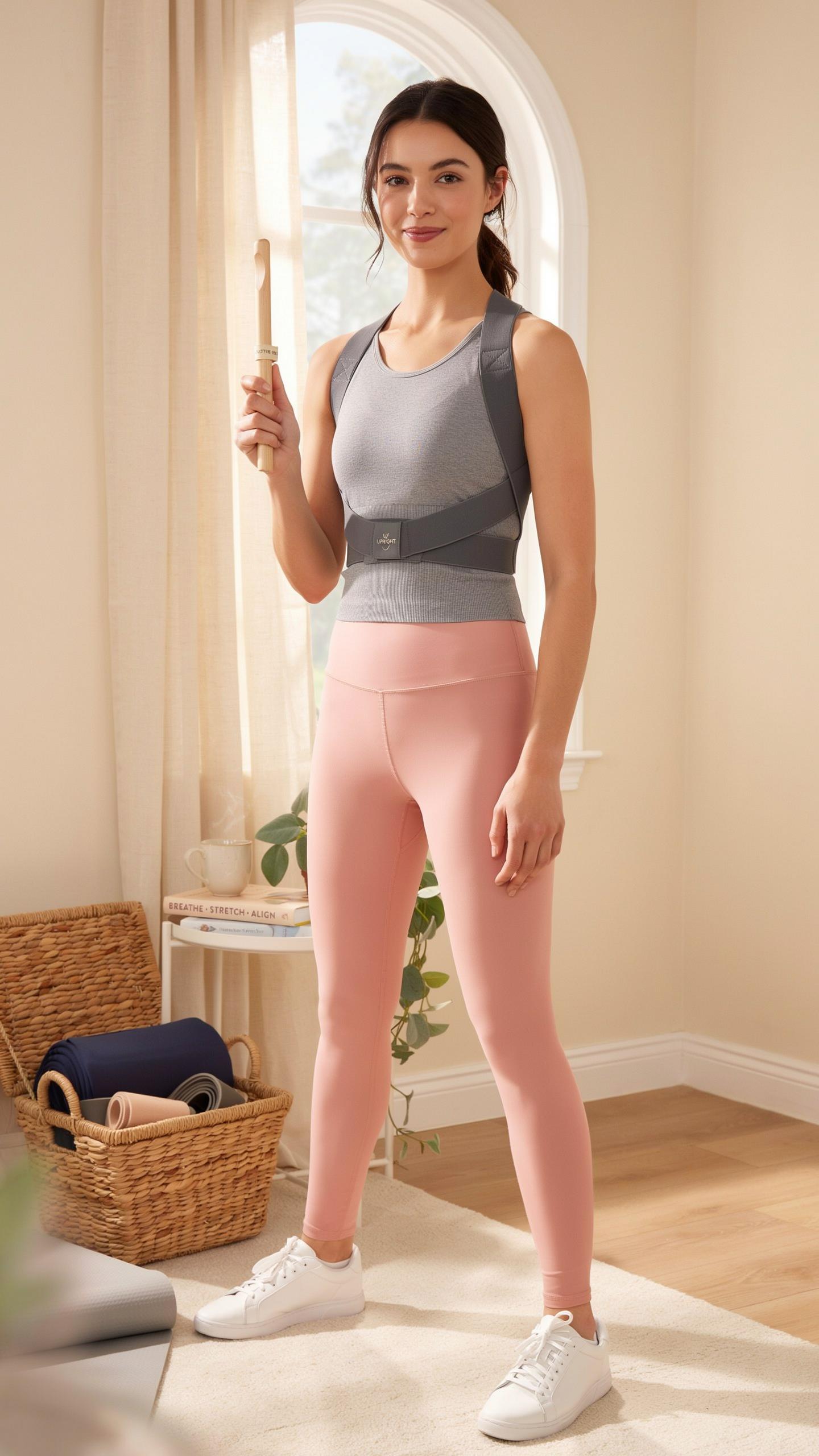
A posture corrector stick is a rigid tool that reinforces spinal alignment during work sessions. The stick runs along your spine from lower back to upper shoulders. You hold it against your body or place it behind your chair. This tactile feedback trains muscle memory over time. The tool costs between 15 and 50 dollars. It works best during focused training periods rather than all-day use.
The stick approach targets awareness more than correction. When you feel the stick press against your spine, you recognize misalignment instantly. This creates a behavioral loop. Your nervous system learns proper positioning through repetition. Many desk workers use sticks for 15 to 30 minute sessions daily. The method requires discipline but produces measurable postural improvements within weeks.
Ergonomic Accessories For Desk Workers
Desk workers benefit from layered ergonomic support beyond wearable devices alone. Monitor arms position screens at eye level, eliminating downward head tilt. Keyboard trays reduce shoulder strain by keeping elbows at 90 degrees. Footrests stabilize the lower body and reduce lower back pressure. Standing desk converters allow position changes throughout the day. These accessories work alongside wearable posture correctors to create integrated solutions.

Combining accessories with wearable devices produces superior results than either approach alone. A monitor arm keeps your head neutral while your wearable device maintains spinal alignment. Keyboard positioning reduces the strain your shoulders carry while wearing a corrector. Footrests prevent the lower body compensation that undermines upper back corrections. Desk workers who implement three or more accessories show faster recovery from postural issues.
Considering A Posture Corrector Belt

Design And Support Provided By Belts
Posture corrector belts use rigid or semi-rigid structures to restrict spinal movement and pull shoulders backward. Most models feature shoulder straps connected to a waist band or torso wrap. The design forces the upper back into extension, counteracting forward slouching common in desk work. Materials range from neoprene to elastic fabric with integrated plastic or metal stays for support structure.
Belt effectiveness depends on consistent wear and proper fitting. A belt that sits too loose provides minimal correction. A belt that cinches too tight creates discomfort and users abandon it. Most workers find belts most practical for 2 to 4 hour wearing periods rather than all day use. Extended wear can weaken core muscles that maintain posture naturally.
Remember the days when a gentle nudge was all it took to stand a little taller? Now, with a quiet hum, your posture corrector helps you reclaim that forgotten grace, much like my grandmother always said, “A good stance is the first step to a good day.”
When To Choose A Posture Corrector Belt
Choose a belt when you need immediate posture reinforcement during specific high-risk activities. Belts work best for desk workers during focused work sessions, video conferences, or client meetings. They serve as tactical reminders rather than permanent solutions. Belts cost between 25 and 80 dollars depending on build quality and material.

Avoid belts if you already have chronic back pain or spinal conditions. Belts work poorly for people with large midsections where the band shifts during movement. They become impractical during meetings requiring freedom of movement or physical activity. Consider belts as a supplementary tool alongside desk ergonomics and regular stretching, not as a standalone fix.
Homemade Posture Corrector Solutions

Simple DIY Methods For Posture Improvement
You don’t need expensive devices to start fixing posture problems. Basic physical adjustments, furniture modifications, and exercise routines address the root causes of poor positioning. These methods work because they target muscle imbalances and environmental factors that desk workers face daily. Start with what you have available and build from there.
- Desk Height Adjustment: Position your monitor at eye level and keep elbows at 90 degrees. This eliminates forward head posture caused by looking down at screens throughout the day.
- Lumbar Support Rolls: Use a rolled towel or pillow behind your lower back. This maintains natural spine curvature and reduces slouching during long work sessions.
- Chest Doorway Stretch: Stand in a doorway with your arm bent at 90 degrees against the frame. Hold for 30 seconds to counteract rounded shoulders from keyboard work.
- Wall Angels Exercise: Lie on your back with your arms against a wall in a goalpost position. Slide arms up and down to strengthen rear shoulder muscles that support upright posture.
- Chin Tucks: Pull your chin straight back without tilting your head. Repeat 10 times hourly to strengthen neck stabilizers and reverse forward head position.
These tactics require consistency but cost nothing. Results take weeks, not days. The key is building habit loops that interrupt sitting patterns every 30 to 60 minutes.
Limitations And Considerations For Homemade Aids
DIY solutions lack the consistency that wearable devices provide. You must remember to maintain posture without external feedback. Most people fail this approach within two weeks because motivation drops when results aren’t visible immediately. Self-correction requires constant mental effort that desk workers can’t sustain while focusing on actual work tasks.

Homemade methods also don’t address underlying muscle weakness. Stretching and basic exercises help, but they don’t provide real-time correction when you slip into bad habits. Wearable devices trigger alerts when posture degrades, creating external accountability. Without this feedback mechanism, you revert to poor positioning automatically within hours. Serious postural issues often require professional assessment to determine what exercises actually fix your specific problems.
Integrating Back Posture Corrector Exercises

Strengthening Core Muscles For Better Posture
Core strength directly supports spinal alignment. When your core muscles are weak, your body compensates by shifting load to your back and neck. A wearable posture corrector device works best alongside core training because the device provides feedback while your muscles build the endurance to maintain alignment without constant support.
Target your deep core stabilizers, not just surface muscles. Exercises like planks, dead bugs, and bird dogs engage the transverse abdominis and multifidus. These muscles create internal support for your spine. Building them reduces your reliance on external devices and creates sustainable posture improvements that last beyond device wear time.
Stretches And Routines For Desk Workers
Desk work creates specific muscle imbalances. Your hip flexors tighten, chest muscles shorten, and rear shoulder muscles weaken. A wearable posture corrector device alerts you to slouching while stretching routines reverse these specific adaptations. Combine both tactics to address the root causes of desk posture problems.
- Hip flexor stretches: Hold a low lunge position for 30 seconds per side. Tight hip flexors pull your pelvis forward and force your lower back into excessive curve.
- Chest doorway stretches: Place forearm on a doorframe at shoulder height and step forward. This counters the internally rotated shoulder position from keyboard work.
- Prone Y-T-W holds: Lie face down and raise arms in Y, T, and W positions. These activate posterior shoulder muscles that pull shoulders back and down.
- Cat-cow spine flexion: Alternate between rounded and extended spine positions on hands and knees. This mobilizes vertebral segments and breaks up prolonged flexion patterns.
- Thoracic rotations: Kneel on all fours and reach one arm under your body, then rotate to open your chest. This restores rotation to your mid-back and reduces compensatory strain.
Perform stretches after sitting sessions, not before work. Your muscles are warm and more responsive to lengthening. A 5-minute routine every 2 hours provides consistent stimulus. Pair these with your wearable posture corrector device to reinforce correct positioning while you actively reverse desk posture damage.
Choosing The Right Wearable Posture Corrector

Key 10 1 Factors To Consider Before Purchase
Fit and sizing matter more than brand reputation. A device that does not fit your body properly will not deliver results and will end up unused. Measure your shoulder width, chest circumference, and torso length before ordering. Check the manufacturer’s sizing chart against your measurements, not your clothing size. Return policies are essential since fit issues are common with wearables.
Battery life directly impacts usability for desk workers. Devices requiring daily charging create friction in your routine. Look for units that last at least five to seven days between charges. Some models use passive mechanics without batteries, eliminating this concern entirely. Consider your desk setup and whether you can access charging stations easily during work hours.
Key 10 2 Top Recommendations For Desk Workers
Passive shoulder posture braces work well for office environments. These devices use rigid or semi-rigid structures to hold shoulders back without electronic components. They function immediately upon wearing and require no setup or learning curve. Cost ranges from 30 to 80 dollars depending on material quality and adjustability features. They work best for desk workers who want simplicity over advanced tracking.
Smart posture devices with vibration feedback suit workers who need accountability and real-time correction. These units detect forward slouching and deliver subtle vibrations to prompt repositioning. Most models sync with smartphone apps to track posture data over time. Price points range from 80 to 200 dollars. Choose this type if you value habit formation metrics and want measurable progress documentation.
Frequently Asked Questions

What exactly is a wearable posture corrector device and how can it help me at my desk job?
A wearable posture corrector device is an ergonomic tool designed to gently remind and support your body into better alignment. Typically worn discreetly under or over clothing, it helps desk workers combat slumping and rounded shoulders, encouraging healthier posture throughout the day and reducing strain.
How do I properly fit and wear my wearable posture corrector device for maximum effectiveness while working?
For optimal results, ensure your wearable posture corrector device fits snugly but comfortably, without restricting movement or circulation. Most models have adjustable straps; follow the manufacturer’s guide to position it correctly on your shoulders and back. Start with short periods, gradually increasing wear time as your muscles adapt to the support.
Are there affordable options for a wearable posture corrector device, or are they typically expensive?
Absolutely! There’s a wide range of affordable wearable posture corrector devices available to suit various budgets. Many effective models can be found without breaking the bank, offering a great entry point for improving your posture at your desk. Look for options that prioritize comfort and adjustability within your price range.



