
The Sand Trap Protocol: Beyond The Phone Pouch
Micro Abrasion Mechanics: Sand’s True Threat
You’re worried about dropping your phone in saltwater. That’s not the real problem. Sand moves like a reciprocating file. Every grain under 250 microns acts as an abrasive when pressure and motion combine. Your screen, charging port, speaker mesh, and camera lens aren’t sealed against horizontal grinding. Water alone doesn’t kill electronics fast. Sand embedded in moving parts does. The threat isn’t a single exposure—it’s repeated micro-abrasion that compounds over hours.
Most people think a ziplock bag solves this. It doesn’t. Sand particles trapped between your device and the plastic bag will scratch and scar surfaces with every pocket movement or screen tap. The bag itself creates the friction zone. You need separation without contact. This means your device never sits directly against fabric, never travels loose in a bag, and never gets handled with sandy hands—not even damp sandy hands that feel clean.
Static Defense Strategy: Placement, Elevation, Covering
Leave your phone in your accommodation. That’s the honest answer. If you refuse, here’s the mechanism: elevation and enclosure work because they remove your device from the sand layer—the first six inches of beach where wind-driven particles concentrate. Phones stored in a sealed, hard-shell case on a beach bag placed on a chair stay cleaner than phones in pockets. Fabric breathes and lets sand infiltrate. Hard cases don’t.
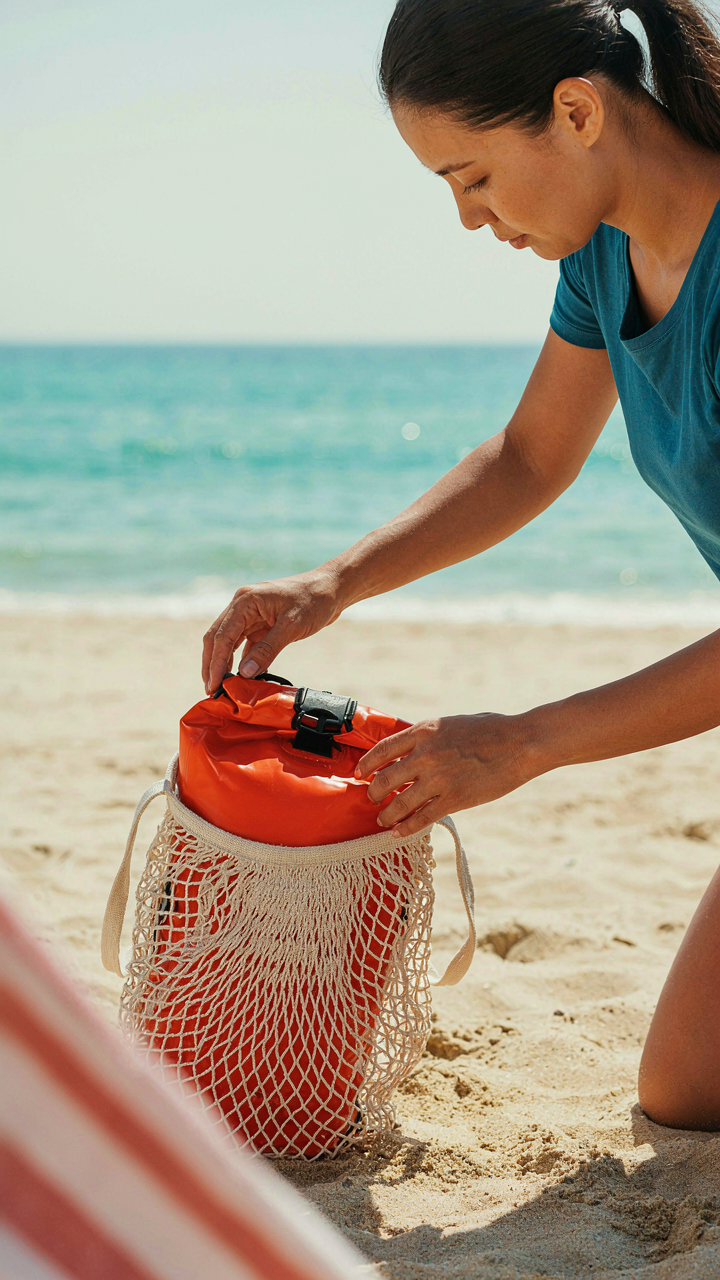
Covering works when it’s intentional, not accidental. A waterproof dry bag placed inside a larger mesh beach bag keeps sand away but allows air circulation to prevent condensation. Position your device at eye level or higher, never at ground level. Never set it directly on a towel that touches the sand. The moment you establish a rule about where your phone lives during beach hours—and enforce it—micro-abrasion stops being a daily accumulation problem. Stick to it.
Waterproof Pouch Paradox: Trusting The Seal

Before You Leave: What Actually Fails
You want the pouch to work because admitting it might fail means your phone dies in saltwater and you look unprepared. Here’s the mechanism: most seal failures aren’t design flaws. They’re user errors that happen before you ever enter the water. The zipper track collects sand particles during packing. The seal compresses unevenly because you didn’t flatten the contents first. The closure sits slightly open because you rushed. None of these show up until saltwater reaches your device.
Check your pouch three days before the trip, not the morning of. Run your fingers along the entire zipper track to feel for debris or manufacturing defects. Close it empty and hold it under a lamp to spot light leakage around the seal edges. If you see gaps, the pouch fails under pressure. Test it with a wet paper towel inside for two minutes. If moisture appears on the towel, that pouch does not go to the beach. Replace it now, not later.
Depth And Time: The Real Limits
Water pressure works like a vise, applying force from all directions simultaneously. This is hydrostatic pressure, the same principle engineers use to design submarine hulls. Most consumer waterproof pouches claim protection to two to three meters, but that rating assumes still freshwater, not wave action or saltwater density differences. The claim is technically true and practically useless. Saltwater weighs more than freshwater, increasing pressure at the same depth. Waves create compression cycles that stress seals repeatedly, not continuously.
Stay shallow and limit immersion to under thirty minutes per exposure. Keep your phone above your waist in the water. If you swim beyond chest depth, the pouch leaves your hands. Thermal stress matters too: move a pouch from hot sand directly into cold ocean water and the seal contracts, opening microgaps. Let the pouch acclimate for five minutes before sealing your phone inside. When you exit the water, pat the pouch dry immediately and store it in shade, not on hot sand.
The Humidity Hazard: Unseen Corrosion
Where Water Gets Inside Without Getting Wet
You’re worried about this because you’ve already lost a phone to water damage and you don’t want to repeat that mistake. Humidity operates on a different mechanism than splashes. Think in terms of thermodynamics: when warm air contacts a cold surface, water vapor condenses into liquid. Your phone’s internal components are colder than the beach air, so moisture migrates inward even when the device stays bone dry on the outside. Salt air accelerates this process by creating a conductive environment for corrosion.

External moisture on your screen or port is visible and manageable. Internal condensation is the real threat because it settles on circuit boards, battery contacts, and connectors where you can’t see it happening. By the time you notice performance issues, oxidation has already begun eating through metal pathways. The damage starts within hours, not days. A phone that works perfectly at the beach can fail in your hotel room later that night as trapped humidity continues its work.
Desiccants Work Because They Absorb What Air Can’t Hold
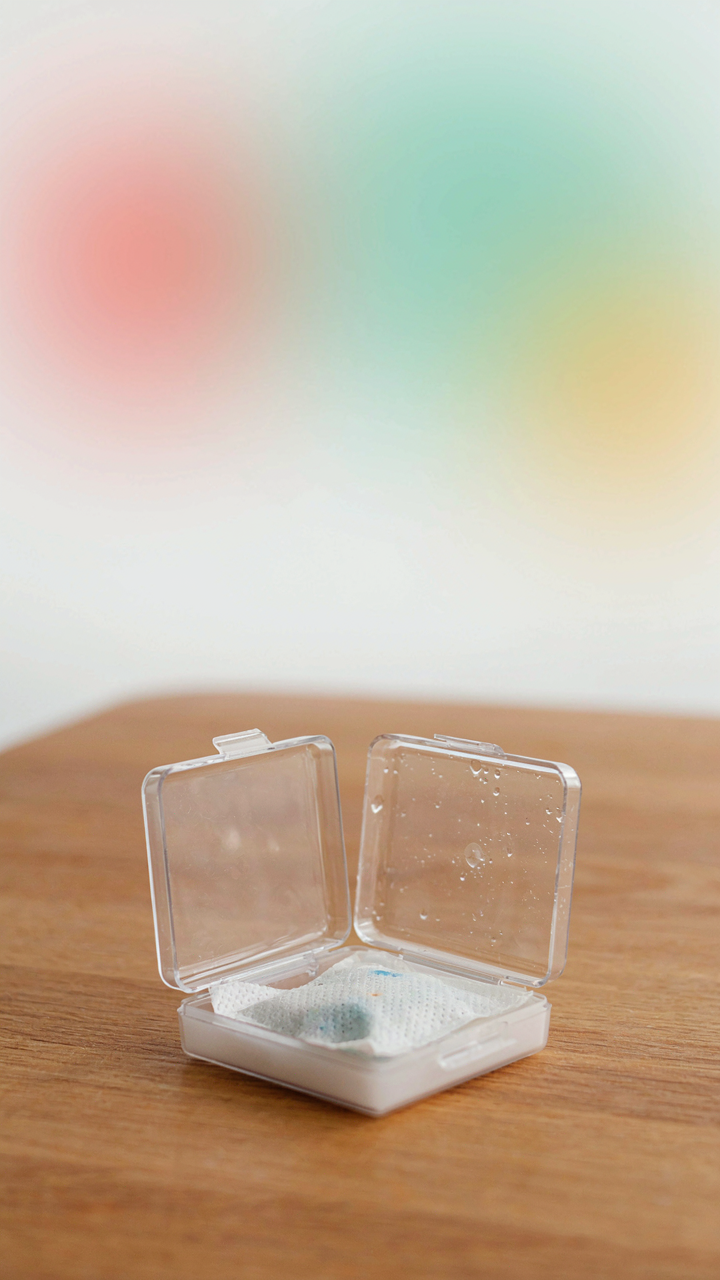
Forget the idea that a waterproof case alone stops humidity. Cases create sealed chambers where moisture gets trapped and has nowhere to escape. Desiccant packets work by absorbing water vapor before it condenses on your electronics. Silica gel packets don’t just sit there looking useful; they chemically bind water molecules, reducing the humidity level inside your protective container to below the dew point where condensation occurs.
Deploy desiccants inside your waterproof case or dry bag before you leave your accommodation. Replace packets daily if you’re using them actively on the beach, especially if you’ve opened and closed your case multiple times. A standard silica gel packet can absorb roughly 40 percent of its own weight in water before becoming saturated. Store your tech with fresh packets overnight, and check the packet color to identify when saturation occurs, then rotate for new ones.
Thermal Shock Tactics: Sun Vs. Circuits

Where Heat Kills Your Phone Faster Than Water
You’re worried about this because your device costs money and you don’t want to replace it mid-vacation. The real mechanism: semiconductors operate within specific temperature ranges. Push them past that window and transistors degrade, batteries swell, and screens go dark. Direct sun on a closed phone creates an oven effect. The casing traps heat, internal components can’t dissipate it, and thermal stress accelerates component failure. Sand amplifies this by blocking vents and reflecting additional heat onto the device surface.

Enclosed spaces on the beach are the actual killers here. A phone in a closed bag under an umbrella still reaches dangerous temperatures because no airflow escapes the insulated pocket. Lithium batteries start thermal runaway around 140 degrees Fahrenheit. Most modern phones throttle performance at 104 degrees. You hit that threshold faster than you think, especially in direct sun with high ambient heat and humidity trapping warm air around the device.
Active Cooling Beats Passive Waiting
Shade alone doesn’t work because you need the temperature differential to drop, not just stall climbing. Physics calls this convection cooling, and you need three variables working: lower ambient temperature, air movement across the device surface, and removal from the heat source. A beach umbrella creates shade but traps stagnant hot air underneath. A beach bag with ventilation holes plus placement in actual breeze creates measurable cooling. Position your device where wind crosses it, not in the dead air zone near your body.
Power-off periods matter mechanically, not philosophically. When the phone is off, the processor stops generating heat and the battery enters a lower drain state. A powered-on phone in direct sun can climb 15 degrees in 10 minutes. That same phone powered down climbs maybe 5 degrees in the same window. If your phone hits the thermal threshold, power it off completely for 20 minutes minimum, place it in shade with airflow, then let it recover before resuming use. Temperature equilibrium takes longer than your impatience allows, so build dead time into your beach schedule.
The Salt Air Scourge: Silent Destroyer
How Salt Corrodes Your Devices
You care about this because corrosion happens invisibly and ruins expensive gear weeks after you leave the beach. Salt doesn’t just sit on surfaces. It’s an electrolyte—borrow the term from electrochemistry—that completes electrical circuits between different metals on your device. Aluminum oxidizes. Steel rusts. Copper tarnishes. The salt crystals attract moisture from humid air, creating a conductive pathway that accelerates decay inside connectors, circuit boards, and battery contacts.

The mechanism is electrochemical oxidation, not just rust you can see. A salt-covered charging port becomes a miniature battery where electrons flow from one metal to another, degrading both. Your phone’s aluminum frame and stainless steel screws are mismatched metals in a salt solution—a chemist’s perfect setup for galvanic corrosion. This happens faster than dry corrosion and starts within hours of exposure, not days.
Minimize Exposure, Then Clean Hard
Everyone says rinse your phone with fresh water. That’s incomplete advice. The real protocol is prevention first, aggressive cleaning second. Don’t let salt-laden air touch your devices in the first place. Seal them in airtight plastic bags or waterproof cases during beach time. Keep them in your bag, not on a towel where salt spray reaches them.
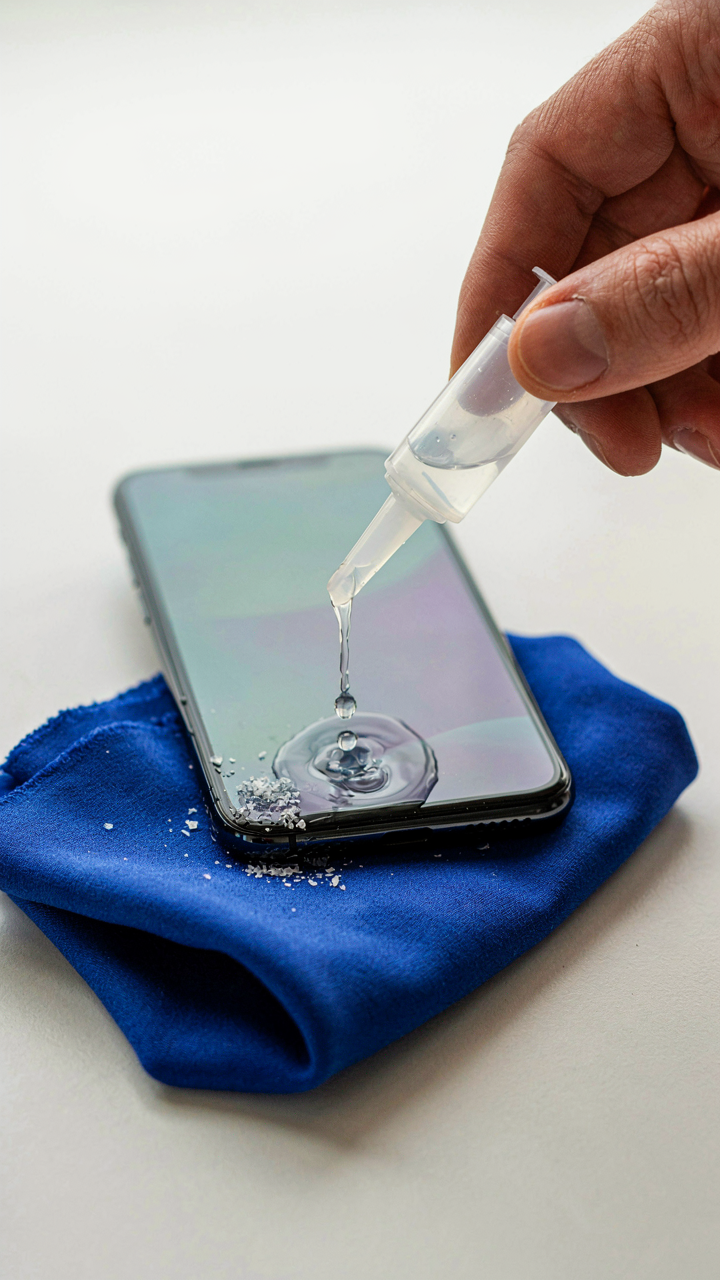
After beach exposure, flush all openings with distilled water immediately—not tap water, which leaves mineral deposits. Use a bulb syringe or squeeze bottle to force water through ports, speakers, and microphone holes. Dry everything with compressed air, not cloth, which leaves fibers. Wipe the exterior with distilled water on a lint-free cloth. This removes salt residue before it hardens and bonds to metals. Repeat the flush-and-dry cycle once more the next day.
Power Management On The Beach Cruise: The Grid Is Gone

Rank Your Devices By Actual Use
You’re worried about dead batteries because you’ve tied your entire beach day to devices you don’t actually need. Here’s the mechanism: battery drain is a triage problem. Your phone runs core functions like navigation, communication, and photos. Your smartwatch extends phone battery life by handling notifications. Your portable speaker and camera are luxuries. Your tablet is dead weight. Rank what keeps you safe and connected first, then work backward to what’s entertainment.

The common advice is to “bring everything and charge it all.” Wrong. You’ll carry dead weight and panic over devices that don’t matter. Instead, map your actual beach hours. A four-hour trip needs your phone at 80% minimum when you leave. Your watch can coast on a week-long charge. A speaker drains fast but isn’t essential. Kill the devices that don’t solve a real problem on the beach, and your power problem shrinks by half.
Portable Banks, Solar, And Vehicle Charging
Battery economics teaches us about stored energy systems. Your vehicle is your offshore power plant. Portable banks are your reserve supply. Solar is your renewable upside with hard limits. Most people buy a 20,000mAh bank and assume it solves everything. It doesn’t. A typical phone battery is 3,000-4,500mAh. That bank gives two to five full charges depending on the phone model and the bank’s real-world efficiency loss (usually 15-20%).
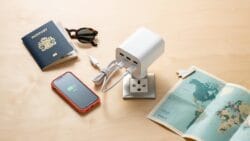
- Vehicle charging with 12V USB adapter: Plug into your car’s 12V outlet or USB port before heading to the beach. Gives unlimited top-ups if parked nearby. Best for road trips where the car stays accessible.
- Portable power bank (20,000mAh or higher): Keeps phones and watches alive for a full beach day without a plug. Choose one with multiple USB ports to charge multiple devices. Weight matters if you’re carrying it in a bag.
- Solar charging panels (10W to 25W): Works only in direct sun and charges slower than wired options. Realistic for daylong beach trips, not quick top-ups. Waterproof versions exist but solar efficiency drops when wet.
- Charging order protocol: Phone first, watch second, speaker last. Charge in the shade or car to prevent overheating the bank. Most banks slow down their output in high heat, cutting efficiency another 10-15%.
- Hybrid approach for long trips: Bring vehicle access plus one portable bank. Solar as backup only. This gives redundancy without the bulk of multiple charging systems.
Charge your bank fully before leaving home. Bring the vehicle cable if you’re parking nearby. Solar only works if you’re stationary for hours and the sky is clear. Real-world beach trips benefit from paired systems: the bank handles the day, the vehicle handles the drive home. Plug your bank into the car outlet once you’re back to reset it for the next trip.
Digital Detox Protocol: The Ultimate Protection For Your Iphone

What You Actually Lose When Connected
You want to feel present at the beach, but you’re terrified of missing something. That fear is the real problem, not sand in your charging port. Opportunity cost in behavioral economics measures what you give up by choosing one thing over another. At the beach, constant connection creates a hidden cost: you trade actual experience for the phantom possibility of relevance. Your brain splits attention between the water and the device. The moment you check your phone, you reset your focus window, which neuroscience confirms takes 23 minutes to rebuild.

Every notification rewires your reward system toward intermittent reinforcement, the same mechanism slot machines use. Your phone doesn’t protect you at the beach—it fragments you. The protection worth discussing isn’t physical armor for your device. It’s the deliberate removal of temptation so your attention stays whole. You cannot have genuine presence and constant connection simultaneously. One of them always wins.
Leave The Phone At Your Rental
The conventional advice here is useless: “Just use airplane mode” or “limit your screen time.” This doesn’t work because willpower depletes, and the device still sits in your bag tempting you. The real move is friction so high that checking becomes more trouble than it’s worth. Don’t bring your phone to the beach at all. Leave it locked in your rental, powered down, in a separate room from where you sit. This removes the choice entirely.
This strategy forces focused presence because your brain stops searching for the device after 10 minutes. The absence becomes normal, not a constraint. You can’t accidentally slip into scrolling. You can’t negotiate with yourself about “just one quick check.” The protection mechanism is environmental design, not self-discipline. Before you leave your rental, tell one person where you are and when you’ll return. That single constraint replaces the false security your phone provided anyway.
Post Beach Decontamination: The Clean Sweep

Rinse Down Before Damage Sets In
You’re hoping a quick wipe will save you money on repairs. It won’t. Salt and sand don’t sit idle on circuit boards. They corrode and grind. Fresh water is your first move, not your last resort. Rinse the exterior under a gentle stream within two hours of beach exposure. Don’t dunk the device. Target ports, seams, and button edges where salt accumulates fastest. Pat dry with a microfiber cloth immediately after.

Compressed air removes what water leaves behind. Use short bursts at low pressure to clear speaker grilles, charging ports, and camera lens edges. Never shake the device to dry it. You’re forcing moisture deeper into the casing. Microfiber cloth handles final drying of surfaces and lens elements. Avoid paper towels and regular cloth. They leave fibers and trap moisture against metal components.
Inspect Every Port And Opening
The real inspection isn’t visual. It’s mechanical. Press each button ten times. Swipe the screen edge to edge. Rotate the device to listen for loose particles rattling inside. Check USB ports with a flashlight for salt residue that looks like white powder or crystalline buildup. Look at camera lenses for haze or spots that indicate trapped moisture or salt film. These are your early warning signs of failing seals.
Most people skip this step because they assume the device either works or doesn’t. That’s wrong. Corrosion happens slowly. A port that functions today may fail in two weeks if salt remains. Inspect charging ports last because that’s where moisture lingers longest. Wipe ports with a dry microfiber cloth folded into a point. If you see white crystalline buildup, gently use a wooden toothpick to remove it, not metal. Metal conducts corrosion faster.
The Illusion Of Security Is More Dangerous Than Any Wave. Your Tech Fails When Your Discipline Does

You already know what ruins tech at the beach. Sand gets in. Water destroys it. You read this article anyway, hoping the right case or cover would solve the problem for you. It won’t. The real killer is the moment you decide the protection doesn’t matter because you’re “just running to the water for five minutes.” That’s when your phone drowns. Stop outsourcing your discipline to gear. Buy one dry bag today, commit to using it every single time you leave your towel, and watch how your tech actually survives. Your protection only works when you do.