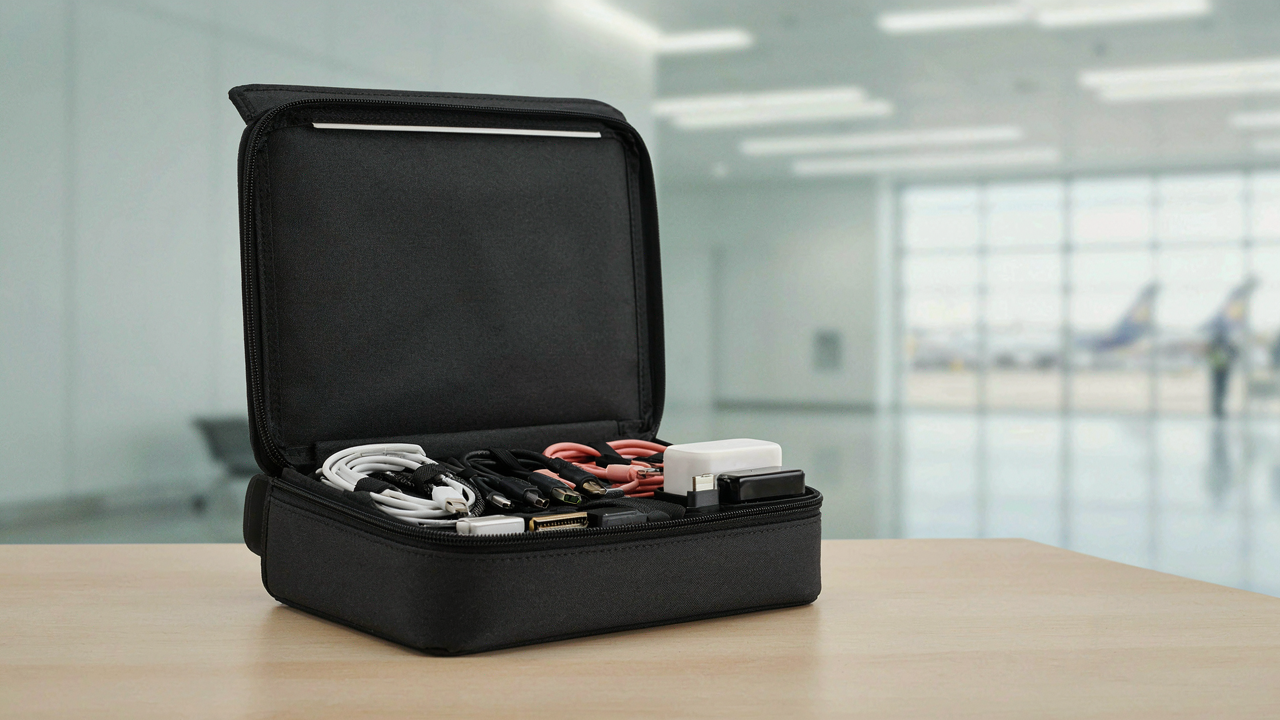
The Myth Of More Gear: Why A Bigger Pouch Fails

Minimalism As A Performance Hack
You want the organizer to solve the problem of feeling unprepared, but buying a larger pouch just delays the real work. Minimalism operates like triage in an emergency room: it forces you to rank by actual consequence, not comfort. The mechanism is constraint. When space is limited, you stop carrying items you might need and start carrying only items you actually use. This distinction matters because every cable you don’t need becomes friction during packing, searching, and traveling. The rule is simple: smaller pouches force better decisions.
Most travel advice tells you to pack what makes you feel safe. That’s the trap. A bigger pouch rewards anxiety instead of solving it. People with intentional five-item tech kits experience less stress than people with fifteen-item kits, because searching through fifteen items takes mental energy and creates decision paralysis at security lines. The moment you commit to a fixed pouch size, you stop negotiating with yourself about what matters. You pack once, verify it works, then repeat the same pack every trip. That’s the actual gain.
Identifying Your True Tech Essentials
The common advice is to list everything you use at home, then take it with you. That’s incomplete. You need to distinguish between frequency and consequence. A device you use daily at home might be useless in transit, while a device you use rarely could prevent complete failure. Start by tracking one actual trip. Record every time you plugged something in, charged something, or wished you had something. Most people discover they used fewer than three devices, yet carried seven. That gap is where the unnecessary weight lives.
After your tracking trip, build your actual carry-on tech kit around scenarios with real stakes: dead phone means no navigation or communication, dead headphones means wasted audio content or missed calls, dead laptop means lost work if stranded. Everything else is optional. Your essential kit should fit your pouch with zero compression. If you’re forcing items in, you’ve identified bloat. Audit this list every six months, because travel patterns shift. Update your kit when your actual usage changes, not when marketing tells you to buy new gear.
The “Always On” Protocol: Your EDC Gear Imperative

The Real Cost Of A Missing Cable
You care about this because you’ve already paid the tax once: sitting in an airport, a client meeting, a layover where your phone dies and you have nothing. The mechanism is simple. A forgotten cable isn’t a minor inconvenience. It’s a productivity shutdown. Every hour without power access removes you from work, communication, or problem-solving. The cost compounds. You lose revenue, credibility, or control of a situation. One cable costs eight dollars. Replacing it mid-emergency costs your entire day’s output.

Most people treat their cables like consumables they can replace anywhere. Wrong. Cable availability varies wildly by location, and the versions you need aren’t always stocked. A Lightning cable in rural Montana looks different from finding one in a major airport. The real move is treating cables as permanent residents in your tech organizer, not as items you borrow and return. Stock once, verify, never think about it again. This removes the decision from your hands the moment you pack.
What A Grab And Go Kit Actually Requires
Building a grab-and-go tech kit means assembling only what prevents a complete system failure, nothing more. This isn’t about having every adapter known to man. It’s about redundancy for your core devices. Identify which three things would stop you from working if their power died: your phone, your laptop, your earbuds. You need a dedicated cable and a charger for each, stored in one compartment that never breaks apart. The compartment itself becomes your single point of failure prevention.
The kit’s logic mirrors military supply chains: you carry what you absolutely need, nothing that duplicates function, and you verify it works before you need it. Don’t assume a cable still charges after two months in a bag. Test everything quarterly. Store cables in their shortest useful form, either coiled with velcro or in cable organizers with labeled slots. When you grab your organizer, nothing shifts, nothing tangles, nothing gets left behind. The grab happens in under five seconds because friction is gone.
Beyond Aesthetic: Functional Design For Electronic Organization

The Purpose Of Constraint In Cable Management
You want to look organized because disorganization signals incompetence to anyone who sees your bag. The real mechanism is constraint. Industrial design borrowed from manufacturing calls this “Design for Disassembly”—the principle that good systems make it easier to separate and retrieve individual components than to dig through a pile. A carry on tech organizer works when it forces cables into discrete zones, not because zones look neat, but because your brain stops searching the moment you open the right compartment.

Most cable advice focuses on wrapping and coiling. That’s incomplete. The actual problem is retrieval speed under cognitive load. You’re at an airport, your laptop died, and you need your charger in under thirty seconds. Generic “cable organizer” bags fail here because they stack everything flat, forcing you to unfold six cables to find one. Compartmentalization solves this by making each cable retrievable without touching others. Use divided pockets, elastic bands between fixed points, or foam inserts with cut-out slots. The cable itself becomes secondary to its isolation.
Access Architecture Beats Storage Capacity
Ergonomics in design means optimizing the interaction between user and tool. A carry on tech organizer’s ergonomic failure happens in the moment of retrieval, not packing. You reach into a bag, hand-searching for a specific connector, finding it wedged under something else. Poor access architecture adds five unnecessary seconds per interaction and compounds across a trip. Flat-bottom organizers with side-access pockets beat top-loading designs because your hand enters the zone where the cable sits, not above it.
The protocol is simple: place your most-used charger at the mouth of the organizer, not the back. Position USB-C and Lightning cables in separate, labeled sections. Store adapters upright or in their own clip system rather than loose. Batteries deserve a dedicated pouch so they’re never buried. Test your organizer system by closing your eyes and retrieving your primary charger by touch alone. If you hesitate or grope, your access architecture failed.
The Redundancy Trap: Why Duplicates Kill Efficiency

What You Actually Own Versus What You Think You Need
You keep extras because you’re afraid of running out, but that fear is expensive and it’s killing your carry on setup. The real mechanism at work here is inventory creep: you accumulate duplicates without ever auditing what serves a genuine function. Most travelers own three charging cables for devices they no longer use, two power banks with overlapping capacity, and adapters for standards that don’t exist anymore. The redundancy isn’t insurance. It’s just weight.

Start with a full inventory of every tech item in your bag right now. Write down each cable, charger, adapter, and power bank with its actual specs and last use date. Anything unused for six months gets questioned immediately. Be specific: don’t list “phone charger.” Write “USB-C 20W wall adapter, charges iPhone 15 and iPad.” This forces you to see duplicates. Most people discover they own the same capability three times over in different packages.
Merge Functions Into Single Tools
The cable and charger industry deliberately fragments what should be unified. One USB-C cable can handle phone charging, data transfer, and laptop power on modern devices, yet people still carry Lightning cables, Micro USB relics, and proprietary connectors. That’s not preparation. That’s surrender to marketing. A single quality USB-C cable rated for your fastest device replaces at least two older standards in most carry on organizers.
Consolidation works like this: identify the highest-spec device you own and build around that standard. If your laptop needs 65W USB-C power delivery, that same cable handles your phone and tablet. Replace your power bank with one that supports the same standard. This isn’t minimalism for style points. It’s mechanical efficiency. You reduce cable count from six to two, weight drops, and your organizer goes from tangled chaos to ordered function with a single protocol.
The “Travel Tech Organizer” As A System, Not A Bag

Inbound And Outbound Flow
You care about this because you’re tired of unpacking a tangled mess and repacking it wrong. The real mechanism is treating your carry on tech organizer like a supply chain operation. In logistics, inbound flow is what enters a system, outbound is what leaves. Your organizer needs deliberate separation between what you’re retrieving during travel and what you’re storing for the flight itself.

Most people dump everything into one pocket and fish around mid-flight. The better move: designate one zone for active use (cables you’ll actually grab during layovers or at the gate) and another for sealed reserves (backup chargers, unused adapters). This eliminates decision fatigue and keeps frequently accessed items from getting buried under cables you won’t touch for eight hours.
Packing Sequence Determines Unpacking Speed
The order you pack determines how fast you unpack at your destination without destroying anything. Pack heavy items first on the bottom, coiled cables second, then small adapters on top. This isn’t random. When you arrive, you flip the sequence: grab adapters first, cables second, then extract the bulk items. Everything exits without pressure damage or tangled retrieval. Most people pack randomly and then hunt for items like they’re playing Jenga. Build your packing sequence once, then repeat it identically every trip. Your hands learn the pattern. Your fingers find what they need without thought.
Cable Management: Your Time And Sanity At Stake

Strategies For Organizing Cables
You want to look like someone who has his life together. The real mechanism is this: cables create visual chaos, and visual chaos signals incompetence to anyone watching. Organization is an inventory problem. You own more cables than you use, and you can’t find the one you need because they’re all tangled in the same pouch.
- Separate by function: Group charging cables, data cables, and adapters into different compartments. This cuts search time from minutes to seconds and prevents you from grabbing the wrong connector in low light.
- Use cable ties or velcro straps: Wind each cable individually before placing it in the organizer. This prevents the spaghetti effect and protects connector pins from bending during movement.
- Label both ends: Mark each cable at both ends with tape or a label gun. You’ll identify what you need without unpacking half your bag to test it.
- Keep a cable inventory list: Document what you carry, what voltage it handles, and what device it serves. Store this list on your phone or in your notes app for reference on the road.
- Dedicate a small pouch for daily cables: Separate your daily-use chargers from backup cables. This reduces bulk in your main organizer and speeds up the swap between locations.
The goal is binary: you either know exactly which cable is where, or you don’t. Most people operate in the second state. Adopt the inventory mindset. Write down what you carry. Check it before every trip. Replace broken cables before you travel, not during the trip.
Preventing Tangles And Physical Damage
Tangles aren’t random. They’re the result of cables moving against each other without constraint during transport. Think of this as an entropy problem from physics: without barriers, cables naturally move toward maximum disorder. Your carry on tech organizer needs compartmentalization, not just space.

Coil each cable tightly before storing it. Don’t just drop it loose. The tighter the coil, the less distance it can move, the less it tangles with other cables. Connector damage comes from pressure and bending, not from storage alone. Keep cables away from the bottom of your organizer where they absorb weight from other items. Use raised compartments or a cable organizer with individual slots. When you arrive at your destination, unpack cables first and let them decompress for five minutes before use. Microcracking in connectors happens when you use a cable while it’s still under tension from travel coiling.
The “Tech Pouch” Illusion: When Size Betrays Function

Matching Pouch Size To Actual Carry On Needs
You want the pouch that looks capable because feeling prepared beats actually being prepared. Here’s the mechanism: oversized pouches create storage theater. You fill empty space with items you’ll never touch, then spend security lines fishing for the one cable you need. Borrow from inventory management: your pouch’s effective capacity is not its physical volume, but the number of items you can locate in under ten seconds. A TSA agent doesn’t care if your pouch holds fifteen cables. They care if you move through screening without hesitation.
Most people size their pouch by worst-case scenarios instead of typical travel patterns. You’re not preparing for a two-week international trip on every flight. A carry-on tech organizer should match your actual journey length, not your anxiety about being unprepared. If you fly for three days, your pouch should hold cables for three days of actual use. Measure the items you’ve packed on your last five trips. Build your pouch around that data, not your fear. That’s the only number that matters.
The Hidden Costs Of An Oversized Pouch
A larger pouch weighs more and occupies more luggage real estate, which sounds obvious until you realize it directly competes with items that actually matter: clothes, medication, documents. Economics calls this opportunity cost, and your carry-on has a fixed constraint. Every cubic inch the tech pouch claims is a cubic inch your clothing doesn’t occupy, forcing you to check a bag or wear the same shirt twice. An oversized pouch doesn’t give you flexibility. It removes it.

The second cost is cognitive load. A pouch with excess capacity fragments your attention across unused space. You spend mental energy during packing wondering what else to add, and mental energy during travel hunting for what you actually need. You’ll reorganize the pouch mid-trip because the layout feels wrong. Keep your pouch small enough that every item earns its place and every placement makes sense. The moment you have to think about finding something, your pouch failed its job.
Beyond Chargers: The Integrated Travel Tech System

When Everything Connects To Everything Else
You want this section because you’re afraid of looking unprepared. The real mechanism is redundancy elimination. In systems thinking, this is called network density: the fewer separate components you carry, the fewer failure points exist. Most people treat cables and chargers as isolated problems. They buy organizers for each category separately, creating sprawl. The integrated approach inverts this. You design backward from your devices, then collapse everything into one tool ecosystem.
A carry on tech organizer becomes the constraint that forces intelligent decisions. When space is fixed and finite, you stop carrying backup cables you’ll never use. You stop buying proprietary chargers that only work with one device. The organizer becomes the filter. Everything inside must justify its weight against the alternative: not having it. This friction is the feature. It prevents the bloat that makes travel slower and more complicated.
Building Longevity Into Your Travel Setup
The real advice about future-proofing is incomplete. Everyone says buy USB-C everything and call it a day. That’s surface-level thinking. The actual mechanism comes from material science and electrical standards. USB-C is the dominant standard now, but standards shift. What doesn’t shift is the principle of choosing devices and cables that follow open standards rather than proprietary ones. A cable made to an open specification lasts longer because replacements exist for years. Proprietary connectors orphan within two product cycles.

Future-proof your organizer by separating temporary from permanent components. Your charging cable might need replacement in eighteen months. Your organizer container should function for five years. Choose materials that degrade predictably: nylon fabric, reinforced zippers, metal grommets. Avoid cheap velcro that loses grip after six months. When selecting peripherals, prioritize devices with accessible batteries over sealed-unit batteries. Choose hubs with replaceable cables over integrated ones. The mechanism is simple: make the parts that break replaceable, and make the parts that don’t break durable enough to survive your usage pattern.
Maintaining Your Tech Organization: The Continuous Audit

When Your System Starts Failing
You want to believe your carry on tech organizer stays organized on its own. It doesn’t. The mechanism is simple: entropy. Every new device you buy, every cable you acquire, every charging standard that shifts creates friction in your system. Without deliberate review cycles, you’ll find yourself back in the original problem within months. Most people skip this step because it feels like maintenance work, not the fun part of staying organized.
Schedule a physical inventory every three months. Pull everything out. Touch each cable. Identify what you actually use versus what you’re keeping out of guilt or uncertainty. Note the duplicates, the obsolete standards, the chargers for devices you no longer own. This isn’t about being ruthless—it’s about accuracy. Your organizer can only work if it reflects reality, not your hopes about what you might need someday.
Staying Ahead Of New Standards
Technology moves in cycles, and your carry on tech organizer must adapt or become a graveyard of old formats. USB-C adoption took a decade to dominate. Lightning cables still exist in circulation. Wireless charging pads have different coil standards. The mistake most people make is buying new compartments for new tech instead of phasing out old tech first. Make space through deletion, not expansion.

When you acquire a new device, immediately audit what it displaces. A new phone with USB-C might mean your old micro-USB cables actually leave your bag. A wireless charger might make two wired chargers redundant. Before adding anything to your organizer, remove something. This keeps your system proportional and prevents the slow creep that turns an organizer into clutter wearing a label.
The Real Problem Isn’t Your Cables; It’s Your System, Or Lack Thereof

You bought a fancy organizer hoping it would fix your chaos. It won’t. The organizer is just a container for a broken habit. What you actually need is one rule: every cable gets labeled and stored in the same spot every single time you land. Today, grab a label maker and tag three cables. That’s it. The system works only if you work it, and most people never start.



