The Candid Myth: Why “Natural” Shots Fail
Staged Versus Authentic Moments
You want the shot where the kid isn’t looking at the camera because you think that makes you a real photographer. The mechanism here is borrowed from theatre: composition requires a frame, and a frame requires intent. Candid doesn’t mean unplanned. It means you positioned yourself, anticipated the light, and chose the moment. The iPhone shoots whatever your framing captures. Kids move fast. Waiting for “authentic” moments while your settings drift wastes frames and guarantees blur.
The real split isn’t staged versus candid. It’s prepared versus reactive. Preparation means you’ve already locked exposure, locked focus distance, and positioned yourself where the best light hits the kid’s face. You’re not hunting for magic. You’re intercepting a predictable moment with deliberate setup. This is why professional child photographers use poses as anchors, not constraints. The child still moves naturally within that frame. You’ve just removed the chaos variables that kill sharpness.
Managing Expectations For Spontaneous Shots
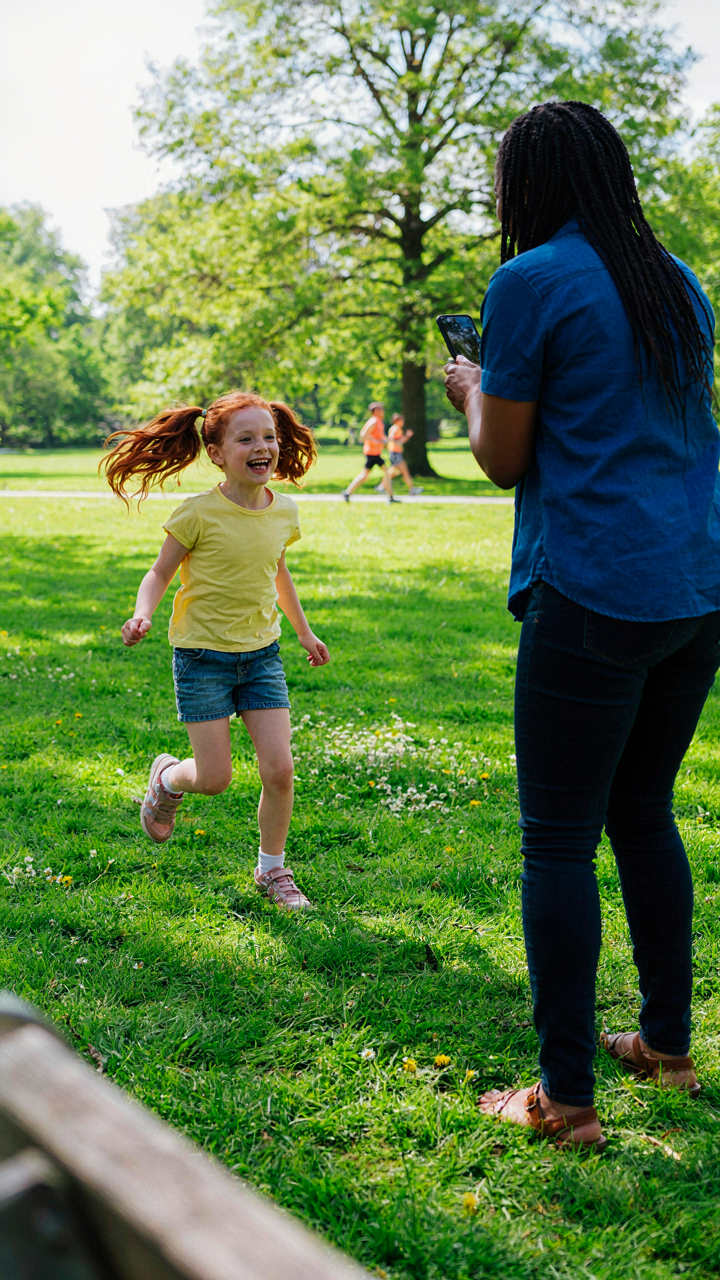
Spontaneous doesn’t mean sharp. That’s the lie nobody states plainly. A kid running toward the camera is beautiful footage for video. For stills on iPhone, it’s a technical nightmare. Movement plus available light plus autofocus lag equals blur. Your expectation that candid shots should be sharp is the problem. Either commit to staging (which takes five minutes and produces consistent results), or accept that spontaneous shooting needs either direct sunlight, a fast subject distance, or burst mode with aggressive culling. Most people skip all three, then blame the phone.
Burst mode changes the math. iPhone cameras capture multiple frames per second when you hold the shutter button. You’re not waiting for one perfect moment. You’re collecting data and selecting the sharpest frame afterward. This is the protocol: position yourself, lock your distance, let the kid move within that zone, hold the shutter button for three to five seconds, then review and keep the frame where the subject has stopped moving or is mid-motion at peak clarity. Don’t expect every burst to deliver. Expect one frame per ten to be usable.
The “Playing Games On Phone” Protocol: Focused Interaction

Turn The Phone Into A Prop, Not A Distraction
You want the shot where the kid looks natural and engaged, not glazed. The real reason you care is because candid photos feel like proof you’re doing parenting right, and blurry chaos photos feel like failure. Here’s the mechanism: kids lose focus fast because their attention span operates like a predator’s—it locks onto movement and novelty, then drops. Your iPhone has a screen. That screen is pure novelty. The setup that works isn’t asking them to ignore it. It’s weaponizing it. Use the phone as the object they interact with while you shoot from an angle they’re not watching. Position yourself slightly off to the side or above, not head-on. They stay engaged with the screen, their expression stays genuine, and you capture the actual moment instead of the performance-smile. The iPhone’s wider lens (especially on newer models) gives you depth of field that keeps faces sharp when you’re 3 to 5 feet away and slightly elevated. Shoot in Portrait mode if available—it blurs the background and pulls the subject forward. Start the burst while they’re already focused on the screen, not after you ask them to “smile for the camera.” Kids freeze the instant they know they’re being shot at directly.

Timing matters more than positioning. Capture the moment two to three seconds after they look at the screen, not during the initial glance. Their face relaxes into genuine curiosity or concentration by then. Hold your finger on the shutter button to fire rapid sequences. You’ll get 15 to 20 shots in two seconds. Most will be soft, but three to five will have the exact focus and expression you need. Delete the rest immediately. The protocol is simple: object engagement first, photographer invisible second, burst capture third.
Rapid Fire Sessions Beat Long Attention Spans
Everyone says “be patient and wait for the moment.” That’s incomplete advice. Kids don’t have long attention spans because their executive function isn’t fully developed—biology fact, not personality flaw. Asking them to sit still and “be natural” for 10 minutes creates exactly the opposite. Their behavior degrades. You get tense faces and forced postures. The mechanism from attention science is called “habituation”—repeated exposure to the same stimulus kills engagement. The iPhone screen provides novel stimuli every few seconds. Swap what you’re shooting at every 60 to 90 seconds. One burst session on one app or image, then switch. Show them something different on the screen, restart the engagement loop, capture another 20-shot burst. You’ll have material. This isn’t about chasing novelty for no reason. It’s about working with their neurological reality instead of against it.
Sustained attention means sustained tension in their face. Short bursts mean relaxed, repeated moments of genuine engagement you can mine for one good frame per burst. Set a timer on your iPhone for 90 seconds per session. When it goes off, change the screen content. Take five bursts this way instead of one 10-minute marathon. You’ll have 100 shots with better facial quality across them. The child stays cooperative because the novelty loop never fully closes.
Pre Visualization: The Military Strategy Of Anticipation
Scout The Space Before The Subject Arrives
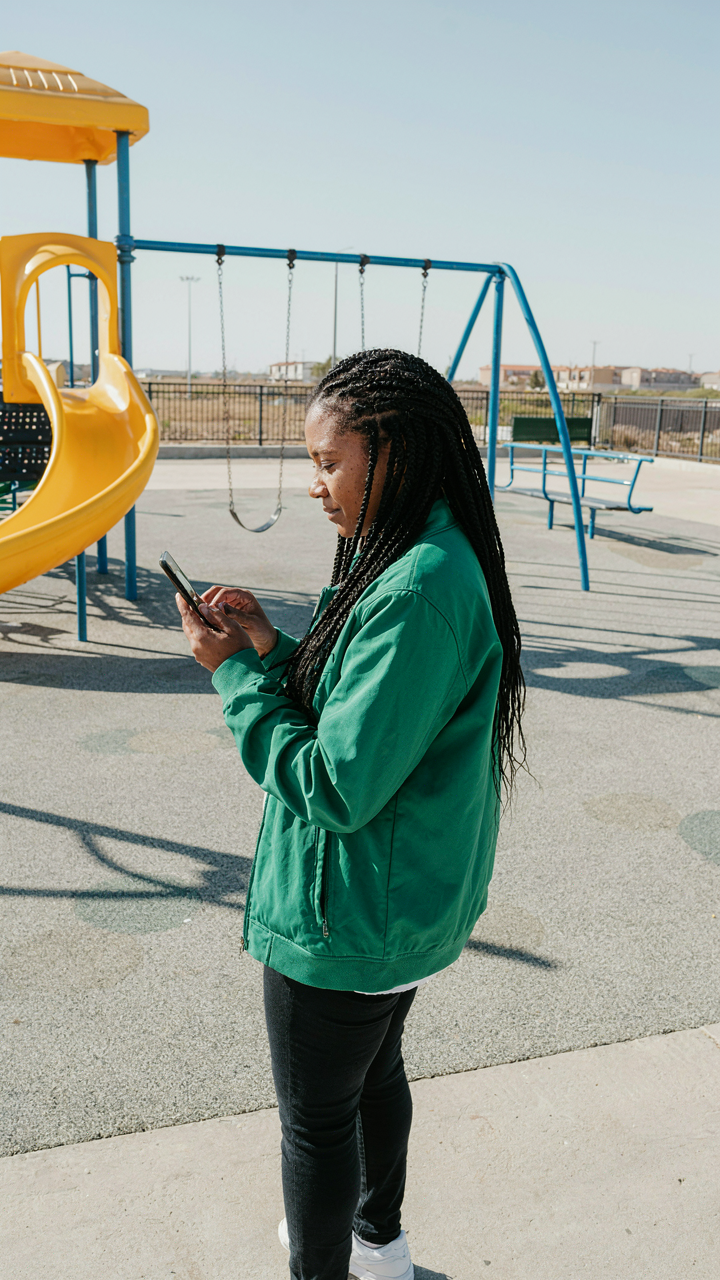
You want the shot without looking like you’re trying. That’s the real fear here. Most people shoot kids reactively, which means they’re always behind, always chasing, always getting motion blur because they’re reacting to movement instead of predicting it. Military strategists call this “terrain reconnaissance.” On an iPhone, it means knowing your battlefield before the child enters it.
Walk the location alone first. Test your iPhone’s camera in the actual light you’ll face. Check for backlit windows, harsh shadows from doorways, reflective surfaces that blow out exposure. Identify three strong angles from your position where the light hits a child’s face cleanly. This takes fifteen minutes. It eliminates the need to fumble with settings while a kid moves unpredictably in front of you.
Read Movement Before It Happens
Children don’t move randomly. They move in patterns. A toddler reaches for what they see. A five-year-old runs in loops around familiar spaces. Older kids gravitate toward activity or objects. These aren’t surprises. They’re predictable trajectories that you can anticipate and position yourself for before the shutter moment arrives.
Position your body where the child’s natural path will intersect with your best light and angle. Pre focus your iPhone on that spot by tapping it on the screen. Pre set your exposure by tapping and holding until the AE Lock icon appears. When the child moves into that zone, you press once. You’re not tracking motion. You’re waiting in the right spot. Motion blur disappears when you stop chasing and start intercepting.
Lighting Leverage: Manipulating Natural Elements
Where Light Comes From Matters More Than How Much
You want sharp photos of moving kids without blur, which means you need fast shutter speeds, which means you need light. That’s the real constraint. Light direction—not intensity—determines whether your iPhone’s sensor can freeze motion or fails trying. In photography, we borrow from physics: contrast ratio. A high contrast ratio between subject and background requires less total light to expose correctly. Position your subject so light hits them from the side or front, creating separation from what’s behind them. This separation lets your iPhone prioritize the child’s face, not the background clutter. Backlighting or sidelighting creates this edge definition automatically. Front-lit subjects flatten out and demand more ambient light to maintain shutter speed.

The mistake everyone makes: chasing brightness instead of direction. A cloudy day often delivers sharper kid photos than direct sun because the light is directional without harsh shadows. Position yourself so the light source (window, open sky, even a doorway) sits to the side of your subject’s face, not behind you. This single positioning change reduces the ISO your iPhone needs, which means faster shutter speeds available in the camera app. Test this: shoot the same kid in the same location, but rotate them 90 degrees relative to the light. The angled shot always wins on sharpness.
Shadow Placement As A Focusing Tool
Shadows aren’t problems to eliminate. Shadows are information. In contrast theory, shadows define edges, and edges are where your iPhone’s autofocus locks hardest. A child’s face half-lit by window light creates a shadow line across their cheek or neck. That edge gives the sensor a target to track. Without it, a kid in flat, even light is harder to focus on, especially if they’re moving. The iPhone’s computational photography tries to find contrast. Give it contrast on purpose.
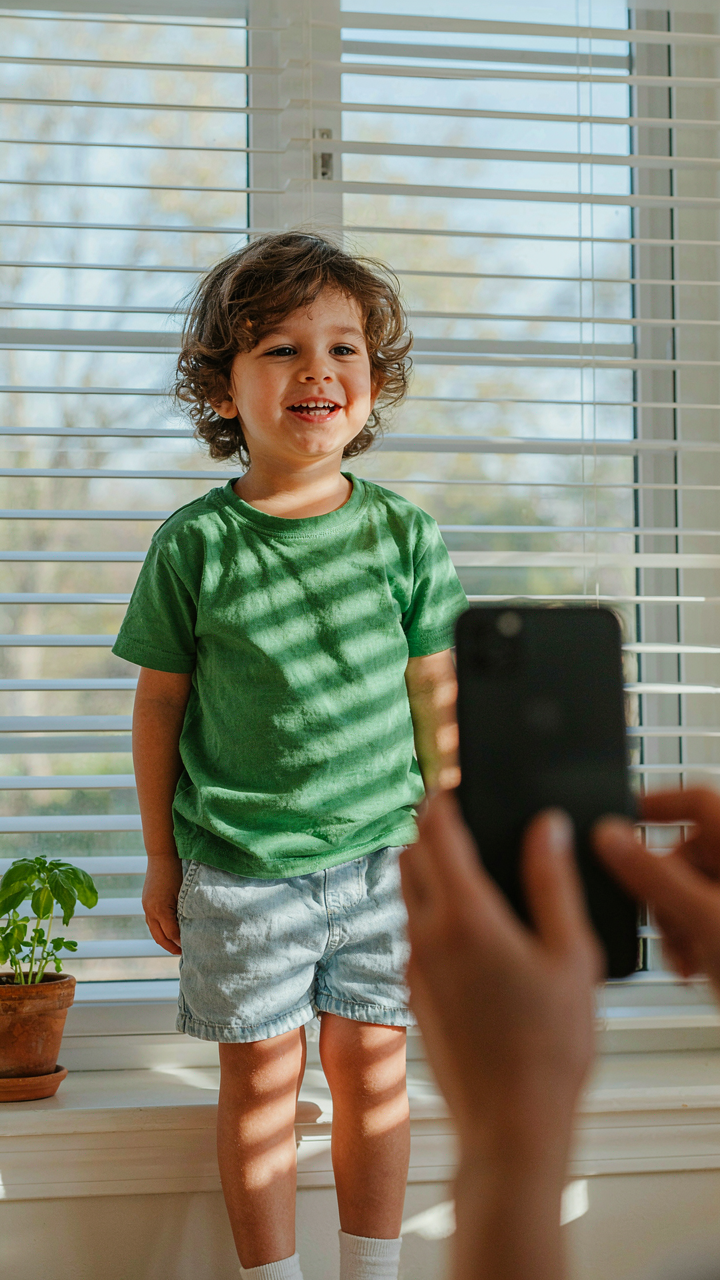
Place shadows deliberately across the face or body to create depth planes. If a child sits near a window with blinds, the striped shadow pattern creates multiple focal points the phone can latch onto. During outdoor shoots in harsh sun, position kids partially in tree shade. The shadow edge acts as a focusing anchor while the lit portion stays sharp. Never shoot a moving child in pure, shadowless light if you can avoid it. The contrast between lit and shadowed areas is your sharpness guarantee, not a visual liability.
The “Technology” Gap: Mastering IPhone Settings

Rapid Fire Shooting For Motion
You want to feel like a real photographer. That’s why this section matters. Here’s the mechanism: burst mode doesn’t choose the sharpest frame for you. It fires 10-12 frames per second so you can. Kids move unpredictably. A single tap captures one moment. Burst mode captures the moment before the blur, during the blur, and after. One of those frames will be sharp.
- Hold the shutter button: Press and hold instead of tapping. iPhone fires continuously until you release. This is faster than rapid taps and captures more frames per second.
- Review and select after: Don’t hunt for the perfect shot during the moment. Burst mode lets you choose the sharpest frame from your camera roll afterward.
- Use the stack feature: iPhone groups burst shots into one thumbnail. Swipe up on the burst to see all frames and select winners without cluttering your library.
- Combine with good light: Burst mode works best in bright conditions. Low light means longer exposures, which means blur even with faster consecutive shots.
- Disable if you need space: Each burst eats storage. If your phone is full, burst mode slows everything down. Clear your library before a shoot.

Burst mode is not a replacement for timing. It’s insurance against the moment you can’t predict. Use it for running, jumping, or any rapid movement. The cost is zero except storage. Delete the duds after.
Lock Your Focus And Control Exposure
This is where most iPhone photographers fail. The common advice says “tap to focus.” That’s incomplete. Tap to focus locks your focus point to one distance. But exposure still floats. A white wall behind your kid shifts brightness. Your subject gets darker. This kills sharpness because the iPhone extends shutter speed to compensate for the darker reading.
The real move: tap your subject’s face to lock focus, then immediately swipe up or down with one finger to adjust exposure manually. This decouples exposure from whatever the camera thinks is important. Your child stays bright. Shutter speed stays fast. Motion blur vanishes. Hold your finger on the focus point for two seconds until you see “AE/AF Lock” at the top. Now you can reframe without losing either setting. This protocol takes three seconds to execute and eliminates the guessing game.
The “Children Photography” Connection: Emotion Over Perfection

Genuine Expressions Live In The Gaps
You want the shot where your kid looks natural because you’re afraid candid parenting moments disappear forever and you’ll have nothing but staged smiles to prove it happened. Here’s what actually matters: genuine expressions don’t happen when you’re asking for them. They happen in the thirty seconds between poses, when a child forgets the camera exists. The iPhone’s burst mode and video capabilities exploit this gap. You’re not hunting one perfect frame. You’re capturing the moments adults miss because they’re too busy managing the shot.

Stop waiting for kids to “smile for the camera.” That instruction kills authenticity instantly. Instead, have them do something. Build with blocks. Chase the dog. Tell you a joke. The iPhone’s autofocus tracks movement in real time, so your job becomes positioning yourself to catch the byproduct of genuine activity. Genuine expressions live in the gaps between instructions, not inside them.
Feeling Trumps The Perfect Pose
Most photography advice treats poses as the end goal. That’s backwards for kids. A stiff, positioned child with perfect symmetry and blank eyes teaches nothing. The real mechanism here comes from psychology: emotional resonance beats technical execution every time. Your brain stores moments tied to feeling, not to whether the shoulders were squared correctly. The iPhone’s natural framing and accessible focus tools let you abandon pose management entirely and hunt for the moment instead.
What separates a forgettable photo from one you return to years later is whether it captures the child’s actual state in that second. Capture the frown when they’re confused. The concentration when building something. The joy when they win at a game. These moments feel true because they are. Stop choreographing your kids into compositions. Point the iPhone and stay ready to press the shutter when the real expression arrives.
The Proximity Principle: Why Closer Is Sharper

Eliminate Camera Shake Through Distance Control
You want sharp photos because blurry kids make you look incompetent with a camera you already own. Here’s the physics: camera shake compounds over distance. The iPhone’s sensor is small, which means even tiny hand movements create proportionally larger errors on the image. When you zoom or stand far away, you magnify that shake. Move closer instead. The shake stays the same, but it represents a smaller percentage of the total image. Close proximity is your stabilization system before it’s an aesthetic choice.
The iPhone handles close work better than distant work because the light path is shorter and sensor demands are lower. Don’t fight this. Position yourself within arm’s reach of your subject when possible. This isn’t about composition yet, it’s about defeating the mechanical reality of handheld phone photography. Closer distance reduces the work your camera has to do to keep things sharp. Step closer first, frame second.
Frame Your Subject To Eliminate Wasted Space
Filling the frame means removing empty real estate that forces your phone to process and hold focus on too many planes at once. Every pixel of background is a distraction from sharp focus on the child. Tight framing concentrates the camera’s autofocus system on what matters. Your iPhone’s AF works best when the subject dominates the viewfinder. This is not conventional composition advice, it’s a technical requirement.
Get close enough that the child’s face or torso fills at least half the frame. This removes competing focus points and gives the sensor a clear target. The iPhone’s computational photography kicks in harder when it has a defined subject to lock onto. Zoom in slightly if needed, but move closer whenever possible instead of relying on digital zoom. Proximity plus framing equals focus reliability. Do this consistently and blurriness becomes a non-issue.
Post Production Power: The Editing Advantage

Crop For Composition And Impact
You want the edit to make you look like you knew what you were doing in the moment. That’s the real reason you’re reading this. The truth is simpler: cropping fixes framing mistakes faster than reshooting ever will. Use the rule of thirds grid in Photos or Lightroom to reposition your subject after the shot. iPhone’s native editing gives you crop ratios and rotation tools. Most people crop too conservatively, leaving dead space around the child’s face. Aggressive cropping removes distracting backgrounds and pulls focus directly to the subject where it belongs.

The mechanism here borrows from graphic design’s signal to noise ratio: every pixel not serving your subject degrades the image. Crop until the child occupies meaningful real estate in the frame, not floating in emptiness. Remove the cluttered playroom corner. Kill the blurred adult’s head at frame edge. A tighter crop also makes motion blur less noticeable because your eye locks onto the subject faster. Aim for composition that would work at thumbnail size before you settle on final framing.
Sharpen And Reduce Noise Without Overdoing It
The common advice here is wrong: sharpening does not fix blurry shots. Sharpening increases edge contrast on what’s already in focus. If motion blur exists, no sharpening saves it. What sharpening does do is recover detail lost to iPhone’s processing pipeline. Use Lightmark or Snapseed’s Clarity slider at +15 to +25 for children’s faces. Noise reduction matters more. iPhone photos at higher ISO introduce grain, especially indoors. Apply subtle luminance noise reduction before sharpening to preserve skin texture detail.
The order matters mechanically: denoise first, then sharpen. Reversing this order locks noise into the image permanently. In Lightroom, dial Luminance to 30-50 and Detail to 50-70 for children. Sharpness Amount stays between 1.0 and 1.3. Over-sharpening creates halos around edges and makes skin look plastic. The goal is clarity that reads as natural, not processed. Test edits at full resolution on your phone screen before exporting to catch overdone sharpening before publishing.
The “Parenting” Pivot: Redefining Success

Stop Chasing The Archive
You want proof you were present. That’s the real reason you care about this section. The mechanism killing your shots isn’t your iPhone’s camera—it’s your brain treating documentation like an obligation instead of a choice. You snap frantically because you fear forgetting. You take thirty similar frames because you’re anxious about missing the “perfect” one. This scarcity mindset forces rushed decisions and blurry results.

The shift starts with permission to take fewer photos. One sharp frame of your kid actually smiling beats fifty blurred sprints across the living room. The constraint forces you to slow down, anticipate moments instead of chase them, and stabilize your phone before you shoot. Fewer attempts means each one carries weight. You stop being a camera operator and start being a parent who occasionally documents.
The Phone Down Protocol
Common advice says “be present and put the phone away.” Incomplete. The real tension isn’t phone versus presence—it’s choosing when the phone serves the moment instead of interrupts it. Economics calls this opportunity cost. In photography terms, you’re trading active participation for passive recording. The mechanism: decide before the moment whether you’re shooting or watching. Not during.
Set a rule. Shoot for five minutes during breakfast, then phone down for the rest. Film the first goal in soccer, then watch the rest live. This isn’t about balance or mindfulness. It’s about eliminating the constant low-grade decision fatigue that makes you miss the shot because you’re debating whether to take it. You stop taking photos you don’t need, which means the photos you do take get your full technical attention.
The Blurry Photo Epidemic: Your Lack Of Engagement, Not Your IPhone

You blame the camera. You blame the lighting. You blame the kid for moving. The real problem is you’re shooting like a ghost. Your iPhone captures exactly what you care about, and if you’re getting blurry shots, you’re not actually present in the moment. Stop scrolling before you press record. Get low. Follow the kid’s eyes. Engagement beats gear every single time. The best camera you own is the one that forces you to show up.