The Moment Dissection Protocol
Framing For Motion, Not Stillness
You want the shot that makes people stop scrolling because you’re terrified a static pose won’t cut it anymore. Here’s the mechanism: burst mode doesn’t freeze time, it samples it. In cinematography, this is called the “exposure interval” – the gap between frames determines what motion you actually capture. iPhone burst shoots at roughly 10 frames per second in standard mode, meaning you’re collecting data points across a tenth-second window. Static subjects waste this advantage entirely.
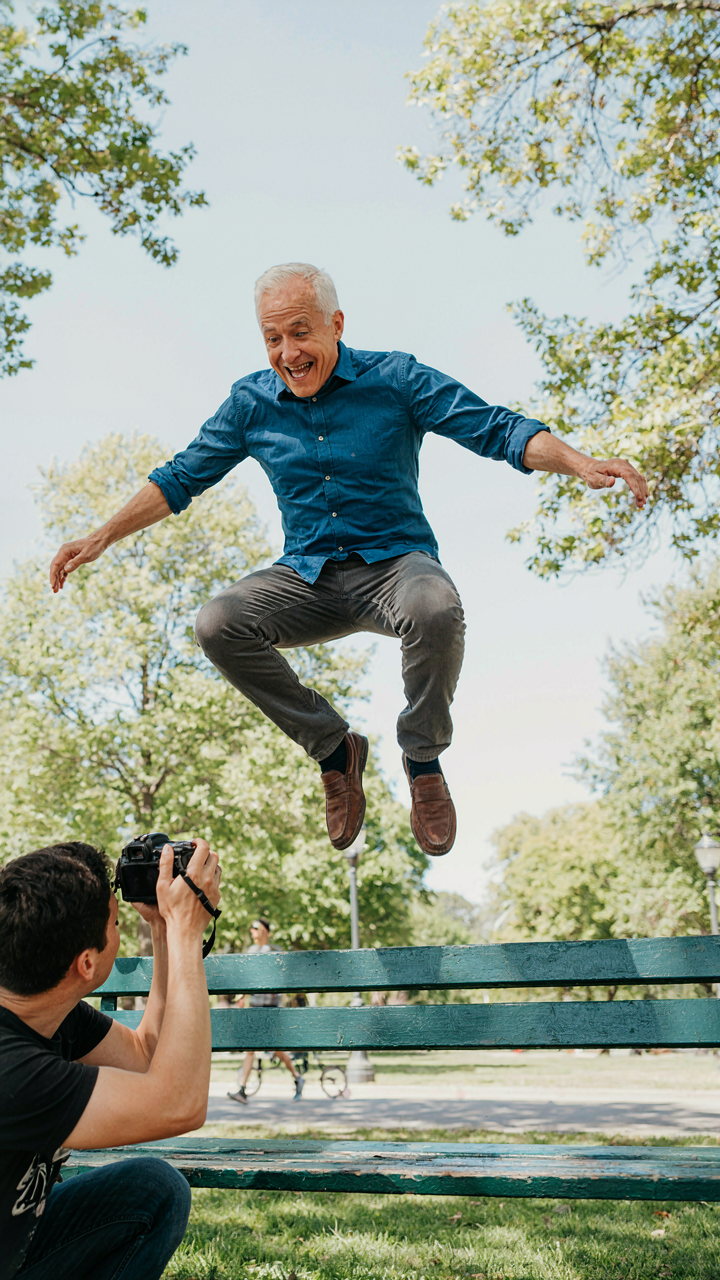
Dynamic motion demands burst because a single frame gambles on timing. A jump, a turn, a gesture in mid-arc requires multiple samples to guarantee you catch the peak. The camera can’t predict intention. Burst removes prediction from the equation. Frame the shot so the subject’s movement travels through the frame’s space, not just within it. This forces burst to earn its utility by giving the sensor work that single-shot mode cannot solve.
Anticipation Decides The Sequence
Most people fire burst and sort through 50 identical frames afterward, which is reactive noise, not strategy. The real work happens before the shutter opens. Military snipers call this “pre-event sequencing” – reading the target’s behavior pattern to predict the exact moment of maximum exposure. Apply this to iPhone burst: study the motion cycle, identify where the action peaks, then initiate burst two frames before that peak hits.
This flips the math. Instead of hoping burst captures the moment, you’ve positioned the camera to guarantee it. Watch a subject’s wind-up, their breath, their weight shift. These are the tells. Start your burst sequence during the tells, not after the action completes. Your burst folder shrinks by 70 percent because you’re not collecting random frames. You’re collecting the frames that matter, and that discipline saves you editing time and sharpens your hit rate.
Why “Perfect Timing” Is A Myth (and A Trap)

Your Biological Speed Problem
You want to believe timing is a skill you can master. It’s not. Human reaction time tops out around 200 milliseconds in ideal conditions, and that’s the neural lag before your finger even moves. In photography, the decisive moment happens in 50 to 100 milliseconds. You’re already late. The gap between when your brain registers something and when your body responds creates a permanent delay that no amount of practice closes. This is why “just get better at timing” is advice designed to make you feel like the problem is you.

Your thumb speed doesn’t matter here because the moment worth capturing occurs before conscious thought catches up. You press the shutter button hoping you anticipated the peak. Most of the time you didn’t. Most cameras force you to live with that miss. Burst mode exists because Apple engineers understood this constraint and built a workaround into the hardware instead of asking you to overcome biology.
The Machine Sees Faster Than You
In neuroscience, there’s a concept called the refractory period, the gap between when a stimulus arrives and when your system can respond again. Burst mode collapses this for photography. Your iPhone fires frames at 10 per second in standard burst, or up to 30 per second on newer models. The processor doesn’t wait for your reaction time. It captures the moment before you know it happened.
The computational advantage is straightforward: the phone samples reality in slices your eye can’t process individually. While you’re still deciding whether the shot is good, the device has already captured 15 variations of it. You review the series afterward and pick the frame where the expression, motion, or light aligned. The machine did the timing. You did the selection. This reversal is the actual mechanic that makes burst mode work, not luck or reflexes.
Strategic Application: The Sniper’s Approach To Burst
Identify The Moment Before It Happens
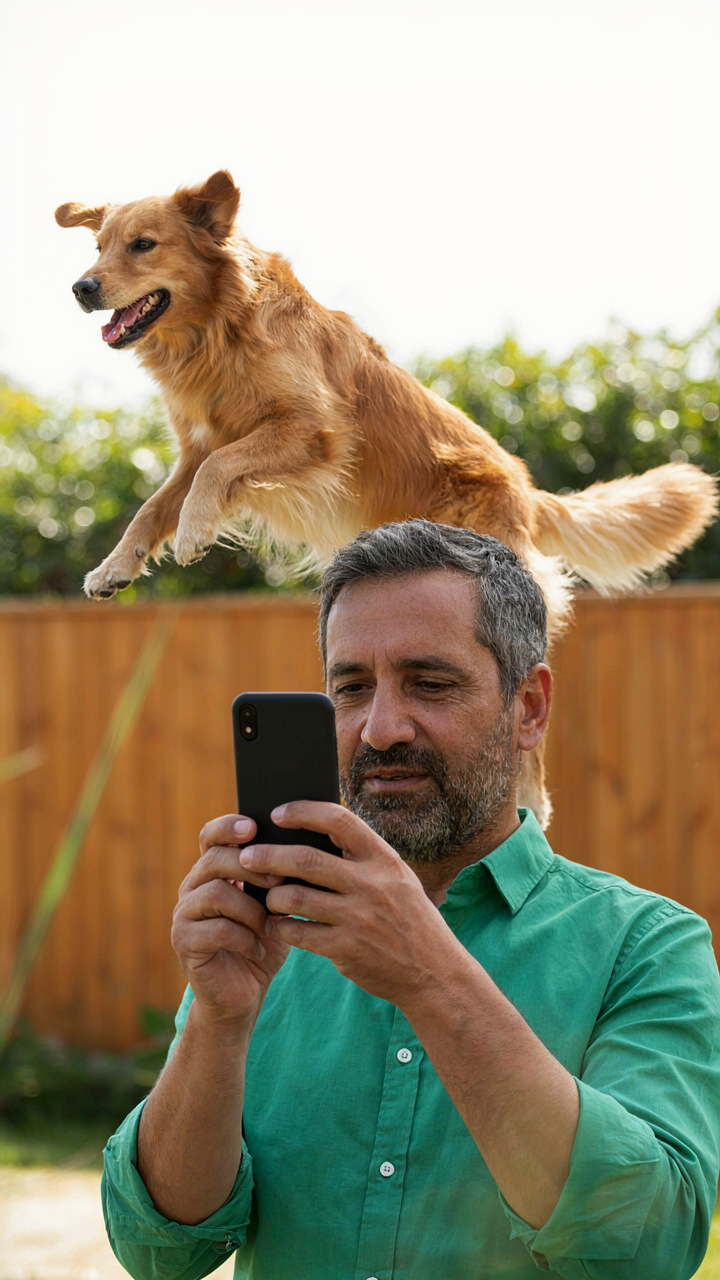
You want the shot nobody else got, which means you’re afraid of missing it. The real mechanism is trigger recognition: knowing which moments precede the peak, not chasing the peak itself. Military snipers call this “target acquisition window”—the narrow timeframe before your subject moves. With burst mode, you’re doing the same thing. You identify the setup, not the payoff.
Most people hold burst until something happens, which is reactive and wasteful. Instead, watch for the physical tells that precede the decisive moment: the breath before the smile, the body weight shift before the jump, the eye contact that signals emotional truth. Start burst two frames before you think the moment will peak. This is why pros recognize the moment coming instead of reacting to it after it’s gone.
Controlled Sequences Over Continuous Holding
Dumping fifty frames by holding the button down is the amateur move. You’re not hunting for a needle in a haystack—you’re taking intentional bursts of three to seven frames at critical junctures. Each burst lasts less than a second. You fire, assess, reset, then fire again when the next trigger point arrives.
This approach gives you two advantages. First, you conserve phone storage and battery instead of bloating your library with unusable frames. Second, you stay sharp and present instead of hiding behind the camera. Release the burst button completely between sequences. The mechanical reset forces your eye back into the scene, keeping you locked on what’s actually happening instead of trusting the camera to catch it.
Editing The Cascade: Culling For Impact

The 80/20 Rule Of Photo Selection
You want to feel like you made the right choice without actually doing the work of deciding. That’s what culling is really about. Borrow from economics: the Pareto Principle states that 80 percent of results come from 20 percent of inputs. In burst mode, this means one or two frames from your sequence will carry 80 percent of the impact. The rest are noise. Stop treating every frame as equal. They aren’t.

Your burst folder contains decision fatigue disguised as options. Most frames are marginal variations—a blink, a blur, a millimeter of head tilt. Identify the single best frame first. That frame sets your baseline. Once you know what excellence looks like in that sequence, every other image becomes obviously worse. This collapses your decision time from minutes to seconds per burst.
Rate Delete Refine
The common advice says “pick your favorites first.” That’s backward. Start by eliminating anything objectively broken: motion blur, closed eyes, faces out of frame. Deletion is faster than selection because you’re applying a binary filter, not a subjective ranking. You remove the bottom 60 to 70 percent in one pass.
Then rate what remains. Use iPhone’s star system: one star for solid, two stars for strong, three stars for the keeper. This three-tier system prevents decision paralysis that comes from trying to rank images on a ten-point scale. After rating, refine by comparing only the three-star frames side by side. Choose one. The protocol is: delete obviously bad, rate the viable, compare only the best, pick one.
Beyond Auto: The Manual Override Mindset

Shutter Speed Controls Motion Freeze Or Blur
You want the credibility of technical mastery without actually learning the mechanism. Here’s the real issue: most people shoot burst mode thinking the camera handles everything, then wonder why half their shots are motion-blurred garbage. Shutter speed—borrowed from cinematography—is the duration your sensor stays open. In burst mode, your iPhone locks this value based on available light. Faster shutter speed freezes motion. Slower shutter speed blurs it. The camera chooses neither intelligently for your subject.

Manual control over exposure is what separates usable burst sequences from digital trash. On iPhone, you don’t adjust shutter speed directly, but you control it indirectly through ISO and aperture limitations. Tap and hold on your subject in the Camera app, then swipe up or down on the exposure slider. Pushing exposure down forces the phone to use faster shutter speeds in burst mode by reducing the light it needs to capture. This works because the sensor compensates by raising ISO slightly, but the net result is motion-stopping power where you need it most.
Exposure Compensation Handles Difficult Light Without Guessing
Most iPhone users ignore the exposure slider because marketing told them computational photography handles everything. It doesn’t. When you shoot burst in backlit situations or harsh shadows, the camera meters for average light and ruins your subject. Exposure compensation is the direct override. You’re not trusting the algorithm anymore. You’re stating explicitly what the image should look like.
Use this protocol: enter burst mode, frame your shot, then adjust the exposure slider before you start shooting. Bright scenes—pull down minus one or two stops. Backlit subjects—push up plus one stop. Shadow detail you need—push up. The slider stays locked during your entire burst sequence. Every frame in that burst inherits your compensation choice. Don’t adjust mid-burst. Set it, shoot ten frames, check results, then adjust for the next burst if needed. This is how you actually control what you’re capturing instead of hoping the phone guesses right.
The Feedback Loop: Refining Your IPhone Burst

Check The Metadata First
You want proof that your technique is working, not just a gut feeling. Most burst shooters skip the metadata entirely—they just pick the sharpest frame by eye and call it done. That’s the bottleneck. iOS Photos stores burst data you can actually measure: tap the info icon on a burst sequence and you see the timestamp delta between frames, which tells you if your phone moved during capture or if you were shooting too slowly for the moment. The real metric is how many keepers you extract per 10-frame burst, not how many shots you take.

Start tracking one number: keeper ratio. After each session, count usable frames divided by total frames shot. Do this for five bursts. You’ll spot patterns—maybe you’re holding the phone at an angle that introduces vibration, or your tap timing is off by milliseconds. The metadata doesn’t lie about what your hands are actually doing.
Adjust The Next Burst, Not The Last One
Common advice tells you to study your burst photos and “practice what worked.” That’s vague and useless. You need a mechanical protocol. After reviewing a burst, identify one specific variable that failed: finger position, focus point, or frame rate expectations. Change only that one variable on your next burst. Shoot three more sequences with the adjustment. Compare results directly. This is iteration, not intuition.
The mechanism is simple: one variable changed, one metric measured, pattern detected. If your keeper ratio jumped from 2 out of 10 to 7 out of 10 after adjusting your grip, you’ve found a lever. Lock that change in place and isolate the next weak point. Burst mode only improves when you treat each sequence as a data point, not an artistic moment.
Angles Of Attack: The Unseen Advantage

Low Angle Tension
You want the viewer to feel something they can’t name. That’s the real reason you’re reading this section. The mechanism is simple: low angles compress depth and amplify whatever sits in the foreground. In burst mode, this matters because your subject moves through planes of space while you’re locked in position. Shoot from waist level or lower during action, and burst captures the exact frame where your subject breaks the horizon line. That moment reads as dominant.

The iPhone’s sensor height sits around five inches from ground level in your hand. Burst mode fires at ten frames per second on most models, giving you twelve to fifteen viable frames across a two-second sequence. One of those frames will have your subject perfectly positioned against the sky or background. That’s the frame nobody else gets because they shot from eye level and missed the timing window entirely.
Pattern Recognition From Above
High angles work through a different principle than low angles do. Military strategists call it “positional dominance” when you control the high ground. In photography, elevation removes the viewer from the subject’s perspective and lets them see relationships instead of isolation. Burst mode transforms this advantage into a timing problem you can solve: shoot from above during dynamic moments, and you capture the exact instant when multiple elements align.
- Crowd formations: Burst from five feet up reveals clustering patterns that ground-level shots miss entirely. Multiple frames catch when people separate or overlap in revealing ways.
- Object placement: Overhead angles show spatial relationships between your main subject and secondary elements. Burst ensures you catch the precise alignment before movement breaks the composition.
- Shadow geometry: High sun angles create strong shadows that shift with every half-second of movement. Burst mode lets you select the frame where shadows enhance rather than obscure the subject.
- Nested layers: Elevation naturally reveals background context stacked behind your foreground subject. Each frame in your burst sequence shows different depth layering as the subject moves.
- Symmetry and reflection: Overhead perspective makes reflective surfaces and symmetrical arrangements obvious. Burst captures the precise moment when your subject breaks or completes the pattern.
After you review your burst sequence, isolate the frame where the high angle reveals something the subject themselves cannot see. This is the information advantage that justifies shooting from elevation.
Mastering The IPhone Camera: Your Real Competitive Edge
What The Native App Actually Does
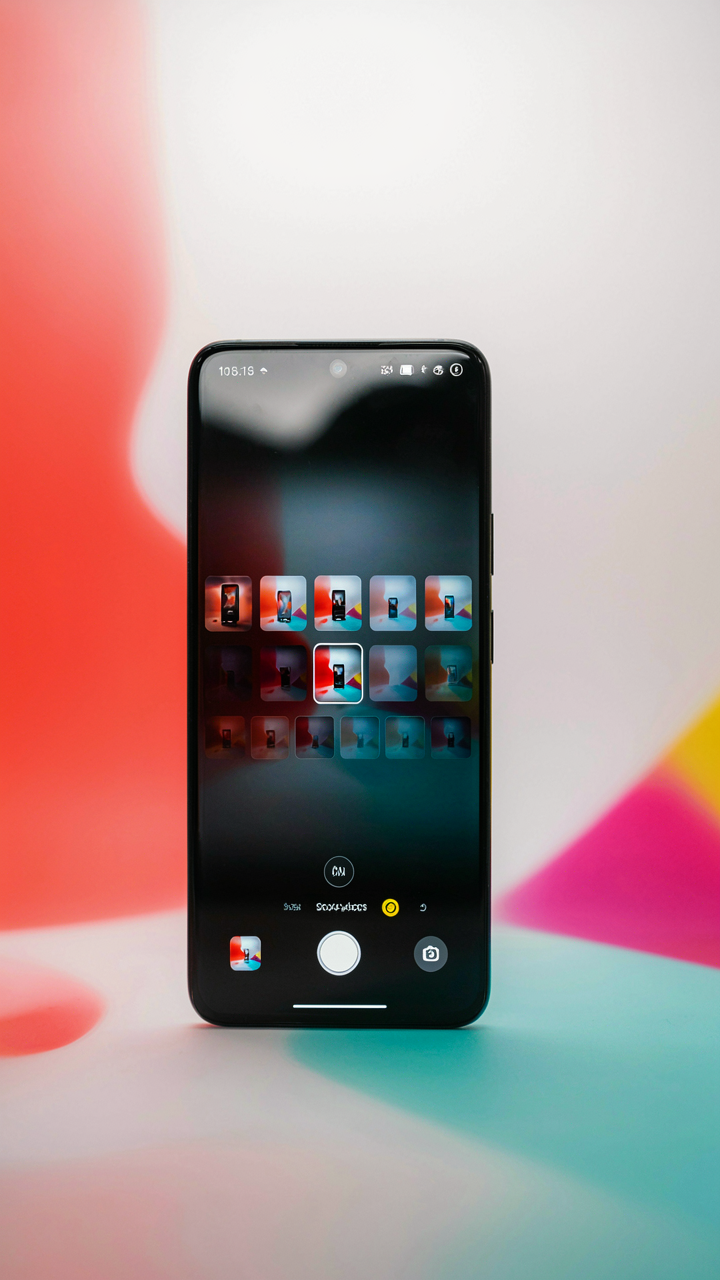
You want to believe the native camera app is limited so you have an excuse to buy expensive gear or third-party software. It’s not. The mechanism here is simple: burst mode in the native app fires ten frames per second by default when you hold the shutter button, but Apple doesn’t advertise this because it wants you thinking you need skill rather than understanding the tool. You get raw millisecond precision without any configuration. Most users never discover this exists.

The native app sorts burst sequences automatically, highlighting the sharpest frame based on focus confidence and motion detection. It deletes the rejected frames when you save, which means you’re not managing redundant files. This sorting happens locally on device using computational photography already baked into your iPhone’s image processing pipeline. You don’t need an external app to access this function or pay for cloud storage to organize sequences.
When Third Party Tools Actually Matter
The common story is that third-party apps unlock power the native app doesn’t have. That’s partially wrong. They unlock different workflows, not different capability. Think of signal processing: the native app applies a fixed filter, while third-party apps let you adjust the filter parameters before capture. Apps like ProRAW capture give you raw sensor data instead of Apple’s processed JPEG, which matters only if you plan post-processing in Lightroom or Capture One. Without that post-processing step, you’re adding friction for zero gain.
Some third-party apps let you set custom burst lengths, change frame rates mid-burst, or apply real-time effects during capture. Manual focus peaking during burst helps you lock focus on a moving subject without autofocus hunting. If you need these controls, use them. If you’re just wanting to feel more professional while shooting standard portraits, the native app already does what you need, and installing another app is just collecting tools you won’t master. Choose one tool, understand its actual limits, then decide if you need a different one.
Your True Obstacle Isn’t The Camera; It’s Your Refusal To See Time As A Malleable Resource

Most people waste burst mode because they treat it like insurance. You don’t need insurance. You need permission to stop waiting for the perfect moment and start collecting all the moments instead. Burst mode rewires how you think about timing. It lets you move faster than hesitation. Open your camera app right now. Hold down the shutter button for three seconds while looking at something that matters to you. You just captured ten decisions your brain was too slow to make alone. That’s the real upgrade: you stopped thinking and started seeing.