The Cognitive Bias: Why Your “Postcard” Photos Fail

Everyone Else Is Already Taking That Shot
You want proof your trip was worth the cost and the time away. That’s the real reason you care about “postcard” photos. The mechanism is simple: your brain defaults to recreating images you’ve already seen because recognition feels like quality. The Eiffel Tower at golden hour with a couple in the foreground. The coliseum framed between two columns. The beach sunset with silhouettes. These aren’t timeless compositions. They’re the visual equivalent of following everyone into the same restaurant because the line looks long.
The iPhone’s camera doesn’t care about consensus. It captures what your eye points at, nothing more. But your eye has been trained by Instagram, travel blogs, and decades of tourism marketing to point at the exact same angles millions of others have already framed. You’re not failing at photography. You’re succeeding at duplication. The real skill is breaking the pattern before you even raise the phone.
What You’re Actually Documenting
Most travel photography advice tells you to “find better light” or “shoot from a unique angle.” This is incomplete. The actual mechanism comes from documentary work and photojournalism, where the principle of non-interference changes what the frame contains. Your presence shapes the image. The moment you decide a scene needs to be “picturesque,” you’ve already eliminated what makes it real.
The postcard fails because it strips context. It shows the monument but not the crowd. The food but not the person eating it. The landscape but not how your body moved through it. Your iPhone captures everything in the frame, but you choose what to emphasize by your proximity, your timing, and your willingness to shoot what feels awkward. Start documenting the friction, the waiting, the in-between moments. That’s where the actual trip lived. That’s what nobody else will have.
The Observer Effect Protocol For Iphone Travel Photography

The Candid Frame Wins
You want proof that your trip mattered. You want validation that you were somewhere worth being. That’s why you’re drawn to staged photos, but staged photos are the death of iphone travel photography. The observer effect in physics states that measuring a system changes it. Same principle applies here: the moment you position someone, ask them to smile, adjust the light, you’ve destroyed the authentic moment you came to capture. The scene stops being real the instant you frame it that way.

Candid moments require you to shoot constantly without announcing it. Keep your phone ready in your pocket, not your hand. When people forget the camera exists, their actual behavior emerges. This is when expressions hold truth instead of performance. Your best travel photos come from the gaps between posed moments, when someone laughs, reacts, or moves naturally through space. Stop waiting for permission from your subjects to capture what matters.
Participate First, Document Second
The real barrier to great travel photography isn’t your camera. It’s your distance from the scene. Most travelers shoot from the outside looking in, treating locals and environments like specimens behind glass. You need to enter the frame yourself, not literally, but energetically. Eat where people eat. Walk where locals walk. Let the place change your behavior first, then photograph what emerges from that participation.
When you’re genuinely engaged with a place, your eye becomes sharper. You move faster. You position yourself naturally in moments instead of hunting for them. iPhone travel photography improves because you stop thinking like a tourist with a checklist and start thinking like someone living inside the moment. The camera becomes an extension of your presence, not a barrier to it. Shoot the moment you’re already in, not the moment you’re trying to construct.
Lighting: The Unseen Architect Of Photography Iphone

The Golden Hour Trap And How Light Angles Actually Work
You want golden hour because you think it makes you look like you know what you’re doing. The real mechanic is angle. Light physics operates on a simple principle: low-angle light creates shadow separation, which your iPhone sensor reads as dimension. When the sun sits near the horizon, it rakes across surfaces instead of flattening them. This isn’t magic. It’s geometry applied to your sensor’s limited dynamic range.
The iPhone camera struggles with contrast. Golden hour solves this by reducing the sun’s intensity relative to shadow areas. But here’s what most travel photographers miss: the specific angle matters more than the time of day. A 30-degree sun angle at 10 AM can outperform 6 PM light if you position your subject correctly. Shoot with the light source at 45 degrees to your subject’s face or the landscape’s leading line. This creates the depth that separates travel photos from vacation snapshots.
Shadows And Highlights Build Contrast Without Processing
Shadows aren’t empty space. They’re information your iPhone needs to render depth and separation from the background. The sensor reads highlights and shadows as distinct zones, and the gap between them signals three-dimensionality to the viewer’s eye. The common advice is to expose for highlights and recover shadows in post. That’s incomplete. Your real job is to place shadows strategically inside your frame during capture.
Position your subject so a shadow falls across part of the scene but leaves the focal point in light. A building’s shadow cutting across a street, a person’s face half-lit by a doorway, a mountain ridge casting shade on the valley below. These create visual contrast without requiring aggressive editing, which degrades iPhone image quality fast. The mechanism: your phone’s processor preserves detail better when the original capture contains natural tonal separation. Shoot for contrast in the frame first. Edit for refinement second.
Composition: Beyond The Rule Of Thirds In Phone Photography

Direct The Viewer’s Eye Through The Frame
You want people to stop scrolling and think you have taste. That’s the real reason you care about composition. Here’s the mechanism: your eye follows paths, not rules. Graphic design borrowed this from vision psychology—the concept of “visual flow” describes how attention moves through a composition. On an iPhone, you engineer this flow by planting lines that guide the viewer’s gaze where you decide it goes, not where it wanders by accident.

Leading lines work because they’re directional vectors. Roads, rivers, shadows, architectural edges—anything with a clear start and endpoint creates a pathway. Frame these lines so they enter from the edge of your frame and lead deeper into the image. Your phone’s screen shows you exactly what’s in bounds. Use it. Negative space amplifies this effect: empty areas make the lines more powerful because there’s less competing for attention. The viewer has nowhere else to look.
- Leading Lines: Place roads, horizons, or architectural elements diagonally across the frame to guide the eye from foreground to background. Shoot from low angles to emphasize depth.
- Framing Within Framing: Use natural elements like doorways, windows, or tree branches to create a border around your subject. This layers depth and contains attention inside nested rectangles.
- Negative Space Strategy: Leave substantial empty areas—sky, water, walls—to isolate your subject. Emptiness increases impact by reducing visual noise.
- Foreground Anchors: Place an object close to the camera lens to establish scale and distance. This creates a sense of standing inside the scene rather than viewing it remotely.
- Diagonal Placement: Position main subjects off-center along diagonal lines rather than horizontal or vertical axes. Diagonals create tension and movement that static positioning kills.
The rule of thirds works as a training wheel. It’s useful until it becomes a cage. Most travel photos using thirds look identical because everyone learned the same formula. On your phone, composition becomes a tool for capturing how you actually see, not how a design textbook says you should see.
Your Rules Are Your Signature
Forget what works for everyone else. The consensus advice creates visual consensus, which means your photos blend into the noise. The real move is identifying one compositional constraint you follow religiously, then breaking every other rule inside it. This creates recognizable work. Some photographers shoot only symmetrical subjects. Others refuse to include sky. Some always place the horizon at the bottom third instead of the top. The constraint is the cage that makes you distinctive.
Your phone forces this anyway. The sensor’s field of view, the processing pipeline, the screen’s color profile—these are all constraints already. Stop fighting them and use them as your signature. Shoot the same subjects differently by changing one variable: angle, distance, timing, or framing. After fifty shots of the same street, you notice patterns. Those patterns are your voice emerging. Lock into them. Stop overthinking the rule of thirds and start building a system where you break it the same way every time.
The “Story Arc” Method For Mobile Photography Aesthetic

Sequence Photos To Build Narrative Momentum
You want your feed to look intentional. That’s the real reason you care about this. The mechanism is borrowed from screenwriting: a story arc requires setup, tension, and resolution. Your iPhone feed needs the same structure. Don’t just dump random travel shots. Arrange them to move the viewer through a beginning, middle, and end.

Shot selection becomes deliberate when you think like an editor instead of a tourist. Start with an establishing image that grounds location or mood. Follow with detail shots that build specificity. End with a moment that shifts perspective or reveals something unstated. Your camera roll becomes a narrative tool, not a storage device. This transforms passive scrolling into active engagement.
Feeling First, Aesthetics Second
Most travel photography advice reverses this: compose first, feel later. Wrong. The iPhone’s technical limitations force you to prioritize what moves you over what impresses technically. A blurry moment that captures genuine confusion beats a sharp shot that says nothing. Emotion is the only element the viewer feels instantly. Everything else requires effort to decode.
Identify one emotional core for each photo before you compose. Is it loneliness? Chaos? Belonging? Let that emotion dictate framing, timing, and which details matter. Skip the shot if you can’t name the feeling. Your iPhone captures what the moment felt like, not just what it looked like. That’s the mechanism that separates forgettable travel content from images people actually want to revisit.
Editing: Your Personal Aesthetic, Not A Filter Preset

Build A Signature Look Across Your Archive
You want people to recognize your photos before they see your name. That’s the real reason this matters—not artistry, but consistency as a competitive signal. The mechanism is simple: when editing follows rules, your brain registers patterns faster than randomness. Apply the same white balance shift, contrast curve, and shadow lift to every shot from a trip. This trains viewers to anticipate your visual language.

Most photographers treat editing like a slot machine: apply different presets until something sticks. Stop that. Pick one color temperature that matches how you see light. Lock your blacks to the same point. Decide whether you crush shadows or let them breathe, then stick with it across ten photos, then fifty. Your phone’s stock editing app handles this fine. The constraint forces discipline.
Restraint Beats Drama Every Time
The common advice says “pop your colors” and “bring out the contrast.” That’s backwards for travel photography. Oversaturated images look cheap within weeks because they distort reality rather than enhance it. Borrowed from optics: you want clarity, not magnification. Increase vibrancy by five to ten percent, not fifty. Lift shadows by two to three stops maximum. Crush blacks slightly. The edit should feel invisible—viewers notice the place, not the processing.
Open your last ten travel photos in Lightroom Mobile. Check your saturation slider. If it’s above plus 15, dial it down. Reduce it by five points and compare. Most travel photographers discover they were editing for Instagram ten years ago, not for photos that age well. The best travel images from your phone require restraint you can measure: highlights stay clipped nowhere, blacks show detail, and colors match what you actually saw. Make one small edit per image, not a dozen.
The “Pattern Recognition” Principle In Taking Photos Aesthetic Iphone

Your Brain Wants Predictable Order
You’re hoping pattern recognition sounds like some advanced compositional trick that separates you from phone snappers. It’s not. It’s biology. Your visual cortex evolved to detect repeating structures because repetition signals safety and efficiency. In travel photography, this means your iPhone’s sensor and your viewer’s brain both respond to visual rhythm the same way a predator locks onto movement. The mechanism is simple: humans cannot ignore patterns. They’re the opposite of chaos.

Recurring visual motifs appear everywhere if you stop shooting randomly. Building facades with repeating windows, market stalls arranged in rows, shadows cast by palm fronds, fabric textures on clothing, boat reflections in water. Your iPhone captures these exactly as they are. The work isn’t technical. It’s training your eye to notice what’s already there before you frame the shot. Spend ten minutes looking at one location instead of three minutes at five locations. Pattern emerges from attention, not from post-processing filters or gear.
Symmetry And Fractals Work Twice
This borrows from mathematics, which studies how complexity organizes itself into repeatable units at different scales. A fractal repeats the same shape pattern at larger and smaller magnifications. Street architecture, natural rock formations, and market geometry all contain fractal properties your iPhone’s camera simply documents. When you compose symmetrically, you’re not being artistic. You’re aligning with how visual processing actually works in human neurology.
Symmetry stops cognitive load. Your viewer’s brain finishes the image instantly, which feels satisfying instead of effortful. The iPhone’s centered grid lines make symmetrical composition trivial. Bilateral symmetry (mirror image down the middle) and radial symmetry (repeating around a center point) both work. Find a doorway, gate, or window. Center it. Shoot. The fractals come free in natural subjects: ferns, tree branches, rock formations. Your job is positioning, not manipulation. Frame tightly enough that the repeating pattern fills the screen.
Gear: What You Actually Need (Hint: Not Much)
The Accessories That Actually Matter
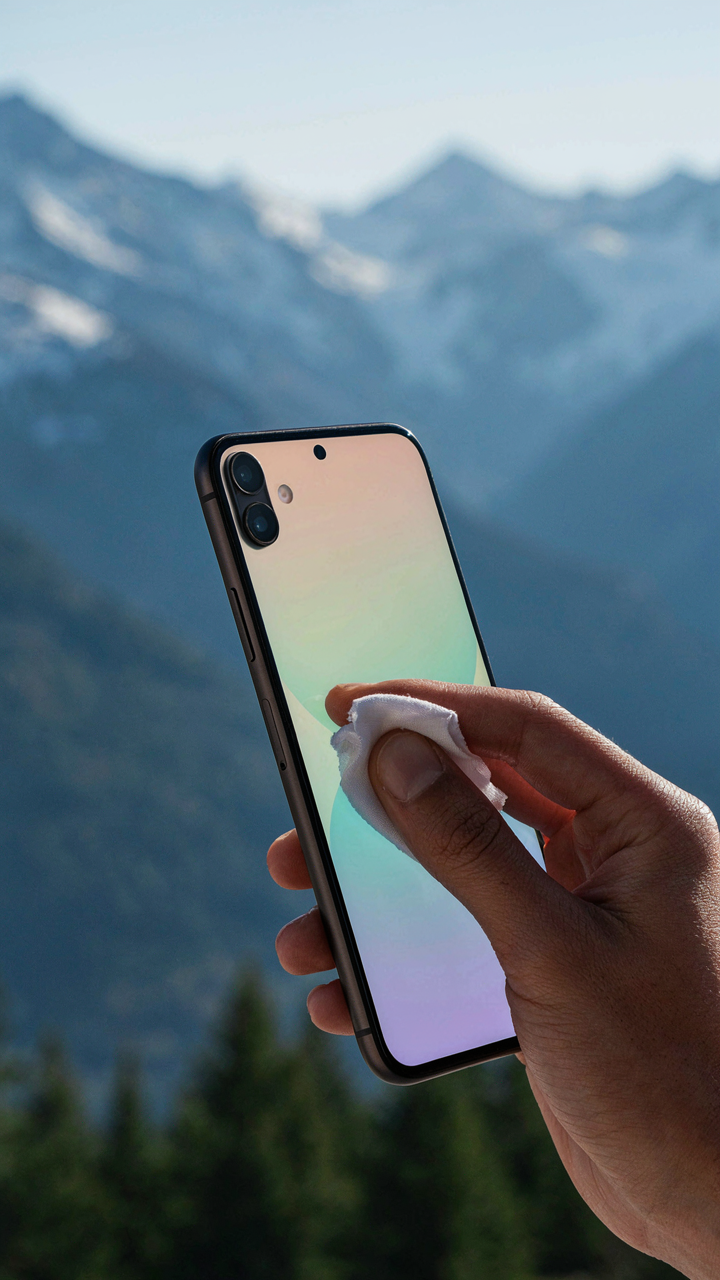
You want permission to buy stuff because buying feels like progress. Here’s the mechanism: your iPhone already captures light better than cameras from five years ago, but a lens cloth costs twelve dollars and gives you the illusion of control. The real question is what removes friction between you and the shot, not what fills your bag.
- Lens cloth or microfiber: Oil and dust degrade sharpness instantly. A single smudge costs you detail. Keep one in your pocket, use it before every important frame.
- Phone grip or PopSocket: Stabilizes handheld shots without a tripod. Reduces camera shake by keeping your hands locked in position. Non-negotiable for video or low-light work.
- Portable charger: A dead battery ends your shooting day. iPhone drain accelerates in cold climates and with heavy app use. Get one rated for at least two full charges.
- Neutral density filter: Slows shutter speed in bright sun, lets you shoot video at cinematic frame rates without blown highlights. Optional but transforms video quality immediately.
- Basic tripod or gorillapod: Enables long exposures, self-portraits, and locked compositions. Weight matters on travel. Choose something under one pound.

Everything else is distraction. Expensive phone cases, clip-on lenses with optical issues, remote triggers you’ll forget—they solve problems you don’t have. Your iPhone’s computational photography already handles what gear used to do.
Restraint Is The Real Skill
The constraint isn’t your equipment, it’s your thinking. You don’t need a second lens, different camera app, or editing preset collection. What you need is to stop treating your iPhone like it’s the limiting factor. Limit yourself to native Camera app and Lightroom for a month. Watch what actually stops you from taking better shots. It won’t be gear.
Travel photography breaks when you overthink the setup. Three pounds of accessories means three pounds of friction. You’ll leave the good stuff in the hotel. Pack only what you use in the first two days of shooting, then add nothing else. The constraint forces you to learn your tool instead of hiding behind options. Start with phone, grip, and cloth. Shoot fifty frames daily for a week. Only then identify what’s actually missing.
The Consistent Creator: Beyond The One Off Shot
Observation As A Daily Discipline
You want to believe one trip makes you a photographer. It doesn’t. What you really want is permission to skip the work between trips, to treat travel like a reset button instead of a continuation. Here’s the mechanism: observation is a skill that atrophies. The iPhone stays in your pocket when you’re not traveling because you haven’t trained your eye to notice light, shadow, and composition in ordinary places. This is the real problem nobody names.

Build a daily capture habit now, before your next trip. Photograph one scene per day in your hometown using the same iPhone constraints you’ll face abroad: one device, natural light only, no editing presets. This trains your visual system to recognize frames faster. The photographer who shoots five frames daily for six months will outperform the casual traveler who shoots fifty frames per day on vacation. Consistency compounds.
Learning From Shots That Miss
The common advice is to study your best photos. That’s backwards. Your failures teach faster than your wins because they force you to isolate what went wrong. Borrowing from engineering, every failed shot is a control test revealing one variable: was it angle, timing, light quality, or subject selection? Study the miss, identify the variable, adjust, and reshoot the same scene.
Create a folder labeled “Reshots” and commit to photographing the same location or subject type until you solve it. If backlighting washed out a portrait, return and shoot with the subject’s face catching side light instead. If a landscape felt flat, move to a position that creates foreground depth. The iteration cycle compounds your skill faster than travel does. Your next trip will reveal how much this daily refinement actually changed your eye.
The Real Obstacle To Compelling Travel Photos Is Not Your Phone, But Your Willingness To See Beyond The Obvious

Your iPhone doesn’t fail you. Your attention does. Most travelers shoot what’s already framed by a million other travelers. They chase postcards instead of creating them. The mechanism that separates forgettable travel photos from ones people actually stop scrolling for is simple: you must notice what everyone else walks past. Today, pick one location you’re visiting and shoot it from five angles nobody expects. Not higher. Not lower. Different. Your phone has the gear. You need the perspective.