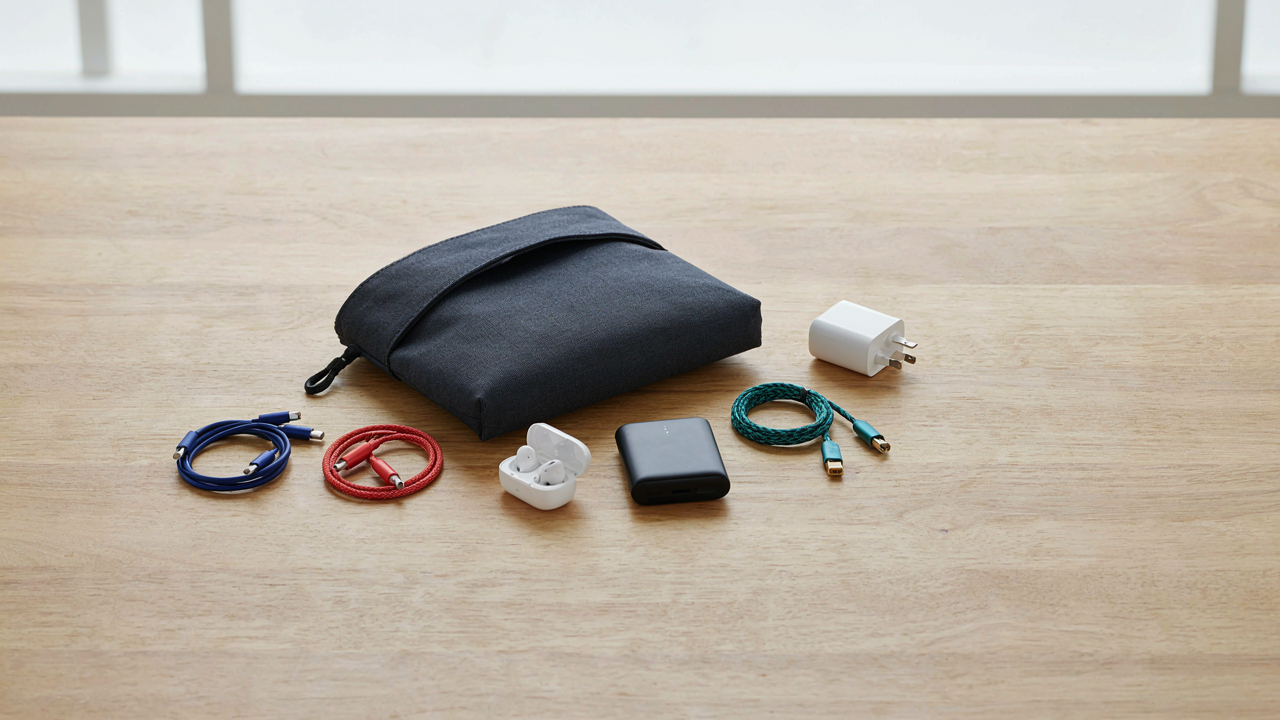
The Minimalist’s Mandate: Why Less Tech Means More Freedom

Single Purpose Versus Dual Action
You want to feel smart about your choices without admitting you’re scared of looking unprepared. Here’s the mechanism: single-purpose tools have one failure mode. Multi-functional tools have several. Economics calls this the “cost of complexity”—every added function increases the probability that one of them breaks or underperforms. A dedicated charging cable works or doesn’t. A cable that charges and transfers data simultaneously creates a bottleneck where either function can degrade the other.
Single-purpose items seem wasteful until you’re on hour eight of a trip and your combination tool fails halfway through its primary job. The wire inside a USB-C charging cable designed to also sync files degrades faster because it handles dual electrical loads. Your pouch gains weight from the myth of versatility, not from actual utility. Strip this myth: bring a charger. Bring a separate data cable if you need it. Nothing else.
The Weight Of Every Decision
Every item in your pouch is a decision you’ll remake daily. This isn’t motivational—it’s cognitive load, a documented phenomenon from decision science. Each morning you’ll assess what to carry that day, which cables to unpack, whether to leave something behind. Two extra USB cables mean two extra micro-decisions before every trip segment. Three power banks mean comparing their charge levels repeatedly.
The real cost isn’t ounces on your back. It’s the mental cycles spent managing inventory instead of doing the work you packed the pouch for. A tech pouch with seven items requires less daily recalibration than one with sixteen. Carry what solves actual problems on your specific trip length. A weekend requires different items than a month abroad. Build two separate pouches rather than one bloated catch-all that forces you to edit it constantly.
The Deployment Readiness Protocol: Essential Travel Tech Organizer Principles

The Access Hierarchy Problem
You want your tech pouch to feel like you have it all figured out. That’s the real driver. The mechanism is simple: most travel failures happen because the item you need most sits buried under items you rarely touch. This is pure physics applied to packing. Gravity pulls everything down, so what lands on top determines your first thirty seconds of problem-solving.

Stop treating your tech pouch like a junk drawer with walls. The items you access in the first hour of travel or during an actual emergency need to sit in the top layer or outer pockets. Cables that support your survival tech go there. Obscure adapters that you might need in three days go deeper. This isn’t organization for the sake of tidiness. This is response time architecture.
Function Over Taxonomy
The advice says organize by device type. That’s wrong. You own three things that charge devices, but your brain doesn’t think in terms of “chargers.” Your brain thinks in terms of “keep phone alive” and “keep laptop alive.” These are functions, not categories. Military logistics calls this “mission-critical grouping,” and it applies here because you’re organizing for a specific mission: staying connected.
Bundle every component needed to complete one task into one zone. Power delivery components stay together. Data transfer components stay together. Audio components stay together. When you need to solve a problem, you grab one zone instead of hunting across five pockets. When you board a flight and realize you need to back up your phone, you know exactly where the cable lives because it lives with its function, not with its device.
Short Trips: The Velocity Principle Of Electronic Organization

Borrowed From Military Supply Chains
You want to feel organized because chaos signals incompetence, but the real issue is you’re carrying dead weight that slows your decision-making. Military logistics operates on a principle called “just-in-time” supply: resources arrive exactly when needed, not before. Applied to your tech pouch, this means you stop pre-loading for hypothetical scenarios. A two-day trip has a fixed mission scope. You identify that scope first, then build backward to only the devices and cables that complete it.

The velocity principle works because constraint forces clarity. When you limit your pouch to genuine mission requirements, you move faster through airports, hotels, and workspace transitions. You also spend less mental energy on “what if I need this” decisions. The mechanism is simple: fewer items equal fewer decision points. Fewer decision points equal faster deployment. Fewer deployment delays equal more time executing the actual work you traveled to do.
Mission Requirements Before Everything Else
Most packing advice starts with “bring these cables just in case,” which is backwards and wasteful. Before you open your pouch, ask one question: what devices are essential to accomplish the specific work for this trip? A designer traveling for a client presentation needs laptop, chargers, and maybe a portable monitor. A writer needs a laptop and backup power. A software engineer might add a USB hub and specific adapters. The trip duration does not determine what you pack. The trip purpose does.
Map your devices first, then their power and connectivity needs, then your backup contingencies. This order prevents the common mistake of grabbing cables for devices you won’t use. Once you know your core devices, select one charging solution that covers all of them, not separate chargers for each gadget. Then add exactly one backup cable per device category. That discipline keeps your pouch light, searchable, and ready to move.
Long Trips: The Redundancy Fallacy In Travel Gadgets

Stop Designing For Worst Case Scenarios
You’re afraid of being powerless. That fear drives you to pack two chargers, three cables, and backup batteries for devices you won’t touch. The real mechanism here comes from systems thinking: in complex networks, redundancy kills efficiency before it saves you. Every duplicate item steals space and mental load without proportional return. On long trips, adaptability beats duplication. A multi-port USB hub with varied connector types eliminates the need for three separate chargers. A universal cable adapter handles most connections instead of five proprietary ones. The constraint forces better decision-making.

One cable that handles two devices beats two cables that each handle one. The pouch that works for two weeks uses the same principle as the pouch for four days: ruthless prioritization of function over backup fantasy. Most travelers pack redundancy they never activate because the primary solution already works. You don’t need a backup power bank if your main one covers your actual usage pattern. Calculate your real phone drain over a typical day, then choose capacity once. Overbuying insurance through gadget duplication is the tax you pay for not thinking clearly upfront.
Sourcing Power And Adapters Where You Land
Travel adapters create false logic: people assume they need one universal adapter that handles every outlet standard globally. This is inefficient. Instead, buy region-specific adapters before you leave. Most long trips follow a geographic pattern, not a random world tour. A week in Southeast Asia needs Thai and Vietnamese standards, not every outlet type ever manufactured. This approach cuts pouch weight and complexity. You also bypass counterfeit adapter problems that plague universal options in certain markets.
Charging cables should match your destination infrastructure, not your home setup. If you’re in Europe for three weeks, source USB-C and Lightning cables locally when you arrive, then leave them behind. This eliminates the temptation to overpack redundant cables and keeps your return luggage light. Many hotels and coworking spaces have USB ports; use them instead of carrying extra batteries. The protocol: identify your destination before packing, source what’s actually available there, and treat your tech pouch as a rotating system that changes per region.
The Power Ecosystem: Charging Solutions And Cable Management
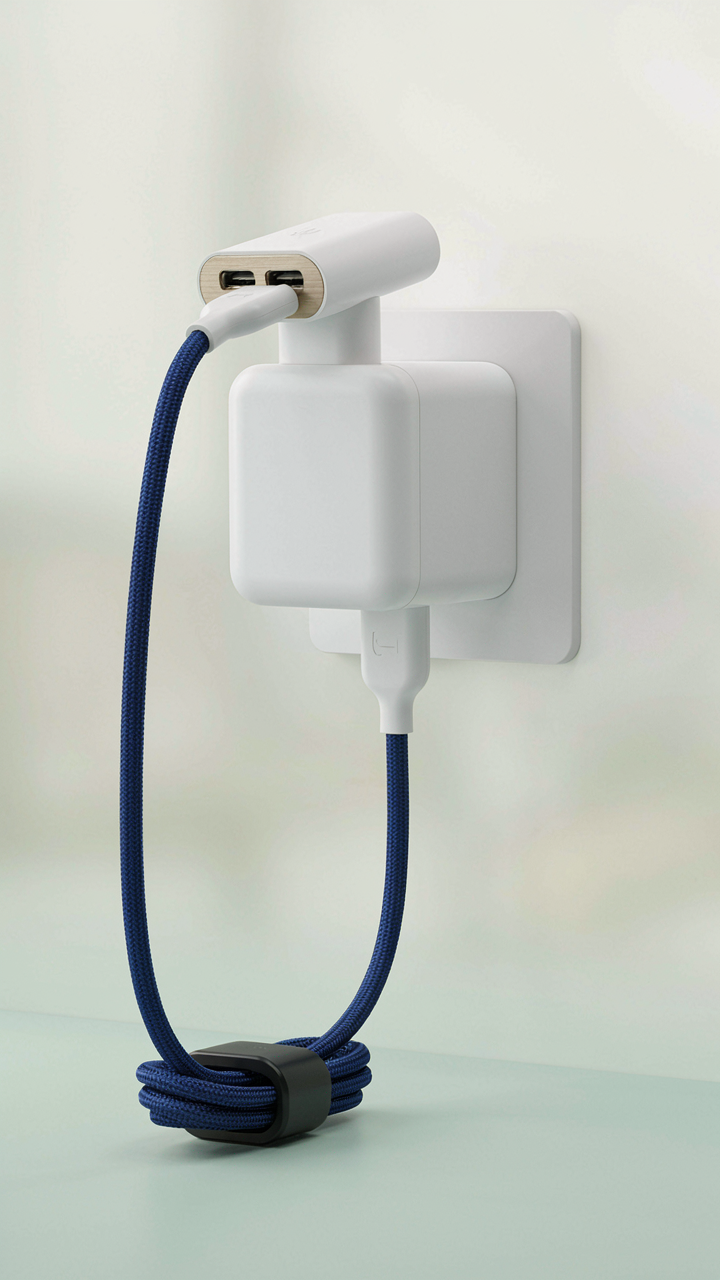
One Charger Standard Wins The Room
You want to feel organized. That’s the real reason you’re reading this. The mechanism is convergence. In systems thinking, convergence means multiple inputs flowing into one output, reducing friction at every node. Your tech pouch becomes a convergence point, and USB-C is the inlet. Every modern device ships with USB-C now. Phone, tablet, laptop, headphones, portable battery. One charger handles all of them. This isn’t preference. It’s physics. Carrying five different connectors multiplies weight, tangle risk, and decision overhead.

The devices that don’t use USB-C yet are aging out. Carrying a Lightning cable for an old iPad or a proprietary connector for an older camera drains your pouch of real estate. You’re borrowing space from what matters. Choose a 65 to 100 watt USB-C power delivery charger depending on trip length. This single unit replaces the brick collection most people haul. If you carry a laptop, the charger powers it. If you carry a phone, it overcharges nothing. USB-C devices regulate incoming power automatically. Pack one charger and one USB-C hub if you need simultaneous charging across multiple devices.
Cables Built For Repeat Stress
The advice to buy “quality cables” is too vague to act on. What kills cables is flex fatigue at the connector, not brand reputation. Bending at the same point 500 times fractures the internal conductor. Length matters more than thickness. A six-foot braided cable survives folding better than a short rigid one because longer cables distribute stress across more segments. You coil it differently. A three-foot cable gets kinked at the same spot every time. A six-foot cable gets laid flat and rolled. Different stress pattern. Different lifespan.
Buy one multi-use cable with reinforced connectors on both ends and carry it in a dedicated cable organizer, not loose in your pouch. The organizer prevents tangling and concentrates wear prevention in one tool. Skip the cable collection reflex. One solid six-foot braided USB-C to USB-C cable serves 90 percent of your needs. If you need USB-A compatibility for older devices, carry a USB-C to USB-A adapter instead of another full cable. The adapter weighs less and doesn’t multiply failure points.
Data And Security: Digital Essentials Beyond Physical Tech Pouch

Portable SSDs Versus Cloud Storage Trade Offs
You care about this section because you want to feel secure without admitting you don’t trust the cloud. The real mechanism is a speed versus control equation borrowed from supply chain logistics: inventory velocity versus warehouse centralization. A portable SSD moves data at 1000+ MB/s. Cloud access depends on internet quality. One lives in your hand. One lives on someone else’s server.

Portable SSDs win on speed and offline access. You copy files in seconds, work without connection, and retain physical custody. Cloud storage wins on redundancy and device independence. Your data survives hardware failure. You access it from any device. The trade off isn’t about which is “safer.” It’s about which failure mode you accept: losing a drive versus losing internet access or account lockout.
Travel SIMs And VPN Access Protocols
The common advice here is wrong: buy a travel SIM for “better security.” That’s not why you buy it. You buy it for reliability and to avoid roaming fees that spike without notice. A local SIM means predictable local pricing and backup connectivity if your primary plan fails. This is operations thinking, not security theater.
eSIMs eliminate the physical swap but require compatible devices and pre-activation planning. They work faster at borders because you activate before arrival. Standard SIMs require finding a vendor and dealing with registration delays. A VPN on either connection masks your location and traffic from the carrier, but it doesn’t make the connection itself more trustworthy. Use both: local SIM for access, VPN for privacy. The VPN doesn’t replace the SIM decision; it operates in a separate layer.
The “Amazon Associates” Advantage: Curated, Not Cluttered, Packing List For Travel

Tools That Solve Real Problems
You want permission to buy stuff. You’re looking for a list that validates your shopping cart before checkout. Here’s the real mechanism: every item in your tech pouch either reduces friction in your workflow or it doesn’t. There’s no middle ground. Applying the engineering principle of “elimination of waste,” your pouch should contain only tools that remove a specific bottleneck. Friction exists in four categories: charging delays, cable incompatibility, data transfer speed, and cable damage. Master these four and you eliminate 95 percent of travel tech problems.
- USB-C Hub (6-in-1 or 7-in-1): Consolidates charging ports, HDMI output, and SD card reading into one compact adapter. Eliminates the need for five separate cables and solves the “my device won’t charge from this outlet” problem in seconds.
- Braided USB-C Cable (2 meters): Higher tensile strength than standard cables means fewer frayed connections during travel. Length covers distance between outlet and work surface without tension on the connector.
- Portable SSD (1TB or 2TB): Transfers files at 400-1000 MB/s depending on model. Replaces cloud dependency when internet is unreliable or nonexistent. Physically durable against drops.
- Right-Angle Lightning or USB-C Adapter: Prevents cable strain when charging from tight outlet spaces or while the device sits on your lap. Reduces connector wear from constant angle pressure.
- Cable Management Strap (elastic or velcro): Organizes cables so they don’t tangle or pinch during packing. A $3 preventative that extends cable lifespan by 12 months.

The pouch itself matters less than the logic behind what goes inside. Choose items with zero redundancy. If your laptop has built-in USB-C, you don’t need a separate Lightning cable. If your phone supports wireless charging, you don’t need a secondary charging brick. Evaluate every candidate against this question: does this remove a specific failure point, or does it just feel like a backup plan?
Discarding The False Classics
Most travel tech lists include items that sound smart but solve problems that don’t exist. The “universal travel adapter” is the clearest example. You don’t need it. Ninety percent of hotels and accommodates have USB ports now. Airports have them. Cafes have them. The rare situation where you need to plug into a wall outlet becomes rarer every year. Carrying a device that handles five different outlet types adds weight and complexity for a scenario that hasn’t materialized in your last twenty trips.
The same applies to cable organizers that aren’t functional. Cute pouches with decorative compartments waste space. Retractable cables that snap after three months of travel tension create the opposite of what you need. Multi-tool USB devices that try to do fifteen things do none of them well. The temptation to over-prepare is real because buying things feels like progress. The actual mechanism is this: every redundant item you pack reduces access speed to the item you actually need in the moment you need it most. Strip down to the core. Your pouch should fit in your jacket pocket.
Maintenance And Adaptability: Keeping Your Travel Tech Optimal
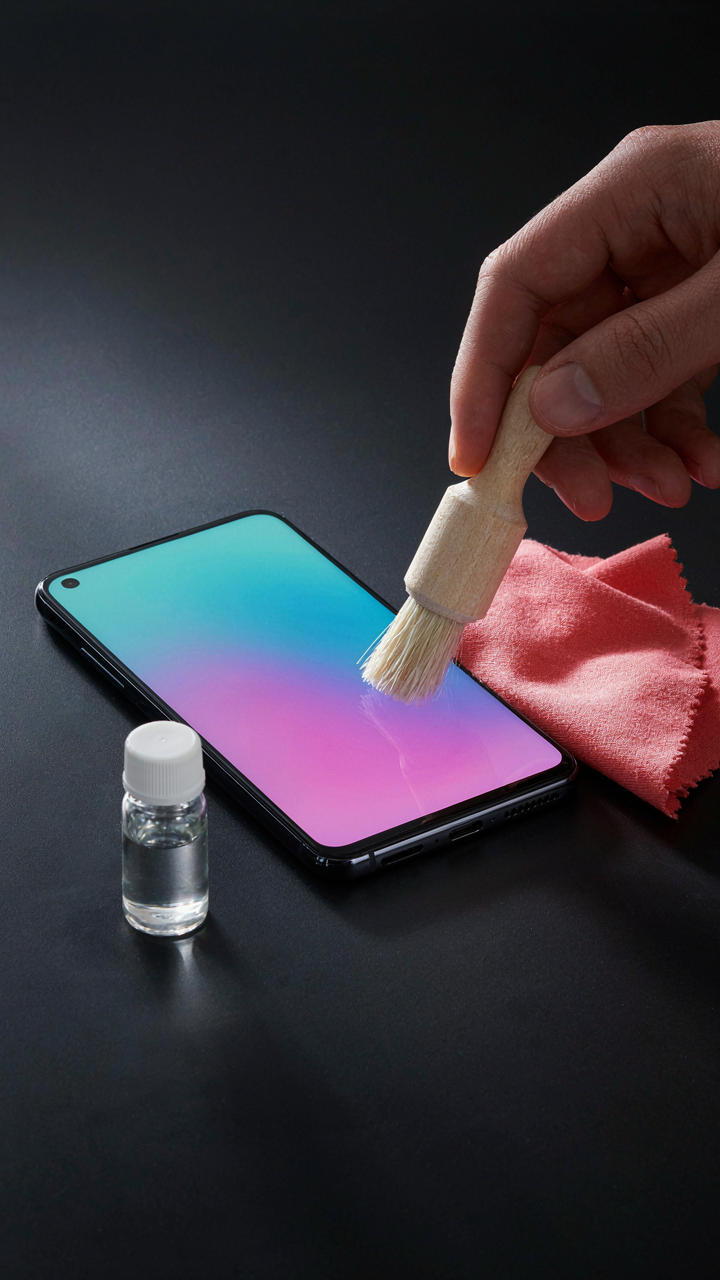
Clean What You Can’t Replace
You want your tech to work when it matters because failure means lost time, lost money, or lost connection. The mechanism is simple: dust and oxidation degrade conductivity. Ports accumulate debris faster than you think. Screens collect fingerprints that catch light and reduce visibility. None of this is dramatic until it prevents your phone from charging or your camera from focusing. Prevention costs minutes. Fixes cost hours.

A microfiber cloth and isopropyl alcohol wipes handle 90 percent of what breaks your gear. Keep them in a dedicated pocket. Clean ports with a dry brush or compressed air canister before plugging anything in. For screens, use the cloth dry first, then barely dampened with alcohol if needed. Never spray liquid directly on electronics. The goal is removing residue without introducing moisture into openings. Check charging contacts monthly when traveling longer than two weeks.
Repair What You Shouldn’t Have To
Field repair borrows from military logistics: redundancy at every critical junction. A small multi-tool with screwdrivers, pliers, and a blade solves half of what breaks during travel. Gaffer tape wrapped around a pencil takes up almost no space and fixes cable damage, loose hinges, and broken screen protectors. You will not need these often. When you do, not having them means your trip stops moving.
The multi-tool must have precision bits for small electronics, not just general purpose screwdrivers. Gaffer tape outperforms duct tape because it doesn’t leave adhesive residue on expensive equipment. Solder or epoxy adhesive only works if you know how to apply them correctly, so skip these unless you have done repairs before. Store the tape separately from your main pouch so it doesn’t stick to other items. Include a small flashlight to see into cable connections and ports when problems happen in dim lighting.
The Iteration Cycle: Refining Your Tech Organization Strategy

What Actually Got Used
You think you need to document everything to feel in control. That’s fear masquerading as thoroughness. The real mechanism is simple: data beats intuition. After each trip, open your pouch and mark what you touched and what stayed wrapped. Most people pack for the trip they imagine, not the trip they take. Your phone charger gets used. Your backup cable doesn’t. Your adapters sit dormant while your power bank runs dry by day two.

The gap between what you packed and what you used is where bloat lives. Review this gap within 48 hours of landing, when the trip is still fresh. Write down three categories: used daily, used once, never opened. This isn’t busywork. It’s the only data point that matters for the next iteration. Everything else is assumption.
Rebuild From Actual Patterns
Common advice says pack for worst case scenarios. That’s wrong. Worst case packing creates dead weight that slows you down on every trip. Instead, pack for the pattern your actual trips show. If you’ve taken five trips and never needed that emergency repair kit, it’s not insurance anymore, it’s clutter. If your phone dies by afternoon every single time, a second power bank isn’t optional.
Adaptation means removing items, not adding them. Start with your last trip’s unused items and cut them. Then add only what you genuinely ran short on. This is how military operators scale gear weight without sacrificing function. Small adjustments compound. After three iterations, your pouch becomes efficient because it reflects reality, not fear. The protocol: remove one item per trip, add one only if you hit a real constraint.
The Real Obstacle Isn’t The Gear You Lack, But The Clutter You Refuse To Eliminate

Most people don’t need a better tech pouch. They need to stop carrying garbage. Open your bag right now and remove everything you haven’t touched in three months. That single action beats every packing optimization ever written. The best tech pouch is the one you actually use because it contains only what moves you forward. Everything else is just weight pretending to be preparation.