The Grid Lie: Why Most IPhone Users Fail At Composition

The Rule Of Thirds Isn’t Magic
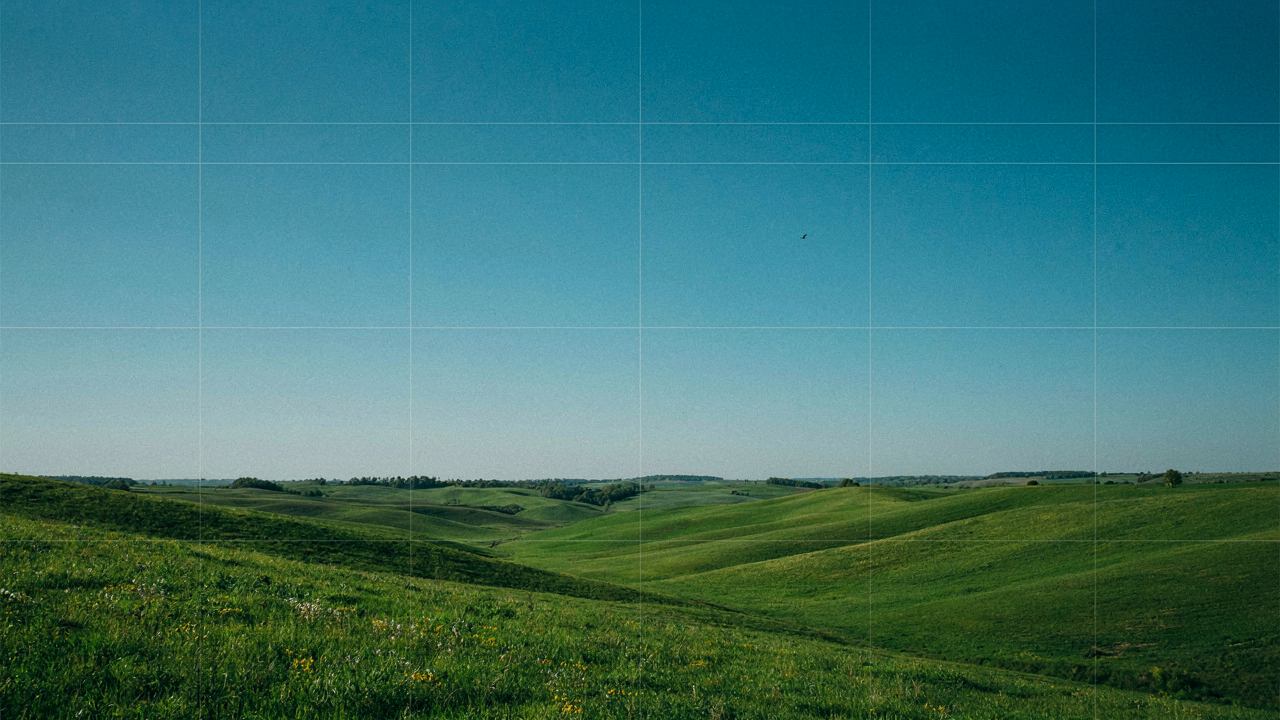
You want the grid because you think it makes you look like you know what you’re doing. The mechanism is simpler: the grid enforces the rule of thirds, a compositional framework borrowed from painting. In visual design, the rule of thirds functions like a constraint that divides space into nine equal sections, forcing your subject away from dead center. Most iPhone users believe the grid itself creates better photos. It doesn’t. The grid is a training wheel that exposes whether you understand focal point placement.
The rule of thirds predates smartphones by centuries. Painters used it to avoid symmetry and create visual tension. Your iPhone grid does the same thing, but here’s what kills the myth: following gridlines mechanically produces competent, forgettable images every single time. The grid tells you where to put things. It never tells you why. Without understanding the decision behind placement, you’re copying a formula, not learning composition.
Instant Competence Is The Trap
Nobody admits this, but you turned on grid lines hoping it would shortcut years of visual training into a weekend skill. That’s the illusion worth examining. Grid lines don’t teach you to see. They teach you to align. You’ll notice your photos look “more professional” immediately because symmetry and balance feel sophisticated. But that feeling is recognition of a rule, not mastery of it.
The trap is that grid competence plateaus fast. After fifty photos with your subject on an intersection, you stop seeing the grid at all. Your phone becomes invisible. Now what? You’re stuck with rule-based thinking when every interesting photograph breaks the rule intentionally. The grid becomes a cage disguised as guidance. The only way past this is switching it off and reframing composition as intentional rule-breaking rather than rule-following.
Activation Fallacy: Just Toggling On Is Not Enough

Where The Switch Lives
You want to flip one toggle and suddenly compose like a professional, as if the grid magically fixes your framing. Here’s the mechanism: the grid is a visual tool, not a compositional instruction. Open Settings on your iPhone, then tap Camera. Scroll down and toggle Grid to on. The grid appears as nine equal rectangles dividing your viewfinder into thirds. That’s the entire activation step. Most people stop here.

The grid now displays every time you open the Camera app in photo mode. It persists across sessions until you disable it. The toggle stays on even after you close and reopen the app. Turning it on requires no restart, no app cache clearing, no ritual. It works immediately on all iPhone models released in the last decade. This simplicity is exactly why people think toggling it completes the work.
The Settings That Matter More
Everyone tells you to turn on the grid and frame better. Wrong premise. The grid reveals bad camera app settings that sabotage your shot before composition even matters. Access Camera settings again and verify HDR is set to Auto, not On. Auto HDR captures detail in highlights and shadows without forcing processing on every frame. If you leave HDR locked to On, your images process slower and unpredictably, making the grid’s reference lines useless for timing fast moments.
Next, disable Preserve Settings if you want consistent exposure across your shoot. This setting remembers your last exposure adjustment, which creates drift between frames. Lock your exposure by tapping and holding on your subject before you frame using the grid. The grid helps you compose the locked exposure, not chase a moving target. Exposure lock plus grid work together as a system. Without the lock, the grid becomes decoration.
The Unseen Architecture: Composition Beyond Rule Of Thirds
When The Grid Becomes A Cage
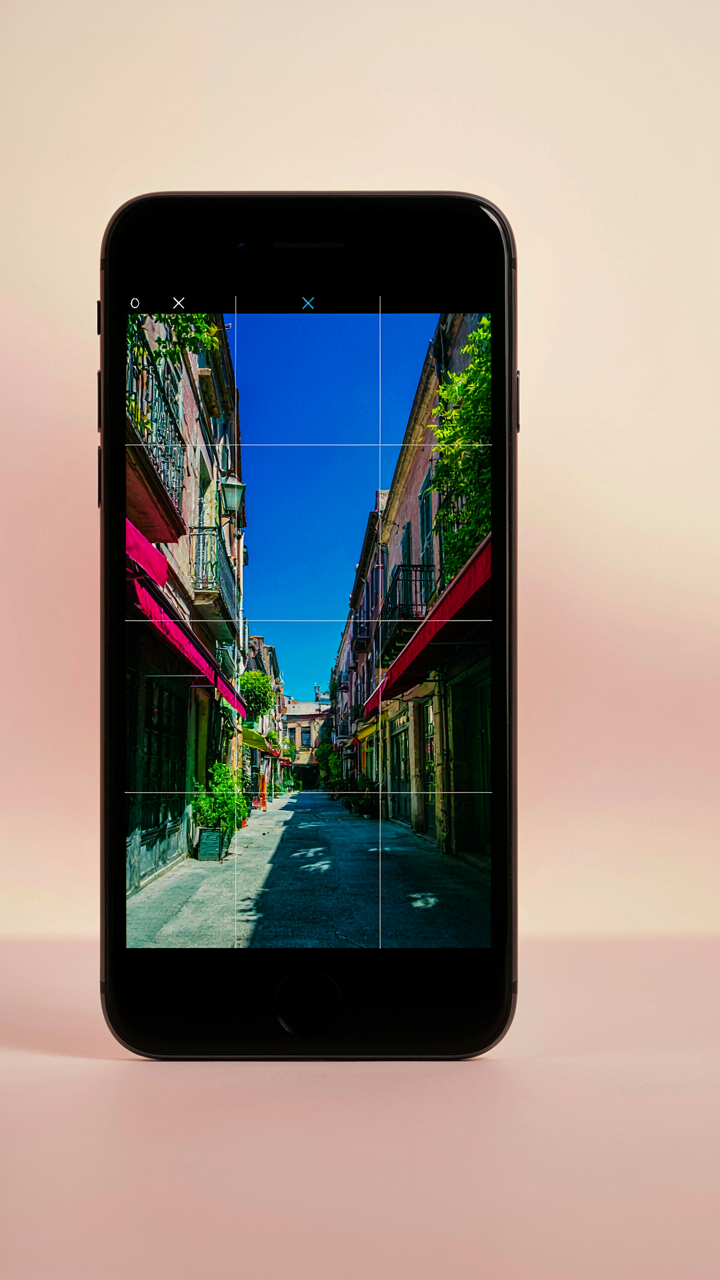
You want the grid to make you look credible. That’s the real reason you’re reading this. But most photographers treat the grid like a law instead of a tool for seeing structure. The grid on your iPhone is borrowed from design theory, specifically the golden ratio and its modern cousin, dynamic symmetry. Where symmetry divides space equally, dynamic symmetry uses mathematical relationships to create tension and visual weight. Your grid doesn’t enforce composition; it reveals how subjects relate to space.
The rule of thirds grid is intentionally limiting. It assumes every shot benefits from a subject placed on its intersections or lines, which isn’t true. Strong composition happens when you understand why a line matters in that specific frame. The grid trains your eye to recognize spatial relationships, but following it blindly produces flat, predictable images. Toggle the grid on, then learn when to ignore it. That distinction separates competent phone photographers from people who just own the feature.
Negative Space Speaks Louder Than The Lines Themselves
What the grid doesn’t show you is the emptiness. Empty space doesn’t need to sit on a line to matter. The grid makes you aware of available territory, but your actual power comes from choosing what to exclude. Professional photographers often leave more space than fills with subject matter because that void carries as much compositional weight as the object itself. The grid becomes useful when you flip your thinking: not “where should I place this,” but “how much space should surround it.”
When you enable the grid, watch what happens in the corners and edges first. That’s where most phone photographers fail, leaving distracting clutter that undermines the main subject. The grid gives you a reference system to measure negative space against your subject’s size and position. Framing without explicit lines means you’ve internalized the grid’s lessons and stopped relying on it visually. Disable the grid once you instinctively know where the boundaries sit.
The Photographer’s Calibration: A Cognitive Repatterning Protocol

How Your Brain Actually Reads Frames
You want grid lines because you’re afraid your photos look amateurish, and you’re right to be afraid—composition matters. Cognitive psychology calls this the “visual weight distribution problem.” Your brain doesn’t see a photo as a flat image. It scans for balance, tension, and focal points. The grid lines on your iPhone create what psychologists call “perceptual anchors”—fixed reference points that let your conscious mind override your eye’s untrained instincts. Without them, you place subjects randomly. With them, you place subjects strategically.

The grid divides your frame into nine sections using two horizontal and two vertical lines. This isn’t arbitrary. Your eye naturally gravitates toward the intersections of these lines because your brain recognizes patterns and structure. When you position key subjects at these intersections instead of dead center, your viewer’s eye moves through the frame deliberately rather than getting stuck. The mechanism is simple: constraint creates clarity. You’re not making better photos. You’re removing the cognitive load that prevents you from making intentional ones.
Pattern Recognition Under Pressure
The real advice about grid lines is incomplete. Most people say “put subjects on the intersections” and stop. That’s not how pattern recognition works in actual photography. Neuroscience shows your brain learns through repetition and feedback. Turning on grid lines once doesn’t reprogram your eye. You need to shoot with them enabled until the frame divisions become automatic—until you see the lines even when they’re off.
The grid works because it externalizes a rule your brain would otherwise have to calculate in real time. Every frame you compose with the grid active trains your visual cortex to recognize compositional weight distribution. After 100 photos, you stop thinking about where the lines are. You start thinking about where the subject belongs. You’ve moved from conscious incompetence to conscious competence. At that point, the grid becomes optional. You’ve internalized the structure it represents.
Grid Overlays For Edits: Post Production Power, Not Crutch
Unlocking Editing App Grid Tools
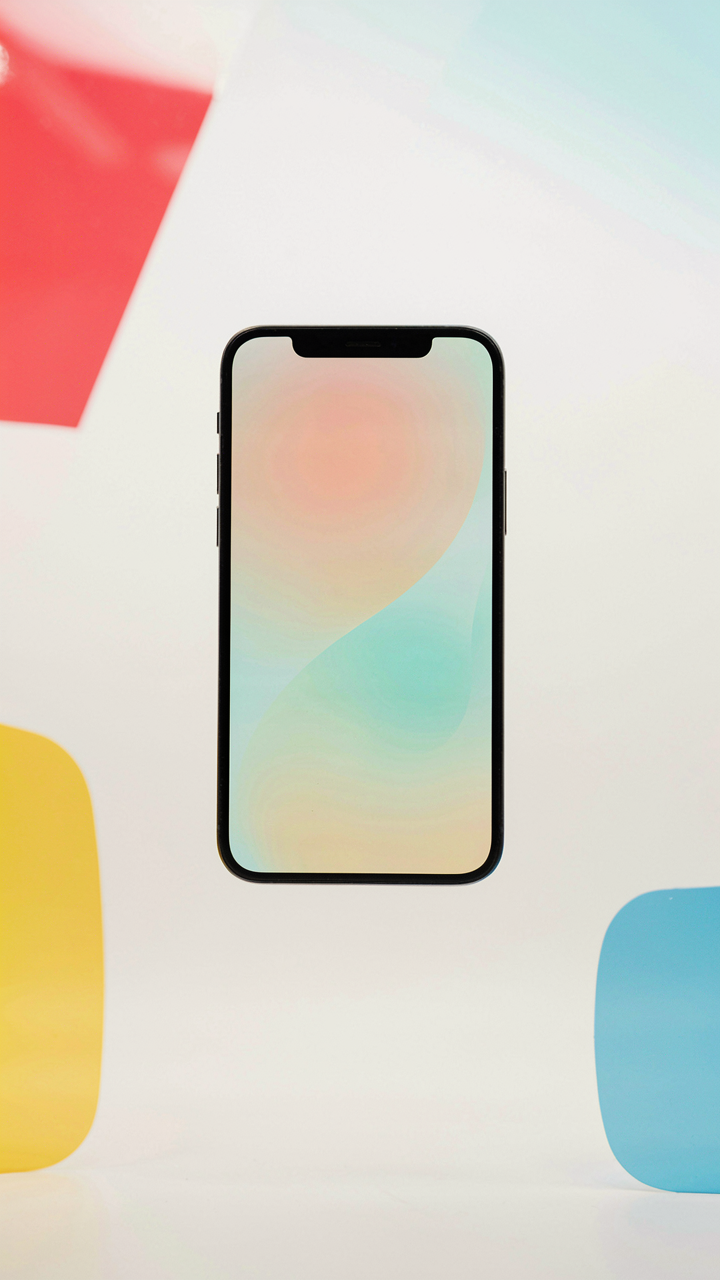
You want this section because you’re hoping software will fix what your eye missed in the moment. It won’t. But here’s what it does: editing apps treat the grid like a constraint solver in mathematics. The grid becomes your reference plane, letting you detect skew and misalignment your brain glosses over when viewing the raw file. Snapseed, Lightroom Mobile, and Adobe Photoshop all embed grid overlays in their crop and perspective tools. These grids aren’t suggestions. They’re measurement systems that force precision you can’t eyeball alone.

The grid in editing software differs from your iPhone camera grid. The camera grid helps you compose before capture. The editing grid helps you repair composition after. Activate the grid inside your editing app’s crop tool, then rotate or reposition the frame. The grid makes drift visible. You’ll catch a horizon that’s off by two degrees, a subject decentered by millimeters, vertical lines that lean. This is mechanical work, not artistic instinct. Apply it every time you crop.
Reclaiming Shots Through Alignment
You can still recover a poorly composed image. The myth is that composition is locked at shutter release. False. You control framing twice: at capture and at crop. Editing grids let you apply rule of thirds retroactively, straighten tilted frames, and rebalance weight within the frame. This doesn’t fix bad lighting or missed focus. It fixes positioning. The grid makes repositioning measurable instead of approximate. Snap the subject to grid intersections in your editing app. Lock vertical lines parallel to the grid’s vertical axis. Straighten the horizon until it runs flush with the grid’s horizontal line.
- Snapseed Crop Tool: Overlay grid appears automatically when you enter crop mode. Drag corners to reposition frame while watching alignment against the grid lines simultaneously.
- Lightroom Mobile Perspective Correction: Access through the Crop & Rotate menu. Grid activates when you tap the perspective icon, letting you correct converging verticals and skewed horizons.
- Adobe Photoshop Crop Tool: Press C to activate crop. Right-click to cycle through grid overlays including rule of thirds and golden ratio patterns for real-time alignment.
- Built-in Photos App Edit Mode: Limited but functional grid overlay appears when you tap Crop. Use it to verify level horizons and centered subjects before applying changes.
- VSCO Grid Overlay: Toggle grid in the editing interface to catch composition drift. Works during both rotation and perspective adjustments to ensure precision alignment.
The key is this: edit with the grid visible every single time. You’re not being creative at this stage. You’re being accurate. Save your creative choices for color, contrast, and tone. Leave positioning to the grid. This separates photographers who iterate from photographers who guess.
White Grid Wallpaper IPhone: Subliminal Training For Visuals
Your Eyes Learn What They See Repeatedly
You want this because you’re tired of taking flat photos that don’t stand out, and you’re hoping a shortcut exists. It does, but not the one you think. Psychology calls this phenomenon “perceptual learning”—your brain literally rewires itself based on repeated visual input. The iPhone grid functions as a template your eyes internalize. Set a white grid wallpaper as your lock screen and home screen, and you’re running a background process that trains your visual cortex to recognize compositional divisions before you even open the camera.
The mechanism is straightforward: exposure precedes skill. When you unlock your phone dozens of times daily, you’re not just seeing lines. Your brain catalogs their positions, their ratios, where they divide space. This primes your eye to notice these same divisions in the real world. By the time you frame a shot, your mind already knows where the thirds sit, where symmetry breaks, where tension lives. You’re not thinking about composition anymore—you’re recognizing it the way you recognize your friend’s face in a crowd.
Environment Shapes Intuition Faster Than Rules
Most advice says “memorize the rule of thirds.” Wrong. Memorization requires conscious effort every time you shoot. Intuition requires zero effort because it operates beneath conscious awareness. Curating your visual environment means surrounding yourself with the compositional patterns you want to internalize. Your lock screen wallpaper hits you 50 to 100 times per day. That’s 18,000 to 36,500 visual hits per year with zero friction.
The white grid wallpaper works better than any tutorial because tutorials demand attention you don’t have. Environmental design demands nothing. Your brain absorbs it passively. Once grid-based composition becomes intuitive, you stop fighting the camera and start collaborating with it. Your phone becomes an extension of your trained eye rather than a tool you’re learning to use. Set the wallpaper now, not tomorrow, because every day without it is thousands of missed learning opportunities.
Beyond The Grid: Cultivating Texture Graphic Design Instincts
What The Grid Actually Reveals
You want this section because you’re afraid the grid is just a crutch. Here’s the mechanism: the grid operates like a constraint in systems design—it doesn’t show you what to compose, it shows you what’s fighting against balance. Texture, line, and form exist independently of the grid. The grid simply exposes their relationships. Without it, your eye accepts chaos as normal. With it, you see what’s actually happening in the frame.

The grid forces a conversation between elements. A diagonal line that cuts through grid squares reads differently than one that aligns with them. A textured surface breaks the grid’s geometry into smaller units, creating visual noise. A clean form respects the grid’s order. These aren’t rules. They’re visible facts. Toggle the grid on and off in your camera app—Settings > Camera > Grid—and watch how your perception shifts. This is where instinct lives: in the repeated act of noticing difference.
Training The Eye To See Structure
Most people think training means studying. Wrong. It means repeated exposure with an active frame. Take ten photos of the same subject with the grid on. Don’t compose. Just shoot and notice where subjects land. Do this daily for two weeks. Your brain will automatically predict grid positions before you raise the phone. This isn’t magic. It’s pattern recognition under constraint.
Texture reveals itself when you stop looking for it and start looking through the grid squares. A brick wall becomes a repeating unit. Water becomes a field of small reflections. Fabric becomes tone variation. The grid segments these elements, making them countable and comparable rather than abstract. Start asking: how many grid squares does this texture occupy? Is the line breaking the grid or reinforcing it? Where does the form end and the background begin? These questions bypass theory and move straight to mechanism.
The Deliberate Practice Loop: From Graph Paper Aesthetic To Intuition

Build Compositional Muscle Through Constraint
You want the grid lines because you’re terrified you lack taste. Here’s what actually matters: the grid is a training tool, not a crutch. From deliberate practice in motor learning, we know repetition under constraint builds automaticity. The iPhone grid line functions as constraint—a visual rail that forces your eye to stop guessing and start measuring. Enable it in Settings > Camera > Grid. Leave it on for thirty days straight. Your brain will internalize the rule of thirds, centered framing, and line alignment without conscious effort.

The mechanism works because constraint removes decision fatigue. Instead of wondering “does this look balanced,” the grid answers it immediately. You develop pattern recognition faster than you would shooting without it. This isn’t about following rules forever. It’s about encoding compositional literacy into your visual cortex so that later, without the grid, your instincts align with established design principles.
Shoot, Review, Adjust, Repeat
The feedback loop is where most photographers fail because they treat review as passive consumption rather than active diagnosis.
- Shoot the same subject three ways: centered, left-weighted, right-weighted. The grid makes these variations obvious.
- Review on a larger screen within 24 hours: your phone screen compresses errors. A laptop reveals composition flaws instantly.
- Ask one specific question per batch: “Did I use leading lines?” or “Is the horizon on the grid line, not floating?” Pick one variable.
- Compare your shots to reference images: find photographers whose compositions work. Overlay your grid mentally on their images. Identify the pattern.
- Shoot again with the diagnosis: take ten shots of the next subject applying only what you learned. This closes the loop.
The grid becomes invisible only after you’ve built accountability into your process. Most people enable the grid, take one photo, and declare they’re practicing composition. They’re not. Deliberate practice requires specific error detection and immediate re-engagement with the same problem. Shoot the same scene weekly for four weeks. Watch your compositional choices sharpen. Track which grid alignments your eye gravitates toward. That pattern is your emerging style.
The Real Obstacle Isn’t The Grid; It’s Your Reliance On External Rules Over Internal Vision

The Frames You Memorize Become Your Ceiling
You want the grid to do the thinking for you. It won’t. The grid is a training wheel that most photographers never remove, which is why most photography looks identical. You turn on iPhone grid lines expecting them to solve a composition problem that isn’t actually about composition—it’s about deciding what matters in a frame before you even raise the camera.

The real mechanism comes from design systems thinking. In architecture and product design, grids function as scaffolding, not gospel. They constrain early work to build discipline. But the moment you treat a grid as law rather than reference, you’ve inverted its purpose. The grid should disappear from your conscious mind by the time you shoot. If you’re still counting squares, you’ve failed the exercise. The goal isn’t grid mastery—it’s reaching a point where you break the grid intentionally because you understand why it existed in the first place.
The Work Happens When The Tool Vanishes
Once compositional patterns live in your muscle memory, turning the grid off matters more than turning it on. You spend weeks using grid lines as feedback. You notice which placements create tension. Which create rest. Which guide the eye or trap it. Then you stop using the grid and shoot from instinct. The grid trained your eye; your eye now leads. This is the only progression that produces distinctive work instead of technically correct work that looks like everyone else’s.
The protocol is direct: enable grid lines for thirty days of deliberate shooting. Shoot the same subject from multiple angles and grid positions. Review with one question: what changed about the image when I moved the subject to different grid intersections? Don’t memorize rules. Notice patterns. After thirty days of this, disable the grid and shoot for fifteen days without consulting it. You’ll immediately feel whether the training stuck. If your compositions improve without the grid visible, the tool worked. If you suddenly feel lost, you were leaning on the grid instead of learning from it.
The Real Obstacle Isn’t The Grid; It’s Your Reliance On External Rules Over Internal Vision

The grid lines won’t make you a better photographer. They’re a crutch you use while training your eye. Most people toggle them on, follow the rules, and never develop actual vision. Turn them on today. Shoot fifty photos. Then turn them off and notice what you’ve internalized. The grid teaches you to see. After that, you don’t need it anymore. Real composition lives in your instinct, not in following someone else’s lines.