The Rain Aesthetic Paradox: Why Gloom Sells

Emotion Moves Faster Than Sunlight
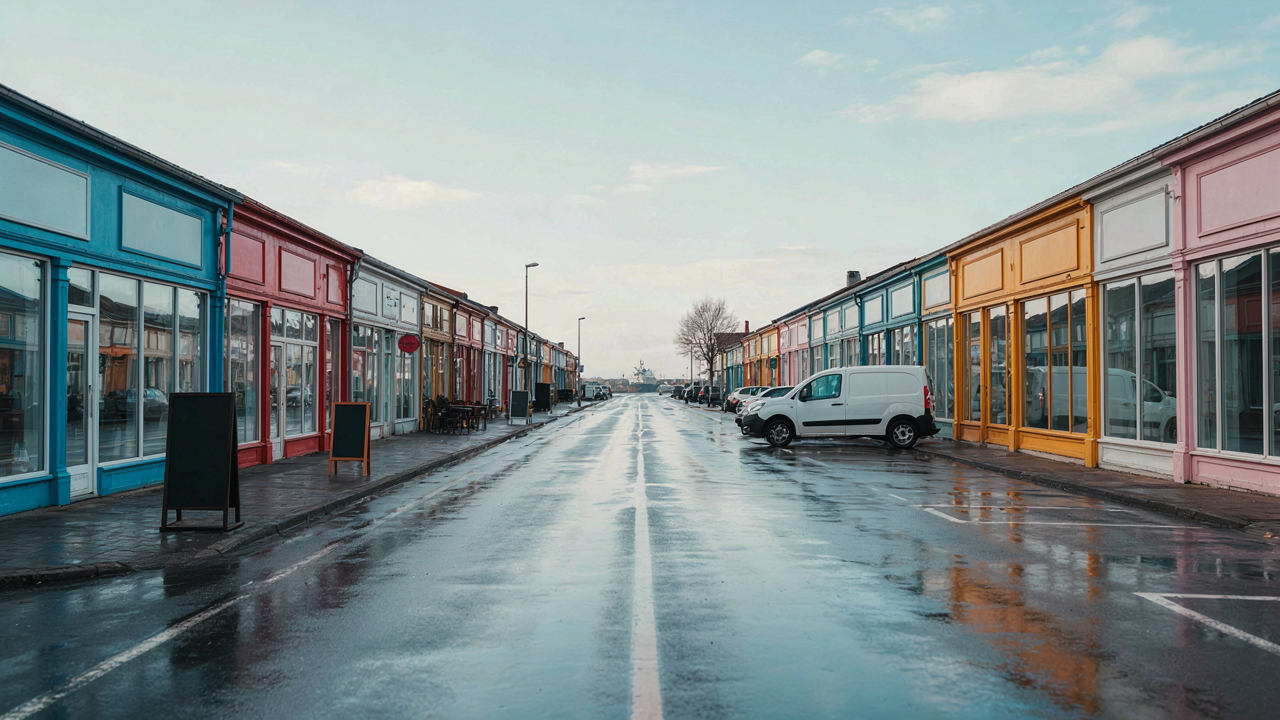
You want rainy day photos because they feel rare, and rare feels like taste. But here’s the mechanism: rain triggers melancholy, and melancholy is more memorable than happiness. Neuroscience shows that negative or complex emotions create stronger neural encoding than positive ones. Your brain flags sadness as signal-worthy. It keeps it. A sunny day photo gets scrolled past because your brain has already categorized it as common data.
Rain also strips away visual noise. No harsh shadows. No squinting subjects. No blown-out skies. The iPhone’s sensor stops fighting the scene and starts rendering it. This constraint forces composition tighter. You either frame something with intention or you fail. The emotional weight of a rainy photo compounds because the image itself demands participation from the viewer, not passive consumption.
Brightness Against Darkness Works
Contrast is a physics principle, and rainy photos weaponize it harder than most lighting scenarios. Dark storm clouds become a natural reflector and diffuser simultaneously, which means any bright element in the frame becomes the absolute focal point. A red umbrella. A lit storefront. A person’s face catching ambient light. These pop not because they’re inherently interesting, but because the iPhone’s sensor now has maximum dynamic range to work with.
The common advice is to expose for the highlights. That’s incomplete. You need to underexpose the whole scene slightly to preserve shadow detail in the clouds, then use the iPhone’s native editing tools to lift the midtones of your subject. This creates the illusion that your subject is glowing against a moody backdrop. It’s not an illusion, technically. It’s separation. To execute this: shoot in standard mode, not HDR, then in the Exposure slider, drop it to minus 0.5 to minus 1.0, and let post-processing handle the subject lift.
Diffusion’s Advantage: Soft Light For Hard Edges
Overcast Skies As Nature’s Giant Softbox
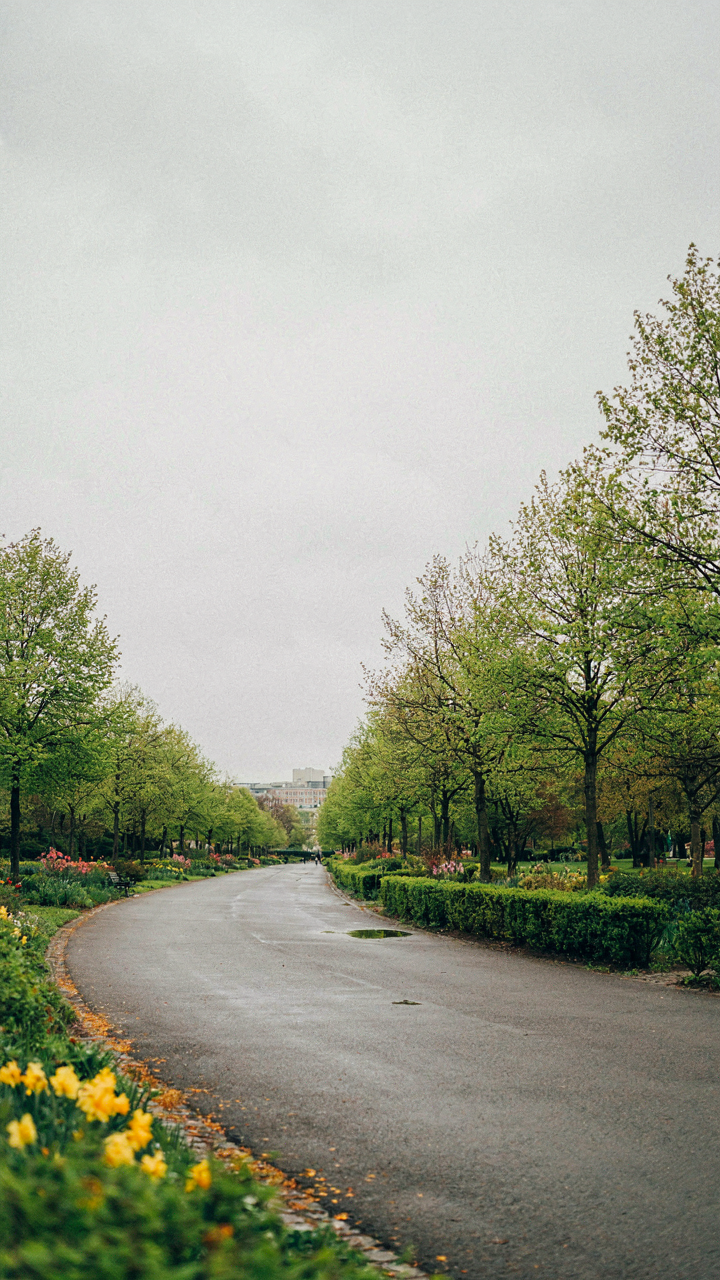
You want to believe rainy day photos look good because they’re moody or artistic. The truth is simpler: you’re chasing even light distribution, and overcast weather delivers it without effort. In lighting design, diffusion spreads intensity across a surface to eliminate contrast ratio. Clouds do the exact same thing to sunlight. The sun becomes a broad source instead of a point source, which means your iPhone’s sensor captures detail in both shadows and highlights instead of choosing one.

This eliminates the technical problem most phone photographers face in bright conditions: crushing blacks or blowing highlights. Your iPhone’s dynamic range is limited compared to larger cameras, so when the sun is direct, you lose information. Overcast conditions compress the luminance range into the camera’s sweet spot. You’re not fighting physics anymore. The exposure reads stable across your frame, which means faster processing and fewer blown-out skies that force you into computational nightmares during editing.
Reducing Harsh Shadows With Diffused Light
Shadows don’t disappear in rain. They soften. A shadow under direct sun has a hard edge defined by physics: light travels in straight lines until it hits an object. Diffusion bends that principle. Clouds scatter light from multiple angles, so shadows lack definition and fall gradually across surfaces. Your iPhone captures this as texture instead of pure black zones. Wet surfaces amplify this effect because water reflects scattered light back into shadowed areas, further reducing contrast.
This matters tactically because your phone’s processing engine handles gradual tonal transitions better than it handles clipped blacks. When you shoot in harsh sun, the algorithm compensates by underexposing the entire frame to save highlights, which tanks shadow detail. Soft light lets the metering stay neutral. The consequence is usable image data across your entire frame, which gives you actual editing latitude instead of salvage operations. Compose your shot, expose for the midtones, and let the diffused light do the technical work for you.
The Reflection Protocol: Doubling Your Visual Impact
When Water Becomes Your Second Camera
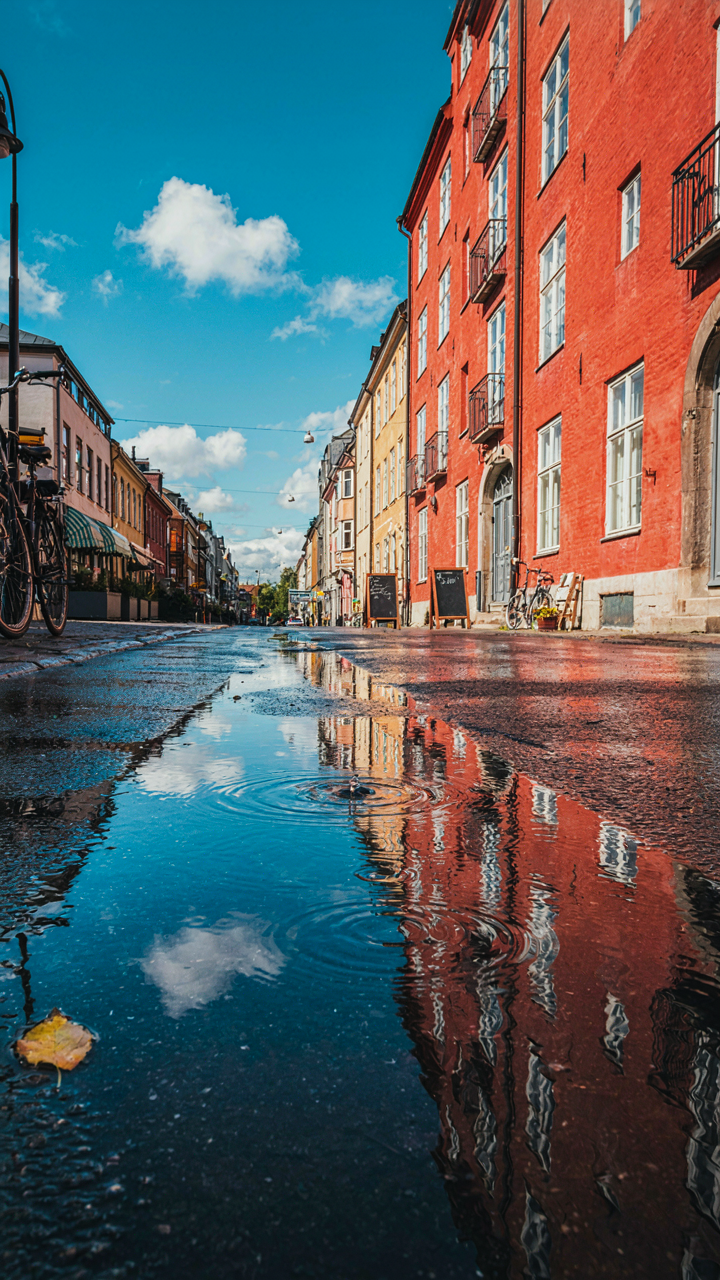
You want reflections because they feel like you’re capturing two scenes at once, and you’re right to chase that—it’s the fastest way to make a rainy day photo feel composed rather than accidental. Optics calls this the principle of specular reflection, where a smooth surface bounces light at a predictable angle. A puddle on wet pavement acts exactly like a mirror. Your iPhone’s sensor reads both the sky and its reflection as distinct tonal zones, which creates depth without needing a second focal point.

The mistake most people make is treating reflections as decoration. They’re not. They’re compression. A puddle reflection lets you stack two moments of weather into one frame—the cloud above and its duplicate below—and the viewer’s eye reads that as intentional composition. Position the horizon line of your actual scene at the midpoint of your frame, then let the water repeat it. The iPhone’s default processing actually enhances this because it punches up shadows and holds sky detail, which makes the reflection visually distinct from the source. This is the mechanism: one frame, two subjects, one action.
Broken Symmetry Over Perfect Mirrors
Perfect mirror reflections are boring. The real tension happens when the reflection distorts. A ripple in a puddle, a person moving through the water, a car passing and warping the image—these interruptions register as movement and time frozen at once. This isn’t accident; it’s friction in the visual field, and friction keeps the eye engaged. Most guides tell you to seek “pristine reflections” and that’s precisely backward advice that kills what makes rain photos work.
The iPhone captures distortion because raindrops and movement create fractals on the water surface. These fractals interrupt the clean geometry of the reflection, which your brain reads as “something real just happened here.” Shoot reflections on a street with traffic. Wait for someone to step through a puddle. Tilt your angle so the reflection catches wind-rippled water instead of still water. The protocol: shoot reflections that are breaking apart, not holding still. That’s where the frame becomes evidence rather than scenery.
Atmospheric Density: The “Rain Wallpapers” Effect

Mist And Fog As Compositional Structure
You want mist in your frame because it signals mood without effort, and you’re hoping that trades for actual skill. It doesn’t. Atmospheric perspective—borrowed from Renaissance painting—works by layering planes of decreasing clarity. Your iPhone’s sensor reads mist as a reduction in contrast and color saturation. The closer the fog sits to your lens, the more it compresses depth into flatness. This is your tool, not your excuse.

Position mist between your subject and background, not around the edges. Foreground fog obscures detail but signals weather. Middle-ground fog creates the real depth—it separates planes while staying visible enough to read. Rain and mist merge into one visual statement when you expose for the darker midtones and let the bright areas blow out slightly. This isn’t accident. It’s deliberate tonal compression that your phone’s HDR mode actually works against. Turn HDR off and shoot in standard exposure mode.
Layering Depth Without Illusion
Most rain photography advice says to shoot through glass or water droplets for texture. That’s surface-level thinking. Real depth in rainy conditions comes from stacking distinct atmospheric layers that your iPhone can actually resolve. Each layer must read as a separate plane at a different distance from the lens.
Start with a clear foreground element—a wet railing, a blurred person, vegetation. This anchor keeps the viewer from floating. The middle layer is your active content: the street, buildings, or trees where the story lives. The background dissolves into fog or rain-heavy air. Shoot at f1.8 to f2.4 by using portrait mode, which isolates these layers automatically. Tap to focus on the middle layer. The iPhone’s depth processing will soften what’s behind it, which mimics actual atmospheric density. No filter required.
The “I Love Rain” Psychology: Capturing Raw Emotion
When Sadness Becomes Intentional
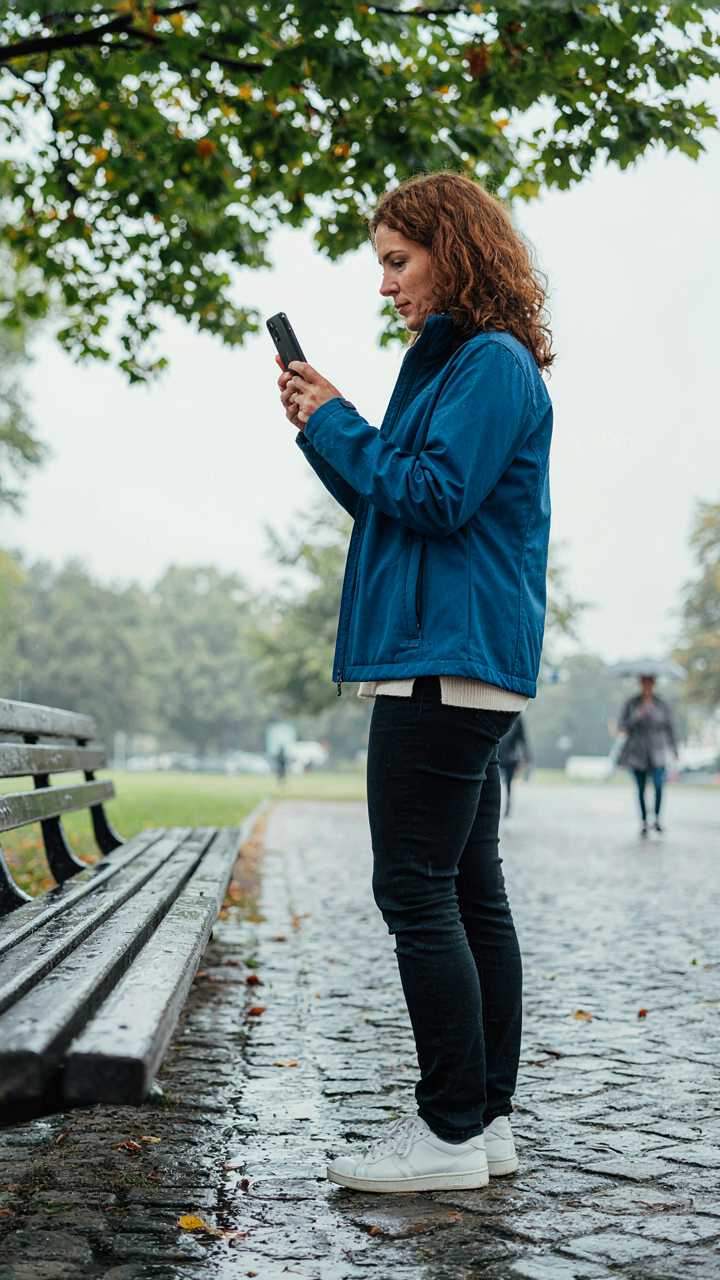
You want permission to feel something real without admitting you’re tired of curated happiness. The mechanism is simple: rain removes the pressure to perform. Your iPhone’s camera becomes a tool for capturing what psychology calls “mood-congruent processing”—your brain actively seeks and notices details that match your internal state. In rain, melancholy isn’t a problem to fix. It’s material to document. The wet surfaces, muted light, and absence of sharp shadows align with introspection, not despite it.

Rainy day photos work because they validate what you’re already feeling instead of forcing contrast. The low dynamic range of overcast conditions eliminates the need to chase dramatic lighting. Your phone’s sensor struggles less with blown highlights. You frame a puddle reflecting gray sky, and suddenly solitude reads as intentional composition rather than depression. The camera doesn’t lie about the weather, but it reorganizes what the weather means. Shoot during the hour after rain stops—surfaces still wet, light still soft, but clouds beginning to break.
Standing In It, Not Avoiding It
Rain separates the people who document life from the people who experience it. Most photographers miss rainy days entirely because they wait for ideal conditions. Your iPhone works better when you’re actually present in the weather, not observing it from shelter. The water on your lens becomes texture, not an error. Your hands are cold. You feel the drops. This embodied attention changes what you capture because you’re not performing casualness—you’re responding to real conditions in real time.
Connection forms between you and the elements when your camera doesn’t mediate the experience. Shoot with your phone partially exposed to the rain. Let water hit the screen. Take the shot anyway. The camera picks up the witness of your presence—slight blur from moisture, unsteady framing from cold fingers, authentic hesitation in composition. These aren’t flaws. They’re evidence you were there, invested enough to risk the device itself. The final image carries credibility your viewer recognizes instantly, even if they can’t name why.
Dynamic Droplets: Freezing The Fleeting Moment
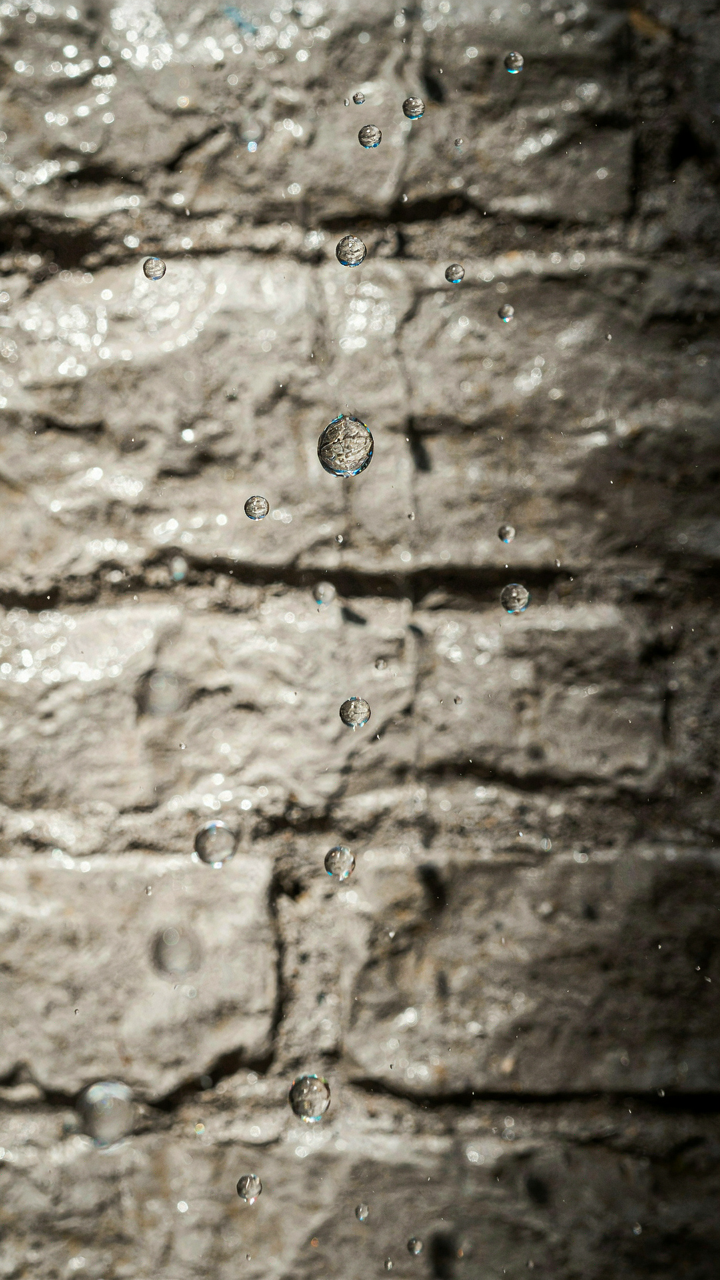
Shutter Speed And The Physics Of Motion
You want to freeze raindrops mid-fall because it makes you look like you know what you’re doing. Here’s the mechanism: motion freezes when your exposure time drops below the object’s travel distance. In physics, this is called temporal resolution. On your iPhone, you don’t control shutter speed directly, but you do control it indirectly through Live Photo mode and the Moment shutter app, both of which capture at speeds fast enough to stop individual drops at 1/120th of a second or faster.

Rain falling at terminal velocity moves roughly 20 feet per second. At that speed, a standard iPhone photo at 1/30th of a second will blur drops into streaks. Switch to Live Photo mode or use a third-party app that prioritizes faster frame capture. The visual difference is immediate and obvious: streaks disappear, individual droplets become distinct. This is not about artistic preference. It’s about having enough temporal resolution to render what your eye actually sees.
Texture And The Language Of Wet Surfaces
Wet surfaces reflect light differently than dry ones, and that difference is where contrast lives. Every texture becomes readable only when light hits it at the right angle and moisture amplifies that geometry. Rain doesn’t create drama. It creates information.
- Glass and windows: Water beads magnify the scene behind them. Position your lens perpendicular to the glass surface to maximize this magnification effect and turn rain into a natural macro lens.
- Asphalt and concrete: Wet pavement becomes a mirror with directional texture. Shoot during golden hour when side-lit moisture reveals every crack and grain the dry surface hides.
- Metal and steel: Rain on metal surfaces produces high-contrast edges because water sits in ridges while peaks stay dry. Angle your phone to catch both wet and dry planes simultaneously.
- Fabric and clothing: Wet fabric clings to form and shows weave pattern. Rain intensifies dimensionality here. Shoot close enough to see individual threads catching light differently.
- Leaves and plant matter: Water collects in veins and depressions. Back-lit rain on foliage creates internal glow where water catches light beneath translucent surfaces.
The common advice says “get close.” That’s incomplete. You need to get close at an angle where light isn’t hitting the surface head-on. Frontal light on wet texture flattens everything. Side light or back light reveals the geometry water sits on. When you frame a wet surface, you’re not photographing the water. You’re photographing the structure it clings to. Adjust your position until the shadow and highlight boundary cuts across that structure. Lock exposure on that boundary. That’s where the texture becomes readable.
The “Rainy Window” Strategy: Framing The Outside In
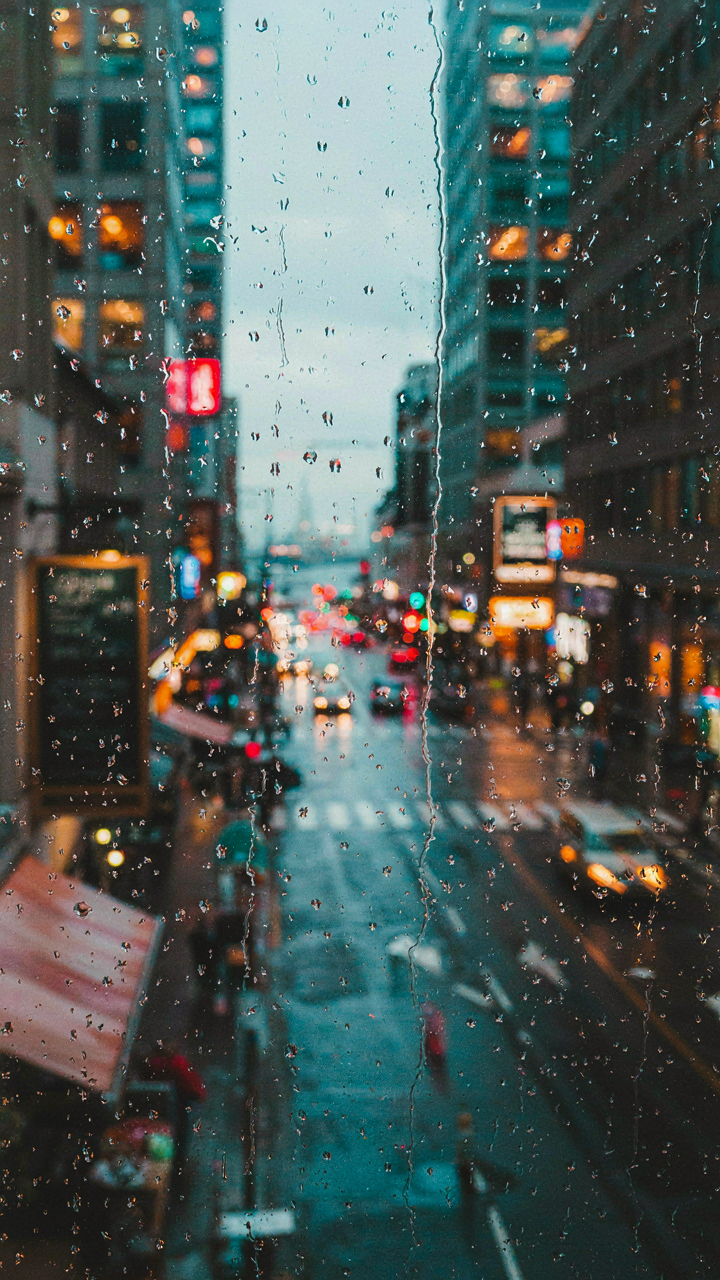
Focusing Through Water Droplets
You want this to look intentional, not like you failed to wipe your lens. That’s the real tension here. The mechanism is optical: water droplets act as tiny lenses that refract light and blur backgrounds. iPhone cameras lack true macro capability, so droplets on glass create the depth separation your phone can’t achieve on its own. Position yourself inside, shooting through a window. The droplets nearest your lens blur into bokeh. Distant rain and city lights stay sharp enough to read. This contrast reads as deliberate.

The physics works in your favor if you control distance. Droplets touching the glass stay sharp. Droplets one inch away blur hard. Droplets three inches away blur less. Shoot from inside where your subject sits beyond the glass. Your iPhone focuses through the intermediate space where water sits. Adjust your position until the water droplet pattern frames the background without dominating it. The depth illusion happens automatically because the optical path distances matter more than the sensor size.
Composing With Condensation And Streaks
Most rainy window advice tells you to embrace randomness. Don’t. Streaks and condensation fog are compositional tools, not accidents. Use them as foreground elements that direct the viewer’s eye toward your actual subject. A vertical streak becomes a leading line. Horizontal condensation layers frame the horizon. You’re using obstructed vision as a structural device, not hiding behind it.
Position subjects in the clear zones between streaks. If you have a light source outside (street lamp, neon sign, car headlights), let streaks split that light into bands. The iPhone’s sensor catches these light refractions cleanly. Wipe deliberate patterns into condensation before shooting, or wait for natural streaking from water running down the glass. Tap to focus on a subject beyond the glass, not on the water itself. The camera holds the background sharp while rendering the foreground as textured abstraction. Shoot multiple frames to find compositions where streaks enhance rather than obscure your subject.
Color Theory In Gloom: Desaturate For Impact

The Monochrome Foundation
You want your rainy photos to feel intentional, not accidental—to prove you chose this mood rather than just accepted what the weather gave you. Here’s the mechanism: color theory borrows from physics the concept of contrast, and in rainy light, your real contrast isn’t brightness versus darkness. It’s saturation versus desaturation. iPhone cameras oversaturate automatically in flat light. Turn that instinct off.

Desaturate deliberately in post-processing. Lower saturation to 80-90% of your original capture, or use iPhone’s native tools to reduce color intensity across the frame. Blues and grays will dominate a rainy scene naturally, but the phone wants to punch them up. Resist that. The muted palette is the entire point—it’s what separates a rainy day photo from a regular cloudy day snapshot. Flatten the colors. Make nothing pop yet.
Accent Color As Interruption
The common advice says “add a pop of color to break the monotony.” Wrong framing. You’re not breaking monotony for decoration. You’re using scarcity to create psychological weight. One saturated element in a desaturated frame forces the viewer’s eye and creates narrative tension without saying anything.
Identify one object with inherent color: a red umbrella, a yellow storefront, a person in a green jacket. Keep that object in frame but do not boost its saturation in editing. Let the desaturated background make it stand out naturally. The contrast works because of what surrounds it, not because you cranked the slider. Open iPhone’s Saturation tool, select that single element if possible, and lift only that area back to 100% saturation while the rest stays muted. This single protocol step separates amateur and intentional work.
The Bio Rhythmic Method: Tapping Into Natural Cycles
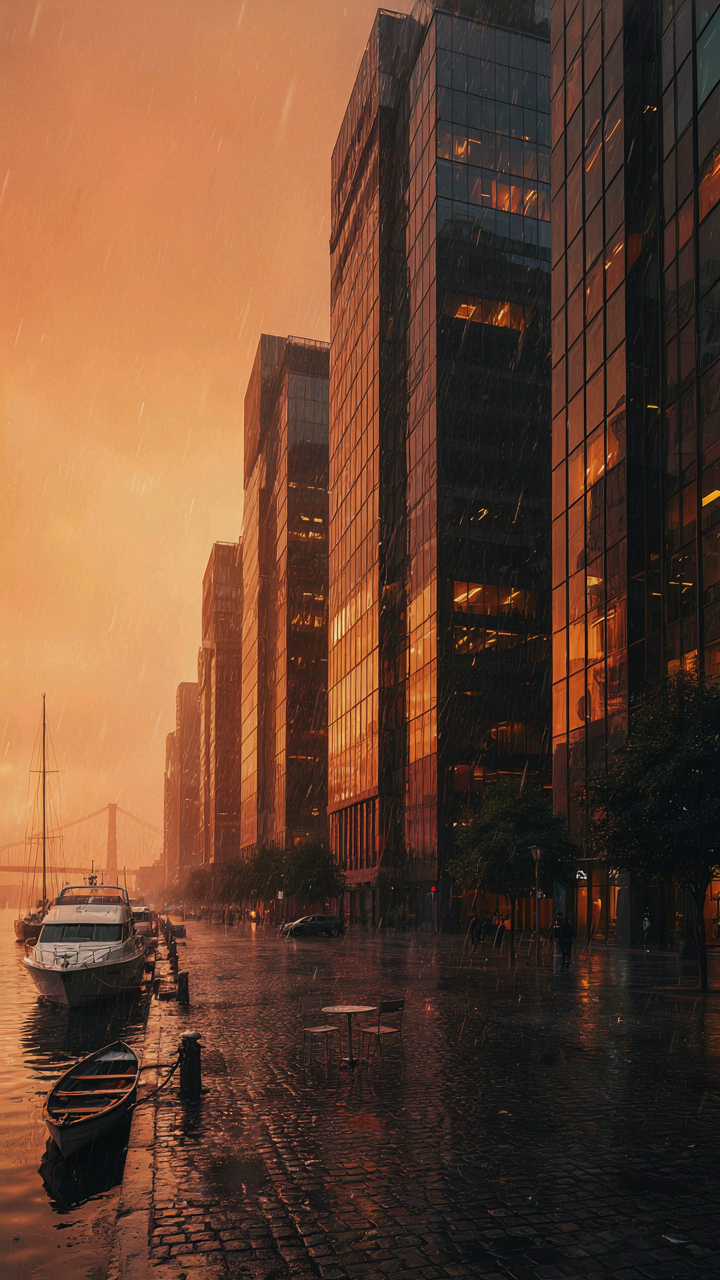
When Light Shifts, Your IPhone Sees Differently
You want this section to legitimize why you waste time waiting for the perfect rainy moment instead of just shooting. Here’s the mechanism: biology teaches us about circadian rhythms and light cycles, and your iPhone’s sensor operates the same way. The camera doesn’t see static conditions. It reads available light as a live variable. Rain alters light wavelength and intensity in predictable patterns throughout the day, and your sensor responds accordingly. Morning rain diffuses light differently than afternoon rain because the sun angle changes the scatter pattern. Golden hour on a rainy day isn’t just prettier, it’s optically distinct.

The sensor in your iPhone uses a photodiode array that responds to photon wavelength. During rain, shorter blue wavelengths scatter more than longer red wavelengths, which is why rainy midday shots look flat compared to golden hour. Your phone’s computational photography then attempts to correct this, creating the moody blue cast people mistake for “rainy day aesthetic.” This isn’t artistic choice. This is the camera compensating for a biological fact: light cycles drive wavelength distribution. Shoot the same rainy street at 10 AM versus 4 PM. The sensor output will be fundamentally different before any filter touches it.
Where Rain Patterns Meet Exposure Geometry
Rainfall intensity follows a rhythm, and this rhythm directly controls your exposure options. Don’t confuse “consistency” with “opportunity.” Rain doesn’t fall evenly. It comes in waves, with breaks between downpours. The gaps are your shooting windows, and they follow a recoverable pattern. Watch the sky for five minutes before pulling out your phone. You’ll notice rain intensity peaks and valleys. The valleys create moments where light penetrates enough for your sensor to capture shadow detail without blowing highlights. This is when composition happens.
Treat rainfall as an exposure ebb and flow, not a single state. Heavy rain crushes your dynamic range and forces exposure onto highlights. Light drizzle expands your dynamic range and lets you hold both sky and foreground. The mechanism is straightforward: less water in the air means more light reaches your sensor, which means your camera can meter a wider tonal range before clipping blacks or whites. Time your shots for the moments between intensity peaks. This is the only reliable way to maintain image data in rainy conditions. Your phone’s HDR mode activates automatically during these gaps, which is when you get usable files.
Post Processing For The Purist: Enhancing Reality

Subtle Edits To Deepen Mood
You want to post-process because you’re afraid the raw file won’t convince people you saw something worth seeing. The mechanism is this: editing doesn’t create mood, it removes the noise that masks the mood already present. Rain diffuses light in ways your sensor captures but your display doesn’t render properly. Adjusting exposure, contrast, and shadow detail simply shows what was there. The iPhone’s computational photography already processes every shot automatically, so “purist” editing means intentional correction, not invention.
Raise blacks slightly to add weight without crushing shadow detail. Lower highlights to recover blown sky. Increase clarity by a small margin to sharpen the texture of wet surfaces. These moves reveal rather than remake. The common advice to “enhance what you see” is incomplete because the iPhone’s default processing actively compresses dynamic range to fit the display. You’re not adding mood. You’re undoing the compression that obscured it.
Avoiding The Trap Of False Depth
Over HDR and saturated color are visual lies dressed as drama. They signal insecurity, not skill. Saturation lifts are the entry-level move because they’re immediate and obvious, which is precisely why they fail for rain work. Rain photography depends on restraint. The water droplets, the muted tones, the contrast between dark pavement and grey sky contain enough information to work with if you stop reaching for false drama.
Skip the HDR slider in Lightroom or Apple Photos. If your shot needs multiple exposures, you made a framing error at capture. Desaturate the reds and oranges first, then bring back only the cool tones if the scene demands it. Reduce vibrance before touching saturation. Vibrance lifts muted colors without destroying skin tones or pushing greys into cartoon territory. The protocol: exposure plus blacks, then stop. Let the rain speak.
The Only Thing Holding Back Your Gloomy Photos Is Your Internal Resistance To What Already Exists

You already own the tool. You already see the light. The only gap between your iPhone rainy day photos and the ones that stop people mid-scroll is your willingness to shoot what feels ordinary. Stop waiting for perfect conditions. Go outside today during drizzle and shoot ten frames of whatever catches your eye. The best camera you’ll ever own is the one you carry right now, and rain isn’t your obstacle—your hesitation is.