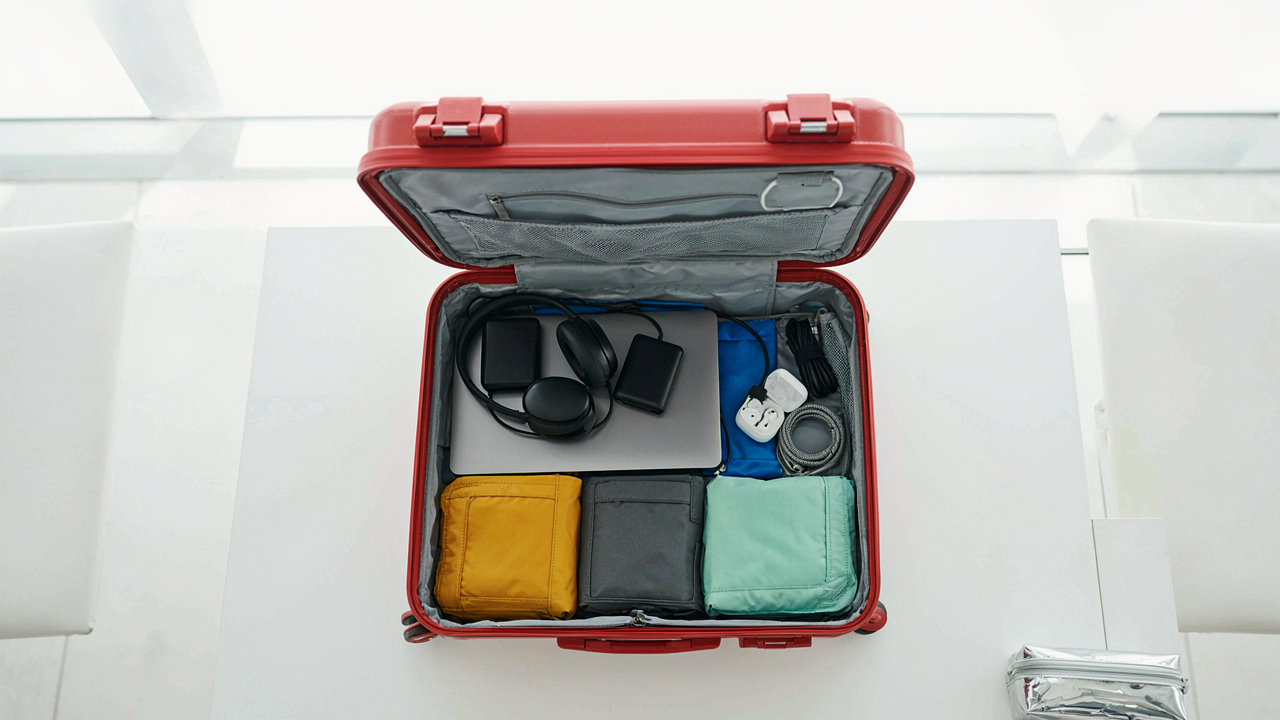
The Minimalist’s Command Kit: Essential Travel Tech, Not Clutter

Single Purpose Beats Swiss Army Syndrome
You want to feel prepared, which actually means you’re afraid of looking unprepared when something breaks mid-flight. Here’s the mechanism: multi-function devices fail catastrophically because when one feature breaks, the entire tool becomes dead weight. In manufacturing, this is called “system brittleness.” A phone does ten things badly under pressure. A dedicated charger does one thing reliably across 200 flight cycles.
The market sells you combination devices because they’re easier to market and cheaper to produce. Your actual need is survivorship. Frequent flyers who travel 50+ times yearly eliminate any gadget that serves secondary purposes. The backup USB-C cable doesn’t also need to be a display adapter. The power bank doesn’t need wireless charging. Each tool solves one problem, fails independently, and gets replaced without cascading losses.
Built To Transit, Not To Impress
Airport security, cargo hold pressure changes, and constant temperature swings are genuine stressors. Materials engineering directly applies here: a device’s resilience depends on material fatigue resistance under thermal cycling. Aluminum frame construction handles repeated temperature shock better than plastic. Rubberized corners absorb impact from luggage shifts. Corrosion-resistant connectors survive humid gate areas and salt-air airports.
Durability claims on product pages mean nothing. Look at what frequent-business travel communities actually report after two years of use. The Anker Nano chargers survive because they use potted components that resist moisture. Cables with aramid fiber cores last longer than standard nylon jackets. Check the warranty length and the company’s replacement policy. If they won’t replace it after 18 months of actual use, the device wasn’t built for travel.
Power Protocol: The Digital Nomad’s Uninterrupted Flow
Stop Collecting Dead Cables
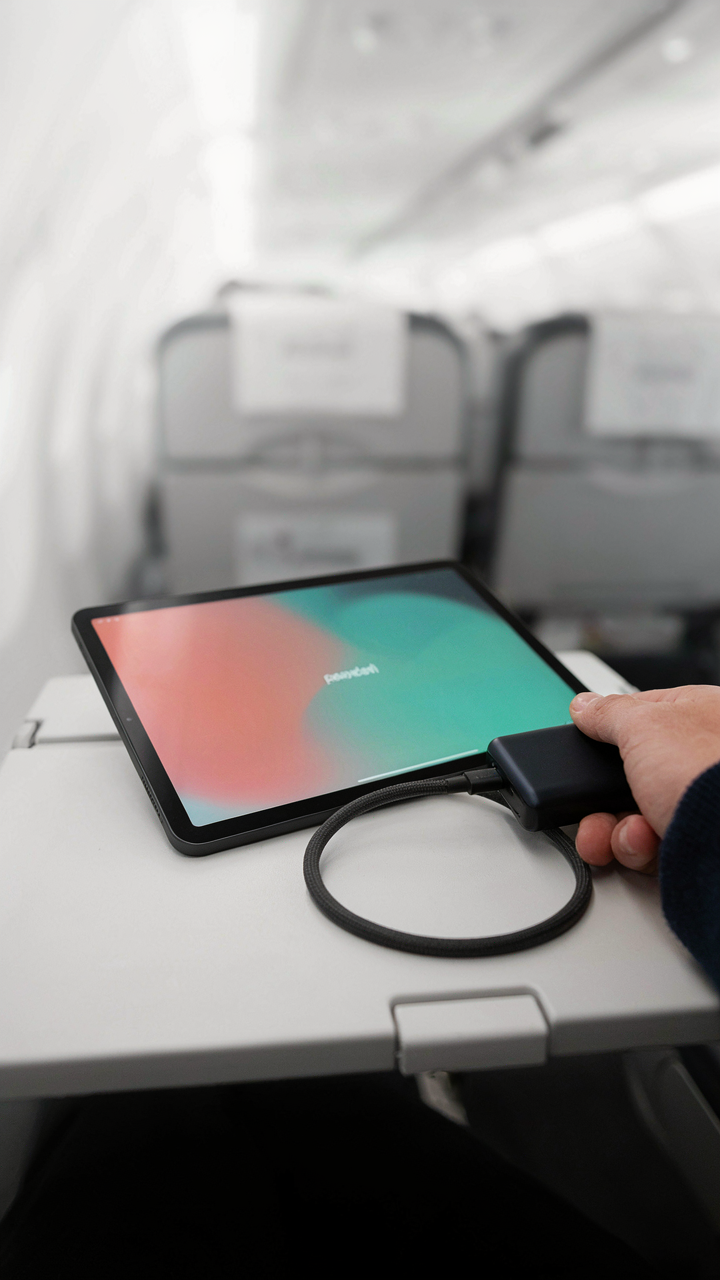
You want a gift that signals you’ve optimized your life. Here’s what actually matters: proprietary cables are waste. They lock you into a single device ecosystem and multiply when you travel. USB-C has become the de facto standard across phones, laptops, tablets, and most modern peripherals. The mechanism is simple—one cable replaces five. When a frequent flyer owns multiple USB-C cables, they reduce decision friction at every charging point. No hunting for the right adapter. No mental load.

The real win is buying a bundle of high-quality USB-C cables in different lengths rather than scattering single cables across bags and hotels. A 3-foot, 6-foot, and 10-foot cable covers desk setups, travel scenarios, and charging from a distant outlet. Anker and Belkin make durable versions rated for repeated bending. The traveler plugs in once and doesn’t think about it again. That’s the protocol.
Density Over Heft
Physics calls it power density—output relative to weight. A 25,000mAh power bank that weighs eight ounces beats a 30,000mAh unit at fourteen ounces every time for frequent flyers. The marginal capacity gain doesn’t justify carrying extra weight through airports, hotel corridors, and day trips. Most travelers never need more than two full phone charges plus a laptop top-up between gate and hotel outlet. Stop oversizing.
Anker’s Nano series and Zendure’s SuperTank hit the sweet spot. They deliver 65-100W output in a shape that fits jacket pockets without bulging. The real mechanism: a frequent flyer uses their power bank predictably—phone before takeoff, quick recharge during layover, laptop charge before evening meetings. Buy for that actual rhythm, not theoretical maximum. One cable attached stays attached. No cable management theater.
The Connectivity Gambit: Always On, Never Exposed

Why You Need A Dedicated Hotspot
You want the feeling of control without the actual friction of managing it. Here’s what matters: Airport Wi-Fi and hotel networks are honeypots by design. They’re built to let attackers sit on the same network and watch your traffic move in real time. A dedicated cellular hotspot removes you from that shared environment entirely. You’re not connecting to their network anymore. You’re routing through a carrier’s infrastructure instead. That changes the threat model completely.

The right hotspot does one thing: it gives you a private network tunnel that nobody else can access. Devices like the Netgear Nighthawk M6 Pro or the ASUS Dual Band Mobile Hotspot use modern cellular bands and deliver consistent speeds across most geographies. The hardware matters less than the fact that you control the access point. One password. One network. One point of failure that isn’t a coffee shop’s router. Frequent flyers who skip this step are making an implicit bet that they’ll never handle sensitive data on a plane or in a terminal.
Encryption That Doesn’t Add Friction
The common advice says buy a VPN, enable it everywhere, problem solved. That’s incomplete. A VPN hides your traffic from the network you’re on, but it creates a new problem: a secondary point of failure. Your traffic now flows through your airline’s connection, then through a VPN provider’s servers, then to your destination. Speeds drop. Reliability depends on two companies, not one. Some apps don’t work over VPNs. Most hotel Wi-Fi networks explicitly block them.
The real move is selective encryption, not blanket encryption. You use a VPN only when you’re handling financial data or sensitive communications. You keep it off for general browsing and streaming because the added latency costs you more than the privacy gain is worth. A hotspot handles most of your work anyway, so the VPN becomes a backup tool for specific scenarios. Test your VPN provider at home before you travel. If speeds drop below acceptable thresholds, switch providers or abandon it for that use case. Your protocol: VPN on for banking and email authentication. VPN off for everything else. This is how you stay encrypted without becoming a useless traveler.
Audio Advantage: Focus In Chaos, Not Distraction

Noise Canceling: A Shield Against Environment
You want noise-canceling headphones because you believe they’ll make you look productive. They will. But the actual mechanism is acoustic physics: active noise cancellation works by generating inverse sound waves that cancel ambient frequencies before they reach your ear. On a plane, this targets the constant low-frequency rumble of engines. The effect is neurological, not just acoustic. Your brain stops allocating resources to filtering background noise, freeing cognitive load for actual work.

The difference between mid-tier and premium noise-canceling isn’t subjective. Sony WH-1000XM5 and Bose QuietComfort Ultra both suppress engine noise to around 30 decibels. Budget models cut maybe half that. On an eight-hour flight, the extra suppression means your cortisol stays lower and your focus window stays open. This is why frequent flyers upgrade: not for status, but because fatigue hits different when your nervous system isn’t constantly bracing against noise.
Sound Quality For Concentration, Not Escapism
Conventional wisdom says sound quality matters for music. It does. What nobody tells you is that sound quality also affects how your brain processes speech and tonal information during calls. Muddy mids and rolled-off treble force your brain into active decoding. Crisp, balanced audio requires less cognitive effort to parse. This matters on long flights where you’re trying to work through emails or take calls across time zones.
Avoid the trap of chasing studio-grade sound. You’re not mixing music at 35,000 feet. You need flat response across voice frequencies (roughly 200Hz to 4kHz) so that Zoom calls, podcasts, and voice memos require minimum processing overhead. Sony and Bose both nail this. The Sony edges out on treble clarity. The Bose leans slightly warmer. Pick one and stop overthinking. The difference is marginal compared to the gap between noise-canceling and non-noise-canceling.
Travel Organization: The Luggage Logistics Matrix
Space Multiplication Through Compression
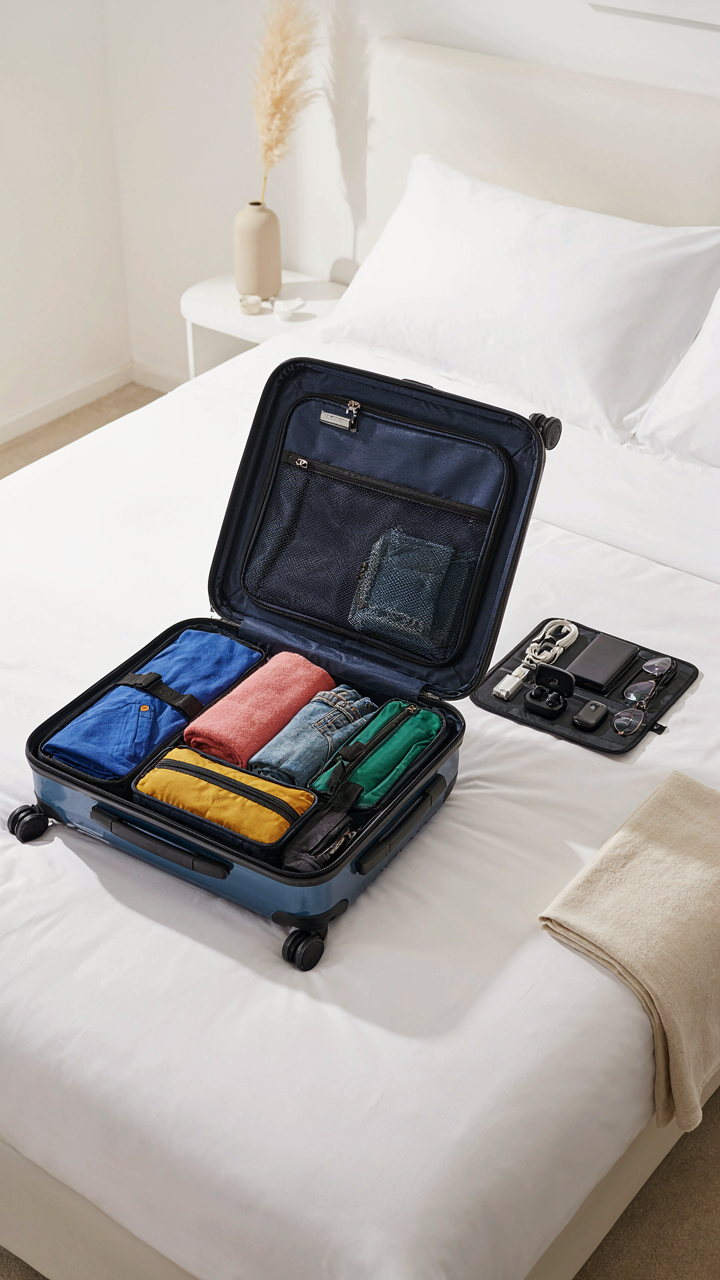
You want to pack more without buying a larger bag because you know larger bags mean slower airport movement and higher baggage fees. Military logistics borrowed the concept of force multipliers—using fewer resources to achieve disproportionate effect. Packing cubes operate as force multipliers for your luggage volume. They compress clothing while organizing it into discrete blocks that stack predictably and prevent clothes from shifting during transit. The mechanism is simple: structured compression reduces air gaps between garments, creating usable space where chaos previously existed.

The mistake most travelers make is treating packing cubes as optional accessories. They’re infrastructure. Peak-design or similar compression cubes force air out during packing, then maintain that compression for the entire trip. This matters because wrinkled clothes cost you time at your destination—either ironing or rewearing limited pieces. Buy cubes matched to your bag dimensions so they fill space completely without waste. Your checked luggage should move like a Tetris grid, not a sack of loose items.
Immediate Access Without Unpacking
The real problem isn’t finding things in your bag—it’s that you unpack everything to find one item, then repack poorly. Rapid deployment in military strategy means having critical assets immediately available without disrupting the entire operation. Tech organization compartments operate on this same principle: your cables, adapters, and power banks must be accessible at security lines and during layovers without touching your main luggage contents.
Invest in a dedicated tech organizer with labeled compartments. Peak Design or Bellroy make organizers that mount to your carry-on exterior or fit in a seat pocket. The protocol is non-negotiable: charge all devices the night before departure, store them in the organizer in the exact positions you’ll retrieve them, and never deviate from this placement. Your brain stops hunting when the location is always consistent.
The Digital Security Fortress: Protecting Your Assets Abroad
Biometric Access And Encryption Keys
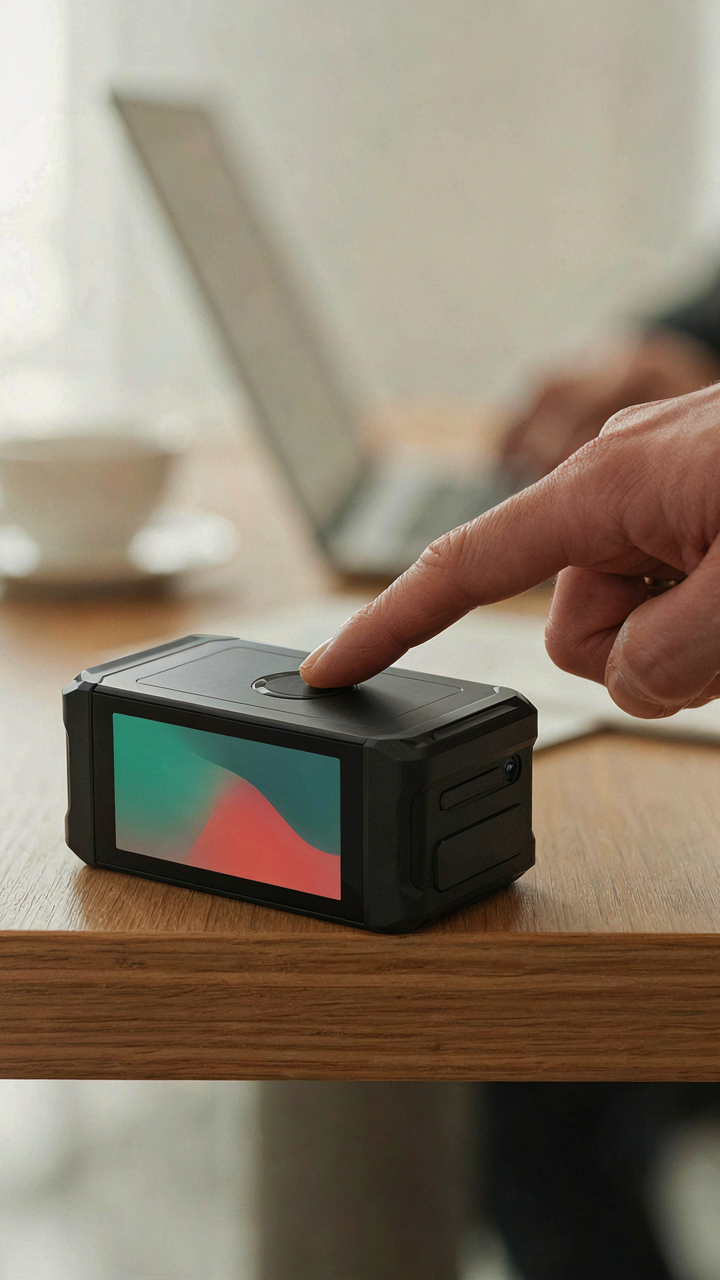
You care about this section because you’re terrified of losing access to your money and identity while stuck in an airport in a country where you don’t speak the language. Here’s what actually matters: think of biometric security like a redundancy system in aerospace engineering—the mechanism works because it layers independent failure points so no single breach collapses the whole structure. A fingerprint reader on your portable drive means a stolen password doesn’t open your files. Encryption protocols mean the device itself becomes worthless to anyone but you.
- Encrypted portable SSDs with biometric readers: Store sensitive documents, financial records, and passport scans behind fingerprint authentication. Models like the Samsung T7 Shield offer hardware-level encryption and physical durability for constant travel.
- Hardware security keys: USB devices that generate cryptographic credentials for email and banking. They prevent SIM swaps and phishing attacks from compromising accounts even if passwords leak.
- Biometric password managers: Devices that store login credentials behind fingerprint or face recognition. Access your passwords offline without typing them into hotel WiFi networks.
- Encrypted external drives with write protection: Store archived files with physical switches that prevent accidental deletion or ransomware encryption during transit.
- Faraday pouches with RFID blocking: Protect contactless payment cards and passport chips from wireless skimming attacks in crowded terminals and transit hubs.

The real mechanism: attackers target frequent travelers because they access accounts from unstable networks across jurisdictions. Biometric locks eliminate the password as the weakest link. Encryption ensures the device hardware itself becomes proof of ownership, not the data it contains.
Distributed Backup Beyond The Cloud
Most people think cloud backup solves redundancy. It doesn’t. You’re creating a single point of failure with one company’s infrastructure, one terms-of-service change, one data center failure. The actual mechanism is geographic distribution—you need your critical files stored across separate physical locations and providers so no single event wipes everything.
A practical protocol: maintain encrypted copies on a portable drive you carry, a cloud service in one region, and a second cloud service in a different region. When you land, sync the drive. If your main cloud account gets compromised or a provider goes down, your data survives because it exists elsewhere under different authentication systems. This costs almost nothing and takes thirty minutes to set up. Most frequent travelers ignore this entirely, then panic when a flight delay leaves them without access to booking confirmations or insurance documents they need immediately.
Comfort Vs. Utility: The Gadgets That Earn Their Weight

Ergonomics For Sustained Work On The Move
You want to believe a thin laptop and good posture solve everything. They don’t. Ergonomics borrowed from occupational health reveals load distribution: spreading pressure across multiple points prevents the cumulative damage that kills productivity mid-trip. A frequent flyer’s body isn’t static. It moves between seats, desks, armrests, and tray tables that all impose different stress patterns.

The real problem isn’t finding comfort. It’s that most travel gear prioritizes portability over structural support, then you pay for it in neck strain, wrist angle, and lower back compression. A laptop stand that angles your screen to eye level costs under two pounds and eliminates the forward head posture that destroys your spine over 50+ hours annually. Pair it with a keyboard that separates from your device, and you’ve reconstructed a proper workstation in a hotel room or airport lounge. The mechanism is simple: correct positioning reduces muscle fatigue, which extends your effective work window by hours per day.
Multi Tool Tech: True Versatility, Not Compromise
The gadget industry conflates versatility with compromise. A device that does six things poorly still does six things poorly. Real multi-tool technology in travel tech means devices engineered to handle multiple use cases without sacrificing performance in any of them. A USB-C hub with Thunderbolt passthrough, multiple USB-A ports, HDMI output, and SD card reading isn’t a compromise. Each function runs on separate circuits. You’re not choosing between charging and video output. You do both simultaneously without speed degradation.
Frequent flyers fail here by buying single-purpose items and stacking them in their carry-on. A phone charger, a laptop charger, a tablet charger, a cable organizer. One dock with multiple output ports and adequate wattage distribution replaces that entire pile. The protocol: audit what you actually connect during a trip, not what you might. Then find one device that handles all those connections in the right order of priority. Weight saved is momentum kept.
The Unseen Edge: Software Over Hardware

The Automation Layer
You want to believe a better gadget solves your problem. It doesn’t. The real bottleneck for frequent flyers isn’t processing power or screen size, it’s decision fatigue and manual repetition. Every email you sort, every expense you log, every itinerary you reorganize is time stolen from work that compounds your actual edge. Borrowing from systems theory, the concept of “constraint” applies here: your constraint isn’t hardware capability, it’s the number of manual steps between you and the information you need to act on.

Automation software rewires this entirely. Tools like Zapier, IFTTT, or native workflow builders eliminate the friction that consumes travel days. Your calendar integrates with your expense tracker, which feeds into your accounting. Hotel confirmations parse automatically into your travel app. Flight delays trigger notifications across platforms without you checking anything. The compounding effect: you reclaim roughly five to eight hours per month that went to administrative labor, and you never miss a status change.
Information Access Anywhere
Generic advice says “download your apps.” Wrong. The real move is owning a single point of truth that syncs everywhere, then layering read-only access into every context where you need it. A frequent flyer needs their data available offline on a plane, then updated instantly on landing, without switching between five different apps to find one fact.
Real-time information access now runs through aggregators rather than point solutions. A platform like TripIt parses every confirmation email you receive and builds a unified itinerary. Your passport details, visa requirements, and entry rules for your destination live in one verified location. Your rewards balances across airlines and hotels update without manual checking. You check one source, not ten, and you know the data refreshes every time you open it.
Your Real Obstacle Isn’t The Gadget; It’s Your Inability To Distinguish Signal From Noise

Most frequent flyers drown in tech they never use. The problem isn’t finding the right gift. It’s that you’re buying solutions to problems that don’t exist. Stop asking what gadget solves travel. Start asking what actually breaks your workflow. Pick one pain point today. One. Then find the tool that eliminates it completely. Everything else is just noise disguised as productivity. The best tech gift is the one that disappears into your routine because it actually works.