
The Best Tech Gifts For Grandparents

Why Simplicity Matters
Grandparents operate on different tech timelines than younger generations. Most didn’t grow up with touchscreens or app ecosystems. Choosing technology for them means rejecting complexity at every turn. Intuitive interfaces matter. Large buttons matter. Functions that don’t require memorizing steps matter. A device that demands a manual or tutorial before use wastes their time and creates frustration. The goal is functionality that works immediately without training.
Tech companies often bundle features grandparents will never use. Strip those away mentally when evaluating gifts. Focus on one clear purpose per device. A tablet designed for video calls doesn’t need gaming apps. An e-reader doesn’t need a web browser. Devices with single functions, performed well, win every time. Simplicity reduces decision fatigue and prevents grandparents from abandoning the gift entirely because they can’t figure it out.
Beyond The Basics Enhancing Daily Life
Technology for grandparents solves real problems or deepens existing interests. Someone who loves reading gets an e-reader with adjustable text size. Someone isolated geographically gets a video calling device. Someone with arthritis gets voice-activated assistants. The purchase decision starts with understanding their actual life, not assumptions about what seniors need. Match the tool to the person, not the person to the tool.
Practical assistance changes daily routines significantly. Devices that read recipes aloud help in the kitchen. Medication reminders prevent missed doses. Weather reports eliminate guesswork. Video calling maintains relationships across distances. Health tracking devices alert family members to potential issues. These aren’t luxury additions. They’re functional upgrades that make independence possible and relationships stronger.

Digital Picture Frame A Window To Memories
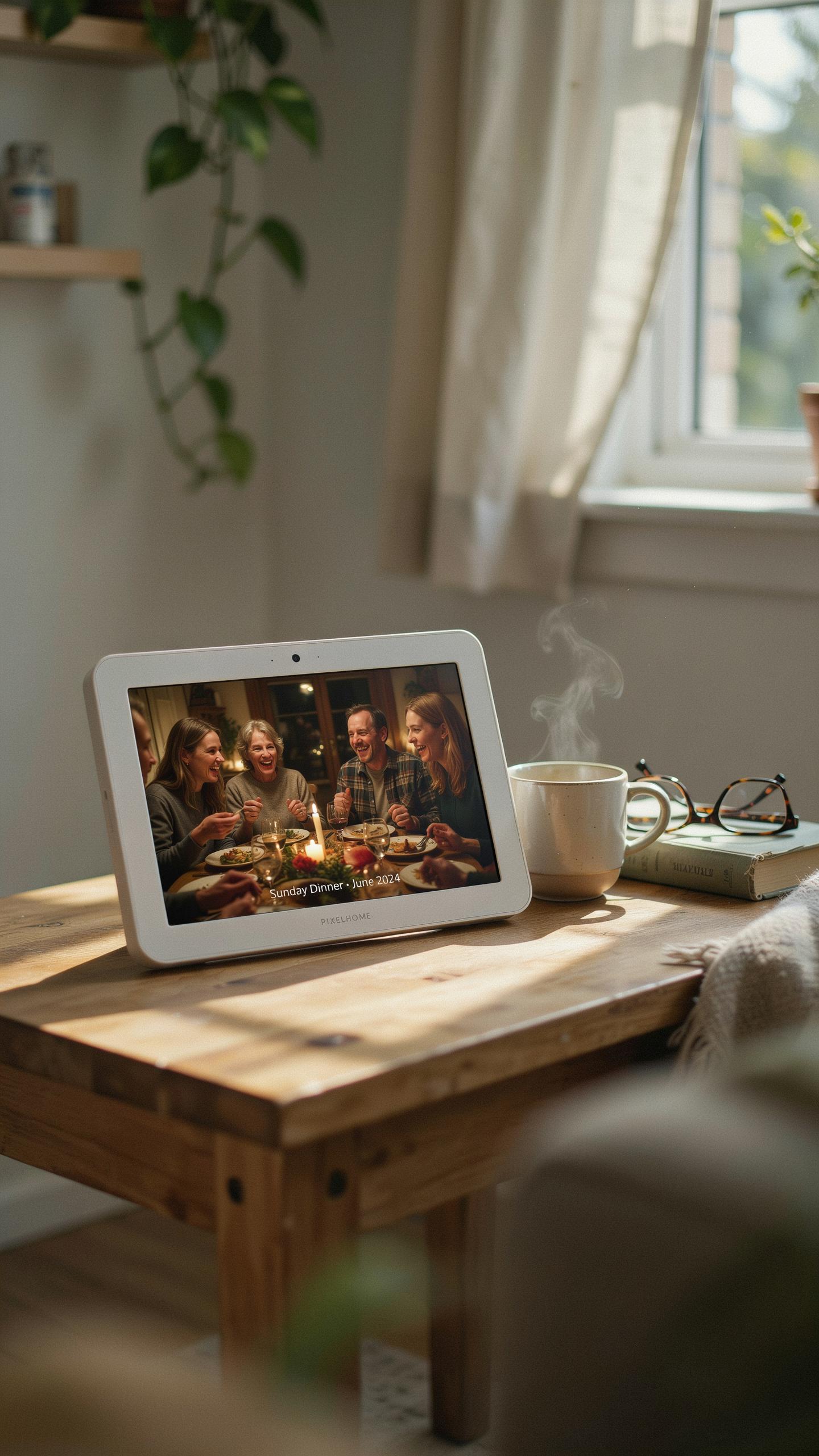
Effortless Photo Sharing
Family members upload photos to a cloud service or app. The digital frame pulls images automatically without requiring grandparents to do anything. New photos appear within minutes of being taken. This eliminates the need for grandparents to navigate email, text messages, or social media platforms. Photos update in real time across multiple family members’ contributions.
Grandparents see current life events without asking for updates. Children and grandchildren send photos directly to the frame through dedicated apps. The process requires no technical knowledge from the recipient. Multiple family members can contribute simultaneously. This keeps grandparents connected to daily moments they would otherwise miss entirely.
Choosing The Right Digital Photo Frame
Focus on frames with 1024×768 resolution minimum for clear image display. Wi Fi connectivity must be stable and simple to set up initially. Physical buttons should control basic functions like brightness and next image. Touchscreen options exist but add complexity that most seniors find unnecessary. Look for frames with large displays between 8 and 10 inches.

Battery backup during power outages prevents image loss or system crashes. USB ports allow for direct photo uploads without cloud access if preferred. Customer support availability matters significantly since setup issues will arise. Check return policies carefully before purchasing. Frames from established electronics companies typically offer better long term reliability and software updates than unknown brands.
Practical Gifts For Grandparents Smart Home Devices
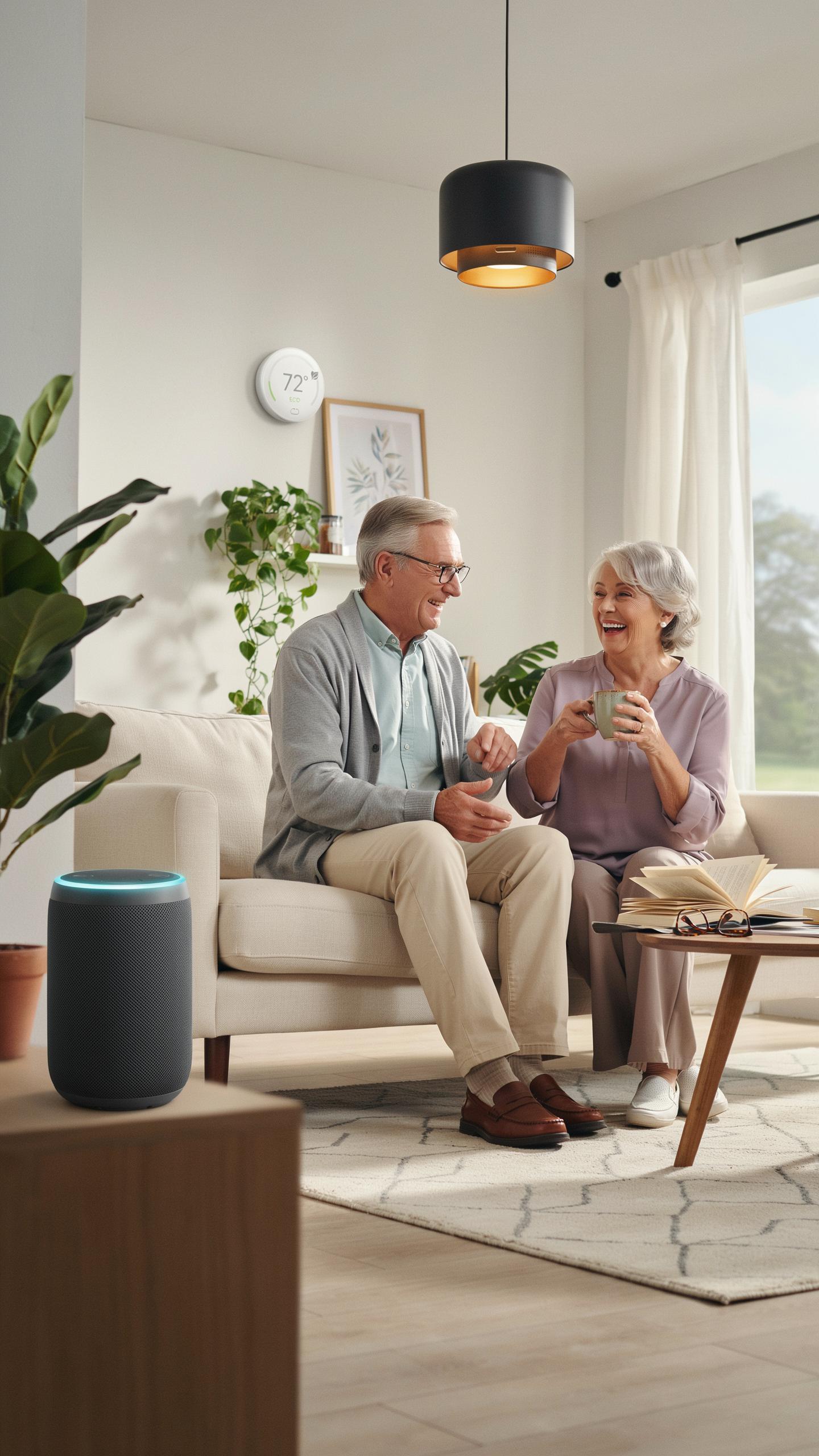
Voice Activated Assistants
Smart speakers handle core tasks without complexity. Users speak commands to play music, get weather updates, set timers, or hear news briefings. No screens to navigate. No apps to download. Voice control removes friction from daily routines. Grandparents benefit from hands-free operation when cooking, cleaning, or managing mobility challenges. The learning curve stays minimal because interaction mirrors natural conversation.
Device setup requires a WiFi connection and someone to configure initial preferences. After that, voice commands work immediately. Popular options include Amazon Echo, Google Home, and Apple HomePod. Each operates similarly for basic functions. Support staff at retailers can handle initial setup if needed. This one-time effort unlocks ongoing convenience and independence for grandparents managing household tasks.
Smart Lighting For Comfort And Safety
Smart bulbs and switches eliminate the need to reach overhead fixtures or fumble with switches in darkness. Grandparents control lights remotely from bed or a chair using voice commands or a simple mobile app. This prevents falls caused by navigating dark hallways or tripping on stairs. Motion sensors can trigger automatic lighting when movement is detected. Dimming capabilities reduce eye strain during evening hours. The technology directly addresses mobility limitations common in aging.

Installation replaces standard bulbs or attaches to existing wall switches. No rewiring required. Bulbs screw in like regular lights. Switches mount identically to current ones. Setup takes under five minutes per fixture. Voice assistants trigger lights through simple commands like “turn on bedroom light” or “dim living room to fifty percent.” Grandparents gain independence at night and reduce accident risk simultaneously.
Gadgets For Grandparents Accessible Communication

Tablets With Simplified Interfaces
Tablets work for grandparents because they offer large screens and touch controls that don’t require a mouse or keyboard. Pre-loading them with family photos, video calling apps, and email removes the need to navigate app stores or settings. The simplified home screen displays only essential apps, reducing confusion and decision fatigue that comes with too many options.
Setup matters more than the device itself. A family member should configure the tablet before giving it as a gift, testing all pre-installed apps to ensure they work. Grandparents need one or two people designated as their tech support contacts. This prevents them from accidentally deleting apps or changing settings they don’t understand.
Easy To Use Video Calling Devices
Dedicated video calling devices eliminate app confusion entirely. These standalone units have large screens, physical buttons, and straightforward controls. Grandparents press one button to call a family member without searching through contacts or typing. The device powers on instantly and displays clear video without lag or technical issues that plague software apps.

These devices connect to WiFi but require no account creation or password management from the user. Family members control who appears on the contact list from their own phones or computers. Setup happens once during delivery, then the device requires minimal maintenance. The large screen and speaker quality make video calls feel natural and personal rather than technical.
Things To Buy Grandparents Entertainment Comfort

Streaming Devices For Easy Viewing
Streaming sticks and boxes deliver movies and shows without cable subscriptions. Roku, Amazon Fire TV, and Apple TV dominate this market. These devices connect to existing televisions through HDMI ports. Remote controls feature large buttons and simplified menus designed for older users. Voice search functionality lets grandparents find content by speaking instead of typing.
Most streaming devices cost between $30 and $100. Setup takes minutes for anyone comfortable plugging in cables. Grandparents access Netflix, Disney+, Hulu, and free services like Tubi or Pluto TV. Large text options make program titles readable from across the room. Monthly subscription costs vary, but many services offer free trials before commitment.
Comfort Enhancing Tech
Heated massage cushions combine warmth and vibration to ease muscle tension in the neck, shoulders, and back. These plug directly into outlets and operate through simple buttons or remote controls. Grandparents use them while sitting in recliners or on beds. Quality units cost $50 to $150 and provide consistent, adjustable heat levels. Removable covers allow for easy cleaning when needed.

Smart mugs maintain beverage temperature automatically through battery or USB charging. Grandparents set desired heat levels on simple apps or buttons on the mug base. These prevent lukewarm coffee or tea throughout the day. Prices range from $40 to $80 depending on brand and battery life. Battery life typically extends eight to twelve hours per charge.
Christmas Gifts For Grandparents Who Have Everything

Personalized Digital Photo Frames
A digital photo frame loaded with family photos and videos solves a real problem for grandparents who already own physical items. These frames display rotating images without requiring complicated setup. You pre-load the photos before giving the gift, eliminating the technical burden. The grandparent simply plugs it in and watches family moments cycle through automatically.
Digital photo frames deliver ongoing value because the content changes. Unlike static pictures, grandparents see new photos throughout the year when family members add images remotely. Most frames connect to Wi-Fi and accept uploads via email or dedicated apps. This keeps the gift relevant and engaging long after the holiday ends.
Subscription To An Easy To Use Service
Audiobook subscriptions work well for grandparents because they require zero tech skills after setup. You create the account and download the app before giving the gift. They simply tap play and listen to books, mysteries, or news content. Services like Audible and Libro.fm offer large catalogs without overwhelming interface design.

Movie streaming platforms designed for older audiences eliminate confusing menus and overwhelming choices. Services like Peacock and Netflix have simplified versions that show fewer options per screen. Online class platforms tailored for seniors teach everything from photography to cooking with large text and slow-paced instruction. These subscriptions provide months of entertainment and learning for one upfront cost.
Digital Picture Frames More Than Just Photos
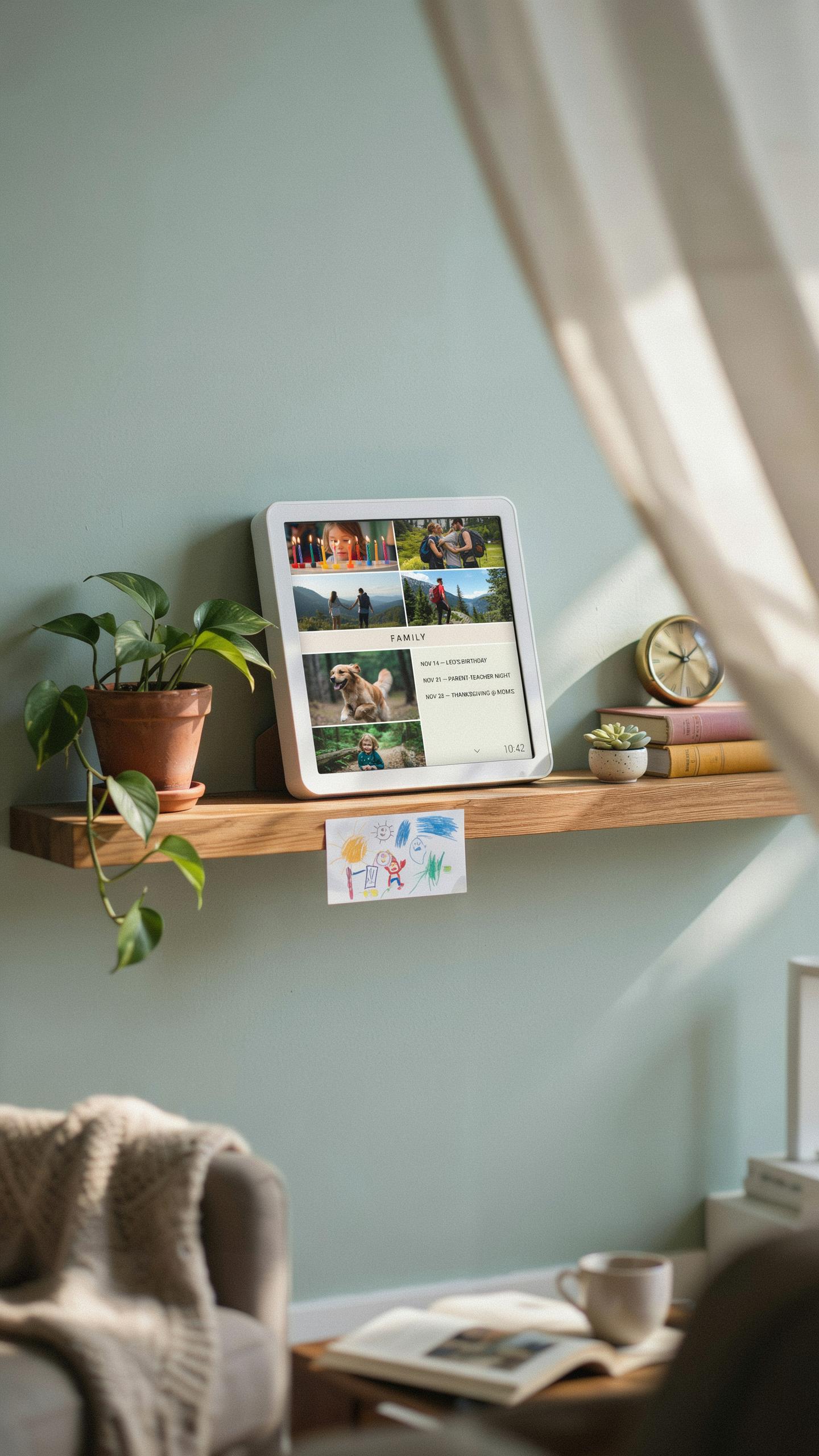
Beyond Stills: Video And Messages
Modern digital picture frames display more than static images. Many models accept video clips lasting 10 to 30 seconds, letting grandparents see grandchildren in motion rather than frozen moments. Some frames also receive written messages that display alongside photos, creating a communication tool beyond traditional photo viewing.
This functionality changes how families stay connected. Grandparents can watch short videos of grandchildren playing, performing, or simply saying hello. Written messages appear on screen, turning the frame into an active channel for family interaction rather than a passive display of old content.
Simple tech gifts bridge generations, connecting hearts with the ease of a cherished memory.
Remote Management For Convenience
Family members control frame content from their phones or computers without requiring grandparents to take action. You upload photos and videos through an app, and they appear on the frame automatically. This removes technical barriers that prevent older users from updating their own displays.

The remote management feature solves a core problem with traditional digital frames. Grandparents receive fresh content continuously without asking anyone for help or learning complicated upload processes. You maintain engagement simply by sending new photos regularly while grandparents enjoy an always-current display of family moments.
The Best Digital Frame Features To Look For
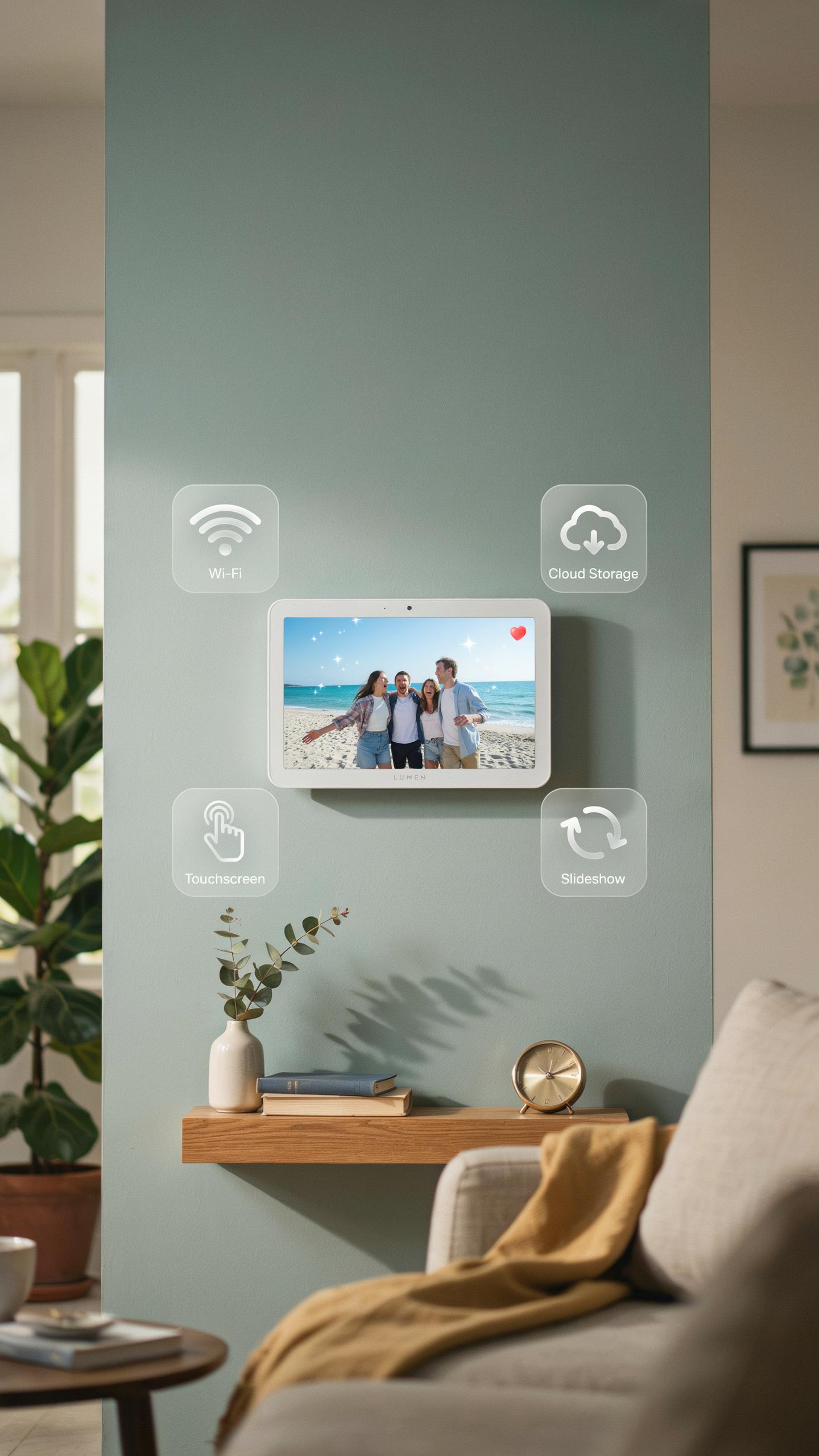
Key Features For Senior Users
Screen size matters first. A minimum of 7 inches works, but 10 inches or larger reduces eye strain. Brightness should reach at least 400 nits so seniors read content clearly in various lighting. Touch controls need minimal steps to navigate photos. Physical buttons provide backup options when screens confuse users.
Wi-Fi connectivity enables remote photo uploads from family members. This removes the burden of seniors managing files themselves. Setup must complete in under 10 minutes without technical jargon. USB ports offer alternative loading methods when Wi-Fi fails. Cloud integration syncs updates automatically across devices.
Top Recommendations For Digital Frames
Several brands engineer frames specifically for older adults. Aura and Skylight lead the market with family-sharing tools that let relatives send photos directly to the frame. Nixplay offers straightforward interfaces and reliable cloud sync. These companies prioritize simplicity over flashy features that distract from core function.
- Aura: Combines touchless navigation with app-based photo sharing. Family members upload images remotely, which appear on the frame instantly without user intervention required.
- Skylight: Features large icons and voice control options. The simple home screen shows one large photo without complicated menus cluttering the display.
- Nixplay: Provides dual connectivity through Wi-Fi and cellular backup. The straightforward slideshow function operates with minimal button presses needed.
- Tolino Epos: Offers e-ink technology for reduced glare and eye fatigue. The grayscale display mimics paper quality familiar to most seniors.
- GustoMSC: Delivers button-based controls without touchscreen navigation. Simplified design appeals to users intimidated by modern interfaces.

Each option emphasizes reliability over unnecessary features. Performance consistency matters more than cutting-edge technology. Frame updates should work without user troubleshooting or IT support calls.
Ensuring A Smooth Tech Experience

Initial Setup And Ongoing Support
Handle the setup yourself before handing over the device. Grandparents benefit from receiving a fully configured gadget with accounts already created and essential apps installed. Walk them through basic functions in person, step by step. Write down simple instructions using large text and avoid technical jargon. Keep these guides nearby for reference.
Make yourself available for questions without judgment or impatience. Most grandparents hesitate to ask for help because they fear appearing incompetent. Establish a regular check-in schedule, whether weekly calls or monthly visits, specifically to troubleshoot issues. Respond promptly when they reach out. Your accessibility directly determines whether they continue using the device or abandon it entirely.
Encouraging Exploration And Enjoyment
Shift their mindset from learning technology to using it for connection. Frame the device as a tool to see grandchildren, access photos, or communicate with family. Highlight specific, personal benefits rather than technical capabilities. Show them one or two features they genuinely care about, then let them discover the rest naturally at their own pace.
Celebrate their wins, no matter how small. When they successfully video call, find a photo, or send a message, acknowledge the accomplishment. This builds confidence and motivates continued use. Avoid correcting minor mistakes or pointing out “easier” ways to do things unless they ask. Your role is encouraging independence, not proving expertise.
Frequently Asked Questions

What exactly are “easy-to-use” tech gifts for grandparents?
Easy-to-use tech gifts for grandparents are devices designed with simplicity in mind. They often feature large buttons, clear displays, intuitive interfaces, and minimal setup requirements. The goal is to enhance their lives without overwhelming them with complex features, focusing on connectivity, entertainment, or health monitoring in a straightforward way.
How can I help my grandparents set up their new tech gifts for grandparents to ensure they’re truly easy to use?
The best approach is to set it up for them completely, if possible, before gifting. Pre-configure Wi-Fi, create accounts, and charge devices. Then, walk them through the basic functions patiently, creating a simple step-by-step guide with large print. Offer ongoing support; knowing you’re there for questions makes a huge difference.
Are there affordable tech gifts for grandparents that are easy to use, or do I need to spend a lot?
Absolutely! You don’t need to break the bank for excellent tech gifts for grandparents that are easy to use. Many affordable options exist, like digital photo frames, smart speakers for simple commands, or even basic e-readers. The key is focusing on their specific needs and finding a user-friendly device that meets them without excessive features.



