

Using Augmented Reality Art in Digital Marketing
Augmented Reality (AR) blends digital images and real-world environments, offering a new way to engage audiences in digital marketing. This technology overlays 3D graphics onto the real world through devices like smartphones or AR glasses, creating interactive experiences. You can enhance your marketing by using AR to show products in real settings or create memorable brand moments.
This article covers practical AR art and aesthetic techniques for marketing. We will discuss how AR works, why it matters for engagement, tools you can use, common challenges, and examples of successful campaigns. By reading this, you will gain clear steps to use AR effectively in your marketing efforts.
Augmented Reality Fundamentals

Augmented reality (AR) is a technology that blends virtual content with the real world. Imagine looking through a smartphone or glasses and seeing computer-generated images or data merged into the environment around you. This blend happens in real-time, so when you move, the virtual images adjust accordingly, maintaining their position in 3D space as if they truly exist there.
The basic components of AR include a display, sensors to track your movement and environment, and processing units to render virtual objects. Displays might be on handheld devices like smartphones or tablets, or on head-mounted devices, such as Microsoft’s HoloLens. These devices use cameras and inertial sensors to scan the surroundings, track your viewpoint, and overlay virtual elements accurately.

It’s worth noting the difference between AR and virtual reality (VR). VR replaces the real world completely with a digital environment, while AR adds to your real-world experience without replacing it. For example, an AR app might show directions as arrows on the street when you look through your phone, layering information on what’s already there, rather than creating an entirely new scene.
What Defines Augmented Reality
AR is much more than just putting images on a screen. It combines the real world with virtual elements that you can interact with instantly. A key feature here is something called 3D registration — virtual objects are positioned precisely in your physical environment, responding to your movements and changes around you. This interaction happens in real-time.
Also, AR isn’t limited to visuals alone. It can include sounds, or even touch feedback in some cases, enriching the way you experience the merged reality. Think about hearing a virtual character talking while you watch it stand on your desk or feeling a subtle vibration when you touch an AR object.
Key AR Devices And Displays
AR comes to life via various devices, each with its own approach to displaying virtual content and tracking movement:
- Head-mounted displays (HMDs): Devices like the HoloLens place transparent screens in front of your eyes, allowing you to see both the real world and computer-generated images simultaneously. These use sensors to follow your head and eye movements.
- Smartphones and tablets: The most common AR platforms today. They use the camera view as a window to the world, adding graphics on top. Sensors help track the device’s position so virtual images don’t look out of place.
- AR glasses: These are lighter and designed for hands-free use, aiming to integrate AR more naturally into daily life. They are still evolving, with different companies experimenting with various optics and tracking methods.
Devices monitor how you move and where you look to keep virtual content stable and convincingly part of your environment. This tracking might sound complicated, but it’s what makes AR feel real — almost like a magic trick you understand just enough to marvel at.
Benefits Of Augmented Reality In Marketing


Augmented reality (AR) matters in digital marketing because it creates a stronger connection between brands and consumers through interactive experiences. Unlike traditional ads that often pass by unnoticed, AR invites users to be part of the story, making the interaction more personal and memorable. You might try a product virtually, even before buying it, blurring the lines between online browsing and in-store shopping.
By enabling immersive product trials, AR helps customers explore products in three dimensions or in their own environment, which could reduce uncertainty and hesitation in purchasing decisions. This experiential approach often leads to better recall of the brand. When you engage with something actively, it sticks better in your mind.
Storytelling takes a new shape with AR. Brands don’t just tell you about their values; they show you through engaging visuals and interactive content, creating emotional connections that text or images alone can’t always achieve. The narrative becomes something you live, not just read.
Engagement Gains From AR Use
It’s interesting to see how AR experiences increase the time people spend exploring a brand. Studies have shown that AR can boost user engagement up to 70% longer than traditional advertisements. It’s not just about time, though. AR demands focus and curiosity, which increases attention to the message. I’ve noticed, for example, that people using AR overlays on product packaging don’t just glance—they examine every detail.
These interactive elements prompt users to explore features, try different options, or complete tasks, which creates a more active form of engagement. Compared to passive viewing, this level of interaction can turn casual browsers into invested customers. The numbers back this up, but also, from a personal viewpoint, engaging hands-on is usually more satisfying and harder to forget.
Brand Messaging Through AR Experiences
AR allows brands to communicate their stories in ways that feel less like selling and more like sharing an experience. Imagine a cosmetics brand letting you virtually try different makeup styles or a car company showing you hidden features of a new model through a smartphone overlay—these are not just ads; these are invitations to discover.

This kind of storytelling often elicits stronger emotional responses. When customers see visualizations and interact with branded content, they tend to feel more connected. I recall an AR campaign where users could see the journey of a product from sourcing to delivery. That transparency built trust and sparked conversations, something a regular ad might not do as effectively.
In a way, AR can turn marketing messages into experiences that stick with people, beyond just the moment of interaction.
Setup Checklist For AR Campaigns

Launching an augmented reality campaign doesn’t just happen overnight. It needs careful planning. First, define your goals. Are you aiming for brand awareness, product engagement, or a new kind of user experience? Pinpointing this shapes everything else.
Next, select your platforms wisely. Are your users more likely to engage through smartphone apps, web-based AR, or perhaps through cutting-edge AR glasses? This depends on your audience’s habits and, of course, your budget.

Then, focus on designing AR content. Keep visuals clear and simple. Cluttered images or overly complex animations might lose your audience’s attention. Also, make sure the design suits your chosen device’s capabilities and your specific target group.
Testing is essential. How users interact with your AR environment can reveal unexpected issues or opportunities. Let others try it out and gather honest feedback on usability and engagement. Look for glitches, delays, or areas where users seem confused.
Finally, think about measuring results. Define what success means for you and how to track it effectively. User interaction rates, time spent in the AR experience, or even social sharing can all be meaningful metrics. Without measurement, you’re just guessing if your campaign worked.
Choosing Your AR Platforms
Deciding which AR platform to use can feel like choosing between quite different worlds. Smartphone apps are still the most widespread. People carry their phones everywhere, so it’s easy to reach a large audience. But development costs can add up, especially across different devices.

Web-based AR, on the other hand, doesn’t require downloads. Users can access AR experiences via browsers, lowering barriers. It’s cost-effective too but sometimes limited in performance and graphics quality. Would your target audience tolerate a simpler experience for easier access? That might be a trade-off worth considering.
AR glasses promise hands-free, highly immersive interactions. Yet, they remain expensive and not widely owned yet. If your campaign targets early tech adopters or professional use cases, glasses could make an impression. For broad consumer markets, they might still be too niche or costly.
Think about who your customers are, where they spend their time, and what devices they prefer. There’s no one-size-fits-all. Trialing smaller pilots on different platforms might provide answers before a full launch.
Design Considerations For AR Art

When creating AR art, simplicity is key, even though the temptation to show off complex visuals is strong. AR experiences often happen in dynamic environments, competing with distractions. Clear, easily understandable graphics work best.

Keep your designs aligned with the chosen device’s display and processing power. For smartphones or web AR, avoid overly dense details or heavy animations that cause lag. With AR glasses, subtlety and minimalism prevent cognitive overload since the user’s real environment remains visible.
Audience attention span also matters. Most AR interactions last only a few seconds to a minute. Your art should deliver impact quickly and intuitively. Consider testing different visual styles and pacing to see what holds attention.
Above all, remember AR art lives in the real world. Its context—lighting, background, physical space—affects perception. Design with flexibility so your art adapts rather than clashes with the environment.
Common AR Tools For Digital Marketing

When it comes to developing augmented reality (AR) experiences for marketing, there’s a handful of tools that come up frequently. Perhaps the most well-known is ARKit from Apple. It’s designed exclusively for iOS devices and takes advantage of Apple’s hardware like cameras and motion sensors to create AR apps. It’s quite powerful but limited to devices with Apple’s A9 processor or newer, which means it doesn’t cover the full smartphone market.

Then there’s Google’s ARCore, which serves a similar purpose but for Android devices. It’s known for its ability to track phone position with six degrees of freedom, understand environmental surfaces, and map lighting realistically. The catch is it’s certified only on certain devices with quality cameras and sensors, so compatibility is something to keep an eye on.
For marketers who might shy away from coding, Spark AR Studio presents an interesting option. This platform allows creation of AR content primarily for Meta’s social platforms like Facebook and Instagram. Its drag-and-drop interface and templates make it much easier to develop and test AR experiences, without needing deep technical knowledge.
Platform Features At A Glance
- ARKit – Exclusive iOS/iPadOS support, strong hardware integration, great for detailed spatial mapping.
- ARCore – Android-focused, works with certified devices, offers environmental understanding and light estimation.
- Spark AR Studio – Social media-centric, supports drag-and-drop, templates, no-code needed.
No Coding Tools For Marketers
If coding feels like a barrier, there are platforms built precisely to bypass it. For example, Spark AR Studio’s user-friendly approach lets you build AR filters or effects with visual tools, streamlining the usual complex development process. Marketers can experiment with features like facial tracking and background replacement right away. And for quick theater tests or campaign demos, these tools provide a handy way to produce engaging AR content.
Would you want to dive into AR marketing but fret about the technical side? These platforms offer a range of options depending on the device ecosystem and your own comfort with tech skills. It’s somewhat forgiving, although not every solution offers the same depth or flexibility. Still, there’s plenty to try out and discover with these tools beneath your fingertips.
How To Avoid AR Campaign Pitfalls


Augmented reality marketing often stumbles over technical glitches, confusing interfaces, and visuals that try to do too much at once. These issues can quickly turn users away, no matter how creative the concept is. You might find yourself thinking, “I believe this looks great,” but users could feel overwhelmed or simply unable to navigate through it.
Before launching, make sure to:
- Test the AR experience thoroughly on various devices to catch bugs early.
- Keep the design simple—avoid clutter and limit the number of interactive elements.
- Focus on smooth performance; lag or crashes break immersion and frustrate users.
Sometimes simpler really is better in AR. By paring down complex visuals and offering straightforward interactions, you help keep your audience fully engaged without distraction or confusion.
Testing And User Feedback
Getting meaningful user feedback before deployment is crucial. Early testing reveals usability issues you might overlook. Invite diverse testers to interact with your AR application and observe their behavior.
Collect feedback by:
- Using surveys or interviews to capture direct input.
- Monitoring how users navigate and where they struggle.
- Iterating designs based on real user reactions—not just your assumptions.
This process not only improves user experience but also reduces costly fixes post-launch. I remember a campaign that was rushed without proper testing, and it ended up confusing a lot of users—it’s a lesson in patience and preparation.
Simplify To Enhance Impact
AR can easily become too busy. Visual overload or convoluted gestures disrupt user flow and engagement. Keep in mind:
- Limit the number of visual elements on screen.
- Use clear, intuitive gestures and interface cues.
- Guide users gently through the experience without overwhelming them.
It may seem tempting to pack an AR experience with endless features, but a focused and clean presentation often resonates more effectively. How much is too much? That’s often something you discover by watching others use your creation rather than guessing on your own.
Measuring Success Of AR Marketing

When you’re trying to gauge how well an AR campaign performs, it’s not always straightforward. The key performance indicators, or KPIs, often revolve around engagement time, click-through rates, social shares, and conversions. But measuring these KPIs accurately? That’s where things get tricky. For example, engagement time could reflect genuine interest or just prolonged inactivity. Click-through rates show how many people took action, but they don’t capture the quality of that interaction.
To track these metrics, you might rely on analytics platforms embedded in the AR software, which capture user behavior data in real time. These tools often record how long users explore an AR element and how they navigate through it. Social shares can be tracked via integrated social media plugins or monitoring hashtags linked to campaigns.
Conversions, such as purchases or sign-ups, can be linked back to AR by using unique promotional codes or URLs. It’s not perfect, but it helps connect the dots between virtual interactions and real-world results.
Tracking User Engagement Metrics
Measuring user interaction with AR content involves more than just counting clicks. You need to understand how users explore the experience. Tools like heatmaps can show where users focus their attention within an AR scene. Session recordings reveal navigation paths, while real-time event logging tracks specific actions such as object manipulation.
Often, data from these tools gets fed into dashboards that show insights like average session duration and repeat visits. But be wary—high interaction times might not always mean users enjoyed the experience; sometimes they struggle to figure it out. So, pairing quantitative data with user feedback or A/B testing can provide a fuller picture.
Conversion And Brand Impact Metrics
Linking AR campaigns to direct sales or improved brand awareness is a challenge. One common approach is to use tracking pixels or unique landing pages to monitor conversion paths. Surveys and brand lift studies can capture shifts in perception that don’t show up in sales figures but still matter for long-term value.
For example, a brand might notice a jump in website visits or newsletter sign-ups after launching an AR experience. Tracking tools then help understand if these were driven by the campaign or other factors. It’s sometimes ambiguous, but combining several data points can suggest a correlation.
Remember, not all impacts are immediate or measurable. Some AR experiences build brand equity slowly, through repeated exposure or social buzz. So patience and a layered approach to tracking are crucial when assessing AR’s influence on marketing outcomes.
Augmented Reality Versus Virtual Reality
Differences In User Experience
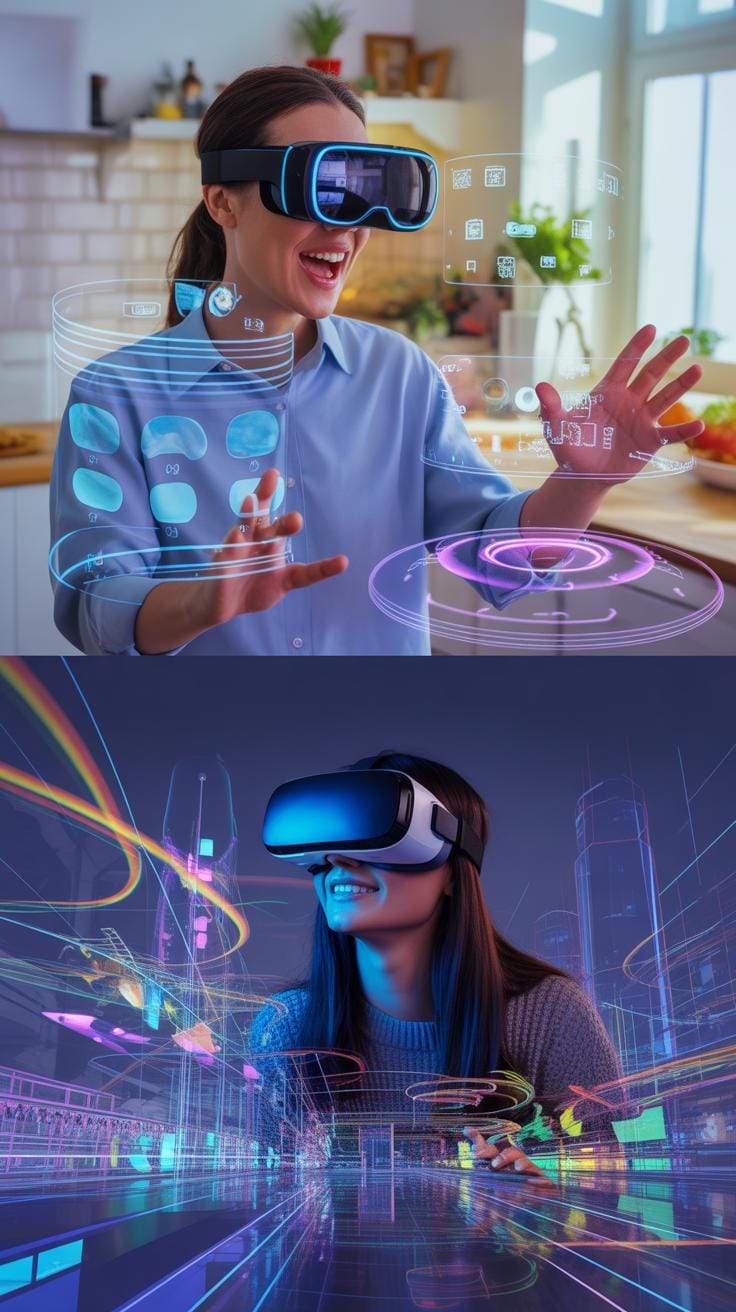
Augmented Reality (AR) layers digital content on top of the real world you see around you. It means you’re still aware of your environment, but your perception gets a digital twist—like seeing extra info or graphics added to physical objects. Virtual Reality (VR), on the other hand, drops you into an entirely simulated world. You lose sight of the real space as VR replaces it with a fully immersive environment that can be anything from a fantasy landscape to a detailed simulation.
The distinction here affects how users feel and react. AR tends to keep you grounded and more connected to actual surroundings. VR can feel isolating or transporting, depending on the content and hardware. This difference influences how people engage and the kinds of experiences you can create. Some might find AR more comfortable since it doesn’t block reality, but VR might offer deeper escapism and focus.
Marketing Suitability Of AR And VR
When it comes to marketing, AR’s strength is in blending branded content into the world consumers already inhabit. Think virtual try-ons for makeup or furniture apps showing how a couch fits in your living room—this complements decision-making without detaching from reality. AR often needs just a smartphone, making it accessible.
VR’s marketing uses lean towards immersive storytelling, like virtual showrooms or experiential events that demand user attention and longer engagement times. It’s great when you want to create memorable brand moments but less practical for quick or broad outreach.
So why might AR be the better fit for many marketing goals? It aligns with everyday environments and allows brands to enhance real-life experiences subtly. It’s typically easier to deploy, less costly on hardware, and supports instant interaction without needing dedicated VR gear. But then again, the choice depends on what you want your audience to feel and how deep the experience should be.
Case Examples Of AR Digital Campaigns
Retail Product Visualization
One campaign that stands out in retail is the use of AR to visualize products in your own space before buying. Brands, like furniture companies, use AR apps allowing customers to project life-size 3D models of sofas or tables right into their rooms via smartphones or tablets. This helps you really get a sense of scale and style without stepping into a store. You might think it’s just a gimmick, but data shows that AR shoppers tend to be more confident and less likely to return items. So, the campaign goal often extends beyond engagement to reducing purchase hesitation and returns.
For instance, an AR campaign by a major furniture retailer let users place virtual furniture in their homes, rotate, and move it around. The key AR features were accurate spatial mapping and real-time interaction. The results? A boost in both online sales and customer satisfaction. Some customers even shared photos of their newly visualized spaces on social media, creating organic buzz for the brand.
Interactive Brand Storytelling
Then there are brands that go beyond just showcasing products—using AR to tell their story interactively. One example is a beverage company that created an AR experience on their packaging. When users scanned the bottle with their phones, they unlocked a layered digital story about the company’s origins, the ingredients’ journey, and an interactive animation that personalized the experience.
This kind of campaign aims to deepen emotional connections. The AR features—animated overlays, triggered audio narratives, and interactive hotspots—kept users engaged longer than traditional ads. The unexpected twist? It sometimes distracted from the product itself, making you wonder if the story became the star more than the drink. But the engagement rates and social shares were undeniably high. So, it’s a trade-off marketers seem willing to accept.
Both examples show how AR doesn’t just add flash. It can serve real marketing aims—whether that’s helping you decide on a purchase by visualizing it in your own space or enriching your understanding of a brand through immersive storytelling. It’s a reminder that AR’s power lies in how thoughtfully it’s applied, not just the tech itself.
Conclusions
AR adds a new dimension to digital marketing by blending real and virtual worlds. Its ability to create interactive and visual experiences helps brands connect with their audiences on a deeper level. You can use AR art techniques to make your campaigns more eye-catching and immersive.
To succeed with AR, focus on user experience, choose the right tools, and avoid technical pitfalls. Look at examples to inspire your designs. With careful planning, AR can bring your marketing strategy to life and give you a competitive edge.